
Windows VPS hosting is most useful when a website, application, or business workload depends on Windows Server technologies. Common examples include ASP.NET applications, IIS websites, Microsoft SQL Server workloads, Windows-based business software, remote administration, and Windows-specific development environments.
Unlike a generic VPS use case, a Windows VPS becomes particularly valuable when your application requires components or tools that are designed for the Windows Server ecosystem.
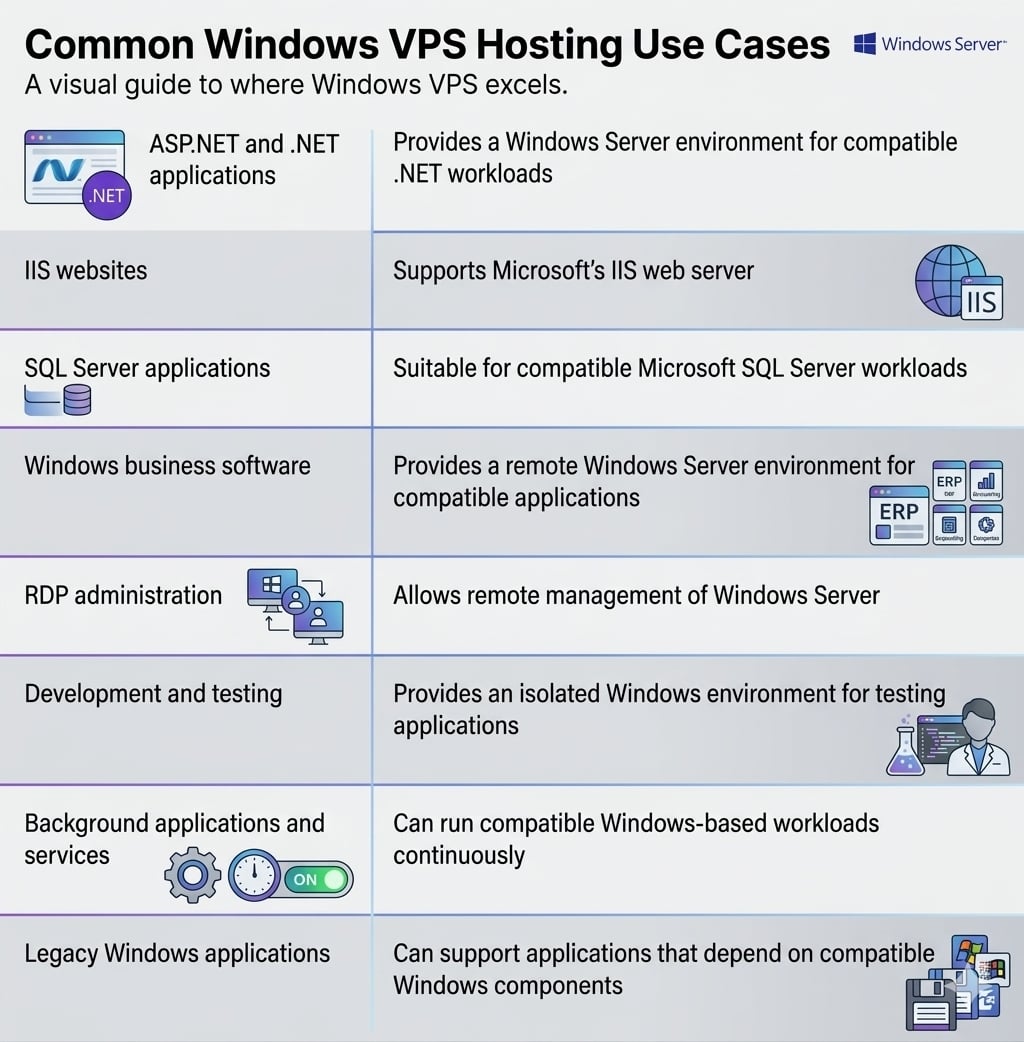
Common Windows VPS Hosting Use Cases
The following table provides a quick overview of where a Windows VPS can be useful:
|
Use Case |
Why a Windows VPS Fits |
|
ASP.NET and .NET applications |
Provides a Windows Server environment for compatible .NET workloads |
|
IIS websites |
Supports Microsoft’s IIS web server |
|
SQL Server applications |
Suitable for compatible Microsoft SQL Server workloads |
|
Windows business software |
Provides a remote Windows Server environment for compatible applications |
|
RDP administration |
Allows remote management of Windows Server |
|
Development and testing |
Provides an isolated Windows environment for testing applications |
|
Background applications and services |
Can run compatible Windows-based workloads continuously |
|
Legacy Windows applications |
Can support applications that depend on compatible Windows components |
The right choice still depends on the application’s operating system, software, licensing, resource, and compatibility requirements.
1. Hosting ASP.NET and .NET Applications
One of the most common Windows VPS hosting use cases is hosting applications built with Microsoft’s .NET technologies.
Applications developed with ASP.NET or other Windows-compatible .NET technologies may require a Windows Server environment and IIS. A Windows VPS can provide greater control over this environment than a typical shared hosting account.
A Windows VPS may be appropriate when an application requires:
- ASP.NET hosting
- A supported .NET runtime
- IIS configuration
- Windows-specific application dependencies
- Custom server-level configuration
This is particularly useful for businesses running their own .NET applications that need control over the server environment.
The exact Windows Server version and .NET requirements should be checked against the application’s documentation before deployment.
2. Hosting Websites With IIS
Internet Information Services, commonly called IIS, is Microsoft’s web server platform for Windows Server.
A Windows VPS can be useful when a website or web application has been designed around IIS rather than a Linux-based web server.
Depending on the application, administrators may need to configure:
- IIS websites
- Application pools
- Site bindings
- SSL certificates
- Authentication
- Application-specific settings
This makes Windows VPS hosting a practical option for websites and applications that depend on the Microsoft web hosting stack.
If the website only requires a standard Linux-compatible hosting environment, however, Windows VPS may not be necessary.
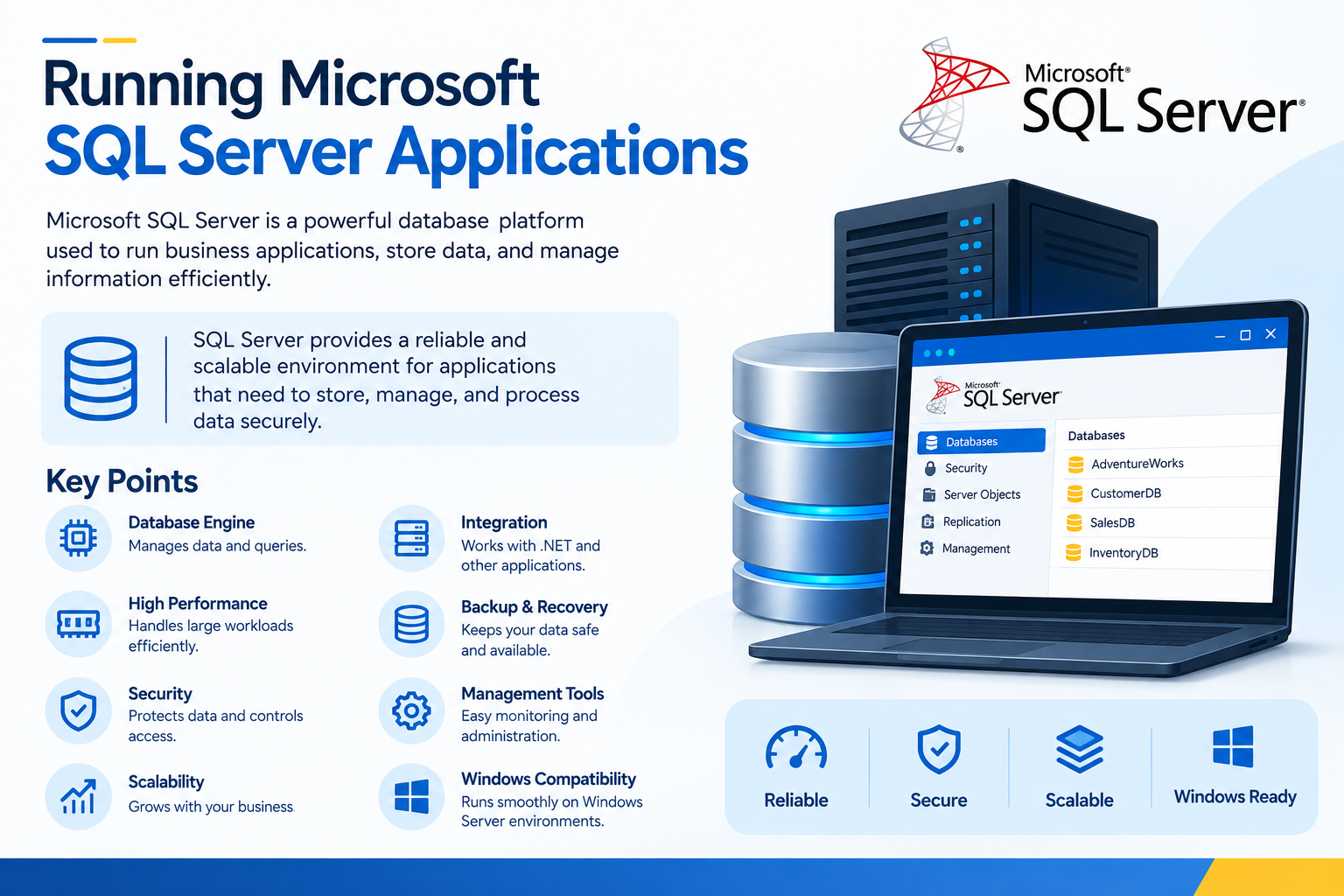
3. Running Microsoft SQL Server Applications
Another important Windows VPS use case is hosting applications that depend on Microsoft SQL Server.
For example, a business application may use a .NET application layer together with SQL Server as its database. A Windows VPS can provide a Windows Server environment for compatible SQL Server workloads.
However, database workloads require more planning than a simple website.
Before deploying SQL Server, consider:
- CPU requirements
- RAM requirements
- Storage capacity
- Storage performance
- Database size and growth
- SQL Server edition
- Windows Server compatibility
- Software licensing
- Backup and recovery requirements
A small database-backed application may have very different requirements from a large production database.
Important: SQL Server should not be installed on a VPS simply because the operating system supports it. Always check the application’s requirements, SQL Server documentation, licensing terms, and available VPS resources first.
4. Hosting Windows-Based Business Software
Some business applications are designed specifically for Windows and may depend on Windows Server components or other Windows-specific technologies.
In such cases, a Windows VPS for business applications can provide a centralized server environment that authorized users can access remotely.
Potential examples include compatible:
- Business management applications
- Internal applications
- Windows-based database applications
- Custom business software
- Application servers
Whether an application can run successfully on a Windows VPS depends on its vendor requirements.
Before deployment, check whether the software supports:
- The selected Windows Server version
- Virtualized environments
- Remote access
- The required database platform
- The available CPU and RAM
- The required Windows components
Do not assume that software designed for desktop Windows will automatically work correctly on Windows Server.
5. Remote Desktop Administration and Application Access
Remote Desktop Protocol (RDP) is one of the most common ways to administer a Windows VPS.
Administrators can use RDP to remotely access the Windows Server desktop and perform tasks such as:
- Installing applications
- Configuring IIS
- Managing Windows users
- Reviewing server settings
- Troubleshooting applications
- Managing Windows services
- Performing routine administration
RDP can also be part of certain remote application environments, but that is different from simply administering a VPS.
If multiple users need to access applications through a Windows Server environment, additional Windows Server configuration, application compatibility, and licensing requirements may apply.
For administration, RDP access should be properly secured. Strong credentials, restricted network access, appropriate firewall configuration, updates, and other security controls should be considered.
For a detailed RDP procedure, use a dedicated How to Connect to a Windows VPS Using Remote Desktop guide rather than duplicating those instructions here.
6. Development, Testing, and Staging
A Windows VPS can also serve as a remote development, testing, or staging environment when an application requires Windows Server.
For example, developers may need to test:
- ASP.NET applications
- IIS configurations
- .NET deployments
- Windows services
- SQL Server integrations
- Application updates
A separate Windows environment can help developers test changes without immediately modifying the production server.
This can be especially useful when the production application uses Windows-specific technologies and the testing environment needs to closely resemble the production setup.
The VPS should still be sized according to the application being tested. A development environment does not necessarily require the same resources as a production workload.
7. Running Background Windows Applications and Services
Some applications need to run continuously in the background rather than being used only through a web browser.
A Windows VPS can be suitable for compatible Windows applications or services that need a persistent server environment.
Examples can include:
- Custom Windows services
- Background application processes
- Internal business services
- Application components
- Scheduled Windows-based workloads
The exact requirements depend on how the application has been developed.
If an application requires a particular Windows component, runtime, database, or service configuration, verify those requirements before deploying it to the VPS.
8. Hosting Compatible Legacy Windows Applications
A Windows VPS can also be useful for certain legacy applications that depend on Windows-specific components.
For example, an older business application may have been developed specifically for a Windows environment and may not have a supported Linux equivalent.
A Windows VPS can provide an isolated server environment for a compatible legacy application.
Before moving such an application, verify:
- Supported Windows Server versions
- Required runtime components
- Database dependencies
- Software licensing
- CPU and RAM requirements
- Storage requirements
- Network requirements
- Vendor support
A Windows VPS does not automatically make every legacy Windows application compatible.
Applications should be tested before production migration, particularly when the software is old or depends on components that may no longer be supported.
When Does a Windows VPS Make Sense?
A Windows VPS is generally worth considering when your workload has a specific Windows requirement.
A Windows VPS may be appropriate when:
- Your application requires IIS.
- You host ASP.NET or compatible .NET applications.
- Your application depends on Microsoft SQL Server.
- You need a Windows Server environment for business software.
- You need remote administration through RDP.
- You need a Windows-based testing or staging environment.
- Your application depends on Windows-specific components.
- You need more server-level control than standard Windows shared hosting provides.
The key question is not simply whether you need a VPS.
The more important question is:
Does your application actually require Windows Server?
If the answer is yes, Windows VPS hosting may be a suitable infrastructure choice.
When a Windows VPS May Not Be the Best Choice
A Windows VPS is not automatically the best option for every website or application.
You may not need Windows VPS hosting when:
- Your website only requires standard PHP and MySQL hosting.
- Your application does not depend on Windows-specific software.
- You only need basic website hosting.
- Your hosting requirements can be satisfied by shared hosting.
- Your application vendor recommends a Linux environment.
- The workload requires resources beyond the VPS environment you are considering.
For example, a typical WordPress website does not normally require Windows Server simply because it can technically be hosted on a server.
Choose the operating system based on the software requirements of the workload.
Windows VPS vs Linux VPS
The choice between Windows VPS and Linux VPS should primarily depend on application compatibility.
Windows VPS is generally more relevant when the workload depends on technologies such as:
- IIS
- ASP.NET
- .NET
- Microsoft SQL Server
- Windows Server components
- Windows-specific applications
Linux VPS may be appropriate when the application is designed for Linux and does not require Windows-specific technologies.
This article focuses specifically on Windows VPS use cases. For a detailed operating-system comparison, see the dedicated Windows VPS vs Linux VPS guide.
Important Considerations Before Using a Windows VPS
Before deploying an application on Windows VPS hosting, check five areas carefully.
1. Operating System Compatibility
Confirm that the application supports the Windows Server version you plan to use.
Desktop Windows and Windows Server are not interchangeable simply because they share the Windows name.
2. Application Compatibility
Check the application’s documentation or vendor requirements before installation.
This is particularly important for legacy applications and software originally designed for desktop Windows.
3. Resource Requirements
Consider:
- CPU
- RAM
- Storage
- Storage performance
- Network requirements
Applications and databases can require substantially more resources than a simple website.
4. Software Licensing
Microsoft products and third-party applications may have specific licensing requirements when deployed on virtual servers.
Check the applicable licensing terms before deploying production software.
5. Security and Backups
A Windows VPS should be maintained like any other production server.
Depending on the workload, this may include:
- Keeping Windows Server updated
- Securing RDP access
- Configuring firewall rules appropriately
- Using strong authentication
- Limiting unnecessary services
- Maintaining reliable backups
- Testing restoration procedures
Security and backup requirements should be based on the importance of the application and data being hosted.