
When selecting a dedicated server, storage technology can have a noticeable impact on application performance. It affects how quickly a server accesses files, processes database requests, and handles simultaneous storage operations.
Two common storage options are SATA SSD and NVMe SSD. Both use flash memory and are considerably faster than traditional mechanical hard drives, but they differ in how they communicate with the server.
Understanding SSD vs NVMe for dedicated servers can help you choose storage that matches your workload and performance requirements.
Although NVMe generally offers higher speeds and lower latency than SATA SSD, it is not always necessary for every server. The right choice depends on your applications, database activity, storage requirements, and budget.
What Is the Difference Between SSD and NVMe?
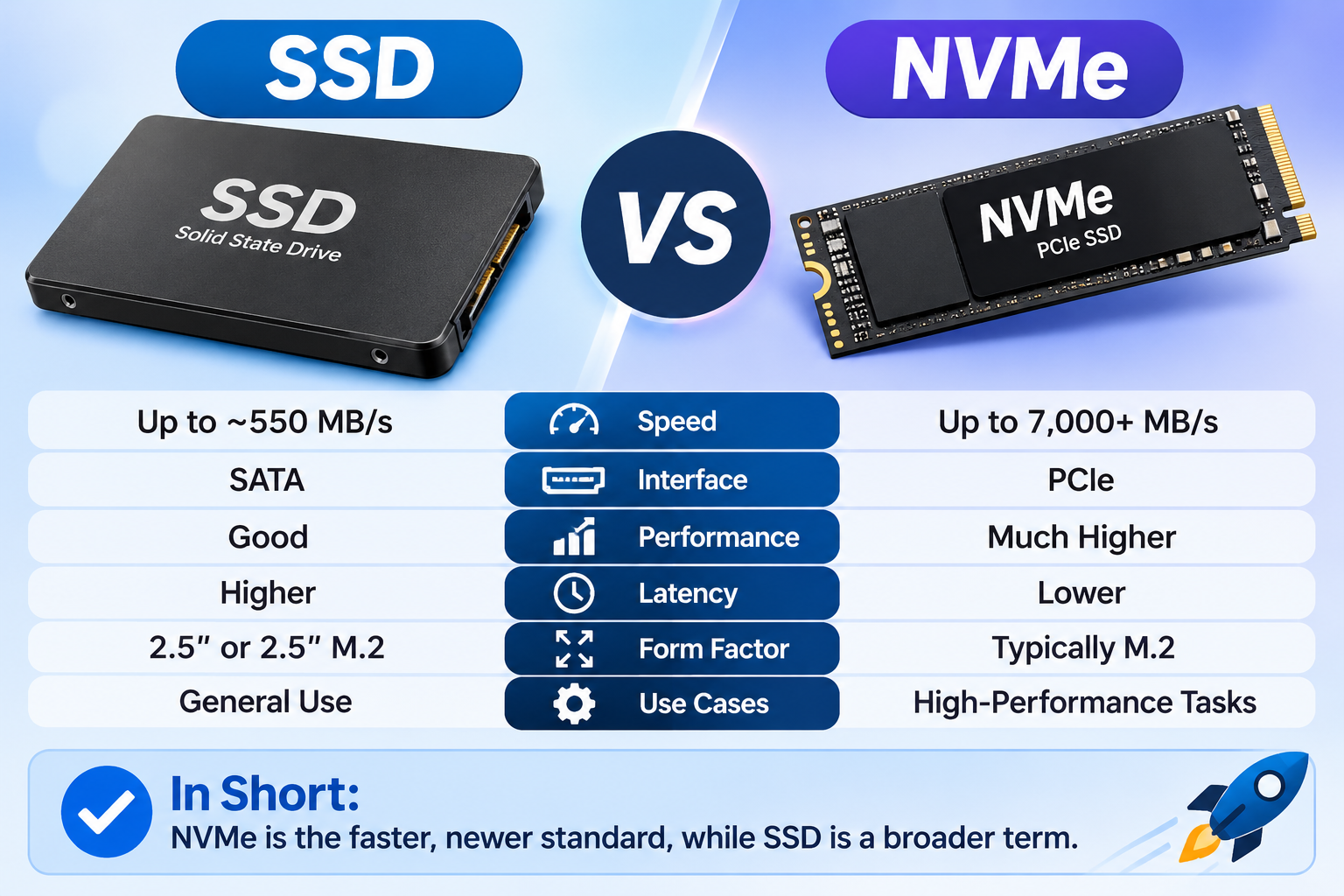
SSD stands for Solid State Drive. It is a storage device that uses flash memory to store data without moving mechanical parts.
NVMe stands for Non-Volatile Memory Express. It is a storage protocol designed specifically for flash-based storage devices, typically using the PCIe interface.
This distinction is important because NVMe is not an alternative to SSD. An NVMe drive is also an SSD.
When comparing SSD and NVMe for dedicated servers, the actual comparison is usually between SATA SSD and NVMe SSD.
The main differences are:
- SATA SSD: Uses the SATA interface and AHCI protocol to communicate with the server.
- NVMe SSD: Uses the NVMe protocol over PCIe, providing higher bandwidth and more efficient handling of storage requests.
Both can provide reliable storage, but NVMe is designed to handle more demanding workloads.
SATA SSD vs NVMe SSD: Key Differences
The biggest difference between these technologies is their interface and communication architecture.
SATA SSDs use the SATA III interface, which has a theoretical signaling rate of 6 Gbps. In practice, typical SATA SSDs deliver sequential transfer speeds of around 550 MB/s.
NVMe drives use PCIe lanes, allowing substantially higher bandwidth depending on the PCIe generation and drive configuration.
Here is a practical comparison:
Feature | SATA SSD | NVMe SSD |
Interface | SATA | PCIe |
Protocol | AHCI | NVMe |
Typical sequential read speed | Around 550 MB/s | Varies by drive and PCIe generation |
Latency | Generally higher | Generally lower |
IOPS | Generally lower | Generally higher |
Command queues | Single queue | Multiple queues |
Parallel operations | More limited | Designed for greater parallelism |
Best suited for | General hosting workloads | Performance-intensive workloads |
Actual performance varies by drive model, capacity, controller, firmware, and workload. Advertised maximum speeds should not be treated as guaranteed server performance.
Why NVMe Performs Better Than SATA SSD
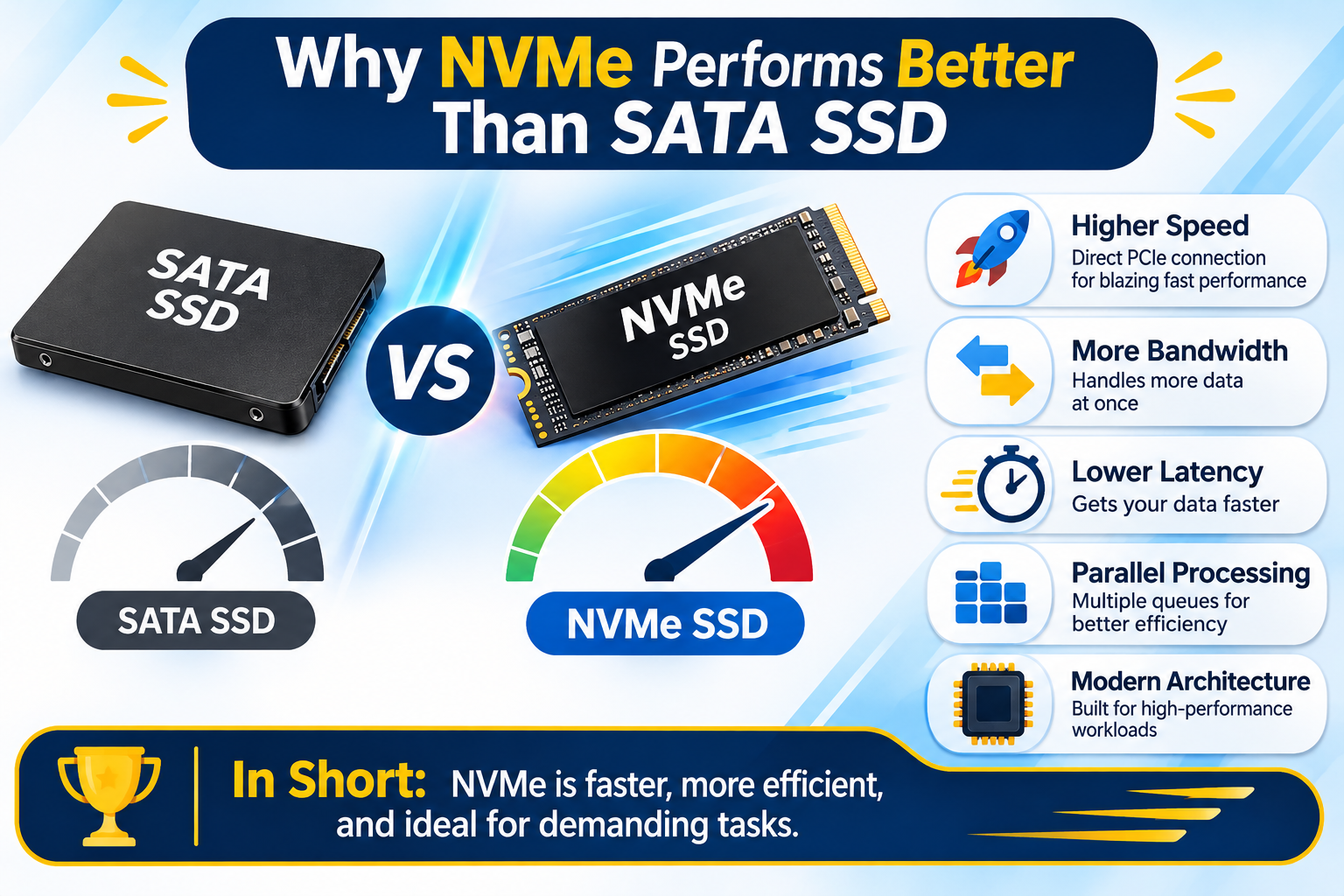
NVMe was developed to address the limitations of older storage communication technologies.
Its architecture allows modern SSDs to communicate with the server more efficiently, particularly when handling multiple simultaneous requests.
There are three main reasons NVMe generally performs better.
1. Higher Data Transfer Speeds
SATA III has a theoretical signaling rate of 6 Gbps, which limits the maximum bandwidth available to SATA SSDs.
NVMe drives use PCIe connections. Their available bandwidth depends on the PCIe generation and the number of lanes.
For example, a PCIe 4.0 x4 connection provides substantially more theoretical bandwidth than SATA III.
This difference is useful when a server regularly transfers large files, processes datasets, or performs storage-intensive operations.
2. Lower Storage Latency
Latency is the time a storage device takes to respond to a read or write request.
NVMe is designed to reduce communication overhead between the storage device and the server.
This can make a difference in applications that perform frequent small read and write operations, such as databases and transactional systems.
However, actual application response times also depend on CPU processing, memory, software configuration, and other system resources.
3. Higher IOPS and Better Parallel Processing
IOPS stands for Input/Output Operations Per Second. It measures how many individual storage operations a drive can handle within a second.
Traditional SATA SSDs use the AHCI command architecture, which supports one command queue with up to 32 commands.
NVMe supports up to 64,000 queues, with up to 64,000 commands per queue.
This architecture allows NVMe drives to handle large numbers of simultaneous storage requests more efficiently.
For dedicated servers running multiple applications, virtual machines, or database services, this can help reduce storage bottlenecks.
Which Dedicated Server Workloads Benefit Most from NVMe?
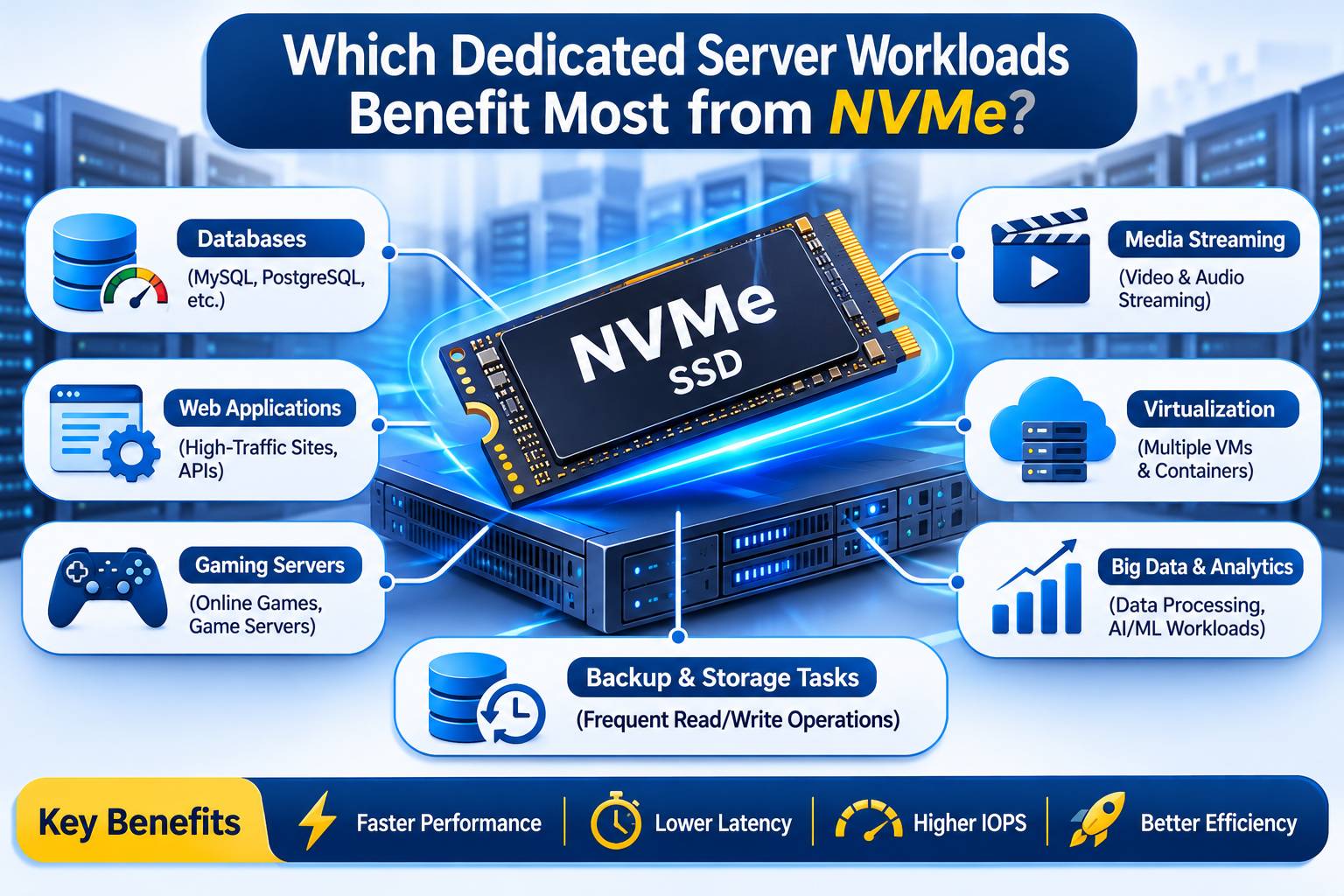
Not every server needs NVMe storage. However, certain workloads can benefit considerably from its higher bandwidth, lower latency, and I/O capabilities.
1. Database Servers
Database applications frequently perform read and write operations. When several users access information simultaneously, storage performance can influence query responsiveness.
NVMe can be particularly useful for:
- MySQL and MariaDB databases.
- PostgreSQL applications.
- Large customer databases.
- Transaction-intensive applications.
- Database servers handling frequent concurrent requests.
The actual improvement depends on database configuration, available RAM, query optimization, and storage workload.
2. KVM Virtualization and VPS Hosting
A dedicated server running KVM virtualization may host several virtual machines, each generating its own storage requests.
When multiple VPS instances perform disk operations simultaneously, the underlying storage needs to handle that activity efficiently.
NVMe can help virtualization environments by providing higher IOPS and lower storage latency.
It is particularly useful for hosting providers and businesses running multiple virtual machines on a single physical server.
3. High-Traffic Websites
Websites with significant traffic often perform frequent database queries, file access, and application operations.
For example, a large WordPress installation with multiple plugins, active users, and a busy database may benefit from faster storage.
NVMe can help reduce storage-related delays, although caching, CPU resources, RAM, and application optimization remain important.
4. Ecommerce Applications
Ecommerce platforms perform several operations simultaneously, including inventory updates, customer account access, order processing, and database queries.
For stores handling substantial traffic and transaction activity, NVMe may provide better storage responsiveness.
It is particularly worth considering when database I/O is a measurable performance bottleneck.
5. Data Processing and File-Intensive Applications
Applications that regularly process large files or work with substantial datasets can benefit from NVMe’s higher sequential throughput.
Examples include:
- Large file processing.
- Data analysis applications.
- Development and testing environments.
- Media processing workloads.
- Applications that perform frequent disk operations.
For these workloads, the additional storage bandwidth can help reduce processing delays caused by slower storage.
When Is a SATA SSD Sufficient for a Dedicated Server?
NVMe offers higher performance potential, but that does not mean every business needs it.
A good-quality SATA SSD can provide sufficient performance for many standard hosting and business applications.
Consider SATA SSD storage when:
- You operate small or medium-sized business websites.
- Your applications have moderate database activity.
- Your workload does not generate intensive disk operations.
- Your server budget is limited.
- Your applications are more dependent on CPU or RAM than storage performance.
For example, a company hosting a few business websites with moderate traffic may not notice a meaningful improvement from switching to NVMe if its existing SATA SSD is not a performance bottleneck.
The important thing is to select storage according to actual workload requirements rather than paying for specifications that your applications cannot fully use.
Enterprise NVMe vs Consumer NVMe: What Should You Know?
Not all NVMe drives are designed for the same workloads.
Consumer NVMe drives are generally developed for desktop computers, laptops, and everyday applications. Enterprise NVMe drives are designed for server environments where sustained performance, endurance, and data protection are important.
Before choosing NVMe storage for a production dedicated server, consider the following differences.
Feature | Consumer NVMe | Enterprise NVMe |
Primary use | Desktop and personal computing | Servers and data centers |
Endurance | Often lower | Available in higher endurance ratings |
Sustained performance | Can vary under heavy workloads | Designed for specified enterprise workloads |
Power-loss protection | Often unavailable | Available on supported models |
Workload suitability | General computing | Read-intensive and mixed workloads |
Firmware and management | Consumer-focused | Enterprise-oriented features |
Three specifications deserve particular attention.
Drive Writes Per Day (DWPD): This indicates how many times the drive’s full capacity can be written each day over its rated endurance period.
Terabytes Written (TBW): This indicates the total amount of data a drive is rated to handle over its specified lifetime or warranty conditions.
Power-Loss Protection (PLP): Supported enterprise drives may include hardware protection designed to help preserve data in volatile buffers during unexpected power loss.
For business-critical workloads, selecting a suitable enterprise-grade drive can be more important than choosing the NVMe model with the highest advertised speed.
Does NVMe Always Make a Dedicated Server Faster?
No. Installing NVMe storage does not automatically make every dedicated server faster.
Storage is only one part of overall server performance.
For example, a server with insufficient RAM may continue to experience performance problems even after upgrading to NVMe storage.
Similarly, a database with poorly optimized queries may remain slow despite having a high-performance SSD.
Other factors that influence server performance include:
- CPU: Determines how efficiently applications process instructions.
- RAM: Provides memory for applications, databases, and operating system operations.
- Network connectivity: Affects how quickly data moves between the server and users.
- Software optimization: Poorly configured applications can create unnecessary resource usage.
- Database configuration: Inefficient queries and indexing can affect response times.
Before upgrading storage, identify whether disk I/O is actually causing the performance problem.
This helps businesses invest in the resources that will make the biggest difference.
What Should You Consider When Choosing Server Storage?
Before selecting SATA SSD or NVMe for a dedicated server, consider more than advertised read and write speeds.
Storage Capacity
Choose enough storage for your operating system, applications, databases, and business data.
Also consider future growth. Running a drive close to full capacity can affect performance and reduce the space available for internal storage management.
Storage Endurance
Check the drive’s DWPD or TBW rating, particularly if your applications generate frequent write operations.
Database servers and virtualization environments may require drives with higher endurance ratings than standard website hosting workloads.
PCIe Generation and Compatibility
NVMe performance depends on the PCIe generation, number of lanes, and the drive’s own specifications.
Check whether the dedicated server supports the required NVMe form factor and PCIe configuration.
A faster drive cannot deliver its full potential if the server platform limits its available bandwidth.
RAID Compatibility
If you need storage redundancy, verify that the server supports your intended RAID configuration.
NVMe RAID support depends on the motherboard, controller, firmware, and operating system.
Also remember that RAID is not a substitute for regular backups. It helps maintain availability during certain drive failures but does not protect against accidental deletion, ransomware, or every type of data loss.
Enterprise Drive Features
For production workloads, consider:
- Power-loss protection.
- Endurance ratings.
- Sustained write performance.
- Drive health monitoring.
- Firmware support.
- Manufacturer specifications and warranty.
These factors help determine whether a drive is suitable for continuous server workloads.
SSD vs NVMe: Which One Should You Choose?
The right choice depends on your applications, storage activity, and performance requirements.
Server Workload | Recommended Storage |
Standard business websites | SATA SSD or NVMe |
High-traffic websites | NVMe worth considering |
Database-intensive applications | Enterprise NVMe generally preferable |
KVM virtualization | NVMe generally preferable |
Development servers | SATA SSD or NVMe |
Ecommerce platforms | Depends on transaction and database activity |
General-purpose hosting | SATA SSD or NVMe |
Intensive data processing | NVMe generally preferable |
If your applications regularly generate high storage I/O, NVMe is usually the stronger option.
However, if your workload is relatively light and storage is not a bottleneck, a quality SATA SSD may provide everything your server needs.
For production environments, also compare drive endurance, reliability features, capacity, and sustained performance rather than relying on advertised maximum speeds alone.
Frequently Asked Questions
