
Introduction
Storage is one of the most influential resources inside a VPS environment. While CPU and RAM often receive the most attention, disk performance frequently determines how quickly applications load, databases respond, backups complete, and websites serve content.
When comparing VPS plans, providers commonly offer three storage technologies:
- HDD (Hard Disk Drive)
- SSD (Solid State Drive)
- NVMe SSD (Non-Volatile Memory Express)
Although all three perform the same basic task—storing data—their internal architecture and performance characteristics are dramatically different.
Understanding these differences helps ensure that a VPS is matched to its intended workload rather than selected solely on storage capacity.
Why Storage Technology Matters in a VPS
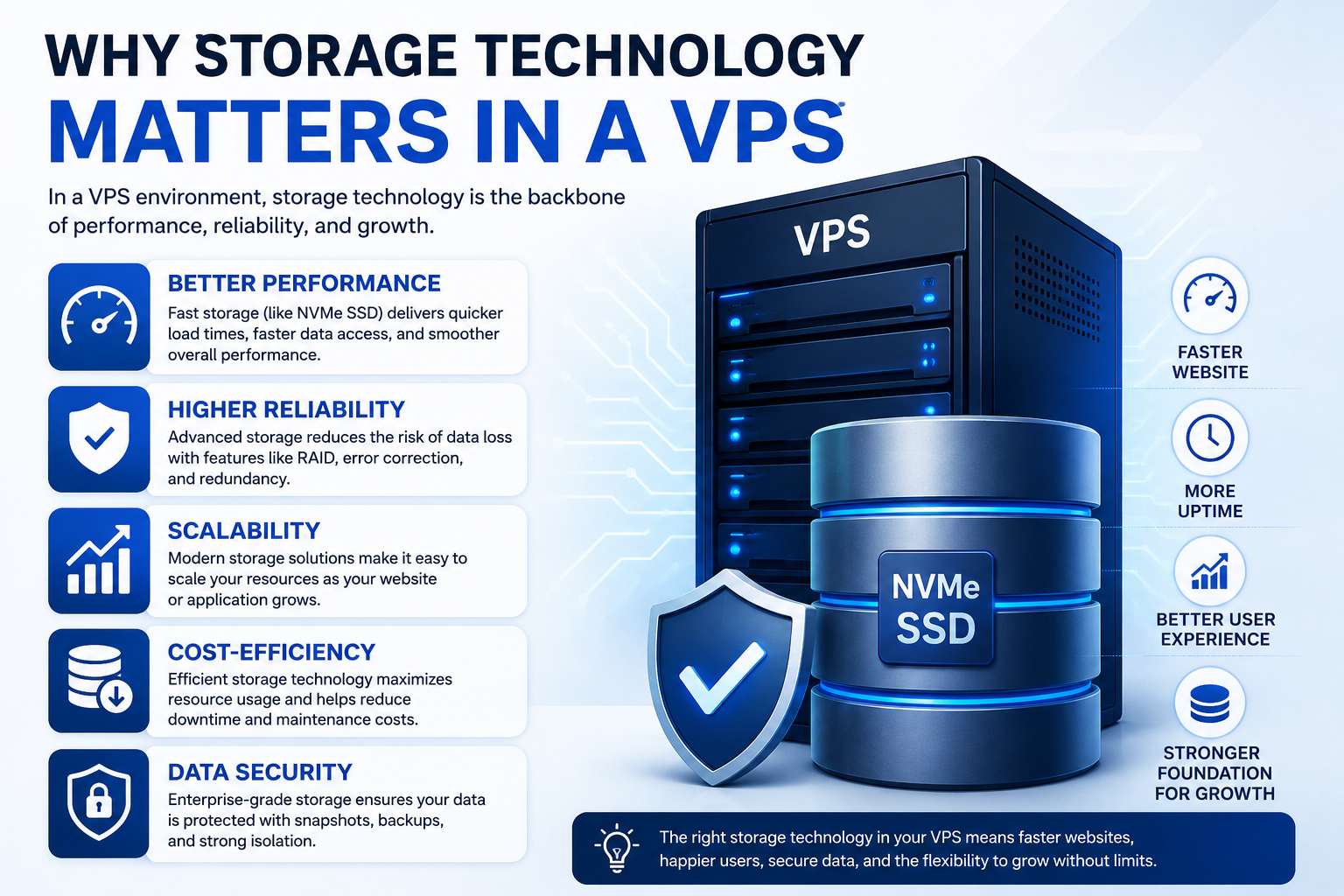
Every action performed inside a VPS eventually interacts with storage.
Examples include:
- Loading website files
- Querying databases
- Writing application logs
- Running backups
- Uploading media files
- Updating software packages
The speed at which storage devices can read and write data directly affects application responsiveness.
A VPS may have sufficient CPU and memory resources, but slow storage can still create noticeable delays throughout the system.
Storage performance becomes particularly important when applications perform frequent disk operations.
Understanding HDD Storage in VPS Hosting
How HDD Storage Works
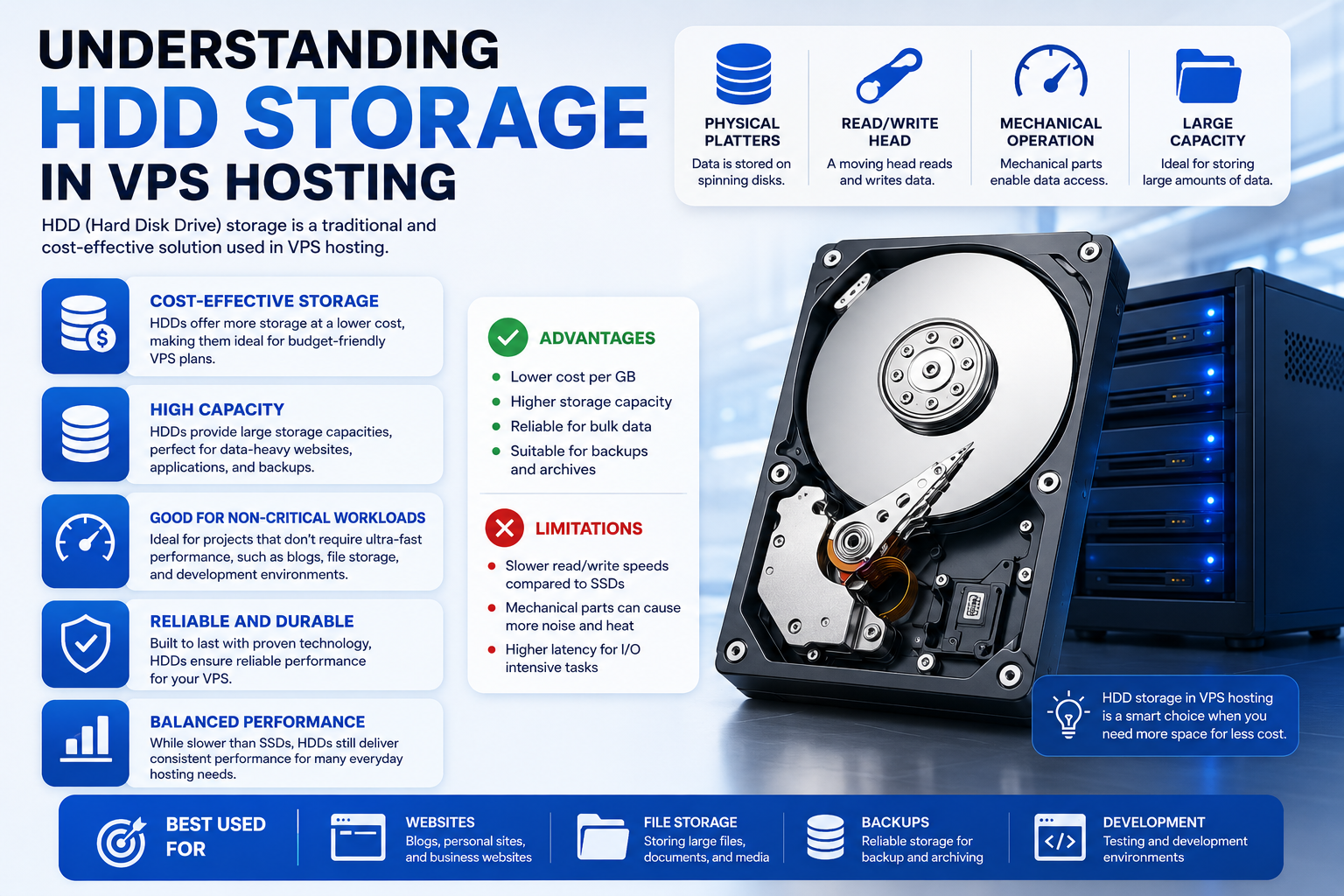
Hard Disk Drives use spinning magnetic platters and mechanical read/write heads.
When data is requested, physical components move across the disk surface to locate information.
This mechanical process introduces unavoidable delays.
Because moving parts are involved, HDD technology has physical performance limitations that cannot be overcome through software optimization alone.
Performance Characteristics of HDD VPS Storage
Typical characteristics include:
- High storage capacity
- Lower cost per gigabyte
- Higher latency
- Lower IOPS
- Slower random read/write performance
HDD storage performs adequately when large amounts of data must be stored economically and accessed infrequently.
However, workloads that require constant disk activity often experience performance bottlenecks.
Suitable VPS Workloads for HDD
HDD-based VPS storage is generally suitable for:
- Archive servers
- Backup repositories
- File storage systems
- Log retention systems
- Low-traffic websites
It is generally less suitable for applications requiring rapid database access or heavy transactional workloads.
Understanding SSD Storage in VPS Hosting
How SSD Storage Works
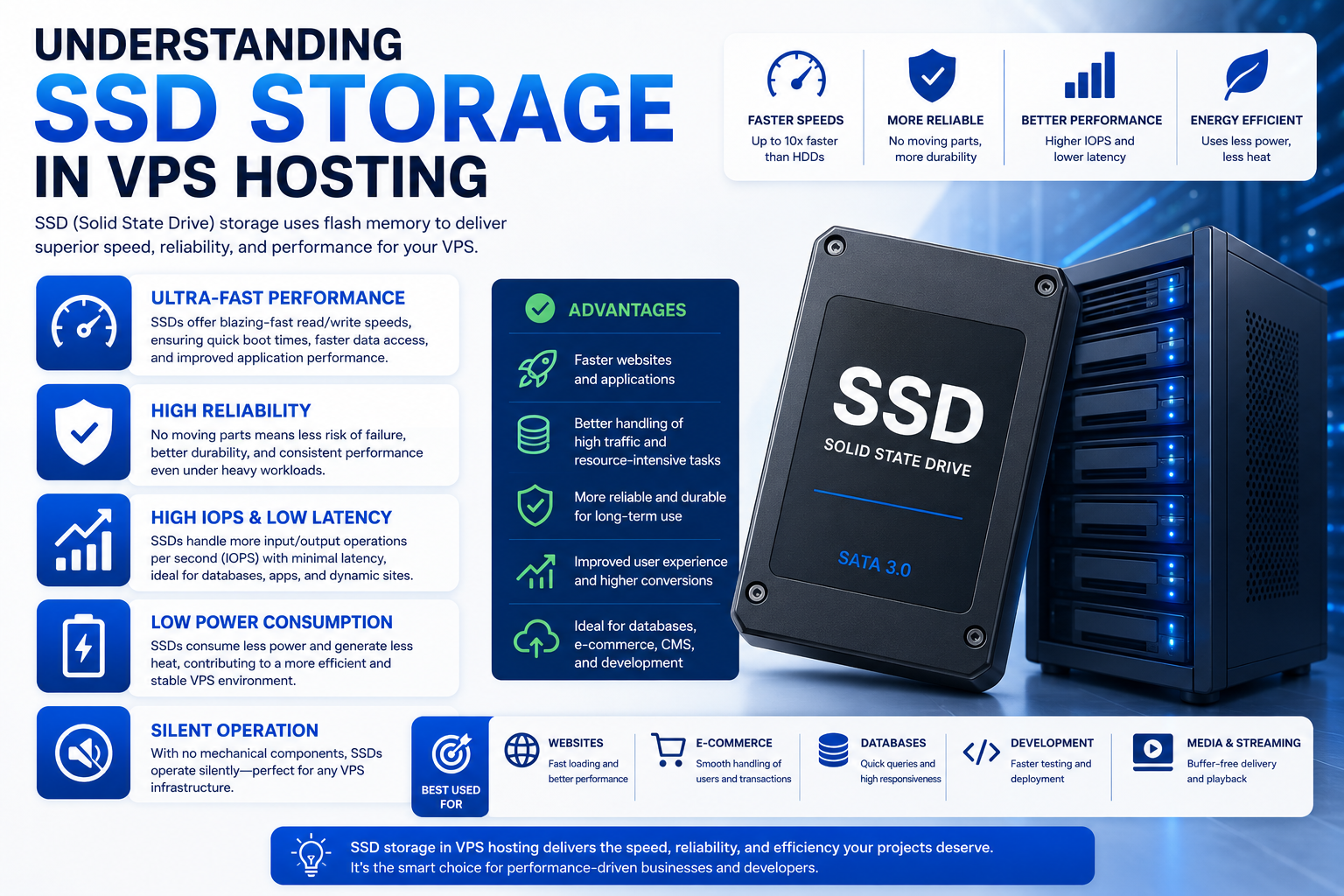
Solid State Drives eliminate moving mechanical components.
Instead, data is stored on flash memory chips that can be accessed electronically.
Because there are no spinning disks or moving heads, SSDs dramatically reduce storage latency.
This architectural change represented one of the largest performance improvements in modern hosting infrastructure.
Performance Characteristics of SSD VPS Storage
Compared to HDDs, SSDs provide:
- Faster data access
- Lower latency
- Higher IOPS
- Faster application loading
- Improved database responsiveness
The reduction in access time allows applications to retrieve data much more efficiently.
For most business websites and web applications, SSD storage has become the minimum acceptable standard.
Suitable VPS Workloads for SSD
SSD-based VPS environments work well for:
- WordPress websites
- E-commerce stores
- CRM systems
- Business applications
- Content management platforms
- Small and medium databases
For many workloads, SSD storage provides an excellent balance between cost and performance.
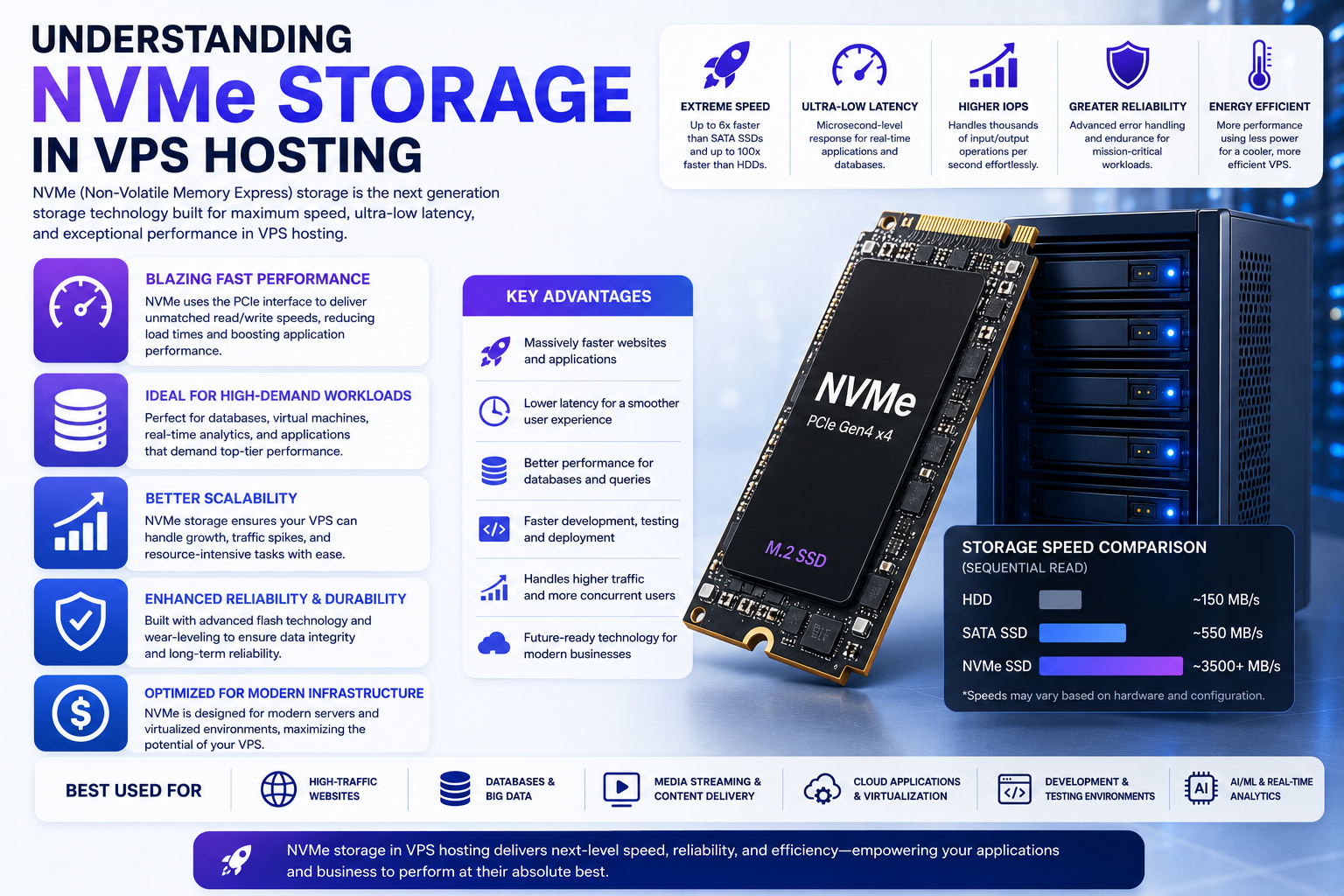
Understanding NVMe Storage in VPS Hosting
What Makes NVMe Different
NVMe is not simply a faster SSD.
It is a storage communication protocol specifically designed for flash memory.
Traditional SSDs often communicate through interfaces originally built for mechanical drives.
NVMe removes many of those limitations by allowing direct, high-speed communication with modern system architectures.
This significantly reduces overhead and increases parallel processing capability.
Performance Characteristics of NVMe VPS Storage
NVMe storage typically delivers:
- Extremely low latency
- Significantly higher IOPS
- Faster random reads and writes
- Higher throughput
- Better handling of concurrent workloads
The advantage becomes particularly noticeable when applications perform thousands of storage operations simultaneously.
Database-driven environments often benefit substantially from NVMe storage.
Suitable VPS Workloads for NVMe
NVMe VPS storage is commonly chosen for:
- High-traffic websites
- Large databases
- SaaS platforms
- API services
- E-commerce platforms with heavy transactions
- Application servers
- Development environments requiring rapid compilation
These workloads frequently generate intensive storage activity that benefits from NVMe’s low-latency design.
SSD vs NVMe vs HDD: Performance Comparison
Latency
Latency measures how quickly storage responds to a request.
General ranking:
- NVMe
- SSD
- HDD
Lower latency improves application responsiveness and user experience.
IOPS Capability
IOPS (Input/Output Operations Per Second) measures how many storage operations can be processed.
General ranking:
- NVMe
- SSD
- HDD
Higher IOPS becomes important for databases and applications with frequent read/write activity.
Random Read and Write Performance
Most web applications perform random storage operations rather than sequential ones.
Random access performance generally follows:
- NVMe
- SSD
- HDD
This is often the most important performance metric for VPS workloads.
Cost Efficiency
Storage costs usually follow the opposite pattern.
General ranking from least expensive to most expensive:
- HDD
- SSD
- NVMe
Organizations must balance performance requirements against budget constraints.
How Disk Type Affects Website Performance
Storage performance impacts several visible aspects of website behavior.
These include:
- Page generation speed
- Database query execution
- Product search responsiveness
- User login speed
- Administrative dashboard performance
- Cache generation
- Backup creation
Applications that rely heavily on database activity typically show the greatest improvement when moving from HDD to SSD or NVMe storage.
How Disk Type Affects Database Performance
Databases constantly read and write information.
Examples include:
- Customer records
- Product catalogs
- Session data
- Orders
- User accounts
Because databases perform thousands of storage operations, faster disks can dramatically improve response times.
This is one reason many database-intensive VPS deployments prioritize NVMe storage.
Choosing the Right VPS Disk Type
Choose HDD If
HDD storage may be appropriate when:
- Storage capacity is the primary requirement
- Performance is not critical
- Data is accessed infrequently
- Long-term archival storage is needed
Choose SSD If
SSD storage is often the best choice when:
- Hosting business websites
- Running WordPress installations
- Operating standard web applications
- Balancing performance and budget
Choose NVMe If
NVMe storage is ideal when:
- Running high-performance applications
- Hosting busy databases
- Serving large numbers of concurrent users
- Delivering latency-sensitive services
Common Misconceptions About VPS Storage
More Storage Does Not Mean Faster Storage
A larger drive does not automatically provide better performance.
Capacity and speed are separate characteristics.
NVMe Is Not Just Marketing
NVMe uses a fundamentally different communication method than traditional storage interfaces, resulting in measurable performance improvements.
Storage Can Become a Bottleneck
Even with sufficient CPU and memory resources, slow storage can restrict application responsiveness.
For deeper analysis of storage-related slowdowns, see the VPS Disk I/O Bottlenecks guide.
Internal Linking Opportunities
Related topics within a VPS knowledge ecosystem:
- VPS Disk I/O Bottlenecks
- VPS Resource Allocation Guide
- VPS Performance Monitoring
- VPS Performance Optimization Strategies
- Vertical VPS Scaling Explained
These topics address different performance areas and should be explored separately rather than combined into this storage-focused discussion.
Final Thoughts
When comparing VPS disk types, the decision should be based on workload requirements rather than storage capacity alone.
HDD remains useful for archival and low-performance workloads where affordability is the primary concern.
SSD has become the standard choice for most websites and business applications due to its strong balance of speed and cost.
NVMe represents the highest-performance option available in modern VPS hosting, delivering lower latency, greater IOPS, and superior responsiveness for demanding workloads.
Understanding the strengths and limitations of each storage technology allows businesses to select infrastructure that aligns with application requirements while avoiding unnecessary costs or performance bottlenecks.
