
Planning to start a WordPress website in Pakistan or the UAE but not sure where to begin?
Maybe you bought a domain, maybe you’re thinking about launching a blog, an online store, or a business website. But then you see terms like WordPress hosting, shared hosting, Softaculous, installation… and things start to feel confusing.
Hey there — don’t worry. You’re not alone.
The good news is that installing WordPress today is very simple. In fact, with the right WordPress web hosting, you can install it in just a few clicks.
In this friendly guide, we’ll walk you through:
- What WordPress hosting actually is
- How it is different from normal hosting
- What makes the best WordPress hosting in Pakistan
- How to install WordPress on shared hosting step-by-step
- Why managed WordPress hosting can make life easier
- What to know about WordPress hosting pricing
- How CreativeON helps businesses in Pakistan and UAE
By the end of this guide, you’ll know exactly how to get your WordPress website live.
And guess what? It’s much easier than you think.
What Is WordPress Hosting?
Let’s start with the basics.
WordPress hosting is web hosting that is specially prepared to run WordPress websites smoothly.
Think of hosting as the home where your website lives on the internet.
When someone types your domain name (like yourbusiness.com), the hosting server shows your website to visitors.
With WordPress web hosting, the server is prepared to run WordPress quickly and safely.
Good WordPress hosting usually includes:
- Fast servers built for WordPress
- One-click WordPress installation
- Automatic updates
- Free SSL certificates
- Security protection
- Backups
- WordPress support
For example, at CreativeON, all WordPress hosting Pakistan plans come with Softaculous one-click installation, so setting up WordPress takes only a few minutes.
Isn’t that neat?
What Is Shared Hosting?
Shared hosting is the most common starting point for websites.
It simply means multiple websites share the same server resources.
Think of it like living in an apartment building.
- Each person has their own apartment
- But everyone shares the same building
In hosting terms:
- Each website has its own space
- The server is shared with other websites
Shared hosting is popular because it is:
- Affordable
- Easy to manage
- Perfect for beginners
That’s why most bloggers, students, startups, and small businesses begin with cheap WordPress hosting.
What Makes WordPress Web Hosting Different From Normal Hosting?
You might wonder:
“Can’t I install WordPress on any hosting?”
Technically, yes.
But WordPress web hosting is prepared specifically for WordPress websites, which makes things smoother.
Here’s how it usually differs from basic hosting.
1. One-Click Installation
Instead of uploading files manually, WordPress installs with a single click using tools like Softaculous.
CreativeON includes this with all hosting packages.
2. WordPress-Optimized Servers
Servers are configured to run WordPress faster.
This means:
- Faster page loading
- Better performance
- Smooth website operation
3. Security Protection
WordPress websites are popular targets for hackers.
Good managed WordPress hosting includes:
- Malware protection
- Firewall security
- Login protection
4. Automatic Backups
If something breaks, you can restore your site easily.
That’s a lifesaver.
Why Many People Choose Managed WordPress Hosting
If you want the easiest experience, managed WordPress hosting can be a great option.
This means the hosting company takes care of many technical tasks for you.
With managed hosting, the provider handles things like:
- WordPress updates
- Security monitoring
- Backups
- Performance optimization
So instead of worrying about technical stuff, you focus on your website.
For example:
- A blogger in Karachi can focus on writing content
- A clothing brand in Lahore can focus on selling products
- A restaurant in Dubai can focus on online orders
The hosting team keeps the website running smoothly.
What Makes the Best WordPress Hosting in Pakistan?
If you’re starting a website, choosing the best WordPress hosting in Pakistan matters.
Here are a few things to check before buying hosting.
Fast Server Speed
Website speed affects:
- Google rankings
- Customer experience
- Online sales
99.9% Uptime
Uptime means your website stays online.
A good hosting company should offer 99.9% uptime or better.
Free SSL Certificate
SSL protects your website and shows the secure lock in browsers.
This is important for:
- Ecommerce stores
- Login forms
- Customer data
Regular Backups
Backups help restore your website if something goes wrong.
Malware Protection
Security tools help protect against hacking attempts.
Local Support
Support in your time zone makes a huge difference.
CreativeON has been providing hosting services for more than 20 years, supporting customers across Pakistan and the UAE.
Major brands like:
- City42
- Channel 24
- QTV
- Chughtai Lab
- Alkhair Group
- Daewoo Pakistan
- Orange Line Metro
have trusted CreativeON services.
That experience makes a big difference.
WordPress Hosting in UAE for Businesses
WordPress isn’t just popular in Pakistan.
Thousands of businesses in the UAE also use it.
For example:
- Restaurants in Dubai
- Ecommerce stores in Abu Dhabi
- Marketing agencies in Sharjah
- Startups in Ajman
These businesses choose WordPress because it is:
- Easy to manage
- Flexible
- Budget friendly
- Perfect for online stores and blogs
CreativeON officially operates in both Pakistan and UAE, which means businesses in both regions can get reliable WordPress web hosting with local support.
Step-by-Step: How to Install WordPress on Shared Hosting
Now let’s get to the fun part.
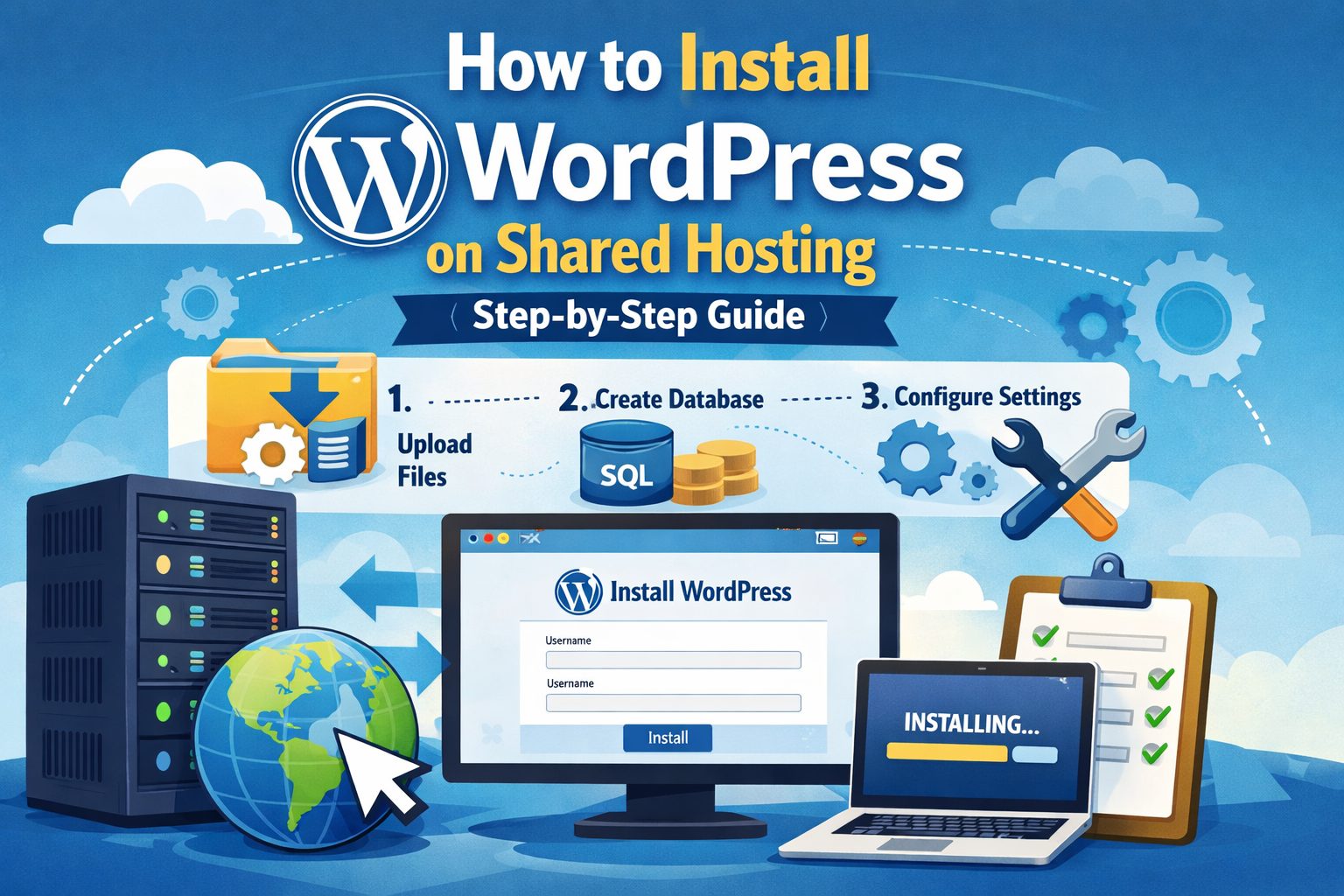
Installing WordPress on shared hosting is actually very simple.
With CreativeON hosting, you can install WordPress using Softaculous, a tool included in the control panel.
Let’s go step by step.
Step 1: Log in to Your Hosting Control Panel
After purchasing WordPress hosting Pakistan, you’ll receive login details for your hosting control panel.
This is usually cPanel.
Log in using the username and password provided by your hosting company.
Once inside, you’ll see many tools for managing your website.
Step 2: Find the Softaculous Installer
Scroll down inside cPanel.
Look for the Softaculous Apps Installer.
Softaculous is a tool that installs applications like WordPress automatically.
Click the WordPress icon.
You’ll now see the WordPress installation page.
Step 3: Click Install WordPress
Now click the Install button.
Softaculous will ask for some basic information.
Don’t worry — it’s simple.
You’ll fill in:
- Domain name
- Site name
- Site description
- Admin username
- Admin password
- Admin email
This information helps set up your website.
Tip:
Choose a strong password for security.
Step 4: Select Installation Settings
Next, choose where you want WordPress installed.
For example:
If your domain is:
yourwebsite.com
Install WordPress in the main directory so your website appears directly on the domain.
Softaculous will also allow you to choose:
- WordPress language
- Plugins
- Themes
You can leave most settings as default.
Step 5: Click Install
Now click the Install button.
Softaculous will begin installing WordPress.
The process usually takes 30–60 seconds.
Yes, really.
Once it’s done, you’ll see your website links:
Your website
yourwebsite.com
Your admin panel
yourwebsite.com/wp-admin
That’s it.
Your WordPress website is now live.
You’ve got this!
What to Do After Installing WordPress
Once WordPress is installed, you can start building your website.
Here are a few simple steps to begin.
Choose a Theme
Themes control how your website looks.
You can install free themes directly inside WordPress.
Install Important Plugins
Plugins add extra features.
Popular plugins include:
- SEO tools
- Contact forms
- Security protection
- Backup tools
Create Pages
Most websites start with these pages:
- Home
- About
- Services
- Blog
- Contact
Add Your Content
Now you can begin adding:
- Blog posts
- Products
- Photos
- Videos
Before you know it, your website will be ready.
Understanding WordPress Hosting Pricing
Let’s talk about WordPress hosting pricing, because this is often the biggest question.
Hosting prices vary based on:
- Server performance
- Security features
- Storage space
- Support quality
But many startups prefer cheap WordPress hosting when starting their first website.
That’s perfectly fine.
CreativeON keeps WordPress hosting pricing affordable because:
- We are an official Google Workspace partner and reseller in Pakistan
- We reduce our profit margins to support startups and small businesses
This allows new bloggers, students, and small businesses in Pakistan and UAE to launch websites without spending a lot.
Who Should Choose Cheap WordPress Hosting?
Cheap WordPress hosting is perfect for:
- New bloggers
- Students starting websites
- Small business websites
- Personal brands
- Startup businesses
For example:
A YouTuber in Karachi launching a personal website.
A clothing brand in Lahore starting online sales.
A restaurant in Dubai adding online menu and reservations.
An ecommerce startup in Abu Dhabi launching its first store.
Shared hosting makes these projects possible without large costs.
What to Look for in the Best WordPress Hosting Plans
Before choosing a hosting provider, check these important features.
Fast Loading Speed
Slow websites lose visitors quickly.
Strong Security
Security tools protect your website from hacking attempts.
Free SSL
SSL keeps data secure.
Daily or Weekly Backups
Backups protect your work.
Easy WordPress Installation
Softaculous one-click installation saves time.
Reliable Support
When problems happen, support should be available quickly.
CreativeON provides all these features in its Best WordPress hosting plans for Pakistan and UAE customers.
Why Local Hosting Support Matters
Local support makes a big difference.
Imagine this situation:
Your website stops working during business hours.
If your hosting company is in another time zone, you might wait hours for help.
With WordPress hosting Pakistan, support is available when you need it.
CreativeON provides:
- Local technical support
- Regional payment methods
- Support for businesses in Pakistan and UAE
- Understanding of local market needs
That makes managing your website much easier.
Common Questions About WordPress Hosting Pakistan
Here are a few questions beginners often ask.
Is WordPress free?
Yes.
WordPress software itself is free.
But you still need:
- Domain name
- Hosting
Can I install WordPress myself?
Yes.
With Softaculous, installation takes less than a minute.
Is shared hosting enough for WordPress?
Yes.
Most new websites run perfectly on shared hosting.
You can always upgrade later.
Can UAE businesses use CreativeON hosting?
Yes.
CreativeON officially operates in both Pakistan and UAE and supports businesses across both regions.
Final Thoughts
Starting a website may feel confusing at first.
But once you understand the basics, things become much easier.
With the right WordPress hosting, you can install WordPress in minutes and start building your website right away.
CreativeON makes this process even simpler by providing:
- Fast WordPress web hosting
- One-click WordPress installation with Softaculous
- Secure servers
- Reliable backups
- Affordable WordPress hosting pricing
- Local support in Pakistan and UAE
Whether you’re a blogger in Karachi, a startup in Lahore, an ecommerce business in Abu Dhabi, or a restaurant in Dubai — WordPress can help you build a strong online presence.
And with CreativeON’s best WordPress hosting plans, getting started is simple.
So go ahead and launch that website.
Whether you’re launching in Lahore or Dubai — you’ve got this. And we’re here to help.
