
Introduction
If you’re considering launching a WordPress website or already have one online, security is probably one of your biggest concerns. Stories about hacked websites, malware infections, stolen data, and website downtime can make WordPress seem risky to some website owners.
The reality is much simpler.
WordPress hosting can be extremely secure when the hosting environment is properly maintained and protected. Millions of businesses, organizations, bloggers, online stores, and educational institutions rely on WordPress every day because of its flexibility, reliability, and strong security ecosystem.
Many misconceptions about WordPress security come from confusing WordPress itself with the environment where it runs. Most successful attacks are not caused by the WordPress core software. Instead, they are often linked to outdated plugins, weak passwords, poor maintenance practices, or inadequate security controls.
In this guide, we’ll explain WordPress hosting security in simple language, discuss common threats, and show how quality WordPress hosting helps keep websites protected.
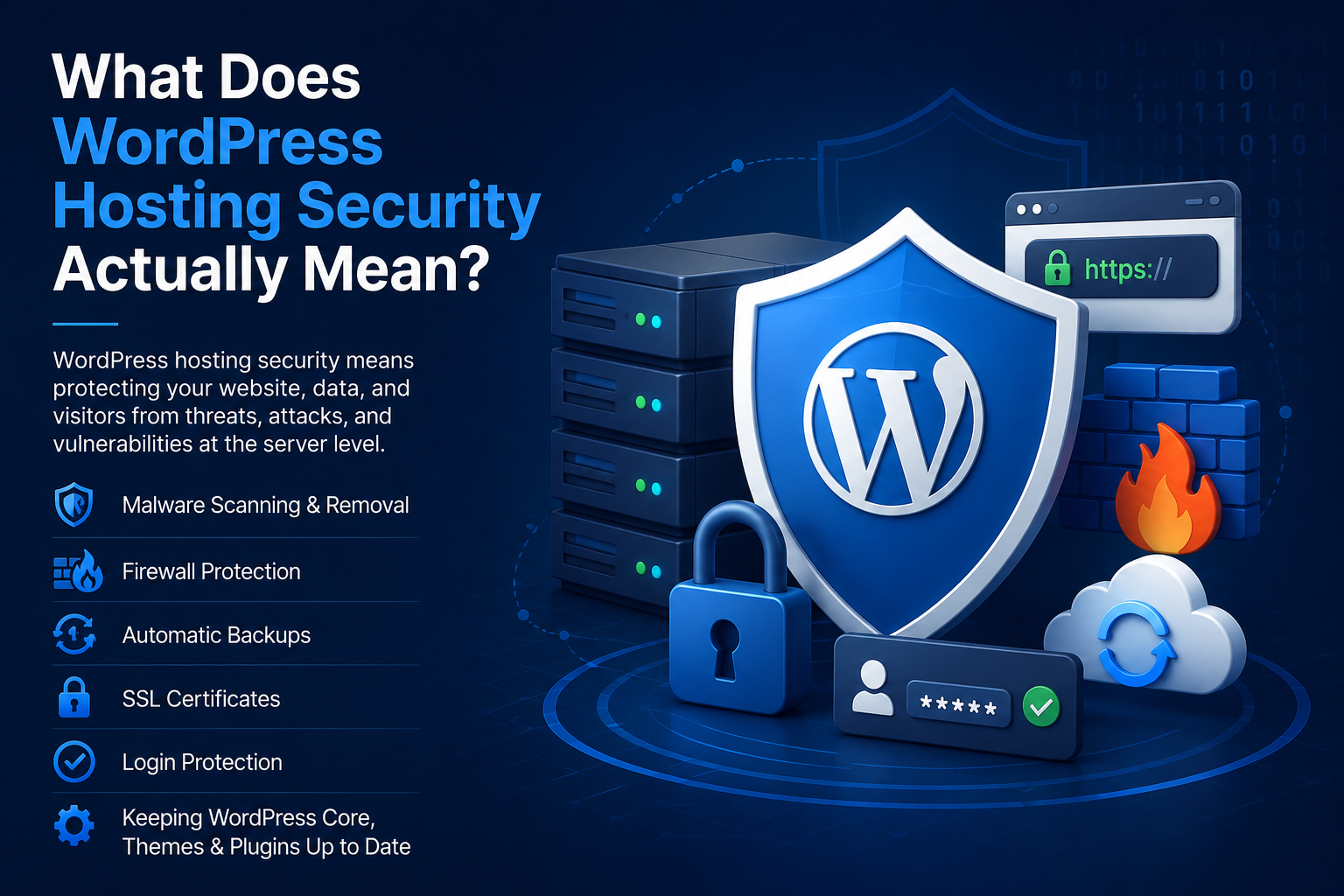
What Does WordPress Hosting Security Actually Mean?
WordPress hosting security refers to the collection of protective measures designed to prevent unauthorized access, malware infections, website defacement, data theft, and other cyber threats.
A useful way to think about this is to compare a website to a house.
WordPress itself is the structure of the house.
The hosting environment provides the locks, alarms, surveillance systems, security guards, and protective barriers that help keep unwanted visitors out.
Even the strongest house becomes vulnerable if the surrounding security measures are weak. Likewise, a website benefits significantly from a hosting platform that prioritizes security.
Is WordPress Itself Secure?
Yes.
WordPress is widely regarded as a secure content management system. The WordPress core software is maintained by a large global community of developers and security professionals who continuously identify vulnerabilities, release updates, and improve security protections.
Security issues most often arise when website owners:
- Ignore software updates
- Use outdated plugins or themes
- Install software from untrusted sources
- Use weak passwords
- Leave unused plugins active
- Provide unnecessary administrator access
In other words, WordPress itself provides a strong security foundation, but maintaining security requires ongoing attention.
Why Hosting Plays a Major Role in Security
Many website owners assume security is solely a WordPress responsibility.
In reality, hosting acts as the first line of defense against many common threats.
A secure hosting environment helps identify, block, and mitigate attacks before they ever reach the WordPress application.
This is why reputable WordPress hosting providers invest heavily in infrastructure security, monitoring systems, malware detection, and access controls.
Without proper hosting-level protections, even a well-maintained website can face unnecessary security risks.
Who Is Responsible for WordPress Security?
One of the most common misconceptions is that security belongs entirely to either WordPress or the hosting provider.
In reality, WordPress security is a shared responsibility.
The hosting provider typically helps protect:
- Server infrastructure
- Network security
- Firewall systems
- Malware monitoring
- Account isolation
- Hosting platform updates
Website owners are typically responsible for:
- Updating plugins and themes
- Managing user accounts
- Maintaining strong passwords
- Reviewing administrator access
- Following WordPress security best practices
The most secure websites are those where both the hosting provider and website owner actively contribute to maintaining security.
Why Modern WordPress Security Uses Multiple Layers
Many people search for a single security tool that will completely protect their website.
Unfortunately, cybersecurity does not work that way.
Modern WordPress security relies on multiple protective layers working together.
Think of a bank. Security does not depend on a single lock. It includes cameras, alarms, vaults, guards, access controls, and monitoring systems.
Similarly, WordPress hosting security often includes:
- Network-level protection that filters malicious traffic
- Server-level protections that secure the hosting environment
- Application-level controls that help protect WordPress
- User-level safeguards such as strong authentication
- Monitoring systems that detect suspicious activity
If one layer is bypassed, additional layers continue providing protection.
This layered security approach significantly improves overall resilience.
Common Security Threats Facing WordPress Websites
Understanding common threats helps explain why security measures are necessary.
Brute Force Login Attacks
Brute force attacks occur when automated bots repeatedly attempt different username and password combinations to gain access to the WordPress dashboard.
These attacks can generate thousands of login attempts within a short period.
Many WordPress hosting platforms include protections that identify and block suspicious login activity before access is gained.
Malware Infections
Malware is malicious software designed to damage websites, steal information, redirect visitors, or distribute spam.
Malware may enter a website through:
- Vulnerable plugins
- Outdated themes
- Compromised user accounts
- Poor security practices
Continuous malware scanning helps identify threats before they cause significant damage.
Distributed Denial-of-Service (DDoS) Attacks
A DDoS attack attempts to overwhelm a website with excessive traffic, causing slow performance or downtime.
Hosting-level security systems often help filter malicious traffic and reduce the impact of these attacks.
Unauthorized Access Attempts
Cybercriminals constantly search for websites with weak security configurations.
Attackers may attempt access through:
- Stolen passwords
- Vulnerable software
- Misconfigured permissions
- Exploited plugins
Multiple security controls help reduce the likelihood of successful unauthorized access.
A Simple Real-World Example
Imagine a small business website using a plugin that has not been updated for a long time.
An automated bot scans the internet looking for websites running that vulnerable plugin.
On a poorly protected website, the attacker may successfully exploit the vulnerability and install malicious code.
On a secure WordPress hosting platform, several protective systems may work together to reduce risk by:
- Blocking suspicious requests
- Identifying unusual behavior
- Detecting malicious files
- Alerting administrators to potential threats
While no security system can guarantee complete protection, multiple security layers can significantly improve outcomes.
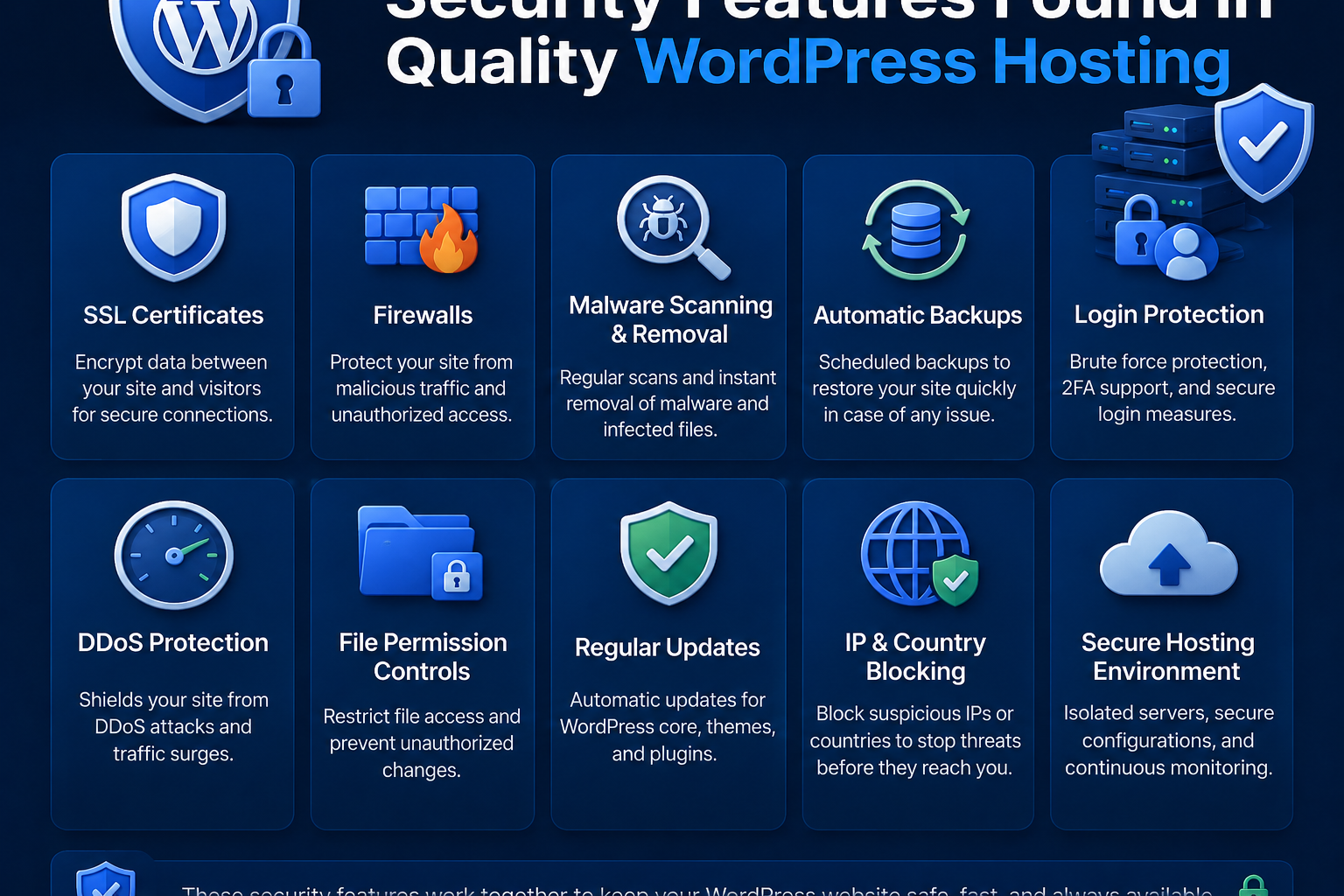
Security Features Found in Quality WordPress Hosting
Not all WordPress hosting environments provide the same level of protection.
Reliable WordPress hosting platforms often include multiple security features working together.
Firewall Protection
A firewall acts as a security checkpoint between visitors and your website.
It examines incoming traffic and blocks suspicious requests before they reach WordPress.
Firewalls help defend against:
- Malicious bots
- Known attack patterns
- Automated exploit attempts
- Suspicious network activity
Malware Scanning
Automated malware scanning continuously checks website files for signs of malicious activity.
Scanning systems can identify:
- Malware
- Backdoors
- Unauthorized file modifications
- Suspicious code injections
Early detection helps reduce potential damage.
Security Monitoring
Modern hosting environments often monitor websites around the clock.
Monitoring systems can identify:
- Unusual login behavior
- Suspicious file changes
- Abnormal traffic patterns
- Unexpected account activity
The earlier a threat is detected, the easier it is to address.
SSL Certificates
SSL certificates encrypt data exchanged between visitors and the website.
This helps protect:
- Login credentials
- Contact form submissions
- Customer information
- Sensitive website interactions
Visitors can typically identify SSL protection through the HTTPS connection and browser padlock icon.
Automatic Security Updates
Many successful attacks target known vulnerabilities that already have available fixes.
Automatic updates help reduce exposure by ensuring important security patches are applied promptly.
Account Isolation
Account isolation helps prevent security problems affecting one website from spreading to others within the same hosting environment.
This additional layer helps improve overall platform security.
Can WordPress Hosting Prevent All Hacks?
No.
No hosting provider can honestly guarantee that a website will never be hacked.
Cybersecurity focuses on reducing risk rather than eliminating it completely.
The purpose of WordPress hosting security is to:
- Reduce vulnerabilities
- Block common threats
- Detect attacks early
- Improve incident response
- Minimize downtime
A combination of secure hosting and responsible website management creates the strongest defense.
What Website Owners Can Do to Improve Security
Hosting security is important, but website owners also play a critical role.
Use Strong Passwords
Strong passwords remain one of the simplest and most effective security measures.
Passwords should be:
- Unique
- Complex
- Difficult to guess
- Stored securely
Keep Plugins Updated
Outdated plugins remain one of the most common causes of WordPress security issues.
Unused plugins should be removed, and active plugins should be updated regularly.
Limit Administrator Access
Not every user requires full administrative permissions.
Granting only necessary access reduces security risks.
Enable Multi-Factor Authentication
Multi-factor authentication adds an additional verification step during login.
Even if a password is compromised, unauthorized access becomes significantly more difficult.
Review Website Activity Regularly
Periodic reviews help identify unusual behavior before it develops into a larger security issue.
Monitor:
- User accounts
- Login activity
- Installed plugins
- Unexpected website changes
What Happens If a WordPress Site Is Compromised?
Despite strong security measures, no website is completely immune to risk.
When a security incident occurs, the recovery process typically involves:
- Identifying the source of the issue
- Isolating affected components
- Removing malicious code
- Restoring normal functionality
- Reviewing security controls
Many WordPress hosting providers also maintain backup and recovery capabilities as part of a broader security strategy, helping website owners recover more quickly when incidents occur.
Fast detection and response often determine how much impact a security issue has on visitors and business operations.
Signs Your WordPress Website Is Secure
Visitors may not see every security measure protecting a website, but several indicators often suggest strong security practices.
Common signs include:
- HTTPS-secured connections
- Valid SSL certificates
- No browser security warnings
- Stable website availability
- Secure login pages
- Consistently updated software
These indicators help build trust and contribute to a safer user experience.
Quick WordPress Security Checklist
Use this checklist to strengthen your website’s security posture:
✔ Use strong and unique passwords
✔ Enable multi-factor authentication
✔ Keep WordPress updated
✔ Update plugins and themes regularly
✔ Remove unused plugins
✔ Limit administrator access
✔ Enable SSL encryption
✔ Monitor website activity
✔ Review user accounts periodically
✔ Choose a hosting provider with proactive security measures
Even small improvements can significantly reduce exposure to common threats.
Common Myths About WordPress Security
Myth: WordPress Is Insecure
Reality: WordPress itself is generally secure and receives regular security updates. Most attacks target poorly maintained websites rather than WordPress core software.
Myth: Small Websites Are Never Targeted
Reality: Automated bots scan websites of all sizes. Smaller websites are often targeted because attackers assume security may be weaker.
Myth: Security Plugins Alone Are Enough
Reality: Security plugins are useful, but they work best when combined with secure hosting, monitoring, strong authentication, and ongoing maintenance.
Myth: My Hosting Provider Handles Everything
Reality: Hosting providers protect infrastructure, but website owners remain responsible for passwords, plugins, users, and website management.
Myth: Security Is a One-Time Task
Reality: Security requires continuous monitoring, updates, and ongoing maintenance because cyber threats constantly evolve.
Frequently Asked Questions
