
Windows VPS hosting is a type of virtual private server hosting that runs the Windows Server operating system. It provides an isolated virtual server environment where you can host websites, applications, databases, and other compatible workloads.
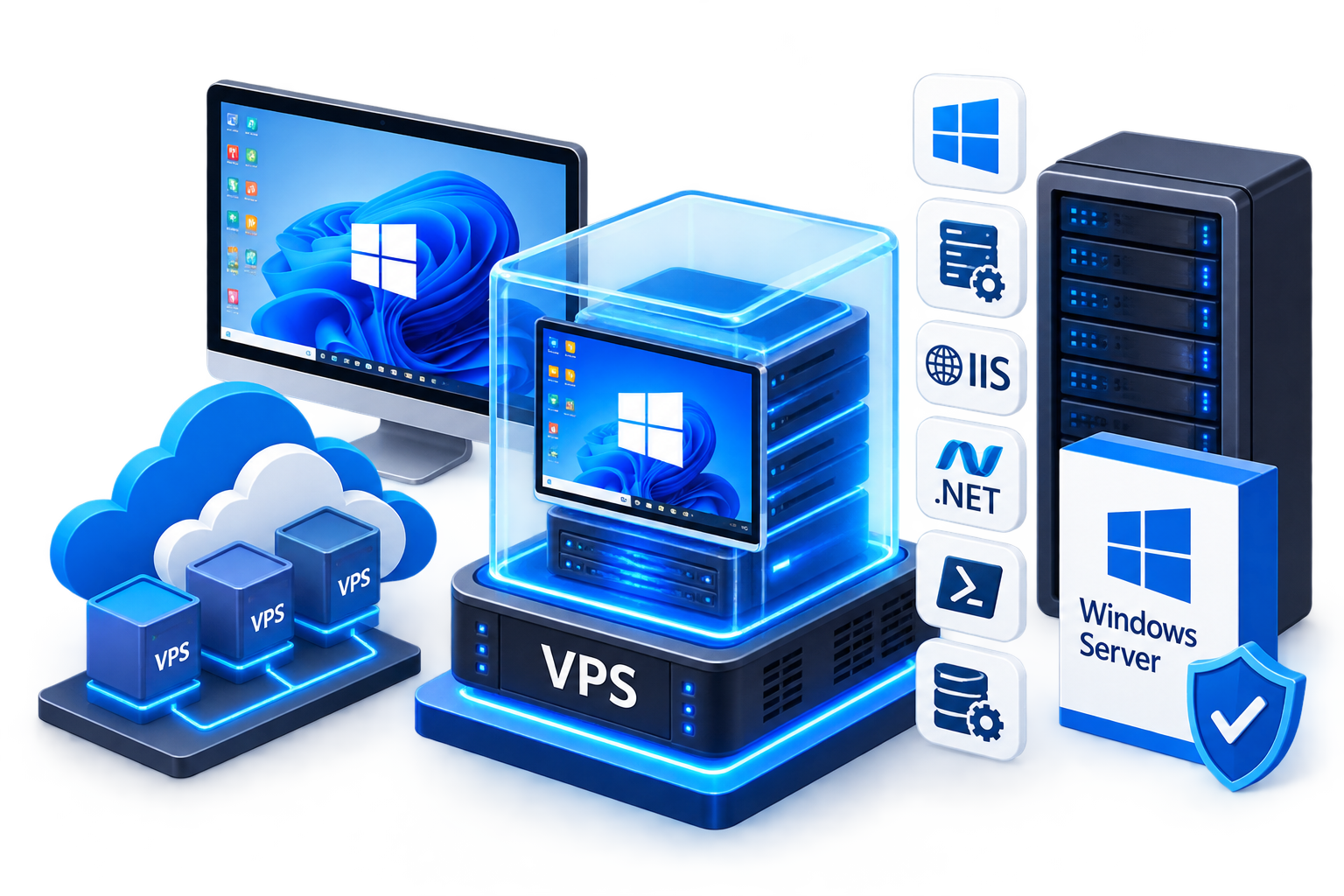
What makes a Windows VPS different from a Linux VPS is the Windows Server environment and its Microsoft-focused ecosystem. Depending on your application requirements, this can include technologies such as Internet Information Services (IIS), Remote Desktop Protocol (RDP), PowerShell, ASP.NET, Windows-based applications, and Microsoft server software.
For businesses and developers whose applications depend on Windows Server or Windows-specific components, a Windows VPS can provide a suitable hosting environment with greater server-level control than traditional shared hosting.
What Is a Windows VPS?
A Windows VPS is a virtual server running Windows Server on a physical host machine.
Virtualization allows multiple independent virtual servers to operate on the same physical infrastructure. Each VPS has its own operating system and allocated resources and can be managed independently.
The important distinction is the operating system. With a Windows VPS, you work within a Windows Server environment rather than a Linux distribution.
This makes Windows VPS hosting particularly relevant for workloads that depend on:
- Windows Server
- IIS
- ASP.NET and compatible .NET applications
- Windows-specific software
- PowerShell and Windows administration tools
- Microsoft server technologies
- Applications requiring a Windows environment
The underlying VPS concept is common across operating systems, so the key reason to choose Windows is application and operating-system compatibility.
How Does Windows VPS Hosting Work?
A Windows VPS is created through virtualization on a physical server. The virtual machine runs its own Windows Server operating system and can be administered separately from other virtual machines on the host.
Once the Windows VPS is provisioned, you can install compatible applications, configure Windows Server components, create users, manage services, and host workloads according to your requirements.
The exact capabilities depend on the Windows Server version, VPS configuration, software requirements, and hosting environment.
For general information about virtualization, resource allocation, and how VPS hosting works, a dedicated VPS hosting guide is a better resource than repeating those concepts here.
What Can You Run on a Windows VPS?
A Windows VPS can support many different workloads, but its main advantage appears when an application benefits from the Windows ecosystem.
IIS Websites and Applications
Internet Information Services (IIS) is Microsoft’s web server for Windows. It can be used to host websites and web applications, including ASP.NET Core applications.
A Windows VPS can therefore be useful when your application specifically needs IIS or Windows-based web-server functionality.
Detailed IIS installation and configuration should be handled in a dedicated Windows VPS IIS guide rather than here.
.NET and ASP.NET Applications
Modern .NET is cross-platform and can run on Windows, Linux, and macOS, so using .NET alone does not automatically mean you need a Windows VPS.
Windows becomes particularly relevant when the application also depends on Windows Server, IIS, Windows Authentication, or other Windows-specific components.
ASP.NET Core applications can be hosted through IIS on Windows Server, making Windows VPS hosting a practical option for applications designed around that environment.
Windows-Based Business Applications
Some business applications are designed specifically for Windows and may require Windows Server or other Windows components.
A Windows VPS can provide a remotely accessible server environment for compatible applications without requiring a physical server at the business location.
The application’s own system requirements should always be checked before deployment.
Microsoft SQL Server Workloads
A Windows VPS can also be used for compatible Microsoft SQL Server workloads, provided the available server resources, software compatibility, and applicable Microsoft licensing requirements are taken into account.
Database workloads can require substantial CPU, memory, and storage resources, so the VPS configuration should be selected according to the application’s actual requirements.
How Is a Windows VPS Managed?
Windows VPS servers are commonly managed remotely.
One of the most familiar options is Remote Desktop Protocol (RDP), which provides an interactive Windows desktop for authorized users. This allows an administrator to work with Windows Server using its graphical management environment.
Windows VPS administrators can also use PowerShell and other Windows administration tools for configuration and automation.
The appropriate management method depends on the task. Graphical tools can be convenient for interactive administration, while PowerShell can be useful for repeatable or automated tasks.
If you need instructions for connecting to your server, use a dedicated guide such as How to Connect to a Windows VPS Using Remote Desktop rather than repeating the complete RDP procedure here.
Windows VPS vs Linux VPS
The primary difference between a Windows VPS and a Linux VPS is the operating system and the software ecosystem available on that operating system.
|
Feature |
Windows VPS |
Linux VPS |
|
Server operating system |
Windows Server |
Linux distribution |
|
Common remote administration |
RDP and Windows administration tools |
SSH and Linux administration tools |
|
Common web server |
IIS |
Apache, Nginx, and others |
|
Windows-specific applications |
Suitable for compatible applications |
Generally unsuitable |
|
Microsoft ecosystem |
Strong Windows integration |
Depends on the application |
|
Administration environment |
Windows Server tools and PowerShell |
Linux command-line and administration tools |
Neither option is universally better.
If your application requires Windows Server or Windows-specific software, a Windows VPS is generally the more appropriate environment. If your application is designed for Linux, a Linux VPS may be a better fit.
For a detailed comparison, use a dedicated Windows VPS vs Linux VPS guide rather than treating this supporting article as the main comparison resource.
Windows VPS vs Windows Shared Hosting
Both Windows VPS hosting and Windows shared hosting can host websites, but they provide different levels of control.
With shared hosting, multiple websites operate within a hosting environment managed by the provider. A Windows VPS gives you your own virtual server environment, allowing greater control over Windows Server configuration and compatible software.
A Windows VPS may therefore be more appropriate when you need to:
- Install or configure server software.
- Run a Windows-specific application.
- Manage Windows Server settings.
- Configure services or application environments.
- Host workloads that require more control than shared hosting provides.
If you only need conventional website hosting and do not require server-level control, shared hosting may be sufficient.
Who Should Use Windows VPS Hosting?
Windows VPS hosting may be appropriate for businesses, developers, and website owners whose workloads have Windows-specific requirements.
Common examples include:
- Applications designed for Windows Server.
- Websites requiring IIS.
- ASP.NET applications that depend on Windows-specific components.
- Windows-based business software.
- Compatible Microsoft server workloads.
- Projects that require Windows Server administration tools.
However, you should not choose Windows simply because an application is written in .NET. Modern .NET is cross-platform. The more important question is whether your application requires Windows Server or another Windows-specific component.
Why Choose Windows VPS Hosting?
A Windows VPS can be useful when you need the flexibility of a virtual server together with a Windows Server environment.
Key reasons include:
Windows Server Compatibility
You can deploy applications that require Windows Server or other Windows-specific components.
IIS Support
IIS provides a Windows-native web server environment for compatible websites and applications.
Windows Administration
Administrators can use familiar Windows management tools, RDP, PowerShell, and other server utilities.
Microsoft Ecosystem
Windows VPS hosting can be a practical choice for workloads that integrate with Microsoft’s server technologies and Windows-based applications.
The actual benefit depends on your application’s requirements. A Windows VPS is not automatically better than Linux; its value comes from providing the environment your workload needs.
Frequently Asked Questions
