
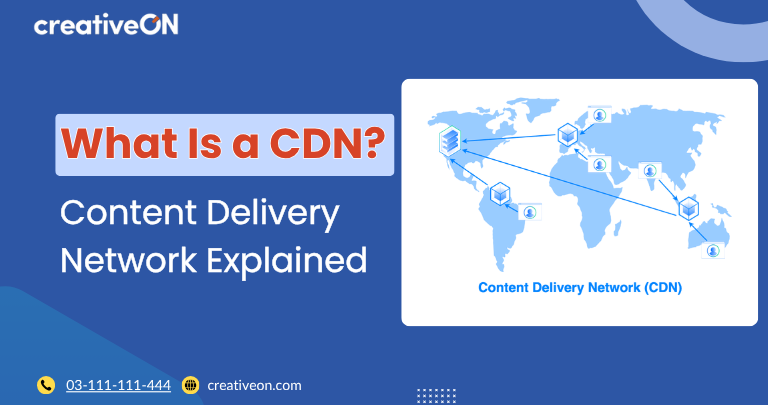
A Content Delivery Network (CDN) is a network of geographically distributed servers that delivers website content from locations closer to visitors. Instead of every request being handled by a single origin server, a CDN stores cached copies of static content—such as images, CSS, JavaScript, fonts, and downloadable files—on multiple edge servers around the world.
When a visitor accesses your website, the CDN serves cached content from the nearest available edge location whenever possible. By reducing the physical distance that data must travel, a CDN helps websites load faster, reduces server workload, and provides a more consistent experience for users regardless of their location.

How a CDN Works
A CDN sits between your website visitors and your origin server, acting as a distributed caching layer.
The process typically works like this:
- A visitor requests a page from your website.
- The CDN identifies the nearest edge server.
- If the requested file is already cached, it is delivered immediately from that edge location.
- If the file is not cached, the CDN retrieves it from the origin server, stores a copy, and serves it to the visitor.
- Future visitors in the same region receive the cached version until it expires or is refreshed.
This process reduces network latency and speeds up content delivery without changing how your website is hosted.
Why Server Distance Affects Website Speed
The farther data has to travel, the longer it takes for a webpage to load. A visitor in Sydney accessing a website hosted only in New York will generally experience more delay than someone located near the hosting server.
A CDN minimizes this delay by serving cached content from edge servers that are geographically closer to each visitor. This improvement is particularly valuable for:
- Websites with visitors from multiple countries
- Media-rich pages containing large images or videos
- E-commerce websites where speed influences conversions
- High-traffic websites serving a global audience
What Content Does a CDN Cache?
CDNs are most effective at delivering static assets that remain the same for every visitor, including:
- Images and graphics
- CSS stylesheets
- JavaScript files
- Fonts
- PDF documents
- Downloadable files
- Static HTML pages
- Videos and other media
Dynamic content—such as shopping carts, user dashboards, or personalized account pages—is usually served from the origin server, although some modern CDN platforms can accelerate dynamic requests without fully caching them.
Key Benefits of Using a CDN
Faster Page Load Times
Serving content from nearby edge servers reduces latency, allowing pages to load more quickly for visitors around the world.
Reduced Origin Server Load
Since cached files are delivered by the CDN, the origin server handles fewer requests, leaving more resources available for dynamic content and application processing.
Better Handling of Traffic Spikes
A CDN distributes requests across its global network instead of relying on a single server, helping websites remain responsive during sudden increases in traffic.
Improved Reliability
If an edge server becomes unavailable, requests can often be routed through another nearby location, improving availability and reducing disruption for visitors.
Lower Bandwidth Usage
Because cached content is served from the CDN rather than the origin server, less bandwidth is consumed at the hosting server, which may reduce bandwidth usage and associated costs.

CDN vs. Origin Server
A CDN is not a replacement for your web hosting server.
The origin server stores your website’s original files and application data. The CDN temporarily stores cached copies of eligible content and delivers those copies from edge locations closer to visitors.
In simple terms:
- Origin server: Stores the original website and generates dynamic content.
- CDN: Delivers cached copies of static content from multiple global locations.
The two work together to improve website performance and scalability.
How a CDN Improves Website Performance
A CDN enhances website performance by addressing one specific challenge: content delivery distance.
While optimizations like image compression, browser caching, and efficient code reduce the size of files being transferred, a CDN reduces the time it takes for those files to reach the visitor.
Together, these optimizations create a faster and more consistent browsing experience, especially for users located far from the origin server.
Common Misconceptions About CDNs
A CDN Doesn’t Replace Web Hosting
Every website still requires an origin server where its files and applications are stored. A CDN simply delivers cached copies more efficiently.
A CDN Doesn’t Make Every Page Instant
A CDN improves content delivery, but overall performance also depends on factors such as server response time, website optimization, and caching configuration.
A CDN Isn’t Only for Large Websites
Although enterprise websites often rely on CDNs, small business websites, blogs, and online stores can also benefit—particularly if they attract visitors from different regions.
Frequently Asked Questions
