

Introduction
Website owners sometimes need to temporarily block visitors from accessing a website or a specific folder. This can be useful during website development, testing, maintenance, or when keeping private files away from public access.
Using an .htaccess file with the “Deny from all” directive, you can restrict access to directories hosted on Apache web servers without changing the main server configuration.
In this guide, we will explain how to block website access using .htaccess, where to add the rule, and how to avoid common configuration issues.
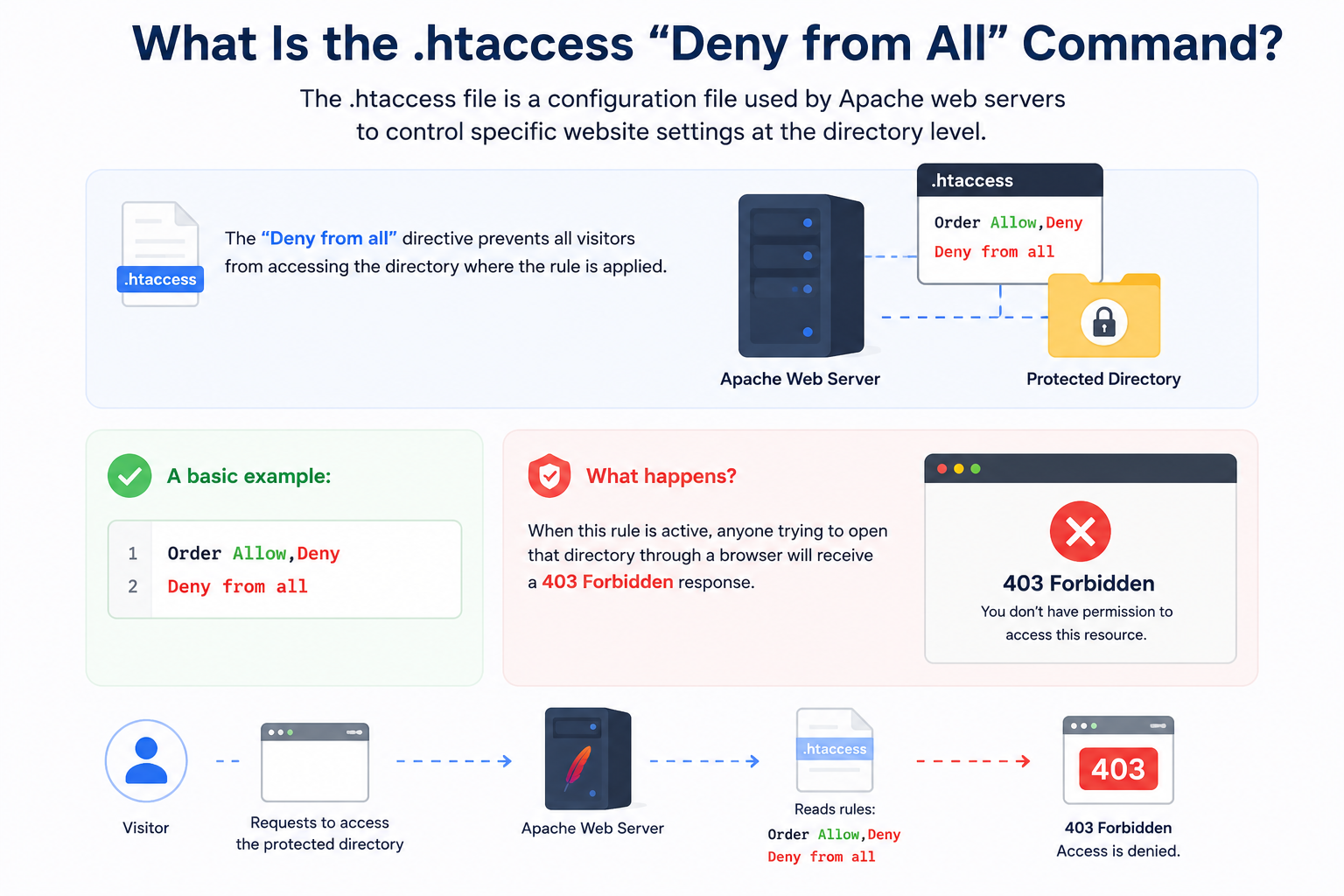
What Is the .htaccess “Deny from All” Command?
The .htaccess file is a configuration file used by Apache web servers to control specific website settings at the directory level.
The “Deny from all” directive prevents all visitors from accessing the directory where the rule is applied.
A basic example:
Order Allow,Deny
Deny from all
When this rule is active, anyone trying to open that directory through a browser will receive a 403 Forbidden response.
How to Block Website Access Using .htaccess
Follow these steps to restrict access using .htaccess.
Step 1: Access Your Website Files
First, access your website files through:
- Hosting control panel File Manager
- FTP client
- SSH access
Locate the folder where you want to block access.
Example:
public_html/
or a specific directory:
public_html/staging/
Step 2: Create or Edit the .htaccess File
Check whether an .htaccess file already exists.
If available, edit the existing file.
If it does not exist, create a new file named:
.htaccess
Place the file inside the directory you want to restrict.
For example:
public_html/private/
The rule will only affect that folder and its subfolders.
Step 3: Add the Deny from All Rule
Add the following code:
Order Allow,Deny
Deny from all
Save the changes.
The directory will now be blocked from public access.
Visitors attempting to open that location will see:
403 Forbidden
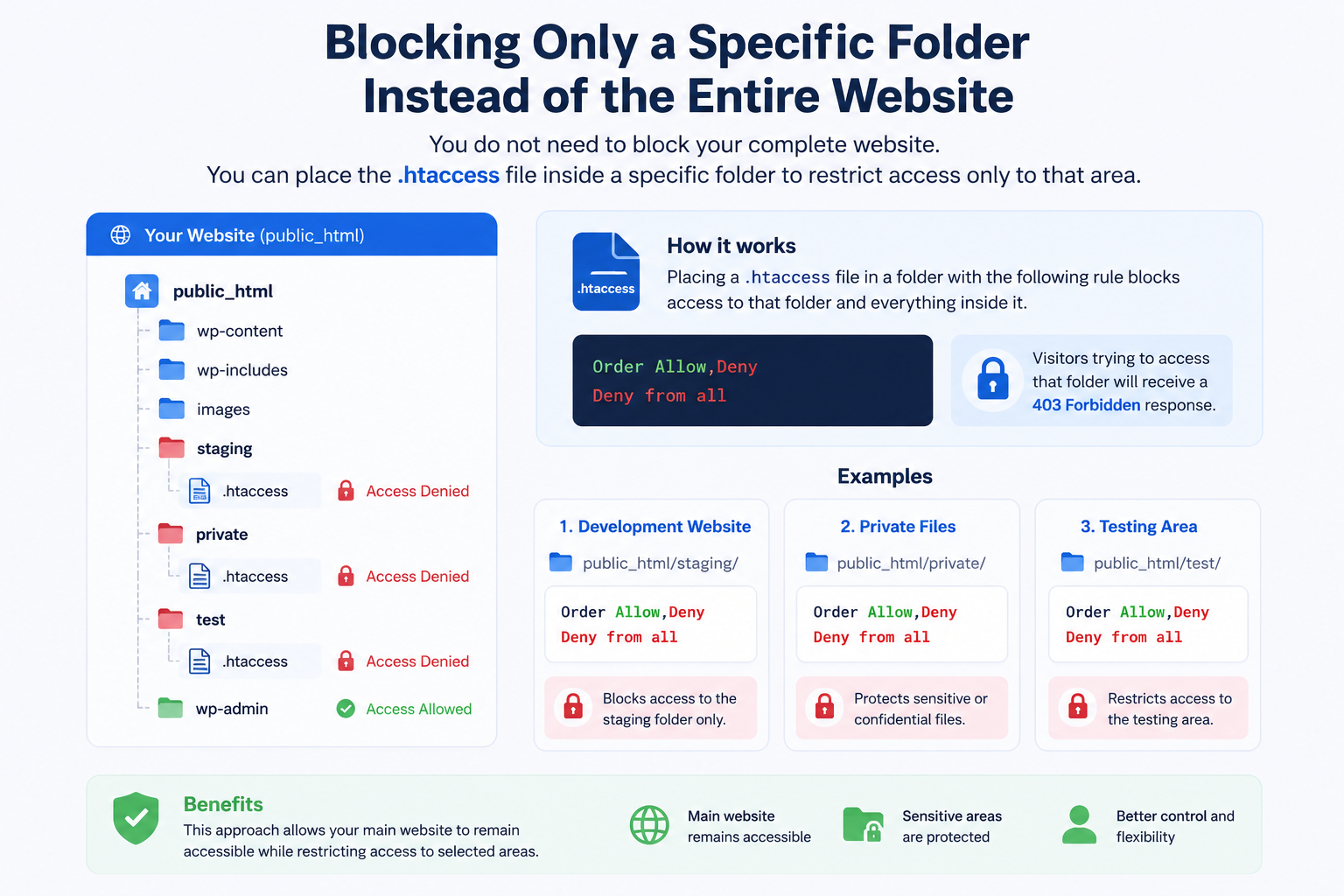
Blocking Only a Specific Folder Instead of the Entire Website
You do not need to block your complete website.
You can place the .htaccess file inside a specific folder.
Examples:
Development Website
public_html/staging/
Private Files
public_html/private/
Testing Area
public_html/test/
This allows your main website to remain accessible while restricting selected areas.
Important: Check the Location Before Applying the Rule
Before adding the “Deny from all” directive, confirm the location of your .htaccess file.
For example:
Adding this rule inside:
public_html/.htaccess
may block your entire website.
Adding it inside:
public_html/staging/.htaccess
will only block the staging folder.
Before making changes:
- Create a backup of your existing .htaccess file
- Confirm the correct directory
- Avoid editing production files unless necessary
Apache 2.2 vs Apache 2.4 .htaccess Syntax
The following syntax is commonly used on older Apache versions:
Order Allow,Deny
Deny from all
Modern Apache 2.4+ servers generally use:
Require all denied
Both commands perform the same function: blocking access to the selected directory.
Before applying rules, check your hosting environment or server configuration to ensure compatibility.
How to Remove Website Access Restrictions
To restore access, open the .htaccess file and remove:
Order Allow,Deny
Deny from all
or:
Require all denied
Save the file, and the directory will become accessible again.
Common Problems When Using .htaccess Deny from All
1. 403 Forbidden Error Appears
A 403 Forbidden error is expected when the rule is working correctly.
However, if your entire website becomes unavailable:
- Check the .htaccess file location
- Review recently added rules
- Restore your backup if required
2. 500 Internal Server Error
A 500 error usually means the server cannot process the .htaccess configuration.
Common causes include:
- Incorrect syntax
- Unsupported Apache directives
- Formatting mistakes inside the file
Check the rule carefully or remove the latest changes to restore access.
3. Existing .htaccess Rules Conflict
Many websites already use .htaccess rules for redirects, security settings, or application configurations.
Adding new rules incorrectly may affect existing functionality.
Always keep a backup before making changes.
When Should You Use .htaccess Access Restrictions?
The .htaccess Deny from all method is useful for:
- Blocking temporary website areas
- Protecting development folders
- Restricting private directories
- Preventing visitors from accessing unfinished pages
For advanced access control requirements, additional authentication methods or server-level configurations may be more suitable.
Frequently Asked Questions
