

Schools, colleges, and universities increasingly depend on online systems for websites, learning platforms, student portals, admissions, and academic applications. As these systems grow, an institution may need more control and resources than a basic shared hosting environment can provide.
A VPS for schools and universities can provide an isolated virtual server environment with allocated resources for hosting these applications. It can be suitable for institutions that need more control over their hosting environment while still wanting a scalable alternative to a physical dedicated server.
However, a VPS is not automatically the right choice for every educational institution. The decision should be based on the applications being hosted, expected traffic, concurrent activity, security requirements, technical expertise, and future growth.
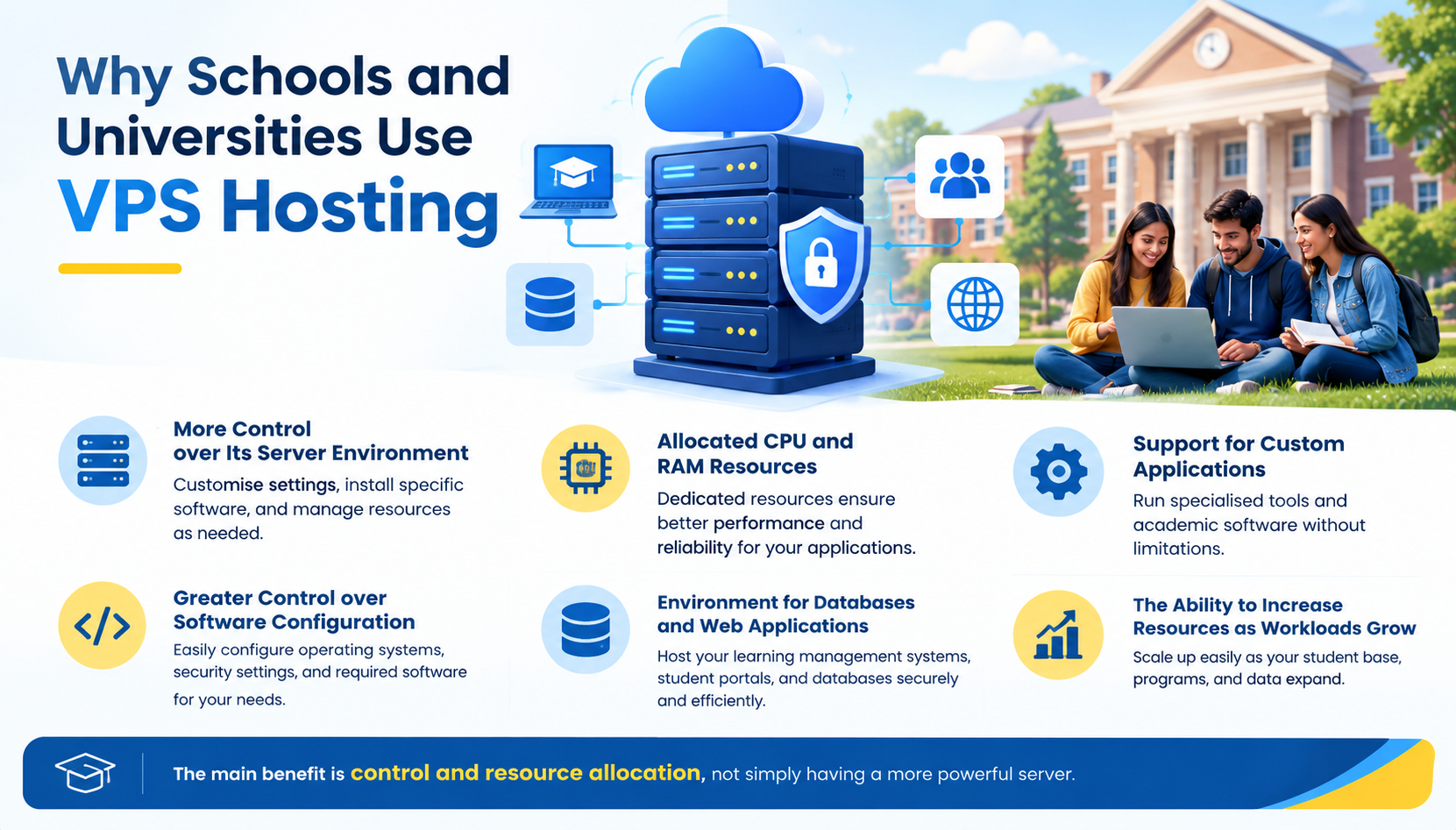
Why Schools and Universities Use VPS Hosting
Educational institutions can have workloads that are different from ordinary business websites. A school website may have relatively predictable traffic, while a university may operate several applications accessed by students, faculty, and administrative staff.
A VPS can be useful when an institution needs:
- More control over its server environment
- Allocated CPU and RAM resources
- Support for custom applications
- Greater control over software configuration
- An environment for databases and web applications
- The ability to increase resources as workloads grow
The main benefit is control and resource allocation, not simply having a more powerful server.
A VPS does not automatically make an application faster. Performance depends on the resources allocated, application configuration, database workload, storage, caching, network performance, and the number and type of requests being processed.
What Can a VPS Host for an Educational Institution?
A properly sized VPS can support a range of education-related applications.
Common examples include:
- School and university websites
- Learning management systems (LMS)
- Student portals
- Faculty portals
- Admission systems
- Course registration applications
- Academic databases
- Internal applications
- Research applications
- Document and file-sharing systems
- Development and testing environments
The required resources can vary significantly between these workloads.
A simple institutional website may require relatively modest resources, while an LMS serving large numbers of active students can create considerably more CPU, memory, database, and storage demand.
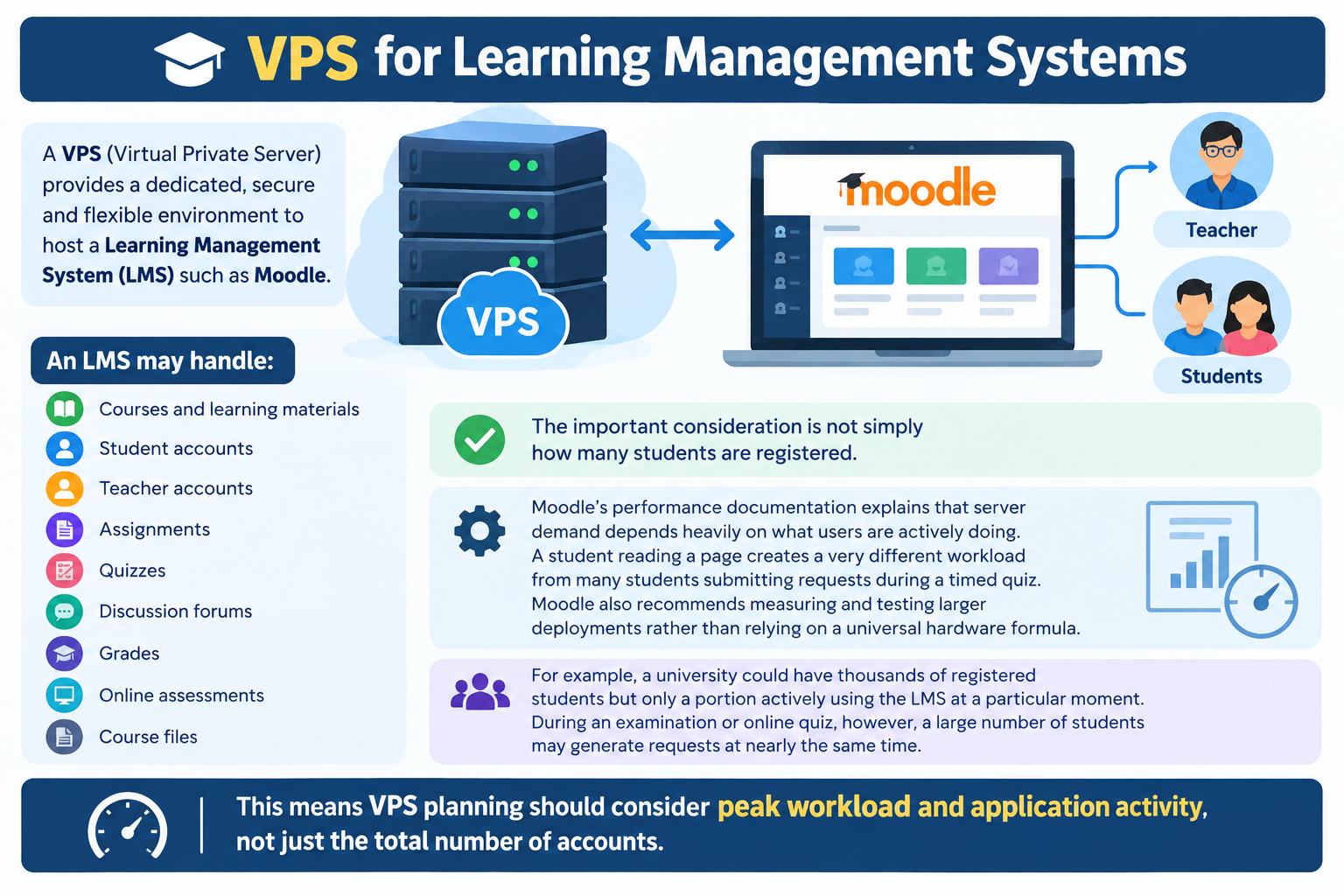
VPS for Learning Management Systems
One of the most important uses of a VPS in education is hosting a learning management system (LMS) such as Moodle.
An LMS may handle:
- Courses and learning materials
- Student accounts
- Teacher accounts
- Assignments
- Quizzes
- Discussion forums
- Grades
- Online assessments
- Course files
The important consideration is not simply how many students are registered.
Moodle’s performance documentation explains that server demand depends heavily on what users are actively doing. A student reading a page creates a very different workload from many students submitting requests during a timed quiz. Moodle also recommends measuring and testing larger deployments rather than relying on a universal hardware formula.
For example, a university could have thousands of registered students but only a portion actively using the LMS at a particular moment. During an examination or online quiz, however, a large number of students may generate requests at nearly the same time.
This means VPS planning should consider peak workload and application activity, not just the total number of accounts.
VPS for Student and Faculty Portals
Student and faculty portals can provide access to important institutional services from a central online system.
Depending on the institution, a portal may provide:
- Student profiles
- Course information
- Timetables
- Registration
- Examination results
- Announcements
- Faculty resources
- Online forms
- Administrative services
These applications are often database-driven and may experience traffic spikes around registration, examinations, results, and admission periods.
A VPS can provide a controlled environment for these applications while giving administrators greater flexibility over server configuration.
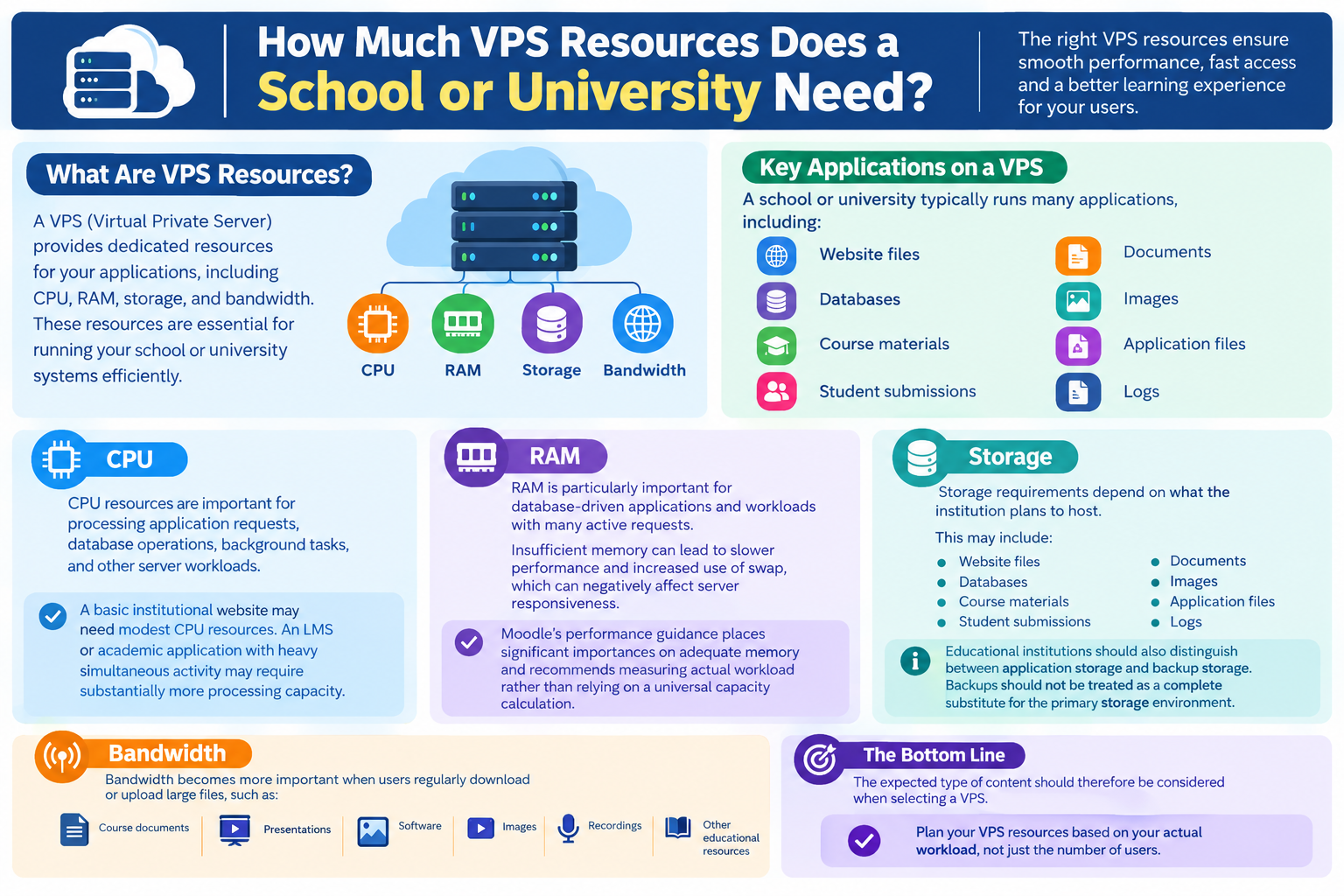
How Much VPS Resources Does a School or University Need?
There is no single VPS specification that works for every school or university.
Resource requirements depend on the applications, number of active users, database workload, file storage, and expected peak traffic.
CPU
CPU resources are important for processing application requests, database operations, background tasks, and other server workloads.
A basic institutional website may need modest CPU resources. An LMS or academic application with heavy simultaneous activity may require substantially more processing capacity.
RAM
RAM is particularly important for database-driven applications and workloads with many active requests.
Insufficient memory can lead to slower performance and increased use of swap, which can negatively affect server responsiveness.
Moodle’s performance guidance places significant importance on adequate memory and recommends measuring actual workload rather than relying on a universal capacity calculation.
Storage
Storage requirements depend on what the institution plans to host.
This may include:
- Website files
- Databases
- Course materials
- Student submissions
- Documents
- Images
- Application files
- Logs
Educational institutions should also distinguish between application storage and backup storage. Backups should not be treated as a complete substitute for the primary storage environment.
Bandwidth
Bandwidth becomes more important when users regularly download or upload large files.
Course documents, presentations, software, images, recordings, and other educational resources can consume considerable network capacity.
The expected type of content should therefore be considered when selecting a VPS.
Plan for Peak Academic Traffic
One of the most important considerations for educational VPS hosting is traffic that occurs during specific academic events.
A server may operate normally for most of the year but experience substantially higher demand during:
- Student admissions
- Online registration
- Course enrollment
- Examination periods
- Online quizzes
- Assignment deadlines
- Results publication
- Major institutional announcements
For an LMS, the type of activity matters as much as the number of users. Moodle’s documentation specifically notes that activities such as quizzes can generate significantly more requests than users simply reading course material.
Institutions should therefore consider their busiest expected periods when selecting VPS resources.
If possible, monitor the existing system during peak periods before upgrading. Actual measurements can provide a better basis for resource planning than simply estimating capacity from the number of registered students.
Security Considerations for Educational VPS Hosting
Schools and universities may use online systems to process student, faculty, administrative, and academic information.
A VPS should therefore be maintained as a security-sensitive environment.
Important areas include:
- Strong administrator credentials
- Secure remote access
- Regular operating system updates
- Application and plugin updates
- Firewall configuration
- Access controls
- Malware protection
- Server monitoring
- Secure backups
- Regular backup verification
Security should be treated as an ongoing operational responsibility rather than a one-time server configuration.
Institutions managing their own servers can also follow a dedicated VPS Server Hardening Checklist and VPS Firewall Setup Guide for more detailed security procedures.
Backups and Disaster Recovery
A VPS does not eliminate the possibility of data loss.
Hardware failures, software problems, accidental deletion, compromised applications, or other incidents can affect institutional systems.
Important educational applications should therefore have an appropriate backup strategy covering:
- Backup frequency
- Retention periods
- Backup destinations
- Backup encryption
- Backup integrity
- Restore testing
- Recovery requirements
For important systems, keeping the only backup copy on the same VPS is not sufficient protection against every failure scenario.
A dedicated VPS Backup and Disaster Recovery Guide can provide more detailed guidance without expanding this article into a complete backup tutorial.
Managed vs Unmanaged VPS for Educational Institutions
The choice between managed and unmanaged VPS hosting largely depends on the institution’s technical resources.
Managed VPS
A managed VPS can be useful for schools or smaller institutions without dedicated server administrators.
Depending on the provider, management services may help with areas such as:
- Server maintenance
- Operating system updates
- Basic troubleshooting
- Security management
- Server configuration
Unmanaged VPS
An unmanaged VPS may be appropriate for universities or institutions with experienced system administrators who can manage the server themselves.
The institution may be responsible for:
- Operating system maintenance
- Security
- Application configuration
- Monitoring
- Backups
- Troubleshooting
The goal is to match the VPS management model with the institution’s actual technical expertise.
VPS vs Shared Hosting for Schools
A VPS is not automatically better for every educational website.
| Requirement | Shared Hosting | VPS |
| Basic school website | Often sufficient | May be more than needed |
| Small informational site | Often suitable | May not be necessary |
| LMS with higher workload | May have limitations | More resource control |
| Student portal | Depends on workload | Greater control |
| Custom server configuration | Limited | More flexibility |
| Server administration | Generally simpler | Requires more technical management |
A small school with a basic website may have no practical reason to move to a VPS.
A university running an LMS, student portal, database applications, or several custom systems may have stronger reasons to use one.
The correct choice should be based on workload rather than the assumption that a VPS is always the superior option.
When a Single VPS May Not Be Enough
A VPS can be an effective starting point for many educational workloads, but very large deployments may eventually require a different architecture.
For example, a large university with heavy simultaneous LMS activity and several applications may eventually benefit from separating the web/application and database workloads or using multiple servers and load balancing.
Moodle’s scalability documentation describes architectures where larger installations separate web and database servers and can use multiple web servers for load balancing.
This does not mean every university needs a multi-server environment. It simply means that infrastructure should evolve with actual workload requirements.
For most institutions, the appropriate approach is to start with a suitably sized environment, monitor performance, and scale based on measured demand.
How to Choose a VPS for a School or University
Before selecting a VPS, consider the following:
- What applications will be hosted?
Identify whether the server will run a website, LMS, portal, database, or several applications. - How many users are expected?
Consider active and peak usage rather than only total registered accounts. - When are the busiest periods?
Identify admissions, examinations, registration, and other events that may create traffic spikes. - How much storage is required?
Estimate website files, databases, course materials, submissions, and other content. - Does the institution have technical staff?
This can help determine whether managed or unmanaged VPS hosting is appropriate. - What backup strategy is required?
Important systems should have reliable backups and tested recovery procedures. - Can the environment scale?
Check whether additional VPS resources or a more advanced architecture can be introduced as demand grows. - What support does the provider offer?
Technical support can be particularly valuable when the institution does not have dedicated server administrators.
Common VPS Mistakes in Schools and Universities
Educational institutions can encounter problems when infrastructure planning focuses only on the initial VPS package.
Common mistakes include:
- Choosing resources based only on the number of registered students
- Ignoring peak examination or registration traffic
- Underestimating RAM requirements
- Storing large educational files without planning capacity
- Keeping backup copies only on the same server
- Failing to test restores
- Running outdated server software
- Giving unnecessary users administrative access
- Choosing an unmanaged VPS without qualified technical staff
- Selecting infrastructure based solely on price
Monitoring actual resource usage can help identify whether the problem is CPU, memory, storage, database performance, or another part of the system.
Frequently Asked Questions
