

When people think about improving the performance of a Virtual Private Server (VPS), they often focus on upgrading CPU, RAM, or storage. While these resources are important, they are only part of the picture. Even a powerful VPS can feel slow if data takes too long to travel between the server and its users. This is where Network Latency Optimization for VPS becomes important.
Network latency optimization is the process of reducing the time it takes for data to travel between your VPS and the devices or applications connecting to it. Lower latency helps websites load faster, APIs respond more quickly, remote desktop sessions feel smoother, and online applications deliver a better user experience.
For businesses running eCommerce stores, SaaS platforms, business applications, gaming servers, or customer portals, reducing latency can significantly improve responsiveness without upgrading server hardware.
This guide explains what VPS network latency is, why it matters, what causes high latency, and the most effective ways to reduce communication delays.
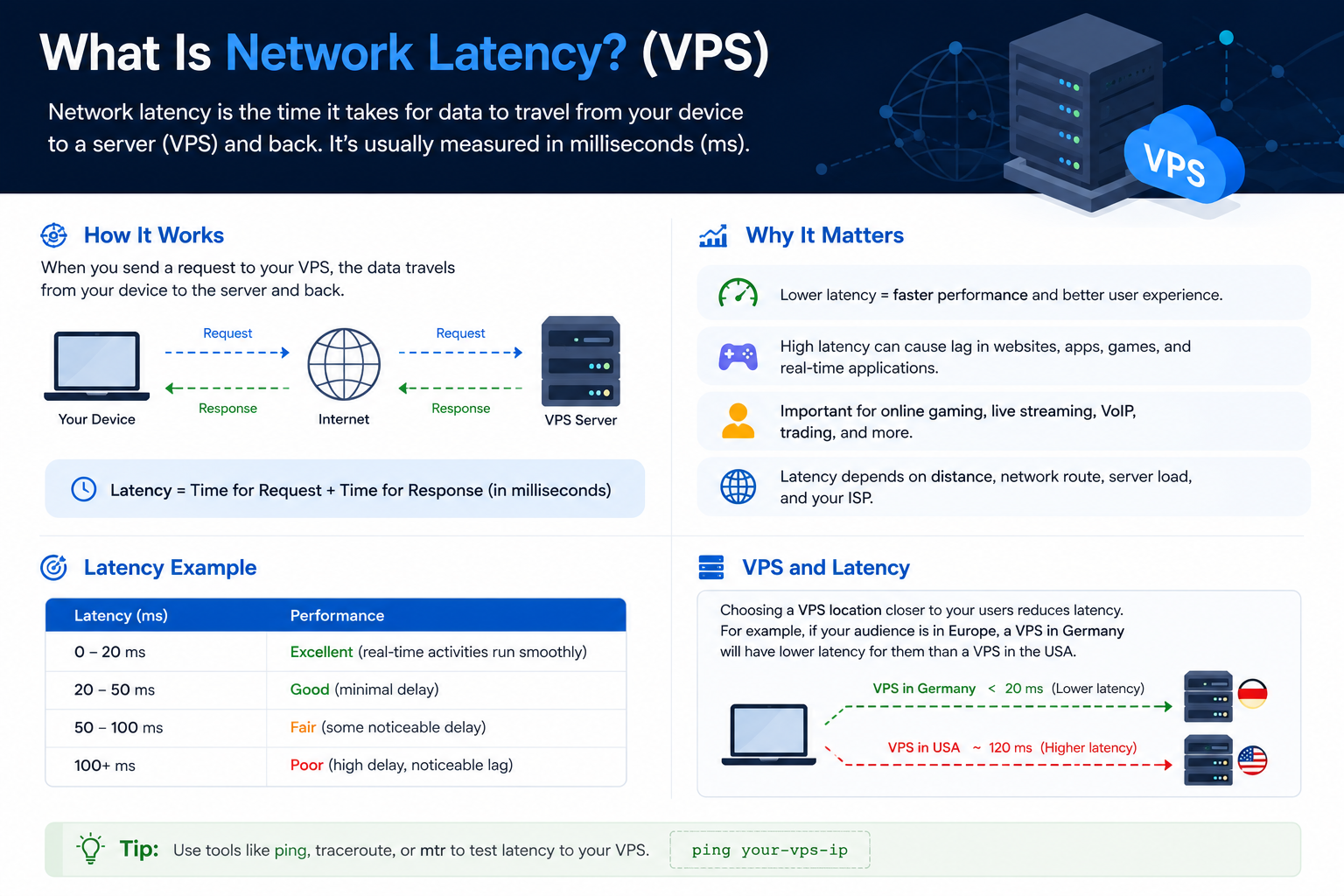
What Is Network Latency?
Network latency is the amount of time it takes for a data packet to travel between two points on a network. In a VPS environment, it usually refers to the delay between a user’s device and the VPS hosting your website or application.
Latency is measured in milliseconds (ms). Lower latency generally means users receive responses more quickly, making websites and applications feel faster and more responsive.
Every request travels through several stages, including DNS resolution, internet routing, and multiple networking devices. Each step adds a small delay, and together they determine the total network latency.
It is important to remember that latency is different from server processing time. Your VPS may process requests quickly, but users can still experience delays if the network path itself is slow.
Why Network Latency Matters
Every interaction with your VPS depends on network communication. High latency increases the waiting time before data reaches the server or returns to the user.
Lower latency can improve:
- Website loading speed
- Web application responsiveness
- API communication
- SSH and Remote Desktop performance
- Online gaming experience
- VoIP and video conferencing quality
- Overall user satisfaction
For example, a VPS may have sufficient CPU and RAM, but visitors can still experience slow page loads if the server is located far from its primary audience.
Network Latency vs. Bandwidth
Latency and bandwidth are often confused, but they measure different aspects of network performance.
Bandwidth refers to the amount of data that can be transferred over a connection within a given period.
Latency measures how long it takes for data to begin traveling between two points.
Think of a highway:
- Bandwidth is the number of lanes.
- Latency is how long it takes the first car to reach its destination.
A network can have high bandwidth but still experience poor responsiveness if latency is high.
Signs Your VPS Has High Network Latency
High latency usually appears as slow responsiveness rather than complete outages.
Common symptoms include:
- Slow website responses
- Delayed SSH logins
- Sluggish Remote Desktop sessions
- Slow API responses
- High gaming ping
- Delays during VoIP or video calls
- Network request timeouts
If CPU, RAM, and disk usage remain normal while these issues occur, latency may be the underlying cause.
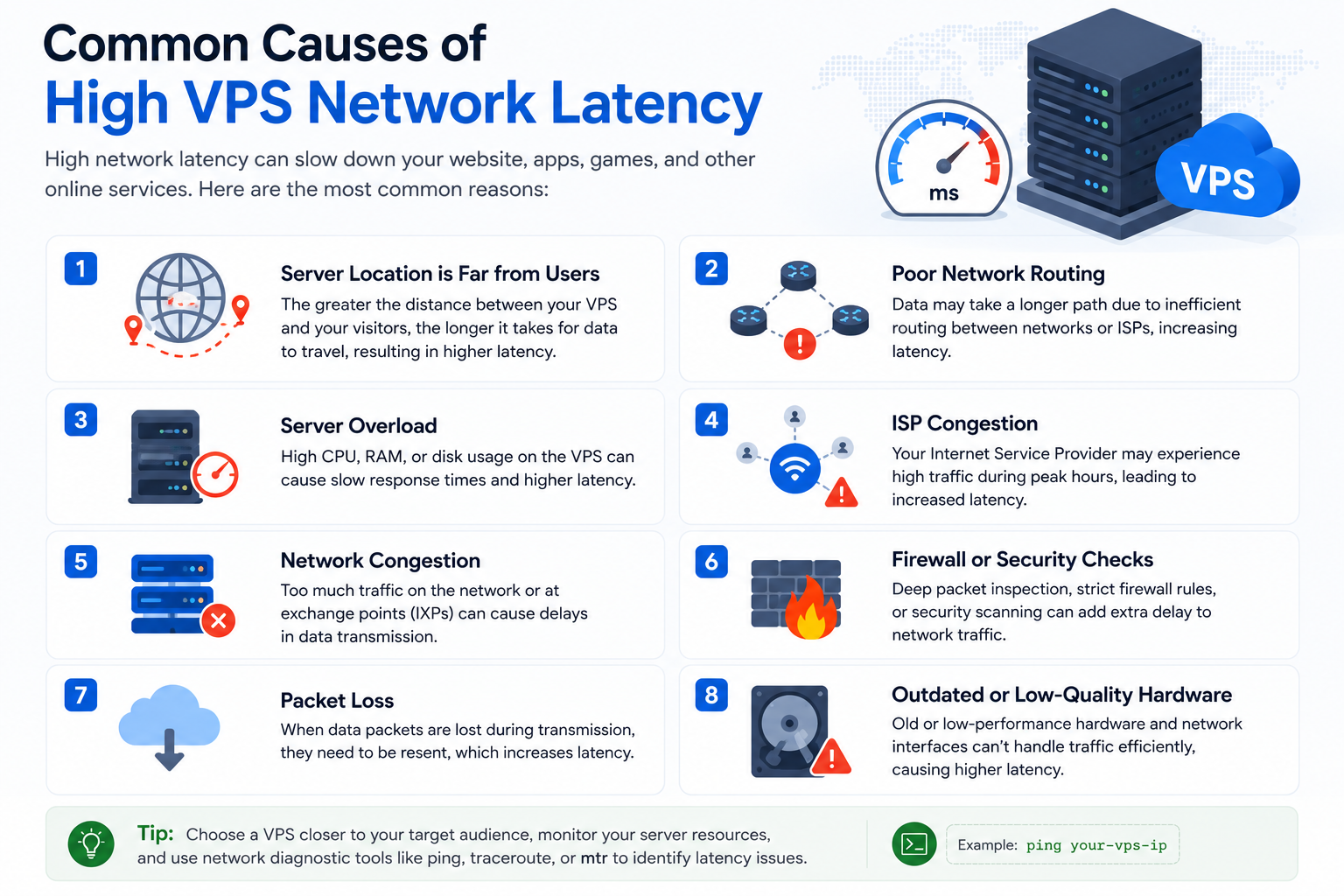
Common Causes of High VPS Network Latency
Long Geographic Distance
Physical distance is one of the biggest contributors to latency. The farther users are from your VPS, the longer data takes to travel.
Hosting your VPS close to your primary audience is often the easiest way to reduce latency.
Inefficient Network Routing
Data rarely follows a direct path. Instead, it passes through multiple routers, ISPs, and exchange points before reaching your server. More network hops usually mean more delay.
Slow DNS Resolution
Before connecting to your VPS, users must translate your domain name into an IP address through DNS. Slow DNS lookups increase the time before communication even begins.
Measuring Network Latency
Before making changes, establish a baseline so you can compare results after optimization.
Useful tools include:
- Ping – Measures round-trip time.
- Traceroute – Shows the network path and identifies delays.
- MTR (My Traceroute) – Combines continuous ping and traceroute.
- Application response testing – Measures real user response times.
If your audience is spread across multiple regions, perform tests from different geographic locations and at different times of the day.
Practical Ways to Optimize Network Latency for VPS
Choose a VPS Close to Your Users
Server location has one of the greatest impacts on latency. Hosting your VPS near your primary audience reduces the physical distance that data must travel.
Optimize DNS Performance
Faster DNS resolution helps users establish connections more quickly.
Best practices include:
- Use reliable DNS providers.
- Keep DNS records updated.
- Enable DNS caching.
- Remove unnecessary DNS lookups.
Enable Modern Network Protocols
Technologies such as HTTP/2, HTTP/3, and IPv6 reduce connection overhead and improve communication efficiency. Always verify compatibility before enabling them.
Tune TCP Settings
Carefully tuning TCP settings can improve communication efficiency for some workloads.
Possible optimizations include:
- Congestion control algorithms
- Window scaling
- Buffer optimization
- Connection queue tuning
Always test these changes before deploying them to production.
Reduce Unnecessary Network Requests
Applications that make excessive requests create additional communication overhead.
Developers can improve responsiveness by:
- Reducing unnecessary API calls
- Combining requests
- Compressing transferred data
- Eliminating redundant communication
Use a CDN for Static Content
A Content Delivery Network (CDN) stores static assets closer to visitors, reducing latency for:
- Images
- CSS files
- JavaScript
- Fonts
- Downloadable files
Dynamic requests will still be processed by your VPS.
Choose a Provider with Quality Network Infrastructure
Although public internet routing cannot be controlled directly, selecting a hosting provider with a strong network backbone and reliable peering can reduce unnecessary routing delays.
Packet Loss and Jitter
Latency is only one aspect of network performance.
Packet Loss
Packet loss occurs when data fails to reach its destination. Missing packets must be retransmitted, increasing communication time and reducing responsiveness.
Jitter
Jitter refers to inconsistent latency where packet arrival times vary. It is especially noticeable during:
- VoIP calls
- Video conferencing
- Online gaming
- Live streaming
- Remote Desktop sessions
Stable latency usually provides a better user experience than constantly changing latency.
Best Practices for Maintaining Low Latency
Maintaining low latency requires ongoing monitoring rather than one-time optimization.
Recommended practices include:
- Monitor latency regularly.
- Keep networking software updated.
- Review DNS settings periodically.
- Test performance from multiple regions.
- Validate changes before applying them to production.
Common Mistakes to Avoid
Many administrators focus on the wrong areas when trying to improve latency.
Avoid these common mistakes:
- Assuming more CPU or RAM will reduce latency.
- Hosting the VPS far from your users.
- Ignoring DNS performance.
- Making multiple network changes at once.
- Testing performance only once.
Implement changes gradually and measure results after each adjustment.
When Latency Isn’t the Problem
Not every slow website is caused by network latency.
If latency measurements are already low, the bottleneck may be elsewhere, such as:
- Slow application code
- Inefficient database queries
- Insufficient server resources
- Poor caching configuration
Separating network issues from application issues helps identify the real performance bottleneck.
Final Thoughts
Network Latency Optimization for VPS focuses on reducing communication delays between your server and its users. Even without upgrading hardware, improvements such as choosing a nearby server location, optimizing DNS, enabling modern protocols, tuning TCP settings carefully, and reducing unnecessary network requests can noticeably improve responsiveness.
Always measure latency before making changes, apply one optimization at a time, and test again afterward. A data-driven approach will help you achieve lower latency while maintaining a fast and reliable experience for your users.
Frequently Asked Questions
