
If your application is growing, running a single database on a single VPS eventually becomes a risk. One server goes down, and your entire app goes with it. One slow query spikes CPU, and every user feels it. This is where database replication between VPS servers comes in — it lets you copy and sync your database across multiple VPS instances, improving reliability and performance without a full infrastructure overhaul.
This guide walks through how database replication works between VPS servers, the common setups, and how to configure it correctly. It’s focused specifically on replication — for broader server security or performance tuning, see our VPS Server Hardening Checklist and VPS Monitoring Guide.
Why Replicate a Database Between VPS Servers
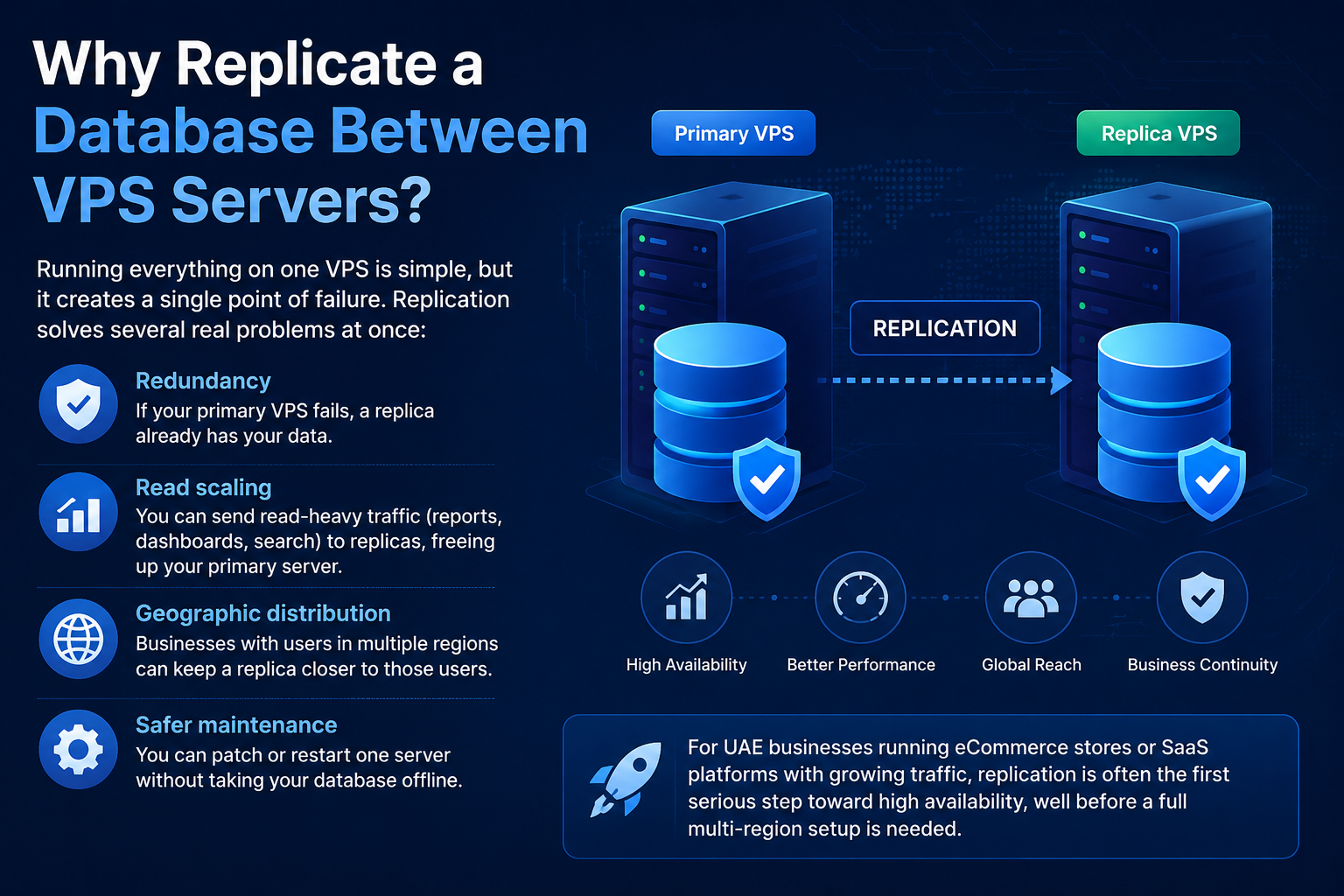
Running everything on one VPS is simple, but it creates a single point of failure. Replication solves several real problems at once:
- Redundancy – if your primary VPS fails, a replica already has your data
- Read scaling – you can send read-heavy traffic (reports, dashboards, search) to replicas, freeing up your primary server
- Geographic distribution – businesses with users in multiple regions can keep a replica closer to those users
- Safer maintenance – you can patch or restart one server without taking your database offline
For UAE businesses running eCommerce stores or SaaS platforms with growing traffic, replication is often the first serious step toward high availability, well before a full multi-region setup is needed.
How Database Replication Works
At a basic level, replication means one VPS (the primary) accepts writes, and one or more other VPS servers (the replicas) continuously receive a copy of those changes. There are a few common replication models:
1. Primary-Replica (Master-Slave) Replication
The most common setup. One server handles all writes, and changes are streamed to one or more read-only replicas. This is the standard starting point for most applications.
2. Primary-Primary (Master-Master) Replication
Both servers can accept writes, and each syncs changes to the other. This adds complexity — particularly around conflict resolution when the same row is updated on both servers — so it’s typically reserved for specific high-availability use cases rather than default setups.
3. Logical vs Physical Replication
- Physical replication copies data at the storage/binary level (common in PostgreSQL streaming replication).
- Logical replication replicates specific tables or databases based on transaction logs (common in MySQL binlog replication).
Which one you use depends on your database engine — MySQL/MariaDB and PostgreSQL both support replication natively, just with different configuration steps.
Asynchronous vs. Synchronous Replication
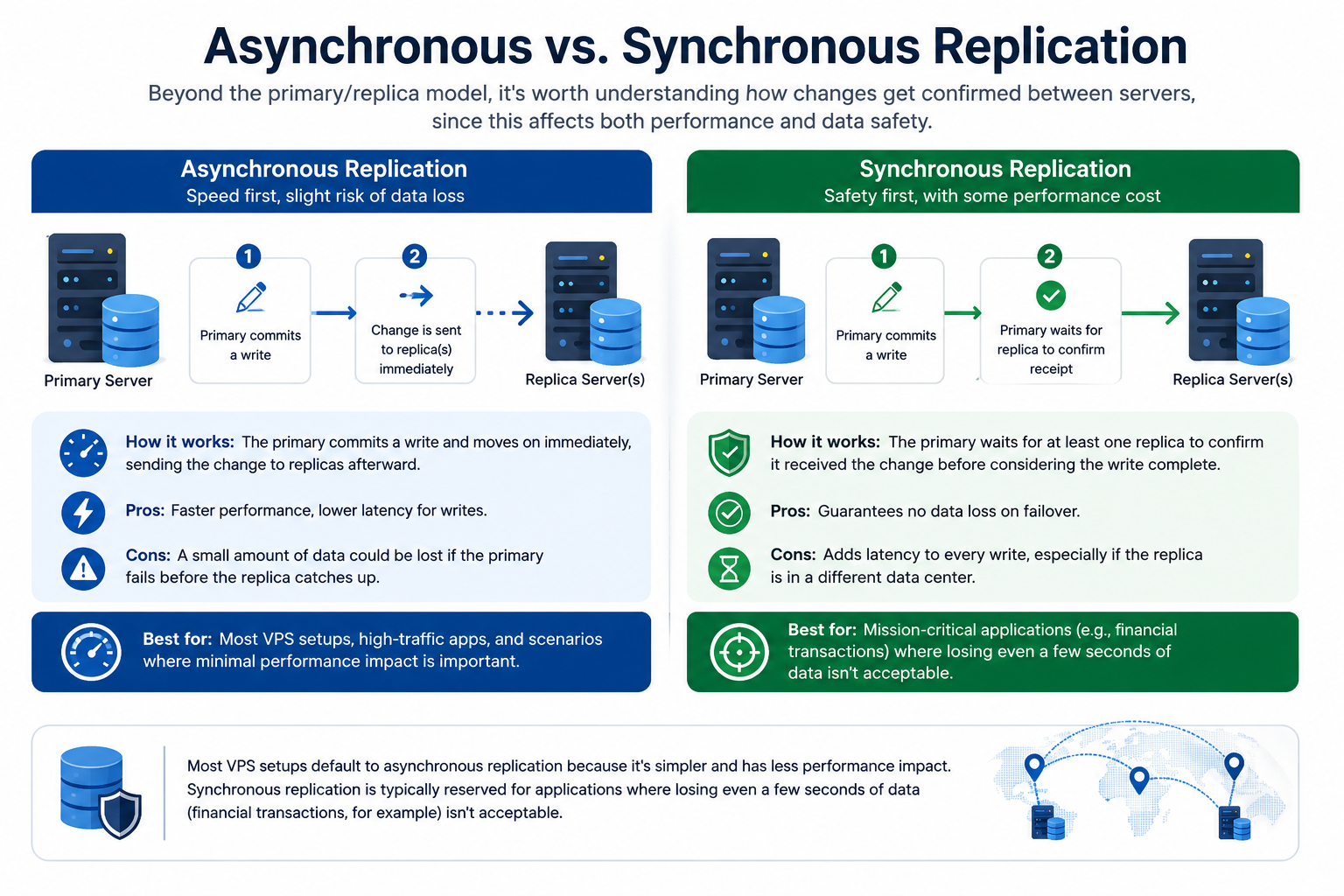
Beyond the primary/replica model, it’s worth understanding how changes get confirmed between servers, since this affects both performance and data safety:
- Asynchronous replication – the primary commits a write and moves on immediately, sending the change to replicas afterward. This is faster for the primary server but means a small amount of data could be lost if the primary fails before the replica catches up.
- Synchronous replication – the primary waits for at least one replica to confirm it received the change before considering the write complete. This guarantees no data loss on failover, but adds latency to every write, especially if the replica is in a different data center.
Most VPS setups default to asynchronous replication because it’s simpler and has less performance impact. Synchronous replication is typically reserved for applications where losing even a few seconds of data (financial transactions, for example) isn’t acceptable.
Setting Up Replication Between VPS Servers
The exact commands differ by database engine, but the overall process is consistent:
Step 1: Prepare Both VPS Servers
- Make sure both servers run compatible database versions
- Confirm network connectivity between the VPS servers (private networking is strongly recommended over public IPs)
- Open only the necessary database port between the two servers — never expose it broadly to the public internet
- Restrict that port to the specific IP addresses of your primary and replica servers only, using your firewall or security group rules
- Enable SSL/TLS encryption for the replication connection, so data isn’t sent between servers in plain text
- Create the replication user with the minimum permissions needed to replicate — not a full admin account
Step 2: Configure the Primary Server
- Enable binary logging (MySQL/MariaDB) or write-ahead logging (PostgreSQL)
- Note the primary server’s log position or replication slot, depending on your database engine
Step 3: Take a Consistent Snapshot
- Export a consistent backup or snapshot of the primary database at a known point in time
- This snapshot becomes the replica’s starting dataset
Step 4: Configure the Replica Server
- Restore the snapshot onto the replica VPS
- Point the replica to the primary server’s IP, replication user, and log position
- Start the replication process and monitor the sync status
Step 5: Verify Replication Is Working
- Confirm the replica’s data matches the primary
- Insert a test record on the primary and confirm it appears on the replica within an expected delay
Verifying and Monitoring Replication Health
Replication that silently breaks is more dangerous than no replication at all, since you may not notice until you actually need the replica. At minimum, monitor:
- Replication lag – how far behind the replica is from the primary
- Connection status – whether the replica is actively connected and syncing
- Error logs – replication can stop due to conflicting writes, schema mismatches, or network interruptions
- CPU and disk I/O on both servers – a saturated primary or replica is one of the most common causes of growing replication lag
- Available storage – replicas need enough disk space to keep up with incoming data; running low on storage can stall or break replication entirely
Setting up alerts for replication lag or disconnection is far more useful than manually checking status. For a full monitoring setup covering these metrics in detail, our VPS Monitoring Guide covers how to configure alerting and dashboards.
Common Mistakes to Avoid
- Skipping a consistent snapshot – starting replication from an inconsistent dataset leads to silent data mismatches
- Using public IPs for replication traffic – this exposes your database sync traffic unnecessarily; use private networking or a VPN between VPS servers instead
- Ignoring replication lag – a replica that’s minutes or hours behind is not a reliable failover option
- No monitoring or alerting – replication can fail quietly; without alerts, you may only discover it during an actual outage
- Treating primary-primary replication as a default choice – it solves specific problems but introduces conflict-resolution complexity that most applications don’t need
Best Practices
- Start with primary-replica replication unless you have a specific reason for primary-primary
- Keep replication traffic on a private network between VPS servers
- Automate regular consistency checks between primary and replica data
- Document your failover process before you need it, not during an outage
- Pair replication with a solid backup strategy — replication protects against server failure, not against accidental data deletion or corruption, which replicates too
For backup strategy specifically, see our VPS Backup & Disaster Recovery Guide, and for hardening the servers involved, our VPS Firewall Setup Guide and VPS Server Hardening Checklist are good next steps.
Replication vs. Backup: What’s the Difference?
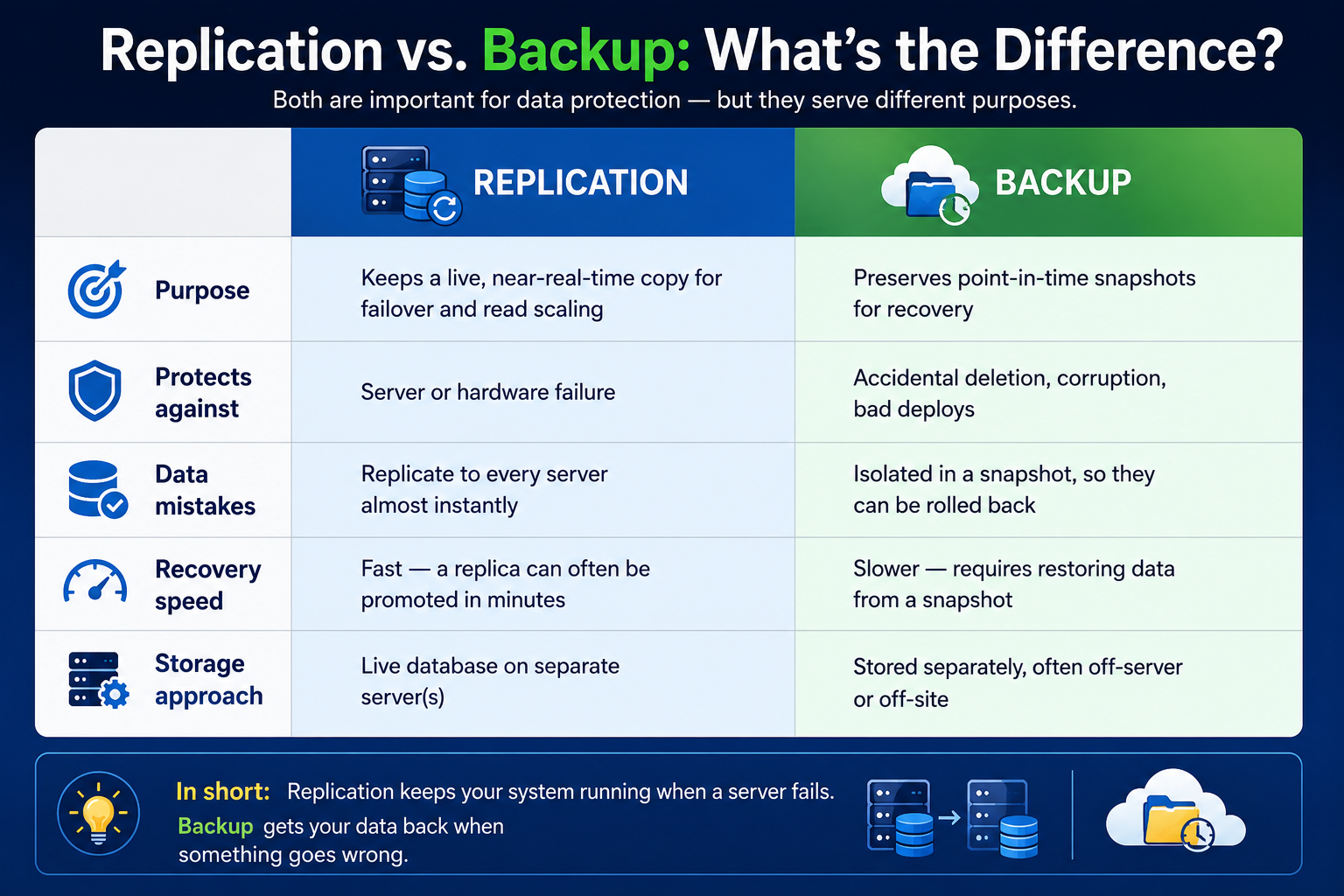
These two are often confused, but they solve different problems and you need both:
| Replication | Backup | |
| Purpose | Keeps a live, near-real-time copy for failover and read scaling | Preserves point-in-time snapshots for recovery |
| Protects against | Server or hardware failure | Accidental deletion, corruption, bad deploys |
| Data mistakes | Replicate to every server almost instantly | Isolated in a snapshot, so they can be rolled back |
| Recovery speed | Fast — a replica can often be promoted in minutes | Slower — requires restoring data from a snapshot |
| Storage approach | Live database on separate server(s) | Stored separately, often off-server or off-site |
Conclusion
Database replication between VPS servers is one of the most effective ways to improve reliability and reduce the risk of downtime as your application grows. It’s not overly complex to set up, but it does require careful configuration, secure networking, and ongoing monitoring to stay reliable over time.
It’s worth repeating the key point: replication is not a substitute for backups, monitoring, or a tested failover process — it complements all three. A replica protects you from server failure, but only backups protect you from bad data, only monitoring tells you when something’s actually wrong, and only a tested failover process ensures you can act quickly when it matters.
If you’re running your database on CreativeON VPS infrastructure, replication pairs well with existing backup and monitoring tools to build a genuinely resilient setup — without needing to jump straight to a full multi-region deployment.
FAQ
