
Introduction
CPU throttling in VPS is a performance limitation that often confuses users because everything appears “normal” on the surface while the server becomes slow in real usage. Websites load slowly, APIs lag, and background tasks take longer—yet CPU usage may still look low or moderate.
In a VPS environment, CPU throttling in VPS happens when your virtual server is restricted from using its full share of CPU time due to scheduling limits at the virtualization layer. Instead of shutting down processes, the system delays or reduces execution time slices, which creates the experience of unexpected slowdown.
This article focuses only on CPU throttling as a standalone VPS performance behavior within shared infrastructure environments such as those used in CreativeON VPS hosting.
Topic Ownership (Scope Lock)
Primary Intent: Understand CPU throttling in VPS and its direct impact on performance
Problem Scope: CPU execution delays caused by virtualization scheduling limits and resource contention
Excluded Topics: RAM issues, disk I/O bottlenecks, VPS setup, monitoring tools, security, and general optimization frameworks
This article does not overlap with other VPS performance topics and focuses strictly on CPU scheduling behavior.
What CPU Throttling in VPS Actually Means
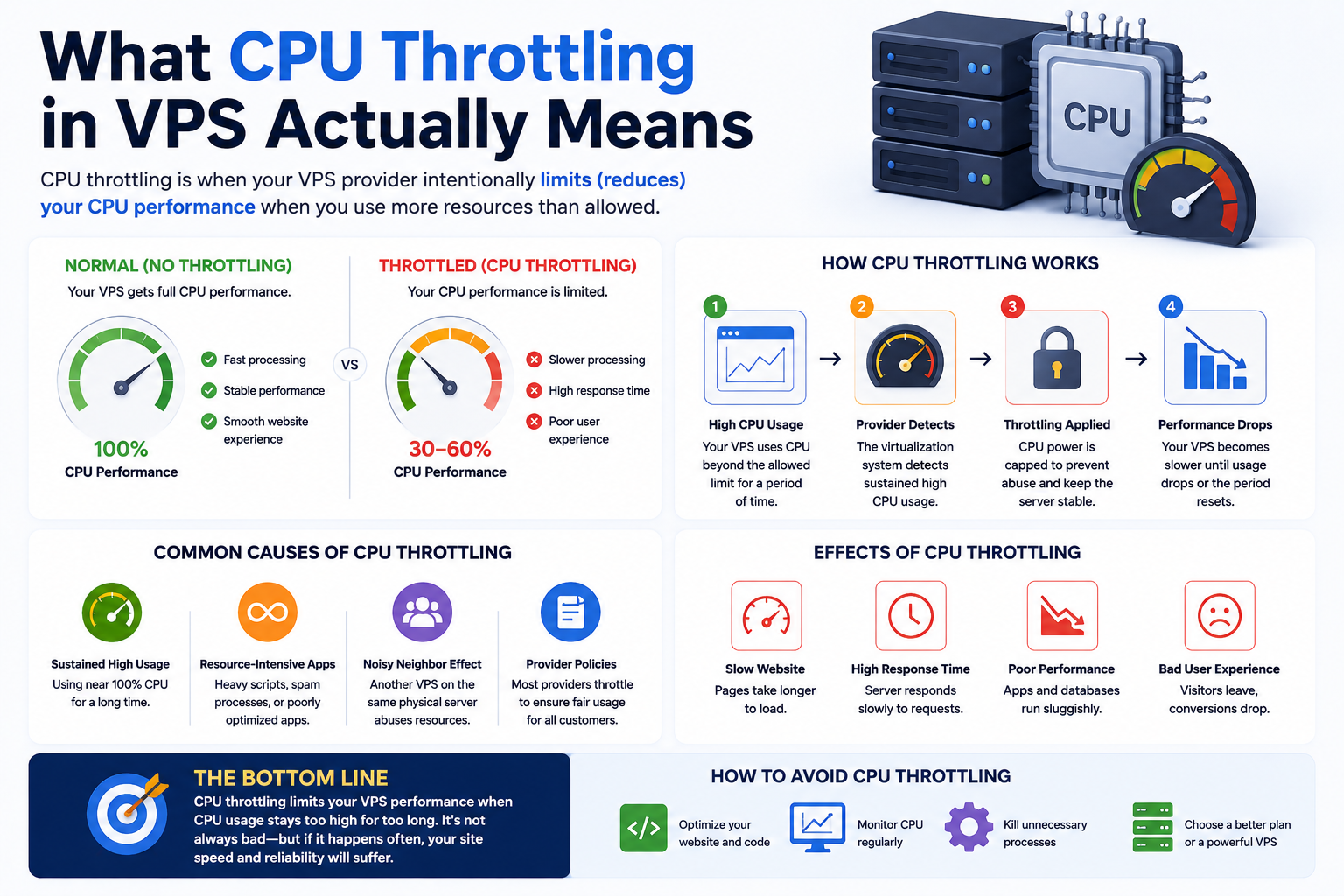
CPU throttling in VPS is not a hardware failure or software bug. It is a controlled scheduling behavior used in virtualized environments to distribute CPU resources fairly among multiple VPS instances running on the same physical server.
Most VPS platforms rely on hypervisors (such as KVM-based environments) that allocate CPU time using defined limits. These limits may include:
- CPU quota (maximum CPU time allowed in a time window)
- CPU period (time interval used to measure CPU usage)
- CPU shares (priority weight under heavy load conditions)
When your VPS tries to use more CPU time than it has been allocated, the system does not stop processes. Instead, it delays execution in the scheduler queue. This delay is what users experience as “throttling.”
Root Cause of CPU Throttling in VPS Environments
CPU throttling usually occurs in shared or overcommitted VPS nodes where multiple virtual machines compete for the same physical CPU resources.
At the infrastructure level, the process works like this:
- The hypervisor divides CPU time into small scheduling windows
- Each VPS receives a defined CPU allocation within those windows
- If demand exceeds allocation, execution is postponed
- The VPS remains active, but processing slows down
In KVM-based systems, this is enforced through Linux CFS (Completely Fair Scheduler) bandwidth control, which ensures no single VPS consumes more than its assigned share over time.
Unlike RAM or disk bottlenecks, CPU throttling does not immediately produce errors—it creates silent performance delays.
Hidden Indicator: CPU Steal Time (%st)
One of the most important but often ignored indicators of CPU throttling in VPS environments is CPU steal time.
Steal time represents CPU cycles that your VPS requested but could not use because the physical host was servicing other virtual machines.
When steal time increases, it usually indicates:
- High contention on the physical node
- CPU scheduling delays caused by other VPS workloads
- Reduced effective CPU performance despite normal usage readings
If your VPS feels slow but CPU usage is not high, steal time is one of the most reliable infrastructure-level signals of throttling.
Symptoms of CPU Throttling in VPS
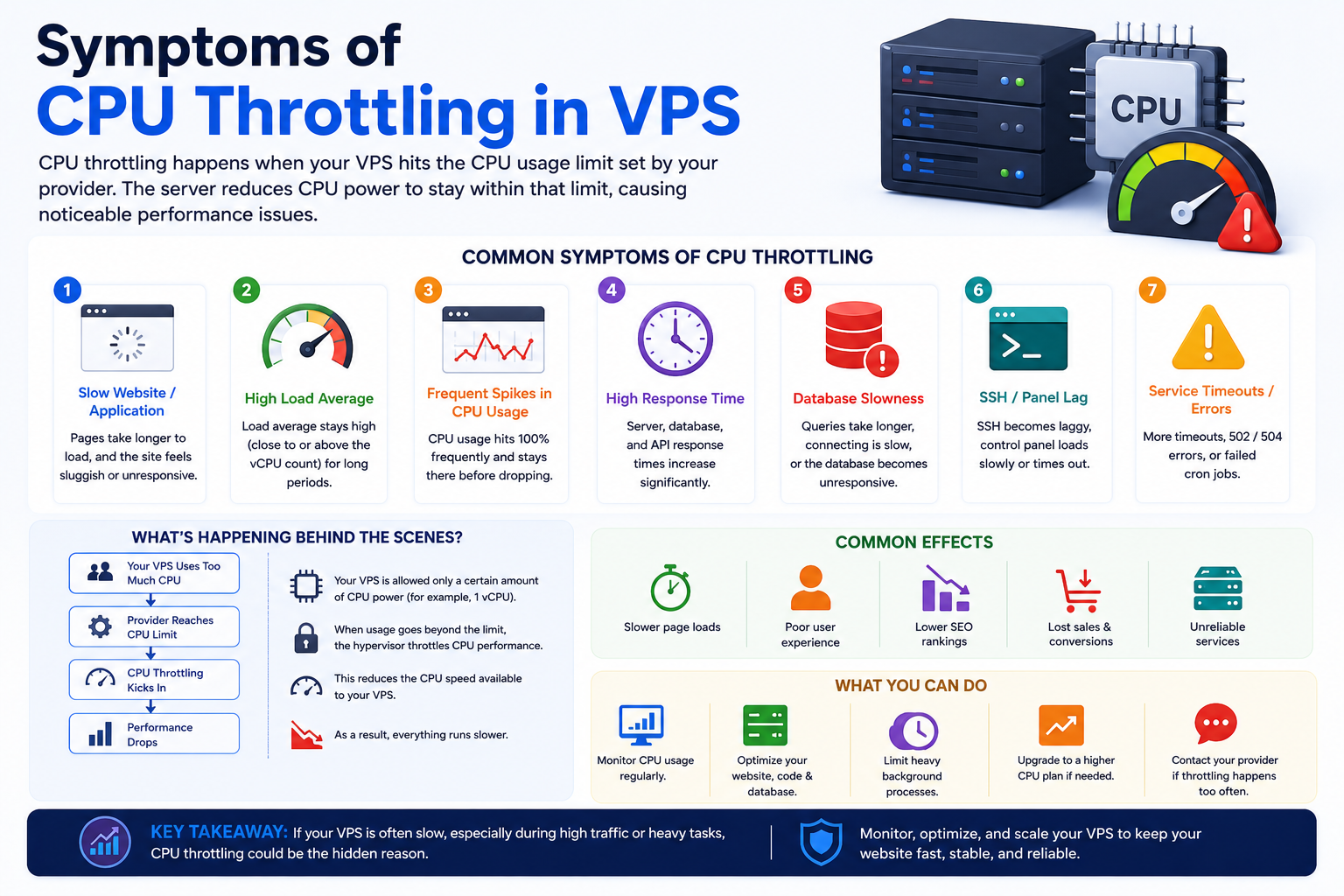
CPU throttling does not crash systems—it slows them down in a way that is often inconsistent and difficult to trace.
Common symptoms include:
- Websites load slowly during normal traffic levels
- APIs respond with higher latency without increased requests
- Background jobs take longer than expected to complete
- Performance drops occur in cycles rather than continuously
- Server “feels busy” even when CPU usage appears normal
This inconsistency is what makes CPU throttling difficult to diagnose without deeper system-level analysis.
Advanced Diagnosis Signals
CPU throttling in VPS should not be diagnosed using CPU usage alone. A deeper infrastructure-level view is required.
Key diagnostic signals include:
- High load average with low or moderate CPU usage
- Increasing steal time (%st) during performance slowdowns
- Repeated benchmark tests showing inconsistent CPU performance
- Sudden response latency spikes without memory pressure
- Performance degradation during predictable peak hours
When these signals appear together, the issue is almost always related to CPU scheduling constraints rather than application-level inefficiency.
Impact on Applications
CPU throttling affects applications by slowing execution rather than breaking functionality. This makes it more dangerous in production environments because the system still appears operational.
Its impact includes:
- Slower page rendering in dynamic web applications
- Increased API response times under normal load
- Delayed database query execution
- Slow execution of PHP, Node.js, or Python processes
- Missed or delayed background job execution cycles
Over time, this directly affects user experience, SEO performance, and transaction reliability in production systems.
Infrastructure-Level Mitigation Strategies
CPU throttling cannot always be fully eliminated from within a VPS because it is controlled at the node and hypervisor level. However, its impact can be reduced with workload-level adjustments.
Effective strategies include:
- Breaking long-running CPU tasks into smaller execution cycles
- Moving heavy processing into asynchronous background queues
- Avoiding large batch operations during peak traffic periods
- Reducing unnecessary real-time computations on web requests
- Upgrading to higher CPU allocation or better-isolated VPS plans
In many production environments, moving to higher-performance VPS tiers or better-isolated nodes provides the most stable long-term solution.
Internal Linking Opportunities (VPS Performance Cluster)
This article connects logically to other isolated VPS performance topics without overlapping scope:
- VPS performance bottlenecks under shared CPU contention
- VPS resource allocation and CPU quota behavior explained
- VPS monitoring: detecting infrastructure-level performance issues
- VPS scaling strategies for CPU-intensive workloads
- Separation of CPU and disk I/O performance issues in VPS systems
Each of these topics addresses a different layer of VPS performance behavior and should remain separate to avoid cannibalization.
Final Thoughts
CPU throttling in VPS is not a malfunction—it is a scheduling limitation of shared virtualized infrastructure. It occurs when CPU time is distributed across multiple users on the same physical host, and your VPS receives fewer execution cycles than expected under load.
Understanding this behavior helps you avoid misdiagnosing performance issues as application bugs and instead focus on correct infrastructure-level scaling decisions.
For production VPS environments, recognizing CPU throttling early is critical for maintaining consistent performance, especially for high-traffic applications running on shared or overcommitted nodes.
