
What Is Centralized Logging?
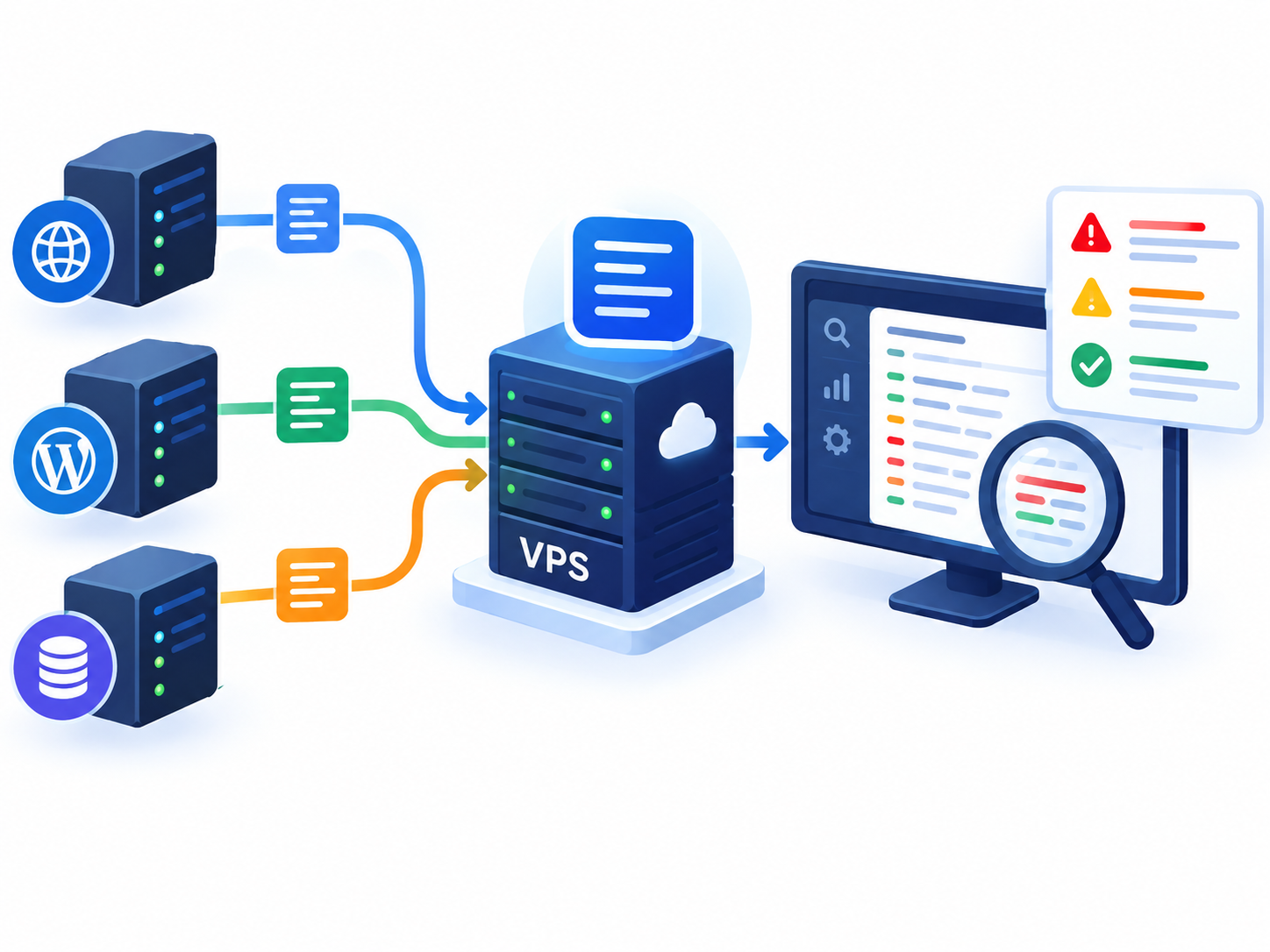
Centralized logging is the practice of collecting logs from multiple servers, applications, or services and sending them to a central location for storage, searching, and analysis.
For example, a business may have one VPS hosting its website, another running an application, and another hosting a database. If something goes wrong, checking each server separately can make troubleshooting difficult.
Centralized logging brings relevant records together so administrators can investigate events from one location.
A VPS may generate logs for:
- SSH authentication
- System services
- Web servers
- Applications
- Databases
- Security events
The goal is not to collect every possible log. It is to make important events easier to find and understand.
Why Use Centralized Logging on a VPS?
Centralized logging becomes particularly useful when an environment contains multiple VPS servers or services.
Easier Troubleshooting
A website problem may involve the web server, application, database, or another service.
Instead of connecting to several VPS servers and checking their logs individually, administrators can search relevant events from a central location.
This can make it easier to identify:
- Application errors
- Failed services
- Web server errors
- Database problems
- Authentication failures
Better Security Visibility
Logs can provide useful information when investigating suspicious activity.
For example, repeated failed SSH logins followed by unusual application or system activity may deserve further investigation.
Centralized logging makes it easier to view these events together.
However, logging is not a replacement for VPS security controls. Firewalls, access controls, server hardening, and malware protection address different security requirements.
Internal link: VPS Server Hardening Checklist
Easier Log Correlation
The main advantage of centralized logging is not simply having logs in one place. It is being able to connect events from different systems.
For example:
10:02 — Multiple SSH login failures
10:05 — Application error
10:06 — Database connection failure
When logs from different VPS servers use accurate and consistent timestamps, administrators can more easily understand the sequence of events.
How Does Centralized Logging Work?
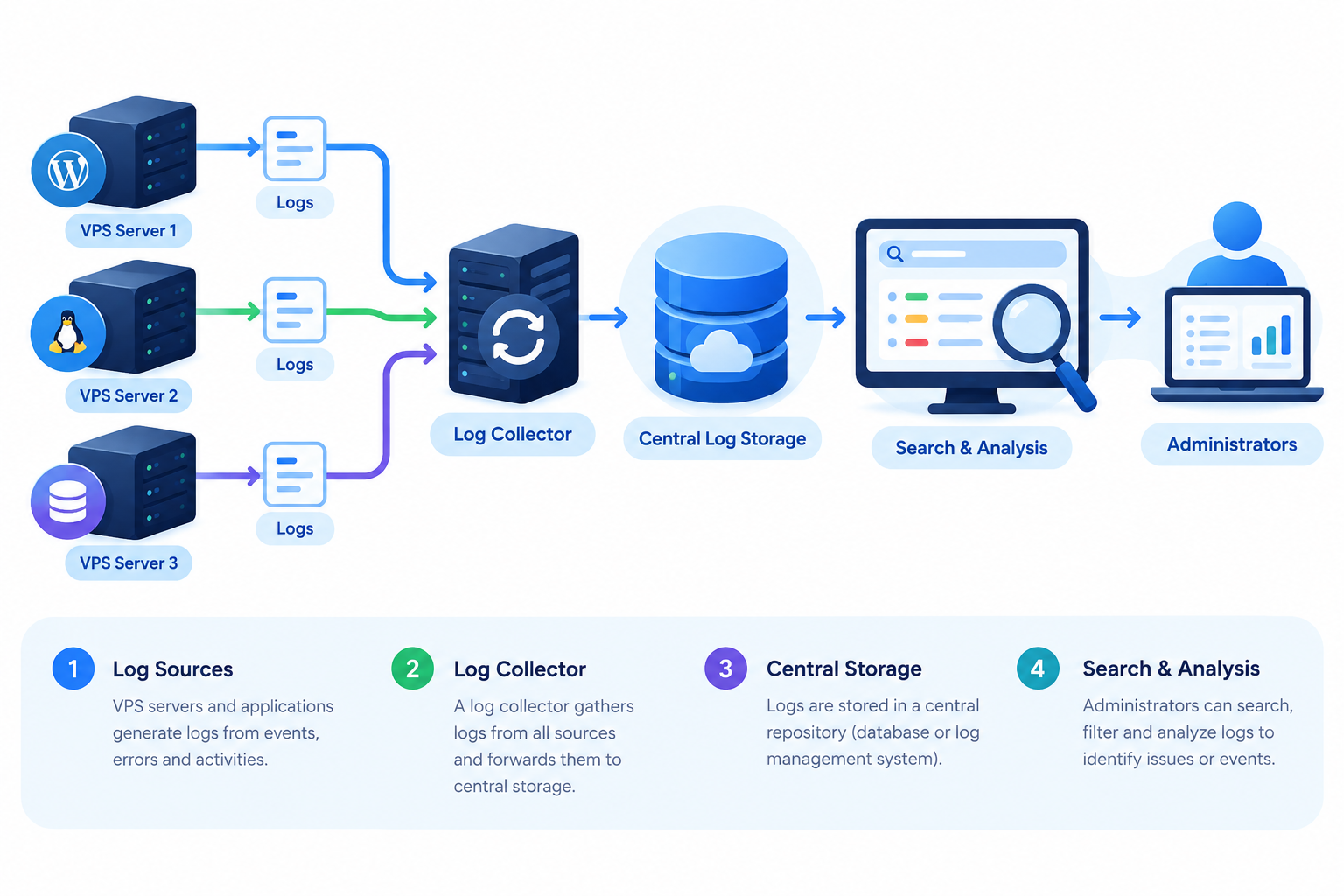
A simple centralized logging setup looks like this:
VPS Servers → Log Collection → Central Log Storage → Search & Analysis
The VPS generates logs locally. A logging service or agent collects selected records and forwards them to a central destination.
The central system then stores the logs and provides a way to search or review them.
A typical setup includes:
- Log sources — VPS servers and applications generating events.
- Log collector — Collects and forwards selected logs.
- Central storage — Stores logs from multiple sources.
- Search and analysis — Allows administrators to investigate events.
The exact software used for this process depends on the operating system and infrastructure. Detailed configuration should be covered in a separate VPS logging tutorial.
Which VPS Logs Should You Centralize?
You do not need to centralize every log.
Start with logs that are useful for troubleshooting, security investigations, and operational visibility.
Common examples include:
- Authentication logs — SSH logins and authentication failures
- System logs — Operating-system and service events
- Web server logs — Website requests and errors
- Application logs — Application warnings and failures
- Database logs — Database service and connection errors
Collecting excessive logs can increase storage requirements and create unnecessary noise. Focus on information that has a clear operational or security purpose.
Centralized Logging Best Practices
A useful centralized logging system should be secure, accurate, and manageable.
Keep Central Logs Separate From the VPS
If the only copy of a log remains on the VPS, that information may become unavailable if the server fails or is compromised.
Forwarding important logs to a separately protected destination provides an additional copy for investigation.
This is useful for security investigations because an attacker with control of a VPS may attempt to modify or delete local logs.
Internal link: VPS Backup & Disaster Recovery Guide
Protect Log Access and Integrity
Centralized logs can contain sensitive operational and security information.
Restrict access to authorized users and protect the central logging system from unauthorized modification or deletion.
Use secure transmission when forwarding logs across untrusted networks.
Avoid Sensitive Information in Logs
Do not unnecessarily record sensitive information such as:
- Passwords
- API keys
- Authentication tokens
- Session identifiers
Logging should provide useful information without creating another place where sensitive data can be exposed.
Keep Server Time Accurate
Accurate timestamps are important when comparing events from several VPS servers.
Use reliable time synchronization so events can be placed in the correct order during troubleshooting or security investigations.
Set a Retention Policy
Logs can grow quickly.
Decide how long logs need to be retained based on operational, security, business, and compliance requirements. Use appropriate rotation, archiving, or deletion policies to control storage.
Common Centralized Logging Mistakes
Avoid these common problems:
- Collecting everything: Creates unnecessary storage and log noise.
- Collecting too little: Important security or troubleshooting events may be missing.
- Ignoring log security: The central logging system itself must be protected.
- Keeping only local logs: A compromised or failed VPS may make those logs unavailable.
- Logging sensitive information: Passwords, tokens, and keys should not be recorded unnecessarily.
- Using inaccurate timestamps: Poor time synchronization makes event correlation harder.
- Never testing log collection: Verify that important logs are actually reaching the central destination.
When Should You Use Centralized Logging?
Centralized logging is most useful when:
- You manage multiple VPS servers.
- Applications depend on several servers or services.
- You regularly troubleshoot infrastructure problems.
- You need to correlate events across systems.
- You want important logs stored separately from the source VPS.
For a simple single VPS, local logging may be sufficient. As the environment grows, centralized VPS log management becomes increasingly valuable.
Frequently Asked Questions
