

Starting a website sounds exciting — until you run into confusing terms like servers, DNS, bandwidth, uptime, VPS hosting, and shared hosting.
Most beginners don’t actually care about technical jargon. They simply want a website that:
- loads fast,
- stays online,
- feels secure,
- and doesn’t cost a fortune.
That’s exactly why shared hosting exists.
For millions of websites around the world, shared hosting is the first step into the online world. It’s affordable, beginner-friendly, and easy to manage, making it one of the most popular forms of web hosting today.
Whether you want to launch a business website, personal blog, portfolio, startup, or small online store, understanding shared hosting can help you choose the right hosting solution with confidence.
In this complete beginner-friendly guide, you’ll learn:
- what shared hosting is,
- how it works,
- its advantages and disadvantages,
- when to use it,
- and when it’s time to upgrade to something more powerful.
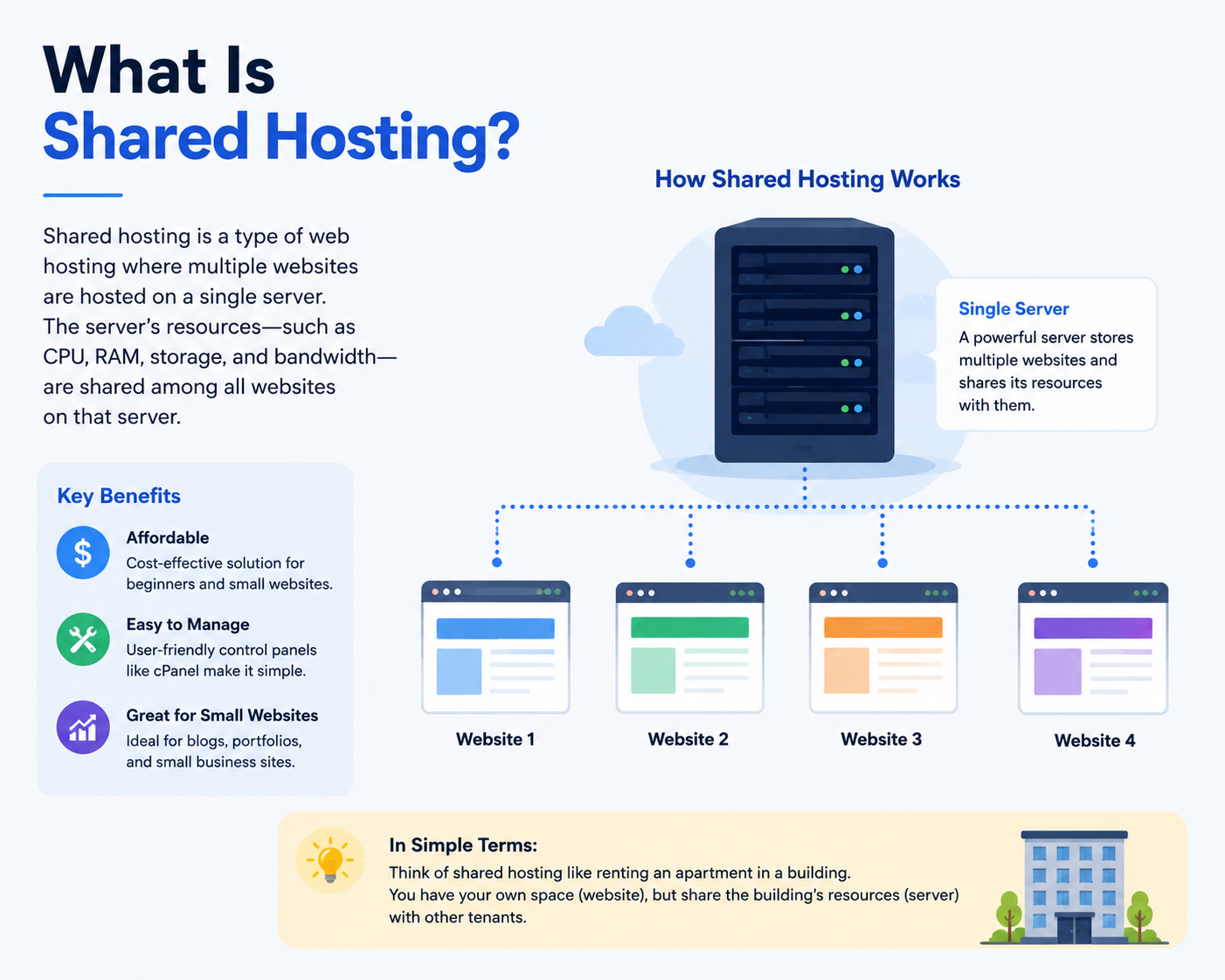
What Is Shared Hosting?
Shared hosting is a type of website hosting where multiple websites share the resources of a single physical server.
Instead of every website having its own dedicated server, many websites operate together on the same machine. The hosting provider manages the server while customers rent small portions of its resources.
Think of it like an apartment building.
Every resident has their own apartment, but everyone shares the building’s infrastructure like:
- electricity,
- water,
- elevators,
- internet,
- and security systems.
Shared hosting works in a very similar way.
Each website gets its own space and files, but server resources such as:
- CPU,
- RAM,
- storage,
- and bandwidth
are shared among multiple users.
Because the overall server cost is divided among many customers, shared hosting becomes one of the most affordable web hosting services available.
This is why shared hosting is commonly recommended for:
- beginners,
- bloggers,
- freelancers,
- startups,
- small businesses,
- and informational websites.
How Does Shared Hosting Work?
To understand shared hosting properly, it helps to first understand what a server actually is.
A server is a powerful computer connected to the internet 24/7. Its job is to store your website files and deliver them whenever someone visits your website.
In shared hosting, one server stores many websites at the same time.
Here’s how the process works.
1. Your Website Files Are Stored on the Server
When you purchase hosting services, your website files are uploaded to the hosting server.
These files may include:
- website code,
- images,
- videos,
- databases,
- emails,
- and website content.
The server keeps these files online continuously so visitors can access them anytime.
2. Your Domain Connects to the Hosting Server
Your domain name acts as your website’s online address.
When someone types your domain into a browser, the DNS (Domain Name System) helps connect the visitor to your hosting server.
This is why domain registration and website hosting work together closely.
Without hosting, your domain has nowhere to display website files.
3. Multiple Websites Share Server Resources
In shared hosting, many websites share the same server resources, including:
- CPU power,
- RAM,
- bandwidth,
- storage space,
- and server software.
This shared environment helps reduce costs significantly.
Imagine 50 people sharing the same internet connection inside a café. If only a few users are browsing websites, everything works smoothly. But if many users suddenly start streaming videos at the same time, the connection may slow down for everyone.
Shared hosting works similarly.
If another website on the same server experiences unusually high traffic, your website performance may also be affected temporarily.
4. The Hosting Provider Manages the Technical Side
One major reason shared hosting is ideal for beginners is that the hosting provider handles most server management tasks.
This usually includes:
- server maintenance,
- security updates,
- backups,
- malware protection,
- uptime monitoring,
- and software installation.
Most providers also include beginner-friendly control panels like cPanel, making website management easier even for non-technical users.
At CreativeON, businesses often choose shared hosting because it removes technical complexity while still providing reliable infrastructure for small and medium websites.
Why Shared Hosting Matters for Businesses
For startups and small businesses, launching a website should not require a huge infrastructure investment.
Shared hosting provides a practical and cost-effective starting point.
Instead of spending heavily on advanced servers immediately, businesses can begin with affordable web hosting and upgrade later as traffic grows.
This makes shared hosting especially useful for:
- startups,
- local businesses,
- personal brands,
- consultants,
- freelancers,
- and service providers.
Cost-Effective Website Launch
One of the biggest advantages of shared hosting is affordability.
Because multiple users share the same server, hosting providers can offer low monthly pricing.
This helps businesses launch professional websites without major upfront costs.
For many small businesses, shared hosting offers the perfect balance between:
- affordability,
- simplicity,
- and reliability.
Beginner-Friendly Website Management
Most shared hosting plans include easy-to-use dashboards that allow users to:
- install WordPress,
- create business emails,
- manage files,
- configure databases,
- and monitor website usage.
No advanced technical expertise is required.
This is one reason shared hosting remains one of the best web hosting options for beginners.
Reliable Performance for Small Websites
Modern hosting providers now use technologies like:
- SSD storage,
- LiteSpeed web servers,
- CDN integration,
- caching systems,
- and free SSL certificates.
This means today’s shared hosting can deliver surprisingly reliable performance for small to medium websites.
For websites with moderate traffic, shared hosting often performs very well.
Easy Scalability
Many successful businesses start with shared hosting before upgrading to:
- VPS hosting solutions,
- cloud hosting services,
- or dedicated server hosting.
This gradual upgrade path allows businesses to scale infrastructure only when needed.
After helping businesses manage websites for more than 20 years, CreativeON has seen many startups successfully begin with shared hosting before expanding into more advanced hosting environments later.
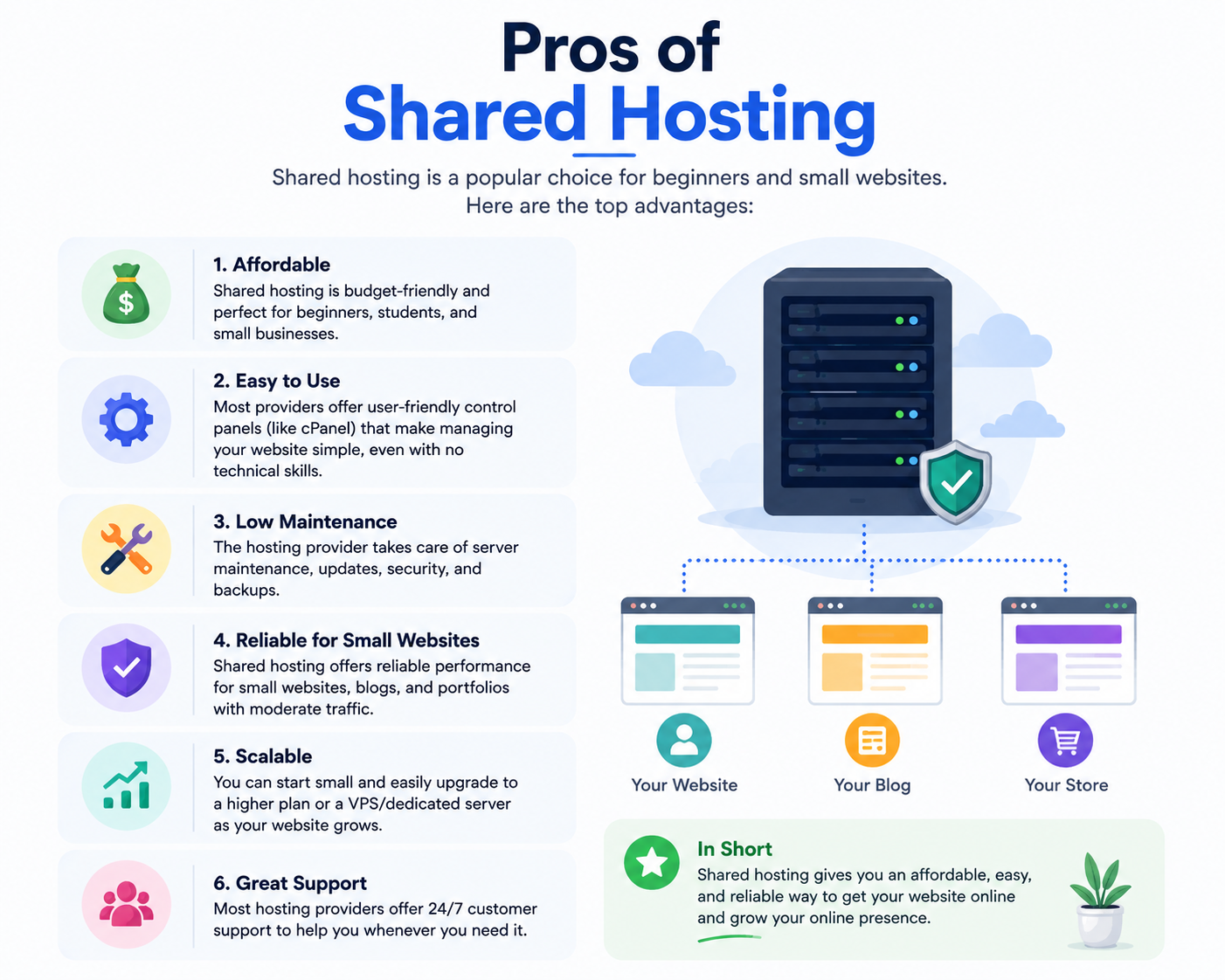
Pros of Shared Hosting
Shared hosting remains popular because it offers several important advantages.
1. Affordable Pricing
Shared hosting is considered one of the most affordable forms of web hosting.
Since server costs are divided among many customers, providers can offer:
- cheap web hosting,
- affordable web hosting,
- and beginner-friendly hosting plans.
This makes shared hosting ideal for first-time website owners.
2. Easy to Use
Shared hosting environments are designed for simplicity.
Most hosting providers offer beginner-friendly dashboards that make it easy to:
- launch websites,
- manage domains,
- install WordPress,
- create email accounts,
- and upload files.
You don’t need advanced server management skills.
3. Managed Maintenance
The hosting provider handles:
- server monitoring,
- hardware maintenance,
- security updates,
- software patches,
- and technical optimization.
This removes a huge burden from beginners and small businesses.
4. Great for Small and Medium Websites
Shared hosting works very well for:
- blogs,
- portfolio websites,
- educational websites,
- local business websites,
- startup websites,
- and smaller eCommerce stores.
If your traffic remains moderate, shared hosting can perform efficiently for years.
5. One-Click Application Installation
Most hosting services include one-click installers for:
- WordPress,
- Joomla,
- Drupal,
- Magento,
- and other popular applications.
This saves time and simplifies website setup.
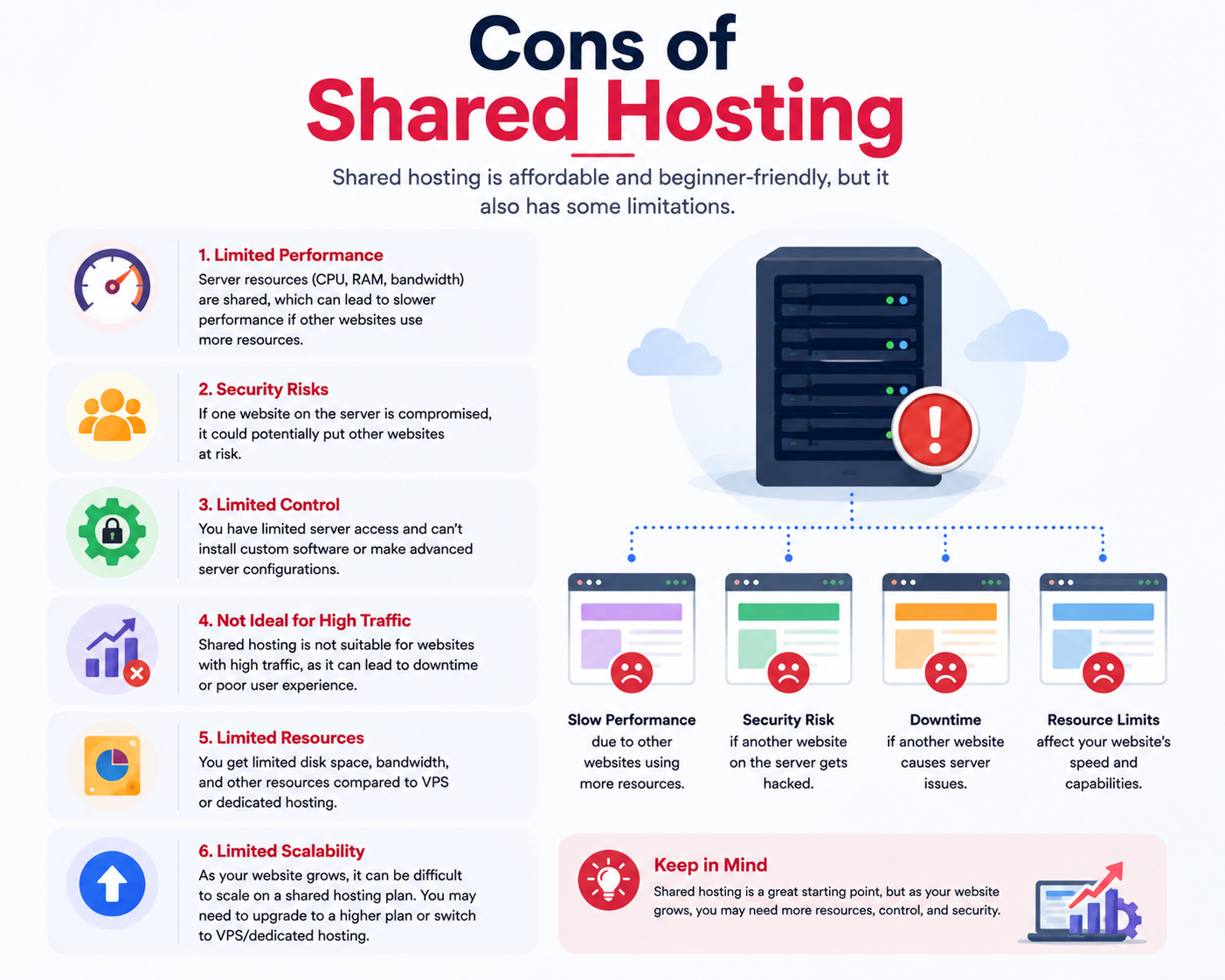
Cons of Shared Hosting
Although shared hosting offers many benefits, it also has limitations.
Understanding these limitations helps businesses choose the right hosting solution.
1. Shared Resources Can Affect Performance
Since many websites use the same server, one high-traffic website can sometimes impact others.
This may lead to:
- slower loading speeds,
- temporary performance drops,
- or reduced responsiveness during traffic spikes.
2. Limited Server Customization
Shared hosting restricts deep server-level access.
Advanced developers may not be able to:
- install custom server software,
- modify server configurations,
- or fully customize the hosting environment.
3. Security Risks from Neighboring Websites
Although good hosting providers isolate accounts carefully, shared environments can still introduce security risks if poorly managed.
This is why choosing a reliable web hosting provider matters significantly.
4. Not Ideal for High-Traffic Websites
Large applications, enterprise websites, and rapidly growing online stores often outgrow shared hosting.
These websites may eventually require:
- VPS hosting,
- cloud hosting,
- or dedicated servers
for better performance and scalability.
5. “Unlimited Hosting” Isn’t Truly Unlimited
Many hosting companies advertise unlimited hosting plans.
In reality, most plans still have resource limits involving:
- CPU usage,
- RAM,
- inode counts,
- database activity,
- and concurrent connections.
Always read hosting policies carefully before purchasing.
Shared Hosting vs Other Hosting Types
Understanding how shared hosting compares to other hosting services helps beginners choose more confidently.
Feature | Shared Hosting | VPS Hosting | Cloud Hosting | Dedicated Hosting |
Cost | Lowest | Medium | Medium-High | Highest |
Ease of Use | Very Easy | Moderate | Moderate | Advanced |
Performance | Basic to Moderate | Better | High | Maximum |
Server Control | Limited | Moderate | Flexible | Full Control |
Scalability | Limited | Good | Excellent | High |
Best For | Beginners & Small Websites | Growing Businesses | Scalable Applications | Enterprise Projects |
Traffic Capacity | Low-Medium | Medium-High | High | Very High |
Types of Web Hosting
Shared hosting is only one part of the larger web hosting ecosystem.
Here’s a simplified overview of major hosting types.
Shared Hosting
Shared hosting is affordable, beginner-friendly, and ideal for small websites with moderate traffic.
Best for:
- blogs,
- startup websites,
- portfolios,
- and beginners.
VPS Hosting
VPS hosting divides one physical server into isolated virtual environments.
Compared to shared hosting, VPS hosting provides:
- better performance,
- dedicated resources,
- improved security,
- and more customization.
Best for:
- growing businesses,
- medium-traffic websites,
- and developers.
Cloud Hosting
Cloud hosting uses multiple connected servers instead of one single server.
This improves:
- uptime,
- scalability,
- flexibility,
- and reliability.
Cloud hosting services are ideal for websites expecting fluctuating traffic.
Dedicated Server Hosting
Dedicated server hosting gives one customer an entire physical server.
This provides:
- maximum performance,
- advanced security,
- complete customization,
- and full resource control.
Best for:
- enterprise websites,
- large eCommerce stores,
- and high-traffic applications.
Who Should Use Shared Hosting?
Shared hosting is ideal for people who want affordable and simple website hosting without technical complexity.
It works especially well for:
- bloggers,
- freelancers,
- startups,
- portfolio websites,
- local businesses,
- informational websites,
- and beginner WordPress users.
If your website is new and traffic is still moderate, shared hosting is often the smartest place to start.
Who Should NOT Use Shared Hosting?
Shared hosting may not be suitable for:
- large enterprise applications,
- high-traffic online stores,
- video streaming platforms,
- SaaS applications,
- or resource-heavy websites.
These projects usually need stronger infrastructure and dedicated resources.
Signs You’ve Outgrown Shared Hosting
As your website grows, shared hosting may eventually become limiting.
Common signs include:
- slow loading speeds,
- frequent downtime,
- traffic spikes affecting performance,
- server resource warnings,
- growing database usage,
- and the need for advanced server customization.
At that stage, upgrading to VPS hosting or cloud hosting becomes a smart long-term decision.
How to Choose the Right Web Hosting
Choosing the best web hosting depends on your goals, traffic expectations, and technical requirements.
1. Understand Your Website Needs
Ask yourself:
- How much traffic do I expect?
- Will I run WordPress?
- Do I need professional email hosting?
- Will I sell products online?
- Do I need advanced server control?
For beginners, shared hosting is usually sufficient.
2. Consider Your Budget
Affordable web hosting is often the best starting point for small businesses and personal websites.
There’s no need to overspend on premium hosting before your website truly requires it.
3. Look for Reliability
Choose a reliable web hosting provider that offers:
- SSD storage,
- strong uptime guarantees,
- backups,
- malware protection,
- and responsive customer support.
Reliable hosting directly impacts:
- SEO,
- visitor experience,
- and business credibility.
4. Evaluate Customer Support
Good support matters, especially for beginners.
Choose hosting providers with:
- 24/7 support,
- live chat,
- technical assistance,
- and strong knowledge bases.
5. Check Upgrade Flexibility
As your website grows, you may eventually need:
- VPS hosting solutions,
- cloud hosting services,
- or dedicated server hosting.
Choose a hosting provider that allows smooth upgrades without major downtime.
Real-Life Example
Imagine a small bakery launching its first website.
Initially, the website only contains:
- contact information,
- menu photos,
- blog articles,
- and online inquiry forms.
Traffic remains relatively small during the early months.
In this situation, shared hosting provides more than enough performance at a low cost.
Later, if the bakery expands nationwide and begins receiving thousands of daily visitors, it can upgrade to VPS hosting or cloud hosting for improved scalability.
This gradual approach helps businesses avoid unnecessary infrastructure expenses early on.
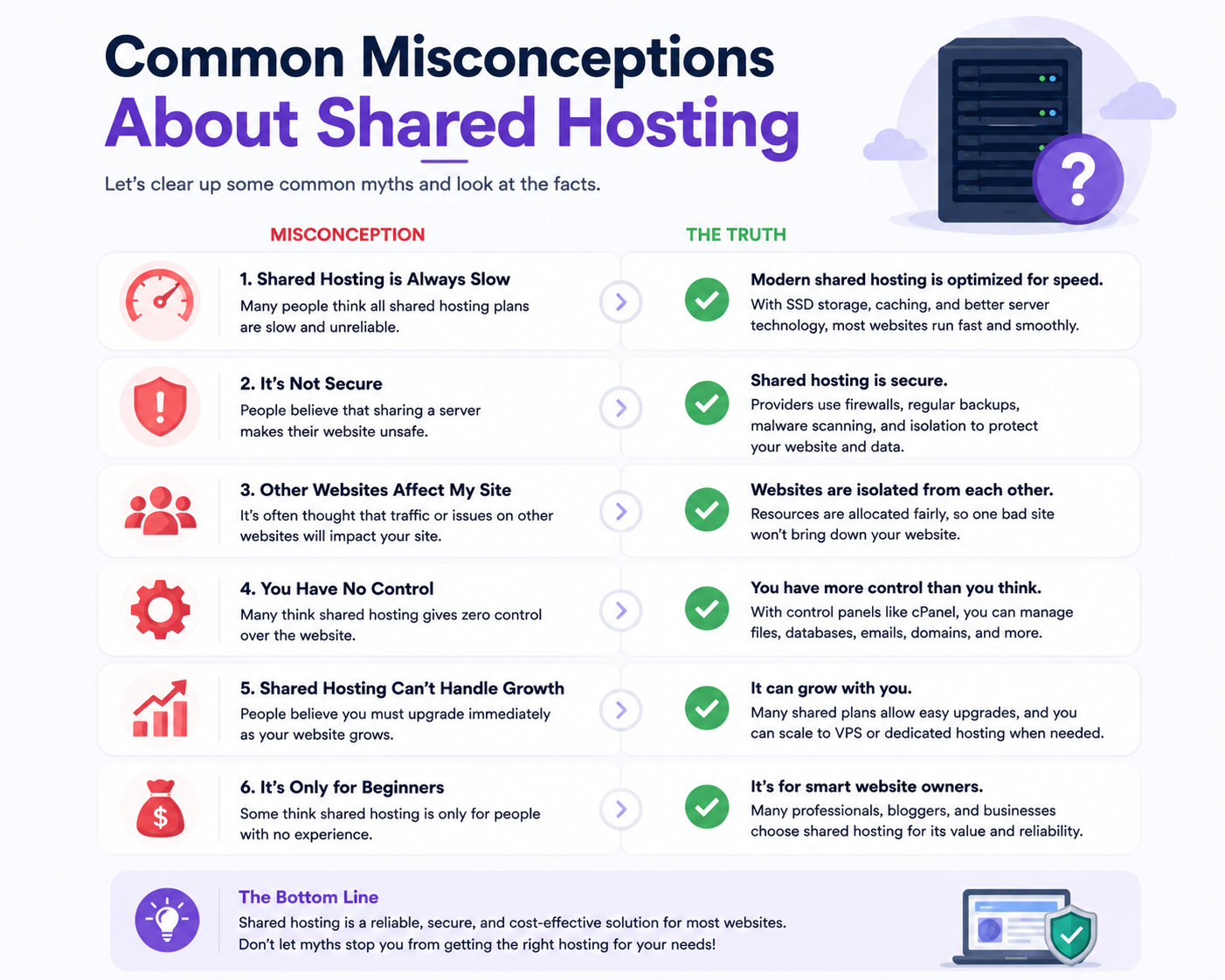
Common Misconceptions About Shared Hosting
Many beginners misunderstand how shared hosting actually works.
Let’s clear up some common myths.
Myth 1: Shared Hosting Is Always Slow
Not true.
Modern hosting providers now use:
- SSD storage,
- LiteSpeed servers,
- caching systems,
- optimized databases,
- and CDNs
to improve performance significantly.
A quality shared hosting plan can run small websites very efficiently.
Myth 2: Shared Hosting Is Not Secure
Shared hosting can still be secure when managed properly.
Reliable providers implement:
- firewalls,
- malware scanning,
- SSL certificates,
- account isolation,
- and continuous monitoring.
Security quality depends heavily on the hosting provider.
Myth 3: Unlimited Hosting Means Truly Unlimited
Most unlimited hosting plans still include fair usage limitations.
No server has infinite resources.
Always review hosting policies carefully.
Myth 4: Shared Hosting Is Only for Beginners
While shared hosting is beginner-friendly, many professional websites continue using shared hosting successfully for years.
It depends more on traffic and resource usage than skill level.
Related Concepts You Should Understand
Hosting vs Domain
A domain name is your website’s address.
Web hosting is the space where your website files are stored.
You need both to launch a website online.
DNS Explained
DNS (Domain Name System) connects your domain to your hosting server.
It acts like the internet’s phonebook.
Email Hosting
Many hosting providers include business email hosting with shared hosting plans.
This allows businesses to create professional email addresses like:
Web Hosting for WordPress
Shared hosting is one of the most popular solutions for WordPress websites.
Many providers offer:
- one-click WordPress installation,
- automatic updates,
- WordPress optimization,
- and beginner-friendly management tools.
Google Workspace Integration
Many businesses combine their hosting services with Google Workspace for:
- professional business email,
- cloud collaboration,
- meetings,
- productivity,
- and file sharing.
This creates a more complete digital business environment.
Is Shared Hosting Right for You?
Shared hosting is not about getting the most powerful hosting environment possible.
It’s about getting the right balance between:
- affordability,
- simplicity,
- reliability,
- and ease of use.
For blogs, startup websites, portfolios, and small business websites, shared hosting often provides the perfect starting point.
As your website grows, you can always scale toward:
- VPS hosting,
- cloud hosting,
- or dedicated server solutions later.
After more than 20 years in web hosting and digital infrastructure services, CreativeON.com continues helping businesses build reliable online foundations with beginner-friendly hosting solutions, domains, and business infrastructure services.
For many websites, shared hosting is not just the cheapest option — it’s the smartest first step.
Frequently Asked Questions (FAQs)
