
Ever wished your computer could handle boring, repetitive tasks all by itself?
Like sending daily reports, organizing files, or running scripts while you sleep?
Guess what? That’s exactly what OpenClaw can do.
But before you get started, there’s one big question most people ask:
👉 “How much does it cost to run OpenClaw on a private server?”
Don’t worry — I’ll explain everything in simple words, just like I would to a friend.
What Is OpenClaw (Simple Explanation)
OpenClaw is an automation tool. It works like a digital assistant that follows your instructions and completes tasks automatically.
For example:
Download files at a set time
Send emails automatically
Run scripts daily
Manage business workflows
Instead of doing these tasks manually every day, OpenClaw does them for you.
Isn’t that neat?
Why You Should Run OpenClaw on a VPS Server
You can run OpenClaw on your own computer — but it’s not ideal.
Your personal computer:
Needs to stay ON 24/7
Can shut down or crash
Depends on your internet
Now imagine missing an important automated task just because your PC turned off…
That’s where a VPS (Virtual Private Server) comes in.
What Is a VPS?
A VPS server is like your own computer in a secure data center. It stays online all the time and works without interruption.
With VPS Hosting, you can:
Run OpenClaw 24/7
Access it from anywhere
Keep your automation running smoothly
If you’re serious about automation, using a VPS is the smart choice.
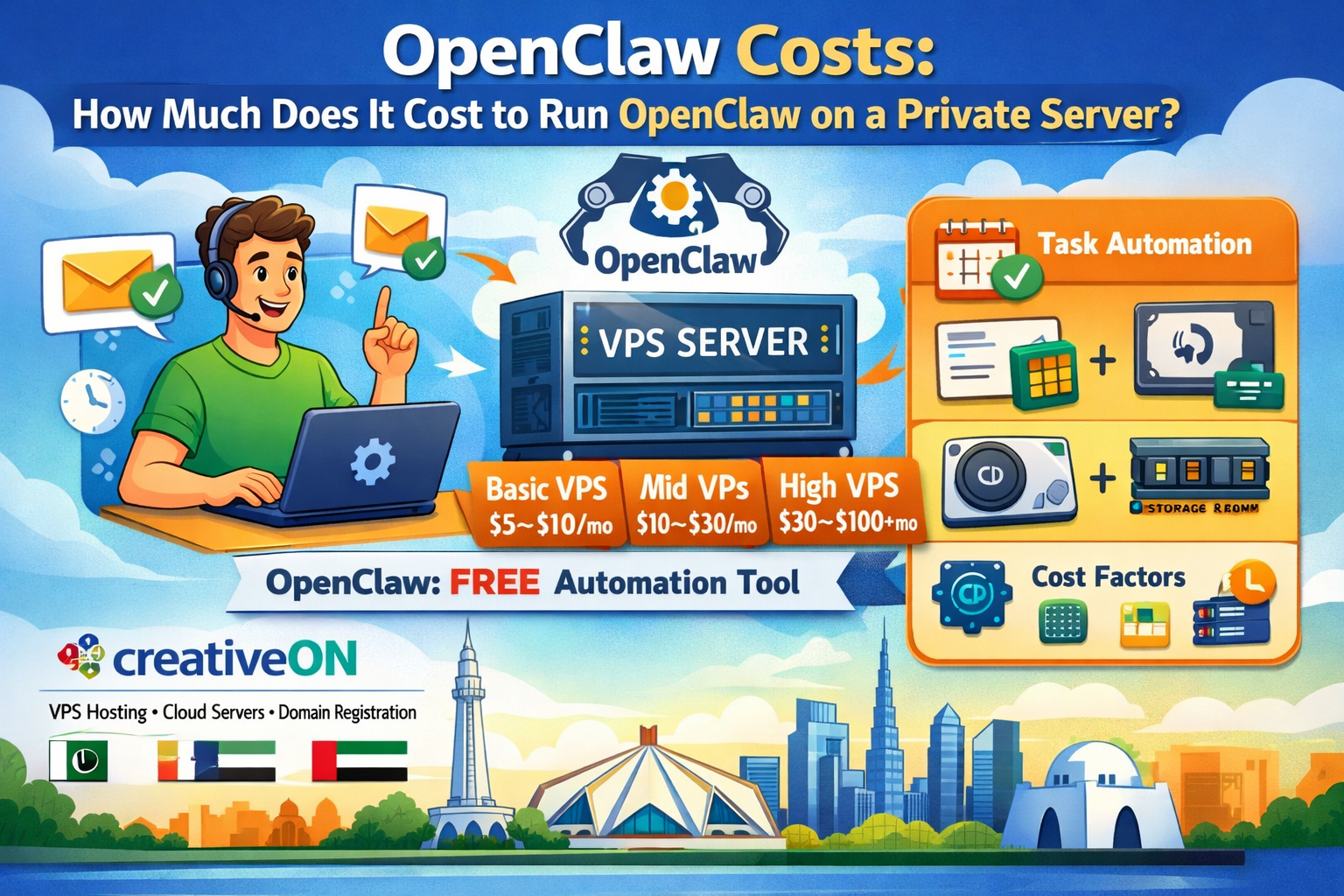
OpenClaw Costs: Full Breakdown
Let’s break down the actual cost of running OpenClaw.
The good news?
👉 OpenClaw itself is usually free (open-source)
👉 You mainly pay for the server
1. VPS Hosting Cost (Main Expense)
This is where most of your money goes.
🔹 Beginner Level (Light Usage)
Perfect for learning or small automation tasks.
Cost: $5 – $10/month
Basic CPU & RAM
Suitable for simple workflows
This is what most people look for when searching:
👉 cheap VPS in Pakistan
🔹 Mid-Level (Regular Use)
Good for freelancers and small businesses.
Cost: $10 – $30/month
Better performance
Supports multiple automation tasks
🔹 Advanced Level (Heavy Automation)
Best for businesses and large workloads.
Cost: $30 – $100+/month
High RAM and CPU
Can handle complex automation
2. Storage Cost
Most VPS hosting plans include storage, but if your automation stores files or logs, you may need extra.
Extra storage: $1 – $5/month
3. Bandwidth (Internet Usage)
Good news — most providers include enough bandwidth.
👉 For normal automation tasks, you won’t pay extra.
4. Optional Costs
You might also spend on:
Backups
Monitoring tools
Paid APIs (if used)
These are optional and depend on your needs.
Total Monthly Cost (Simple View)
Let’s make it super clear:
✅ Beginner Setup
VPS: $5–$10
👉 Total: $5–$10/month
✅ Regular Setup
VPS: $10–$30
Extras: $2–$5
👉 Total: $12–$35/month
✅ Advanced Setup
VPS: $30–$100+
Extras: $10–$20
👉 Total: $40–$120+/month
What Affects OpenClaw Costs the Most?
Not everyone pays the same. Your cost depends on how you use it.
Here are the main factors:
1. Number of Automation Tasks
More tasks = more server power needed
Example:
2 tasks → cheap VPS
20 tasks → stronger VPS
2. Task Complexity
Simple tasks:
Sending emails
Moving files
Heavy tasks:
Data processing
AI-based workflows
👉 Heavy tasks need more RAM and CPU
3. Running Time
24/7 automation → higher load
Scheduled tasks → lower load
4. Storage Usage
If you store:
Logs
Backups
Reports
You may need more disk space.
Minimum VPS Requirements for OpenClaw
If you’re just starting, here’s a safe setup:
RAM: 1GB – 2GB
CPU: 1–2 cores
Storage: 20GB+
OS: Linux or Windows
Linux vs Windows VPS
Linux VPS
Cheaper
Lightweight
Best for developers
Windows VPS
Easy to use
Familiar interface
Great for beginners
👉 Many users prefer Windows VPS automation because it feels like a normal PC.
Real-Life Cost Example
Let’s make this real.
👨💻 Freelancer Example
You want to:
Automate file backups
Send reports daily
Your setup:
VPS: $10/month
OpenClaw: Free
👉 Total Cost: $10/month
🏢 Small Business Example
You want to:
Automate emails
Manage workflows
Your setup:
VPS: $20/month
Extras: $5
👉 Total Cost: $25/month
See? It’s very affordable.
OpenClaw vs Other Automation Tools
You might be wondering:
“Why not use tools like Zapier?”
Let’s compare.
OpenClaw
Free to use
Full control
Runs on your VPS server
Paid Tools (Zapier, Make)
Monthly subscription
Limited tasks
Costs increase with usage
👉 With OpenClaw:
You pay once for your VPS server, not per task.
Real-Life Automation Use Cases
Here’s how people actually use OpenClaw:
1. Business Automation
Send invoices automatically
Manage customer data
Run reports
2. Student Automation
Download study material
Organize files
Set reminders
3. Freelancer Workflows
Backup client files
Schedule tasks
Monitor websites
4. Server Automation
Restart services
Clean storage
Run scripts
Guess what happens?
👉 You save hours every week.
Why Choose CreativeON for VPS Hosting?
If you’re planning to buy VPS, your provider matters a lot.
CreativeON is:
One of the leading hosting providers in Pakistan & UAE
Has local offices and support
Official Google Workspace Partner and Reseller
PKNIC Gold Partner
With 20+ years of experience, CreativeON has worked with:
City42
Channel 24
QTV
Chughtai Lab
Daewoo Pakistan
Orange Line Metro
What You Get with CreativeON
When you choose CreativeON:
Reliable VPS hosting
Powerful vps server options
Flexible cloud hosting
High-performance dedicated servers
Easy domain registration
Google Workspace solutions
Affordable Pricing Advantage
Here’s something important:
👉 CreativeON sometimes reduces profit margins
So students and businesses can access tools at lower prices.
That’s why many users choose us when searching for:
best VPS in Pakistan
cheap VPS in Pakistan
Tips to Reduce OpenClaw Costs
Want to save money? Try these:
1. Start Small
Begin with a basic VPS plan.
2. Upgrade Later
Increase resources only when needed.
3. Choose Linux (If Comfortable)
It’s cheaper than Windows VPS.
4. Monitor Usage
Don’t pay for unused resources.
5. Optimize Tasks
Keep automation simple and efficient.
Common Questions (FAQs)
Is OpenClaw free?
Yes, it’s usually open-source and free to use.
Can I run OpenClaw on my PC?
Yes, but it’s not reliable for 24/7 automation.
How much RAM do I need?
1GB–2GB is enough for basic use.
Can I run OpenClaw on Windows VPS?
Yes! It’s beginner-friendly and easy.
What is the cheapest way to run OpenClaw?
Use a basic cheap VPS in Pakistan with Linux.
Is OpenClaw worth the cost?
Absolutely — it saves time and reduces manual work.
Final Thoughts
Let’s keep it simple:
OpenClaw → Free
Main cost → VPS hosting
Monthly cost → $5 to $100+
If you’re just starting:
👉 Go for a basic plan
👉 Learn step by step
👉 Upgrade when needed
Running OpenClaw on a VPS server is one of the easiest ways to automate your daily work.
And if you’re in Pakistan or the UAE, CreativeON is here to help you get started with:
VPS Hosting
Cloud Hosting
Dedicated Servers
Google Workspace
Domain Registration
All with local support you can trust.