
Do you remember the classic Captain Claw game from the 90s? Many gamers still love this pirate adventure platformer. The good news is that today you can play it again using OpenClaw, an open-source game engine that brings the classic game back to life.
But here’s something even more exciting.
You can actually run OpenClaw on your own private server so that you and your friends can play the game online anytime. No need to depend on an old PC or unreliable home connection.
That’s where a VPS server comes in.
In this guide, we’ll show you how to set up OpenClaw on a private server step-by-step using simple instructions. Even if you’re new to servers, you’ll be able to follow along easily.
This guide is shared by CreativeON, one of the best hosting providers in Pakistan, trusted by major organizations like City42, Channel 24, QTV, Chughtai Lab, Alkhair Group, Daewoo Pakistan, and Orange Line Metro. With more than 20 years of experience, CreativeON provides reliable VPS Hosting, Dedicated Servers, Cloud Hosting, Domains, and Google Workspace services across Pakistan.
Ready? Let’s begin.
What Is OpenClaw?
OpenClaw is a community-built version of the classic game Captain Claw.
The original game was released by Monolith Productions in 1997 and quickly became popular for its pirate adventure story and challenging platform levels.
OpenClaw allows the game to run on modern operating systems like Linux and Windows.
With OpenClaw you can:
- Play the classic Claw game on modern computers
- Run your own game server
- Modify the game if you like
- Host multiplayer sessions with friends
Instead of running the game on a personal computer, many players prefer hosting it on a VPS server so the game stays online all the time.
What Is a VPS Server?
A VPS server stands for Virtual Private Server.
Think of it like this.
Imagine renting a small computer that sits in a professional data center and stays online 24 hours a day. That computer runs your software, games, or websites.
That’s exactly what VPS Hosting does.
With a VPS you get:
- Your own server resources
- Full control of the system
- Stable internet connection
- Remote access from anywhere
This makes VPS perfect for running private game servers like OpenClaw.
If you’re planning to buy VPS, it’s important to choose a reliable provider. CreativeON provides some of the best VPS in Pakistan, including powerful Windows VPS servers and Linux VPS options.
Why Use VPS Hosting for OpenClaw?
You might ask:
“Why should I use VPS hosting instead of my home computer?”
Great question.
Here are some simple reasons.
1. Your Game Server Runs 24/7
A home computer may shut down or lose internet connection.
A VPS server stays online all the time, so players can connect anytime.
2. Faster and Stable Internet
Hosting companies have high-speed internet connections. That means smoother gameplay and fewer connection issues.
3. Better Performance
Game servers need stable CPU and memory resources.
A VPS provides dedicated resources, which helps the game run smoothly.
4. Remote Access
You can manage your server from anywhere in the world.
Just log in using SSH or Remote Desktop and you’re ready to go.
Minimum VPS Requirements for OpenClaw
Before installing OpenClaw, make sure your VPS hosting plan meets the basic requirements.
Resource | Recommended |
RAM | 2 GB |
CPU | 1–2 cores |
Storage | 20 GB SSD |
OS | Linux or Windows |
Internet | Stable connection |
Even a cheap VPS in Pakistan can easily handle these requirements.
What You Need Before Installation
Before starting the installation process, prepare the following things.
1. A VPS Server
You can choose either:
- Linux VPS
- Windows VPS
Many developers prefer Linux because it is lightweight.
2. SSH Access
You need SSH access to connect to the server.
Windows users can use tools like PuTTY.
3. Original Claw Game Files
OpenClaw does not include the original game assets.
You must have the Captain Claw data files from the original game.
Step-by-Step Guide: Install OpenClaw on a VPS Server
Now let’s install OpenClaw on your VPS server.
Don’t worry. The process is simple if you follow the steps carefully.
Step 1: Connect to Your VPS Server
First, log into your VPS using SSH.
Example command:
ssh root@your-server-ip
Once connected, update your system packages.
sudo apt update
sudo apt upgrade
This makes sure your server has the latest software.
Step 2: Install Required Software
OpenClaw needs some development tools.
Install them with this command.
sudo apt install git cmake build-essential libsdl2-dev
These packages allow the server to compile and run the game engine.
Step 3: Download OpenClaw from GitHub
Now download the OpenClaw source code.
git clone https://github.com/pjasicek/OpenClaw.git
Enter the folder.
cd OpenClaw
Step 4: Build the OpenClaw Engine
Next we compile the program.
Create a build directory.
mkdir build
cd build
Then run the following commands.
cmake ..
make
This step converts the source code into a working program.
Depending on your VPS server power, this may take a few minutes.
Step 5: Add the Original Game Files
OpenClaw needs the original Captain Claw game assets.
Copy the game files into the data folder inside the OpenClaw directory.
These files usually include:
- Level files
- Game textures
- Audio files
Without these files, the game engine cannot start.
Step 6: Start OpenClaw
Now it’s time to run the program.
Inside the build directory run:
./OpenClaw
If everything is installed correctly, the game engine will start.
Congratulations — your OpenClaw server is running.
Step 7: Configure Firew
all for Multiplayer
If you want friends to connect to your server, you must open the required port in your firewall.
Example command:
sudo ufw allow 6112
After that, players can connect using your server IP address.
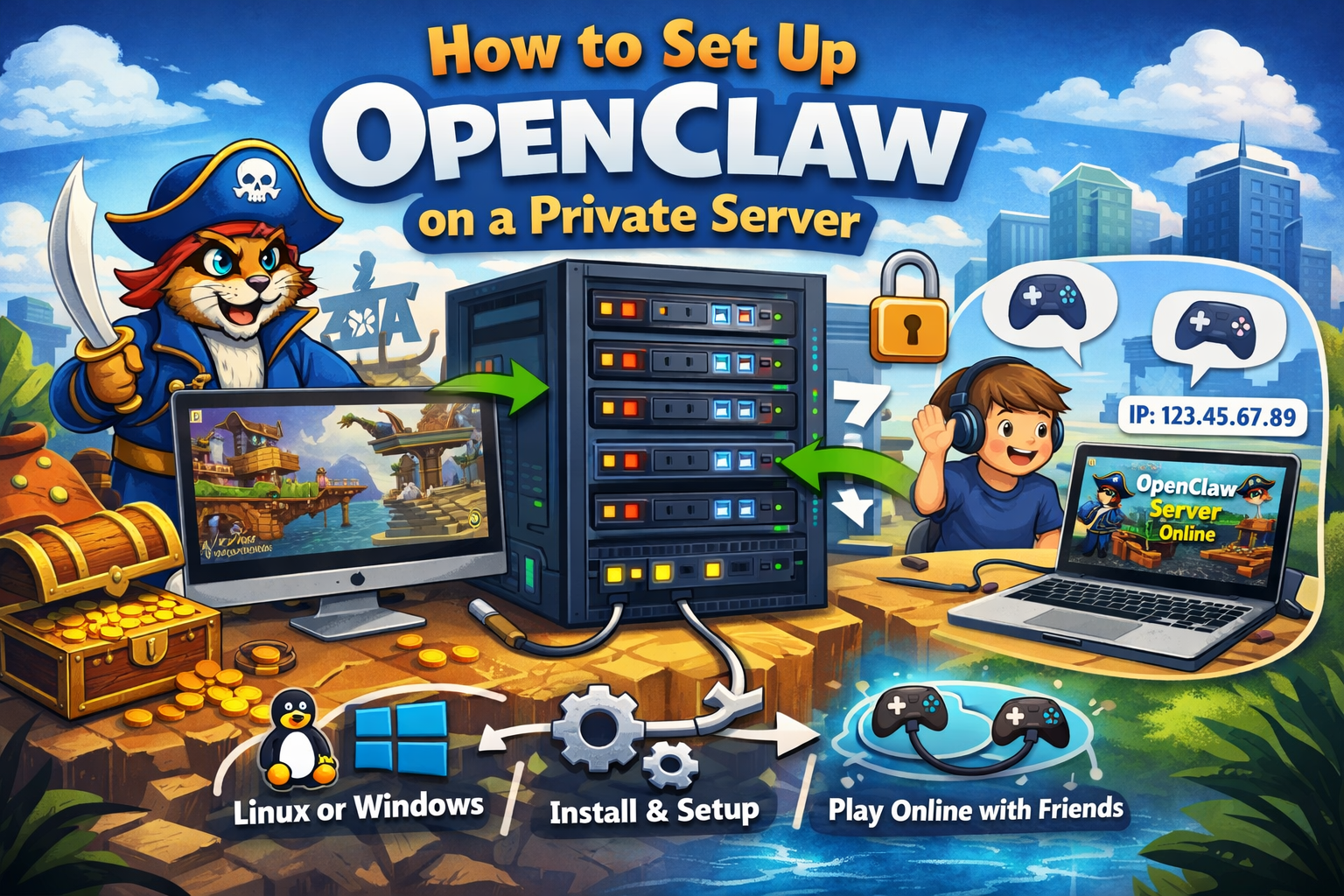
Example: Hosting Your Own Game Server
Let’s imagine this scenario.
You install OpenClaw on your VPS hosting server.
Then you send your server IP to your friends.
Example:
123.45.67.89
Your friends connect to the game, and suddenly you’re all playing a classic pirate adventure together — just like the old days.
Pretty fun, right? 🎮
Common Problems and How to Fix Them
Sometimes installation doesn’t go perfectly the first time.
Here are a few common problems and simple solutions.
Missing SDL Libraries
If the game fails to start, install missing libraries.
sudo apt install libsdl2-dev
Game Files Missing
If OpenClaw cannot find assets, double-check that the Claw data files are in the correct folder.
Server Not Accessible
If friends cannot connect:
- Check firewall settings
- Confirm the correct port is open
- Verify your VPS IP address
Linux VPS vs Windows VPS for Game Servers
Both Linux and Windows servers can run OpenClaw.
Here’s a simple comparison.
Feature | Linux VPS | Windows VPS |
Resource usage | Low | Higher |
Performance | Fast | Good |
Ease of use | Command line | GUI interface |
If you prefer graphical interface tools, you may prefer Windows VPS.
CreativeON provides both Linux VPS hosting and Windows VPS servers depending on your needs.
Tips for Running a Smooth OpenClaw Server
Here are a few tips that help keep your game server stable.
Keep Your Server Updated
Run updates regularly.
sudo apt update
Monitor Server Resources
Check CPU and RAM usage to ensure smooth gameplay.
Choose a Reliable Hosting Provider
A good hosting provider ensures:
- stable servers
- fast internet
- minimal downtime
Why CreativeON Is a Good Choice for VPS Hosting
If you plan to run game servers, websites, or applications, choosing the right hosting provider matters.
CreativeON is known as one of the best VPS providers in Pakistan.
Here’s why many businesses trust CreativeON:
- Over 20 years of experience
- Trusted by major brands in Pakistan
- High performance VPS servers
- Reliable infrastructure
- Affordable cheap VPS in Pakistan
CreativeON also provides:
- Windows VPS
- Linux VPS
- Dedicated Servers
- Cloud Hosting
- Domain registration as a PKNIC Gold Partner
- Google Workspace services
Another reason CreativeON can provide lower prices is that the company is an official Google Workspace partner and reseller in Pakistan. Because of this partnership, CreativeON often provides services at very competitive rates.
If you want to buy VPS in Pakistan, CreativeON can help you get started quickly.
Frequently Asked Questions
Is OpenClaw free?
Yes. The OpenClaw engine is free and open source.
However, you still need the original Captain Claw game files.
Can OpenClaw run on Windows VPS?
Yes.
Many users run OpenClaw on Windows VPS servers using Remote Desktop.
How many players can join an OpenClaw server?
The number depends on your VPS server resources and network speed.
Is VPS hosting expensive?
Not necessarily.
Many providers offer cheap VPS in Pakistan, making it affordable even for hobby projects and small game servers.
Quick Summary
Let’s quickly review what we covered.
Setting up OpenClaw on a private server involves these steps:
- Get a VPS hosting server
- Connect to your VPS server
- Install required packages
- Download OpenClaw from GitHub
- Build the game engine
- Add original Claw game files
- Start the server and configure firewall
Once everything is ready, you can run your own OpenClaw game server online.
And the best part?
You and your friends can enjoy a classic game together anytime.
