
Remote learning is no longer a temporary fix — it has become a permanent feature of modern education. Whether prompted by school closures, geographic barriers, or the growing demand for flexible study options, schools across Pakistan and the UAE are rethinking what a classroom looks like. Google Workspace sits at the centre of that shift, providing the infrastructure that makes distributed, organised, and effective learning possible at scale.
This guide explains how Google Workspace supports remote education, what real challenges it addresses, and what schools in Pakistan and the UAE specifically need to consider when adopting it.
What Remote Learning Actually Demands
Remote learning is not simply moving a classroom online. It requires:
- Reliable communication between teachers and students across different locations and time zones
- Centralised organisation so assignments, materials, and grades are never lost or scattered
- Asynchronous access so students who miss live sessions can still keep up
- Scalability to handle anything from a 20-student primary class to a 2,000-student university intake
- Security and privacy appropriate for minors and sensitive institutional data
A collection of consumer apps — WhatsApp groups, personal email threads, shared USB drives — cannot meet these demands sustainably. Google Workspace is built specifically to address all of them within a single, integrated environment.
The Core Tools and What They Actually Do
Google Classroom
The management layer of remote education. Teachers create course spaces, publish assignments with due dates, return graded work with comments, and post announcements — all in one place. Students see everything organised by class and date, removing the confusion that fragments remote learning in less structured setups. Classroom integrates directly with Drive, Docs, Meet, and Forms, so there is no switching between unconnected platforms.
Google Meet
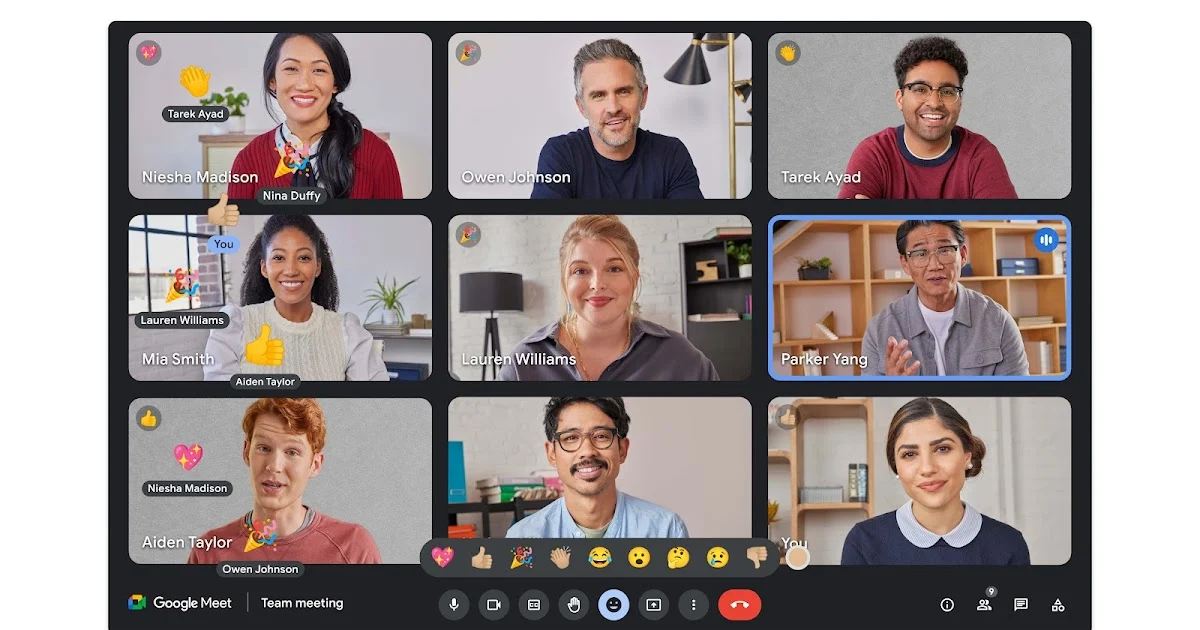
The live instruction layer. Meet allows teachers to host video sessions with full classes, share screens to present slides or demonstrate tasks, enable breakout rooms for group work, and record sessions so absent students can catch up. Unlike consumer video tools, Meet within Google Workspace is administered at the school level — teachers and admins control who can join, record, or present.
Google Drive
The storage and distribution layer. Every file a teacher creates or shares — lesson notes, slide decks, video recordings, reading materials — lives in Drive and remains accessible at any time from any device. Permissions are granular: a teacher can share a document with an entire class for viewing, allow specific students to edit, or restrict access entirely until a topic is introduced.
Google Docs, Sheets, and Slides
The collaboration layer. Students can work on assignments individually or in groups in real time. Teachers can observe and comment on student work as it develops, offering guidance before a final submission rather than only after. For group projects especially, the ability to see who contributed what and when adds accountability that paper-based work never could.
Google Forms
The assessment layer. Teachers build quizzes and surveys that auto-grade multiple choice and short answer responses, producing instant feedback for students and summary statistics for teachers. For formative assessment — checking comprehension quickly without the overhead of a formal test — Forms is one of the most practical tools in the suite.
Challenges Specific to Pakistan and the UAE
Both markets present distinct operational realities that should shape how Google Workspace is deployed.
Pakistan
Internet connectivity in Pakistan is uneven. Urban centres like Karachi, Lahore, and Islamabad have relatively stable broadband, but peri-urban and rural areas often rely on mobile data with variable speeds. This has two practical implications:
- Mobile-first design matters. All Google Workspace tools are available through Android and iOS apps, which perform adequately on moderate connections. Schools should train students and parents on the mobile apps rather than assuming laptop access.
- Asynchronous-first pedagogy works better. Rather than relying on daily live video sessions — which are bandwidth-intensive — schools in Pakistan often get better results by using Classroom to distribute recorded lessons and using Meet selectively for discussion and Q&A. This reduces dependency on peak-hour connectivity.
Additionally, Pakistan’s education sector is price-sensitive. Google offers Google Workspace for Education Fundamentals at no cost to qualifying institutions, which covers Classroom, Drive, Docs, Sheets, Slides, Forms, and Meet with sufficient storage for most schools. Paid tiers (Education Standard, Teaching & Learning Upgrade, Education Plus) add features like advanced meeting controls, enhanced security reporting, and expanded storage, and are worth evaluating for larger or more demanding institutions.
UAE (Dubai and Abu Dhabi)
The UAE presents a different set of considerations. Connectivity is not a significant barrier — broadband penetration is high and reliable. The primary challenges are:
- Scale and administration. Schools in Dubai and Abu Dhabi often manage large student bodies with complex department structures. Google Workspace’s admin console gives IT teams centralised control over user accounts, device policies, data retention, and security settings — capabilities that become essential at this scale.
- Regulatory compliance. The UAE has data residency and privacy requirements that institutions must observe. Google Workspace for Education is compliant with FERPA and COPPA, and regional data processing agreements are available. Schools should verify compliance specifics with their Google partner or directly with Google’s enterprise team.
- Integration with existing systems. Many UAE schools use student information systems (SIS) for enrolment and reporting. Google Workspace supports SAML-based single sign-on and directory sync via LDAP or third-party tools, enabling integration with existing infrastructure rather than requiring a wholesale replacement.
A Realistic Implementation Path
Adopting Google Workspace for remote learning is straightforward in principle but requires deliberate execution. A reasonable rollout follows four stages:
Stage 1 — Domain and account setup (Week 1–2) Establish the school’s Google Workspace domain, create administrator accounts, and configure organisational units that reflect the school’s structure (by grade, department, or campus). This is the foundation everything else depends on.
Stage 2 — Teacher onboarding (Week 2–4) Train teachers on Classroom, Drive, and Meet before students are involved. Teachers who are confident with the tools set a better tone for students than those who are visibly uncertain. Focus on practical workflows: creating an assignment, sharing a document, starting a Meet session.
Stage 3 — Student and parent rollout (Week 3–5) Distribute student accounts, run a guided session on joining Classroom and accessing Drive, and communicate expectations clearly. For younger students especially, parent awareness of how to support access at home significantly affects outcomes.
Stage 4 — Ongoing administration and review (Ongoing) Monitor usage through the admin console, address access issues promptly, and review whether the tools are being used in ways that genuinely support learning. Technology adoption in schools rarely succeeds without sustained attention from leadership.
Choosing the Right Google Workspace Plan
The choice of plan depends on three variables: institution size, required features, and budget.
Plan | Cost | Best For |
Education Fundamentals | Free | Small to mid-size schools needing core tools |
Education Standard | Paid | Schools needing advanced security and audit tools |
Teaching & Learning Upgrade | Paid | Schools prioritising enhanced Meet features and originality detection |
Education Plus | Paid | Large institutions needing the full feature set |
For schools in Pakistan and the UAE that are new to Google Workspace, Education Fundamentals is a logical starting point. It costs nothing and covers the tools most schools will use day-to-day. Upgrading later, once administrators understand where the limitations are, is easier than over-investing in a paid tier before needs are fully understood.
Frequently Asked Questions
