
Running a school involves much more than managing classrooms. Administrators must coordinate staff schedules, respond to parents, organize documents, manage school events, and keep daily operations running smoothly. When these tasks depend on paper records, scattered emails, and disconnected files, even simple administrative work can become difficult.
Google Workspace for school administration offers a collection of cloud-based tools that can help schools organize communication, manage documents, coordinate schedules, and collaborate across departments.
From Gmail and Google Calendar to Google Drive, Docs, Sheets, and Forms, schools can use familiar applications to support everyday office activities without relying entirely on manual processes.
This guide explains how schools can use Google Workspace to improve administration, provides practical examples, and outlines important considerations before implementation.
What Is Google Workspace for School Administration?
Google Workspace is a collection of productivity and collaboration applications developed by Google. These tools help organizations communicate, create documents, organize files, and work together online.
For school administrators, Google Workspace can support activities such as preparing staff schedules, maintaining administrative records, sharing policies, and coordinating meetings.
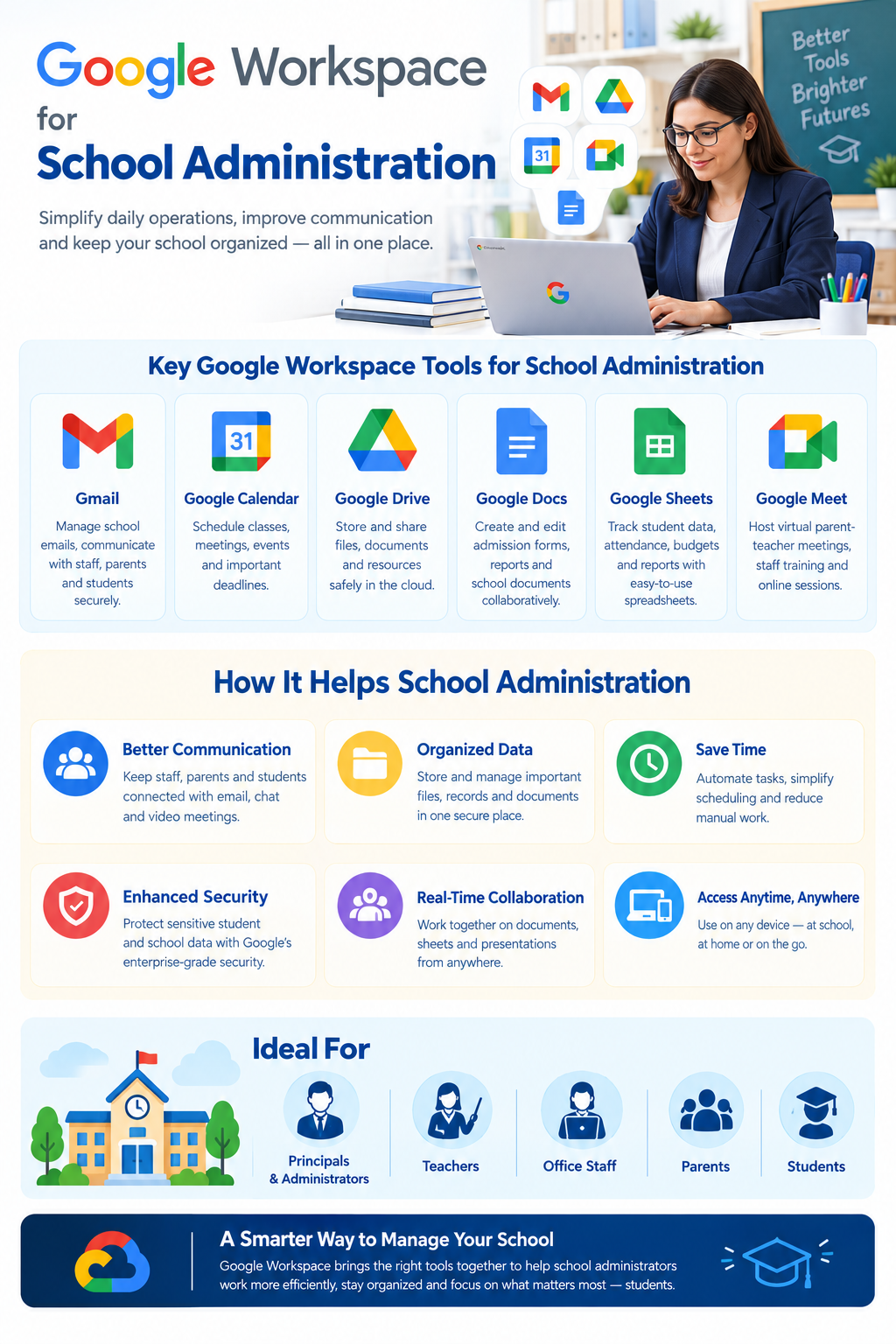
The applications most relevant to school administration include:
| Google Workspace app | Administrative use |
| Gmail | Staff communication, parent enquiries, and official correspondence |
| Google Calendar | Staff meetings, school events, and administrative deadlines |
| Google Drive | Centralized storage and sharing of approved documents |
| Google Docs | School policies, reports, meeting minutes, and notices |
| Google Sheets | Task tracking, inventory lists, and administrative reports |
| Google Forms | Staff requests, surveys, and feedback collection |
| Google Meet | Remote staff meetings and coordination between campuses |
These applications can work together, but Google Workspace is not a complete school management system. Schools may still need specialized software for student records, examinations, accounting, and other institutional functions.
Google Workspace for Education vs. Google Workspace Business Plans
Before choosing Google Workspace, schools should understand that Google offers different editions for educational institutions and businesses.
Google Workspace for Education is designed for qualifying educational institutions and includes tools for communication, collaboration, learning, and administration.
Education Fundamentals is available at no cost to eligible institutions, while additional Education editions offer other capabilities and services.
Business editions are designed for organizations with different licensing and operational requirements. Schools should review their eligibility before deciding which offering is appropriate.
The right choice depends on institutional eligibility, required features, administrative controls, licensing arrangements, and the school’s existing systems.
Schools can review the available offerings through the official Google Workspace for Education website.
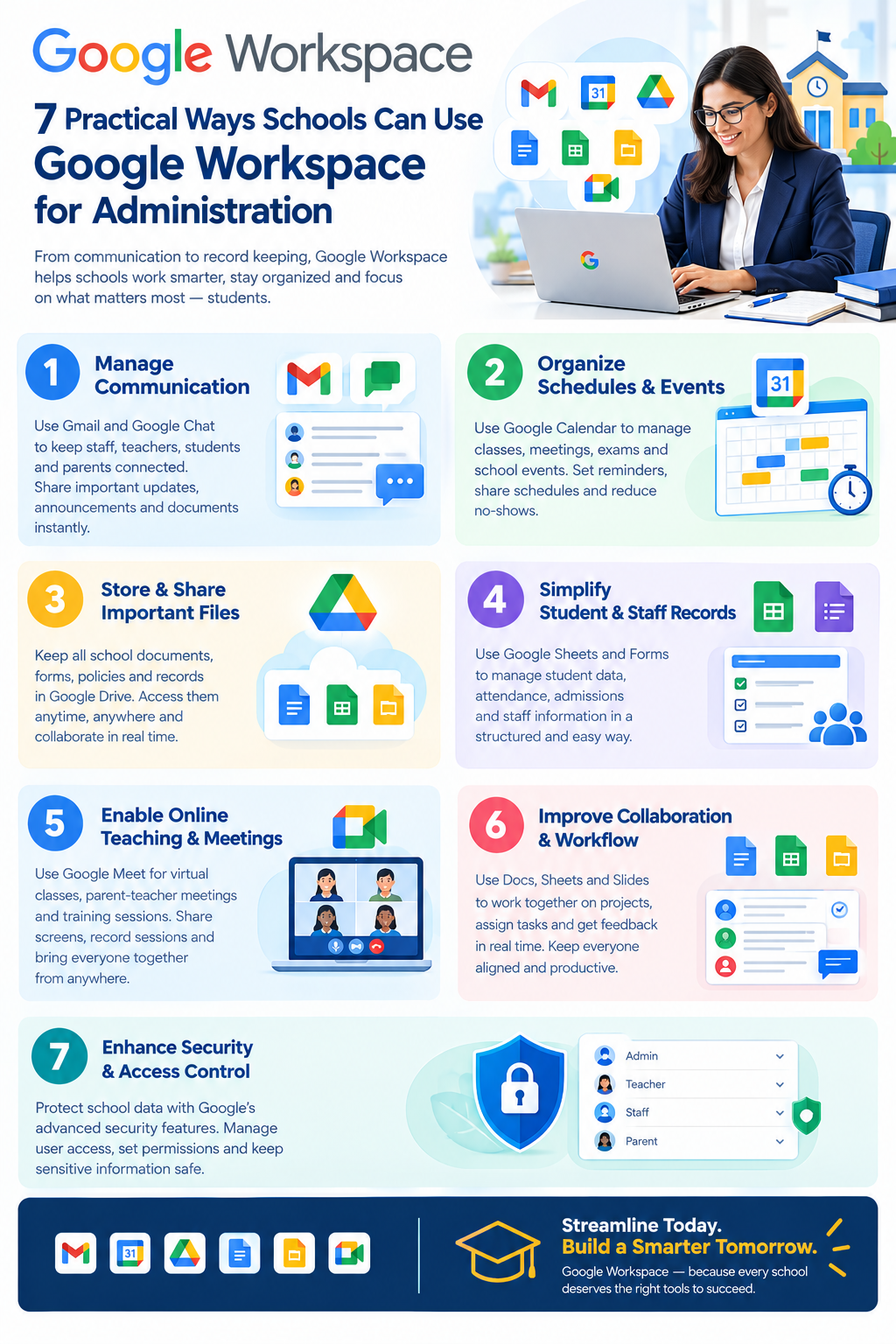
7 Practical Ways Schools Can Use Google Workspace for Administration
1. Improve Staff and Parent Communication With Gmail
School administrators communicate regularly with teachers, department heads, parents, suppliers, and education authorities.
Gmail can help schools organize these conversations using institution-managed email accounts.
For example, a school may use separate email addresses for administration, admissions, and general enquiries, depending on its account setup.
Administrators can use Gmail to:
- Send announcements and official notices to staff.
- Respond to routine parent enquiries.
- Coordinate with suppliers and service providers.
- Organize correspondence using labels and filters.
- Search previous messages when following up on administrative matters.
Practical example: A parent emails the school about admission requirements. The office administrator reviews the enquiry, shares approved admission information, and forwards any application-specific questions to the authorized admissions employee.
This approach helps establish a clear communication process without requiring every enquiry to reach the principal directly.
Schools should establish rules for handling confidential information and avoid sending sensitive student details without appropriate authorization and safeguards.
2. Organize Staff Meetings and School Events With Google Calendar
Managing school schedules can become complicated when multiple departments maintain separate calendars.
Google Calendar can help authorized staff coordinate meetings, events, and administrative deadlines.
Schools can use shared calendars for:
- Staff and management meetings.
- Parent-teacher meeting schedules.
- Examination periods and school events.
- Staff training sessions.
- Administrative submission deadlines.
- Facilities inspections and maintenance schedules.
Practical example: The principal’s office maintains an administrative calendar showing management meetings, staff development sessions, and important reporting deadlines.
Department heads can access the relevant calendar according to their permissions, reducing the need to circulate separate schedules repeatedly.
Schools should restrict access to calendars containing confidential meetings or sensitive information.
3. Organize Administrative Documents With Google Drive
Schools often maintain hundreds of documents, including policies, staff notices, administrative templates, meeting records, and operational reports.
When files are stored across personal computers or individual email accounts, employees may struggle to locate the latest approved version.
Google Drive allows schools to organize and share documents in a central location.
A practical folder structure might include:
School Administration
Policies and Procedures
Staff Administration
Admissions Documents
School Events and Calendars
Finance and Procurement
Facilities and Maintenance
Meeting Minutes and Reports
Illustrative folder structure. Access should be restricted according to the sensitivity of each document.
For example, general staff policies may be accessible to all employees, while finance documents should remain available only to authorized personnel.
Schools can also use shared drives where supported by their edition and configuration, so approved team files are not dependent on one employee’s personal file ownership.
A consistent folder structure, naming system, and access policy can make document management easier to maintain.
4. Prepare School Policies and Reports With Google Docs
School policies, meeting minutes, administrative procedures, and internal notices often require input from several employees.
Google Docs allows authorized staff to work on the same document, leave comments, and suggest changes.
Common administrative uses include:
- Preparing school policies and procedures.
- Writing meeting agendas and minutes.
- Drafting internal circulars.
- Creating reusable administrative templates.
- Reviewing operational plans and reports.
Practical example: An administrator prepares a draft staff attendance policy in Google Docs. The relevant department head reviews the wording, and the principal approves the final version through the school’s established approval process.
Once approved, the document can be placed in the appropriate Google Drive folder.
Google Docs supports collaboration and version history, but schools still need a clear process for approving and publishing official documents.
5. Track Administrative Tasks With Google Sheets
School offices manage many recurring tasks, from equipment maintenance and staff training to purchasing supplies and organizing events.
Google Sheets can help teams maintain structured trackers for these activities.
For example, a school facilities team might maintain the following administrative task tracker:
| Task | Responsible team | Status |
| Inspect classroom projectors | IT Department | In progress |
| Update staff training schedule | Administration | Completed |
| Review office supply requests | Procurement | Pending |
| Prepare annual event checklist | Events Team | In progress |
Administrators can update the tracker as work progresses, helping the relevant team understand what has been completed and what still needs attention.
Google Sheets can also support simple inventory lists, maintenance schedules, and non-sensitive operational summaries.
However, schools should not automatically use spreadsheets as substitutes for official student information systems, financial accounting applications, or other specialized recordkeeping platforms.
6. Collect Administrative Requests With Google Forms
Many school offices receive routine requests through paper forms, emails, or informal conversations.
Google Forms can help standardize appropriate administrative requests by collecting information through structured online forms.
Useful examples include:
- Classroom equipment requests.
- Facilities maintenance reports.
- Staff training feedback.
- Internal event participation forms.
- General administrative surveys.
Practical example: A classroom maintenance request
Teacher submits request
Google Forms
Administrator reviews response
Google Forms / Sheets
Task assigned to responsible employee
Administrative process
Request status updated
Google Sheets
This example demonstrates how several tools can support one administrative process. Assigning the request and updating its status require staff action or an appropriately configured workflow; they are not automatic simply because a form is submitted.
Forms that collect student information, parent details, or other sensitive data require additional review of permissions, data handling, and applicable obligations.
7. Coordinate School Teams With Google Meet
Schools with multiple campuses or employees working from different locations may need to conduct administrative meetings remotely.
Google Meet allows authorized participants to join online meetings and discuss operational matters.
Possible uses include:
- Meetings between campus administrators.
- Staff coordination sessions.
- Departmental planning discussions.
- Training and administrative briefings.
- Meetings with authorized external service providers.
For example, administrators from two campuses can meet online to discuss a shared event schedule and review an approved planning document.
Google Calendar can help organize the meeting, while Google Drive provides access to relevant documents.
Schools should review meeting access, sharing permissions, and recording policies before discussing confidential matters.
Example: A Typical School Administration Workflow
Consider a school with a principal, office administrator, admissions staff, and several department heads.
A coordinated daily workflow could look like this:
| Time of day | Administrative activity | Google Workspace tool |
| Morning | Review staff emails and general enquiries | Gmail |
| Morning | Check meetings and important deadlines | Google Calendar |
| Midday | Review administrative requests | Google Forms and Sheets |
| Afternoon | Update reports and meeting documents | Google Docs |
| Afternoon | Share approved files with department heads | Google Drive |
| As needed | Coordinate with another campus | Google Meet |
This is an illustrative example. Schools should adapt the process to their own staff structure, responsibilities, and existing management systems.
The goal is not to use every application every day. It is to choose the tools that genuinely help staff complete their work.
Benefits of Using Google Workspace for School Administration
When used with clear procedures and suitable access controls, Google Workspace can support several administrative improvements.
More organized communication: Managed email accounts and shared calendars can help staff coordinate routine activities.
Easier access to documents: Authorized employees can find approved files in shared locations instead of relying on individual copies.
Better collaboration: Multiple staff members can review and update documents without exchanging numerous attachments.
Clearer administrative tracking: Shared spreadsheets can help teams follow outstanding requests and operational tasks.
Support for multiple campuses: Online meetings and shared documents can make coordination across locations more practical.
More consistent procedures: Shared templates and documented workflows can help employees follow established administrative processes.
These are potential operational benefits, not guaranteed time or cost savings. Results depend on how the school configures the tools and trains employees.
Security and Privacy Considerations for Schools
Schools handle information about students, parents, employees, and institutional operations. Some of this information is confidential or subject to legal and contractual requirements.
Google Workspace provides account management and security capabilities, but schools remain responsible for configuring services appropriately and following applicable requirements.
Before introducing Google Workspace, administrators should consider these practices:
- Use school-managed accounts: Official administrative work should be conducted through accounts controlled by the institution.
- Assign appropriate permissions: Staff should access only the information necessary for their responsibilities.
- Protect administrator accounts: Use strong authentication and limit administrative privileges.
- Review file sharing: Check who can view, edit, or share sensitive documents.
- Manage staff departures: Establish procedures to suspend or remove access when employees leave.
- Train employees: Provide guidance on phishing, secure sharing, and confidential information.
- Establish retention rules: Decide how school documents should be maintained, archived, or deleted according to applicable obligations.
For example, general event-planning documents may be appropriate for broad internal collaboration, while disciplinary records, student health information, and confidential employee documents require stricter handling.
Schools in Pakistan and the UAE should review their applicable data-protection, education-sector, and institutional requirements before using cloud services for sensitive records.
Using Google Workspace does not automatically guarantee compliance with these requirements.
For further guidance, schools can consult the Google Workspace Admin Help Center and Google’s published security documentation.
How to Introduce Google Workspace Into School Administration
Schools do not need to change every administrative process at once. A gradual implementation can help staff become familiar with the tools and identify problems before expanding their use.
Step 1: Identify administrative needs
Review current processes and identify recurring difficulties, such as locating documents, coordinating meetings, or tracking routine requests.
Step 2: Check eligibility and select the appropriate edition
Determine whether the institution qualifies for Google Workspace for Education and review the features, licensing arrangements, and administrative requirements.
Step 3: Plan accounts and access permissions
Decide which employees need accounts, who will manage them, and which documents or services each role should access.
Step 4: Establish a basic document structure
Create approved folders, naming conventions, shared calendars, and standard templates for administrative work.
Step 5: Start with one practical workflow
For example, introduce a facilities maintenance request form and an associated administrative tracker.
Step 6: Train staff
Explain how to use the selected applications, share documents responsibly, and report access or account security problems.
Step 7: Review and expand
Collect feedback, check whether the workflow meets its intended purpose, and improve the process before introducing additional tools.
This phased approach helps schools assess usefulness without assuming that every existing process needs to move into Google Workspace.
Is Google Workspace Suitable for Every School?
Google Workspace can be a useful choice for schools seeking better communication, document collaboration, and administrative coordination.
However, suitability depends on factors such as:
- The school’s size and administrative structure.
- Eligibility for Google Workspace for Education.
- Existing school management systems.
- Required security and administrative controls.
- Staff training and technical support needs.
- Budget and licensing requirements.
- Applicable privacy and recordkeeping obligations.
Schools should also consider whether a proposed workflow belongs in Google Workspace or in an existing specialist system.
For example, Google Sheets may be suitable for tracking classroom equipment maintenance, while official student records and complex fee management may be better handled by dedicated software.
Frequently Asked Questions
