
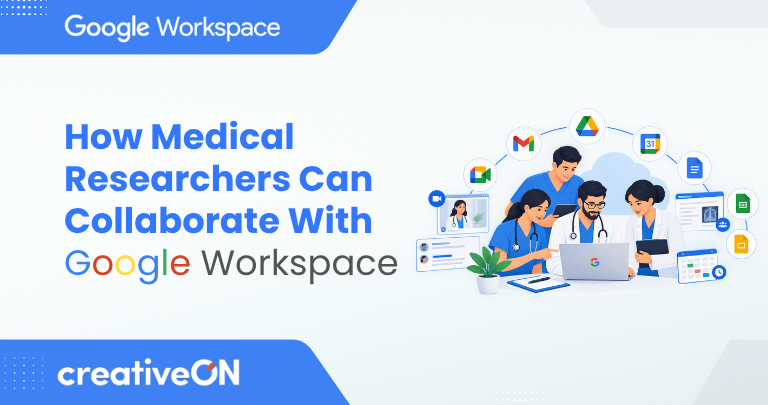
Medical research depends on careful documentation, communication, and coordination between people with different responsibilities. Researchers may need to prepare proposals, review scientific literature, coordinate with supervisors, track project milestones, and share findings with collaborators at other institutions.
Managing these activities through separate files and long email threads can make it harder to keep everyone working from the same information.
Google Workspace for medical researchers provides tools for collaborative writing, document management, communication, scheduling, and project coordination. Applications such as Google Drive, Google Docs, Google Sheets, Gmail, Google Calendar, and Google Meet can support many of the administrative activities surrounding a research project.
This guide explains how medical research teams can use these tools together, when shared drives are useful, and what to consider before handling confidential or regulated research information.
What Is Google Workspace for Medical Researchers?
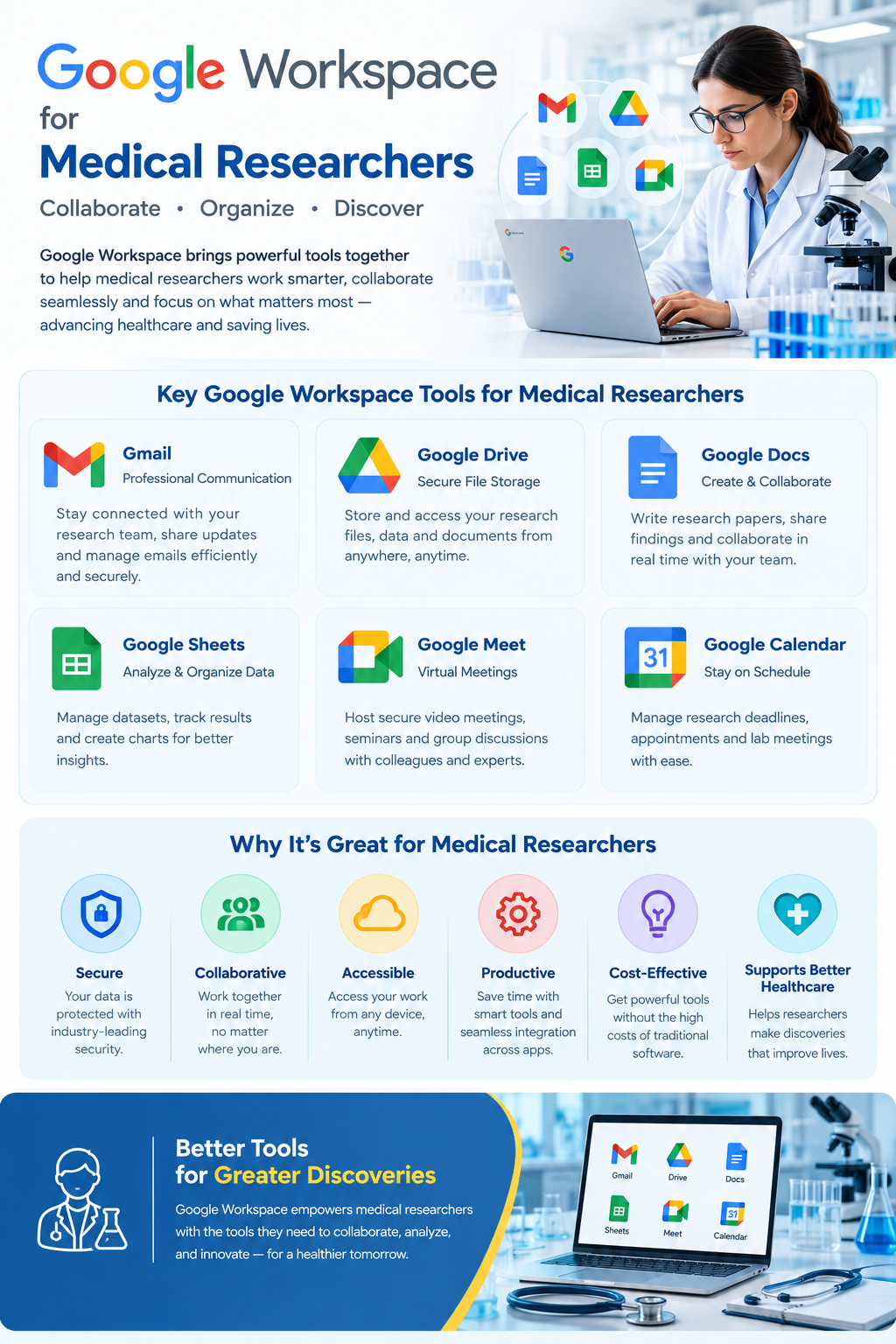
Google Workspace is a collection of productivity and collaboration applications that organizations can use for everyday work. It includes Gmail, Google Drive, Google Docs, Google Sheets, Google Forms, Google Calendar, Google Meet, and Google Slides.
For medical researchers, these tools can support the planning, documentation, communication, and coordination required throughout a research project.
For example, a university research team could use Google Docs to draft a proposal, Google Drive to organize approved project documents, Google Sheets to monitor administrative milestones, and Google Meet to discuss progress with external collaborators.
The important distinction is that Google Workspace supports research collaboration, but it is not automatically a complete clinical research or data-management system. Projects involving clinical trials, laboratory information, electronic data capture, or regulated records may need specialist platforms alongside collaboration tools.
How Medical Researchers Can Use Google Workspace
1. Gmail for Research Communication
Medical researchers communicate with principal investigators, research assistants, laboratory teams, university departments, funding organizations, and external collaborators.
Gmail for Business can help organize this communication through professional email, labels, filters, and searchable conversations.
Research teams can use Gmail to:
- Discuss project deadlines and administrative requirements.
- Coordinate with supervisors and co-authors.
- Exchange approved documents with authorized collaborators.
- Organize correspondence by project or workstream.
- Keep administrative decisions and meeting arrangements easier to find.
For larger projects, agree on consistent email subject lines and establish where important decisions should be documented.
However, ordinary email should not automatically be treated as an appropriate channel for identifiable patient information or confidential study data. Follow the organization’s approved communication and information-sharing procedures.
2. Google Drive and Shared Drives for Research Documents
2026 How to Become a Computer and Information Research Scientist | Research.com
Research projects generate many documents, including proposals, literature reviews, study protocols, meeting notes, approved templates, reports, and presentations. Google Drive can help teams organize these materials and share them with authorized collaborators.
Researchers can use Drive to:
- Organize project documents into clearly named folders.
- Store approved administrative templates and working documents.
- Share literature review materials with research partners.
- Separate drafts from approved reports.
- Control who can view, comment on, or edit files.
Why shared drives matter for research teams
Google Drive offers two different approaches to file organization: an individual’s My Drive and team-based shared drives.
Shared drives can be particularly useful for long-running research projects. Files in a shared drive belong to the team rather than an individual. This means files can remain available when a researcher leaves the project or their account is removed. Availability and management options depend on the organization’s Google Workspace edition and settings.
Google Workspace Learning Center+1
A research department might create separate shared drives for different projects, with access granted according to each collaborator’s role.
Good practices include:
- Give each shared drive a clear purpose.
- Grant only the access required for each role.
- Restrict external sharing when it is not needed.
- Review access when researchers join or leave.
- Use restricted folders or separate approved storage for information that needs tighter controls.
Shared drives improve team file management, but they do not automatically make every file appropriate for cloud storage. Sensitive information still requires an approved handling process.
3. Google Docs for Research Proposals and Scientific Writing
Preparing a research proposal or scientific manuscript often involves several rounds of feedback. Sending separate attachments to each contributor can make it difficult to identify the latest version and reconcile changes.
Google Docs lets authorized collaborators work on the same document, add comments, and suggest edits.
Medical researchers can use Docs to:
- Draft research proposals and project plans.
- Develop literature review outlines.
- Prepare internal reports and meeting agendas.
- Review manuscript drafts with co-authors.
- Collect feedback from supervisors.
- Maintain working drafts of research documentation.
For example, a principal investigator could prepare a proposal while colleagues review different sections and leave comments for discussion. The team can then address the feedback in one shared document instead of merging several attachments.
Google Docs also offers version history, which can help users inspect earlier changes and restore previous versions when appropriate.
Google Docs Editors Help+1
For formal research submissions, however, teams should establish an approval process and retain the final version according to institutional requirements. Document version history is not automatically equivalent to a regulated audit trail or formal document-control system.
4. Google Sheets for Research Project Tracking
Google Sheets can help research teams monitor project activities and administrative milestones in a shared spreadsheet.
Suitable examples include:
- Tracking literature review progress.
- Monitoring the status of document reviews.
- Assigning administrative tasks and deadlines.
- Recording equipment maintenance dates.
- Tracking funding and reporting deadlines.
- Preparing non-sensitive project summaries.
A project tracker might contain these columns:
| Task | Responsible person | Due date | Status |
| Review literature | Researcher A | 10 November | In progress |
| Review proposal | Principal investigator | 15 November | Pending |
| Prepare project report | Research coordinator | 20 November | Not started |
This example illustrates project administration, not a validated research dataset.
Researchers should not assume that a general spreadsheet provides the validation rules, controlled data entry, audit trails, or other functions needed for regulated research. Use the study’s approved data-capture or data-management system whenever those requirements apply.
5. Google Calendar for Research Meetings and Deadlines
Research projects often involve collaborators at different institutions, departments, and time zones. Google Calendar can help teams coordinate their schedules.
Researchers can use it to:
- Schedule meetings with supervisors and co-authors.
- Plan literature review sessions.
- Track project milestones and submission deadlines.
- Coordinate meetings with external research partners.
- Organize internal reviews and presentations.
Shared calendars can give authorized team members a common view of relevant events, subject to sharing permissions.
Keep event titles and descriptions free of confidential participant details unless the information is specifically permitted within the approved workflow. A shared calendar can support coordination, but it does not necessarily replace specialist clinical appointment or trial-management software.
6. Google Meet for Cross-Institution Collaboration
Google Meet supports remote discussions between researchers who cannot regularly meet in person.
It can be used for:
- Research planning meetings.
- Proposal and manuscript reviews.
- Progress discussions with external collaborators.
- Departmental research meetings.
- Project presentations and administrative briefings.
Teams can discuss shared documents and coordinate next steps during meetings.
Before recording a session or sharing its contents, confirm the relevant institutional policies, participant consent requirements where applicable, and the sensitivity of the information being discussed. Available meeting features depend on the subscription and account configuration.
7. Google Forms for Research Administration and Feedback
Google Forms can collect responses for appropriate administrative requests, internal surveys, and feedback activities. Responses can also be organized in Google Sheets when that workflow is suitable.
Research teams may use Forms to collect:
- Staff training feedback.
- Meeting availability.
- Equipment or facilities requests.
- Feedback on internal research procedures.
- Responses to approved surveys when the platform meets the study’s requirements.
Forms should not be selected automatically for questionnaires involving human research participants. Such projects may require ethics approval, informed consent, specific data-handling controls, and institutionally approved survey or electronic data-capture systems.
Before creating a form, determine what information is necessary, who will access the responses, and whether the selected platform is appropriate for the research protocol.
How Medical Researchers Can Use Google Workspace Together
The main advantage of these tools is the ability to connect everyday research activities into a coherent workflow.
Consider a university research team preparing a public health study. The principal investigator oversees the project, a coordinator manages administrative activities, and several researchers contribute to literature reviews and reports.
Example research collaboration workflow
1. Gmail — Coordinate the project
Discuss responsibilities, share administrative updates, and arrange the initial meeting.
2. Google Docs — Draft the proposal
Prepare the research plan and collect comments from authorized co-authors.
3. Google Drive — Organize project documents
Store approved administrative documents in an appropriately permissioned project workspace.
4. Google Calendar and Meet — Coordinate milestones
Schedule review meetings and discuss progress with collaborators.
5. Google Sheets — Monitor progress
Track assigned tasks, document approvals, and reporting deadlines without placing sensitive participant data in an unsuitable spreadsheet.
This workflow shows how Google Workspace applications can complement one another. It does not mean that study participant records, clinical datasets, or regulated research documentation should automatically be stored in these applications.
The project should have a clear data-management plan that identifies which system is approved for each type of information.
Benefits of Google Workspace for Medical Research Teams
When used for appropriate tasks, Google Workspace can support several aspects of research collaboration.
- Shared document access: Authorized collaborators can work from a common set of project documents rather than relying on multiple attachments.
- Collaborative scientific writing: Researchers can comment on drafts and review proposed changes.
- Better project coordination: Shared calendars and task trackers help teams monitor responsibilities and deadlines.
- Support for distributed teams: Researchers at different locations can participate in meetings and contribute to shared documents.
- Team continuity: Shared drives help preserve project files when individual researchers leave the organization.
- Organized administrative work: Email, documents, and schedules can be managed through connected applications.
These benefits depend on the team’s workflows, permissions, training, and governance practices. The tools do not guarantee improved research quality, fewer errors, or specific time savings.
Security and Privacy Considerations for Medical Research
Medical research can involve personal information, identifiable health records, confidential findings, and sensitive participant data. Before using Google Workspace, research teams should establish which information may be stored or shared through the platform.
Distinguish between different types of research information
Not all research documents carry the same level of risk.
| Information type | Practical consideration |
| General project administration | Suitable for ordinary collaboration when access is appropriately controlled. |
| Research proposals and literature reviews | Share with authorized contributors and protect confidential drafts where required. |
| Coded research datasets | Assess whether re-identification is possible and follow the approved data-management plan. |
| Identifiable patient or participant information | Use only systems and workflows specifically approved for this information. |
| Regulated clinical research records | Confirm applicable validation, audit, retention, and documentation requirements before selecting a system. |
Removing names from a dataset does not necessarily make it anonymous. Other details, such as dates, locations, rare conditions, or combinations of attributes, may still identify a participant.
Establish appropriate safeguards
Before adopting Google Workspace for research collaboration:
- Control access: Grant permissions according to each person’s responsibilities.
- Protect accounts: Apply appropriate authentication and administrator security settings.
- Review external sharing: Limit access to approved collaborators and review it periodically.
- Follow research ethics requirements: Respect approved protocols, consent conditions, and institutional review requirements.
- Check retention policies: Establish how documents will be retained, archived, and deleted.
- Verify contractual and product requirements: Confirm the selected edition, applicable service terms, and required security controls.
Google provides security and compliance resources for healthcare and life sciences, including information about HIPAA-related use under a Business Associate Agreement. These arrangements and capabilities have specific conditions; their existence does not mean every Workspace configuration or research activity is compliant.
Google Workspace with Gemini
Organizations in Pakistan, the UAE, and other jurisdictions must assess their own legal obligations, institutional policies, and contractual requirements. Researchers should consult their IT, information-security, privacy, and research-governance teams before handling sensitive information.
Do not confuse collaboration features with regulated recordkeeping
Google Docs version history, spreadsheet sharing, and file permissions can support everyday collaboration. They should not automatically be treated as substitutes for validated systems, formal audit trails, electronic signatures, or controlled records when a study or regulation requires those capabilities.
For clinical trials and other regulated studies, confirm the requirements with the responsible research-governance team before deciding which platform will hold official study records.
Is Google Workspace Suitable for Every Medical Research Project?
Google Workspace can be useful for collaborative writing, project communication, meeting coordination, and administrative tracking. Its suitability depends on the study and the systems already used by the institution.
Before adopting it, consider:
- The research team’s size and structure.
- The type and sensitivity of information involved.
- The study’s data-management and governance requirements.
- Integration with existing clinical or laboratory systems.
- Required audit, validation, retention, and access controls.
- Subscription features and administrator settings.
- Staff training and technical support.
A university might use Google Workspace for proposals, meeting notes, project plans, and general collaboration while retaining participant data in a dedicated electronic data capture system.
For many research organizations, the most appropriate approach is to use Google Workspace alongside specialist research systems, rather than assuming one platform can meet every requirement.
Frequently Asked Questions
