
Healthcare teams need to coordinate staff, manage administrative documents, schedule meetings, and share updates across different locations. Google Workspace provides cloud-based tools that can help hospitals, clinics, and home healthcare providers organize these everyday activities.
For healthcare organizations in Pakistan and the UAE, Google Workspace can support administrative teamwork through business email, shared documents, online meetings, and scheduling tools. However, organizations must choose appropriate workflows and security settings before handling confidential or patient-related information.
What Is Google Workspace for Healthcare Teams?
Google Workspace is a collection of cloud-based business applications that helps teams communicate and work together. Healthcare organizations can use it for administrative coordination, staff communication, training, and document management.
Think of it as a shared digital office where authorized employees can access the documents and tools they need to complete their work.
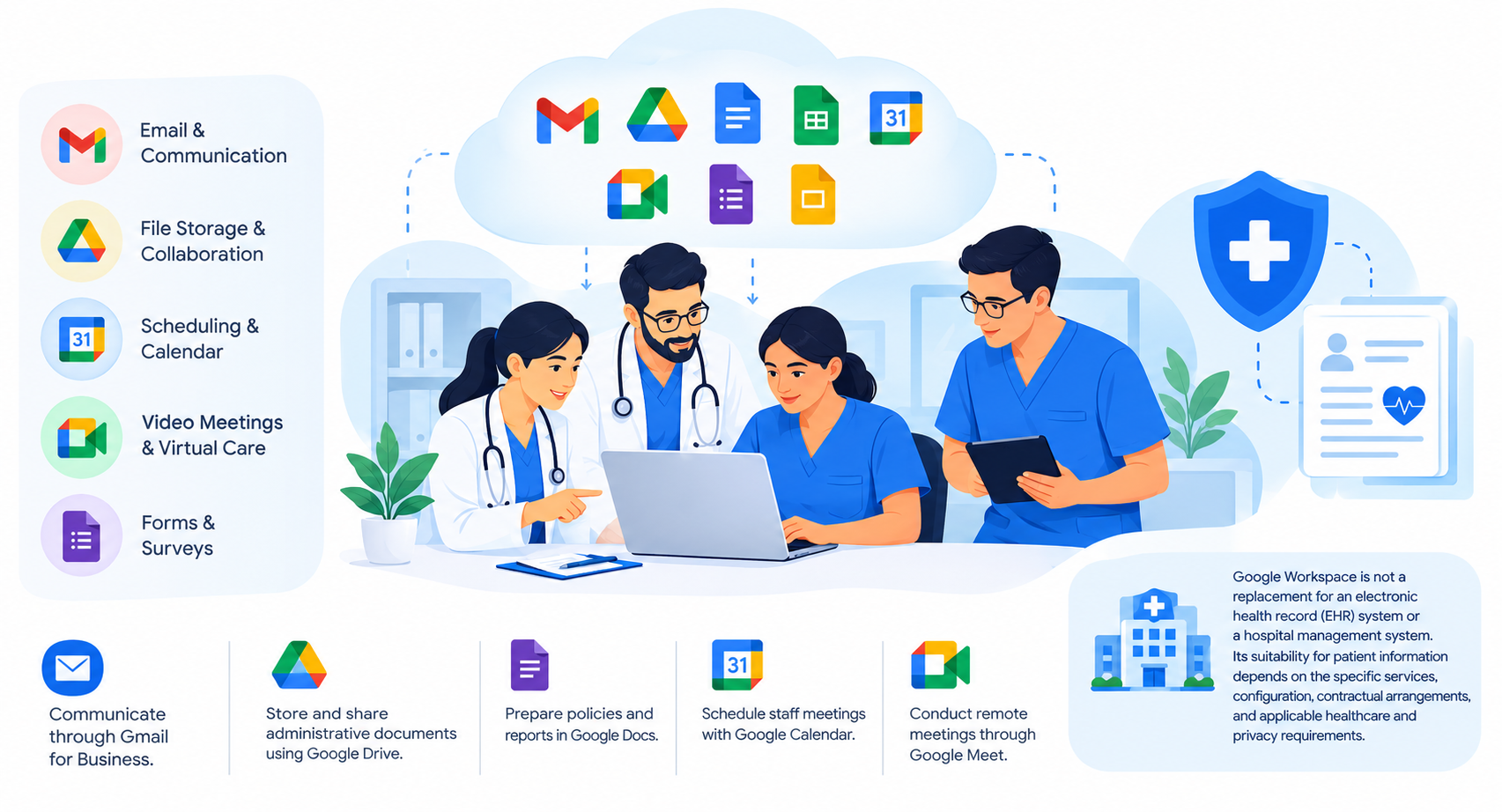
Healthcare teams can use Google Workspace to:
- Communicate through Gmail for Business.
- Store and share administrative documents using Google Drive.
- Prepare policies and reports in Google Docs.
- Schedule staff meetings with Google Calendar.
- Conduct remote meetings through Google Meet.
Google Workspace is not a replacement for an electronic health record (EHR) system or a hospital management system. Its suitability for patient information depends on the specific services, configuration, contractual arrangements, and applicable healthcare and privacy requirements.
How Healthcare Teams Can Collaborate With Google Workspace
1. Coordinate Staff Communication With Gmail
Healthcare organizations often have nurses, administrators, managers, and support staff working different shifts or at different locations. Business email helps them share routine updates and coordinate administrative activities.
With Gmail for Business, an organization can use professional email addresses linked to its domain, such as [email protected].
Teams can use business email to:
- Share internal announcements and operational updates.
- Communicate with suppliers and service providers.
- Coordinate staff meetings and training.
- Manage routine business correspondence.
Organizations should establish clear rules for email communication and avoid sending sensitive patient information through unapproved channels.
2. Manage Administrative Documents With Google Drive
Healthcare teams often need access to current staff policies, training materials, operational checklists, and administrative reports.
Google Drive allows authorized employees to store and share files in a central location instead of exchanging multiple email attachments.
Teams can use it to:
- Maintain current versions of internal procedures.
- Share approved staff training materials.
- Organize administrative forms and reports.
- Control who can view, comment on, or edit documents.
Access permissions should reflect each employee’s responsibilities. Confidential documents should not be shared publicly or with unauthorized users.
3. Prepare and Review Documents With Google Docs
Preparing internal documents can become confusing when several employees work on separate copies of the same file.
Google Docs allows authorized team members to work on a shared document, add comments, and suggest changes.
For example, a clinic’s administration team could use Google Docs to prepare a staff handbook, review an internal procedure, or update a training document.
Once a document is approved, the team can store it in an appropriately restricted Google Drive folder. This helps staff find the latest version without relying on outdated email attachments.
4. Schedule Meetings With Google Calendar and Google Meet
Healthcare teams may need to coordinate shift handovers, staff training, departmental meetings, and operational reviews.
Google Calendar helps employees schedule meetings and check availability, while Google Meet supports remote discussions.
These tools can be useful when:
- Managers coordinate staff working at different locations.
- Clinic administrators arrange regular team meetings.
- Healthcare organizations conduct internal training sessions.
- Management teams review operational tasks remotely.
Organizations should use suitable access controls and meeting settings, especially when discussions may involve confidential information.
A Practical Example: Google Workspace in Home Healthcare Operations
Home healthcare providers coordinate nurses, patient attendants, physiotherapists, and administrative staff. Keeping everyone informed can be challenging when employees work across different locations and shifts.
Consider a home healthcare provider such as Shumaya Home Care, which offers home nursing, elderly care, physiotherapy, and patient care services in Lahore.
A healthcare organization with similar operational needs could use Google Workspace for administrative coordination through the following workflow:
- Prepare procedures: The administration team creates or updates staff guidelines in Google Docs.
- Organize documents: Approved procedures and training materials are stored in restricted Google Drive folders.
- Notify staff: Gmail is used to inform relevant employees about policy updates or administrative changes.
- Schedule discussions: Google Calendar is used to arrange staff meetings and training sessions.
- Discuss updates remotely: Managers use Google Meet to explain new procedures and answer staff questions.
This workflow illustrates how Google Workspace can support healthcare operations management. It does not establish that Shumaya Home Care currently uses these applications; its actual software arrangements should be confirmed before making that claim.
Patient records, clinical notes, and other sensitive information should only be handled through systems and workflows approved for that purpose.
Google Workspace Tools for Healthcare Collaboration
| Tool | Potential healthcare use |
| Gmail | Business email and administrative communication |
| Google Drive | Sharing approved policies and training materials |
| Google Docs | Preparing procedures, reports, and staff documents |
| Google Calendar | Scheduling meetings and training |
| Google Meet | Remote staff meetings and internal discussions |
| Google Sheets | Tracking non-sensitive administrative tasks and operational information |
Available features vary by Google Workspace plan. Healthcare organizations should review plan details and suitability before selecting a subscription.
Security and Privacy Best Practices
Healthcare organizations must protect confidential information while enabling staff to work together. Using cloud collaboration tools requires clear policies, suitable technical controls, and ongoing oversight.
Recommended practices include:
- Use individual accounts: Avoid shared logins so access can be managed for each employee.
- Enable multi-factor authentication: Add another layer of protection to business accounts.
- Apply role-based access: Give employees access only to the files and tools required for their work.
- Review external sharing: Check permissions before sharing documents outside the organization.
- Remove unnecessary access: Update permissions when employees change roles or leave.
- Train staff: Explain how to recognize phishing emails and handle confidential documents.
- Check compliance requirements: Verify relevant privacy laws, healthcare regulations, contractual terms, and Google service requirements before processing sensitive information.
A Google Workspace subscription and basic security settings do not automatically make an organization compliant with healthcare regulations.
Organizations in Pakistan and the UAE should assess their applicable obligations before using these tools for patient-related information. They should also verify data residency requirements separately. Google’s documented Data Regions options include the United States and Europe for covered services and supported editions; organizations should not assume that Google Workspace automatically stores all data in Pakistan or the UAE.
Frequently Asked Questions
