
Running a clinic involves more than treating patients. Staff must manage schedules, respond to emails, organize documents, coordinate with suppliers, and keep daily administrative tasks on track. When this information is spread across paper files, personal email accounts, and different apps, routine work can become difficult.
Google Workspace for clinics brings business email, shared documents, calendars, cloud storage, and online meetings together in one place. Clinics in Pakistan and the UAE can use these tools to improve staff communication, organize administrative work, and coordinate daily activities.
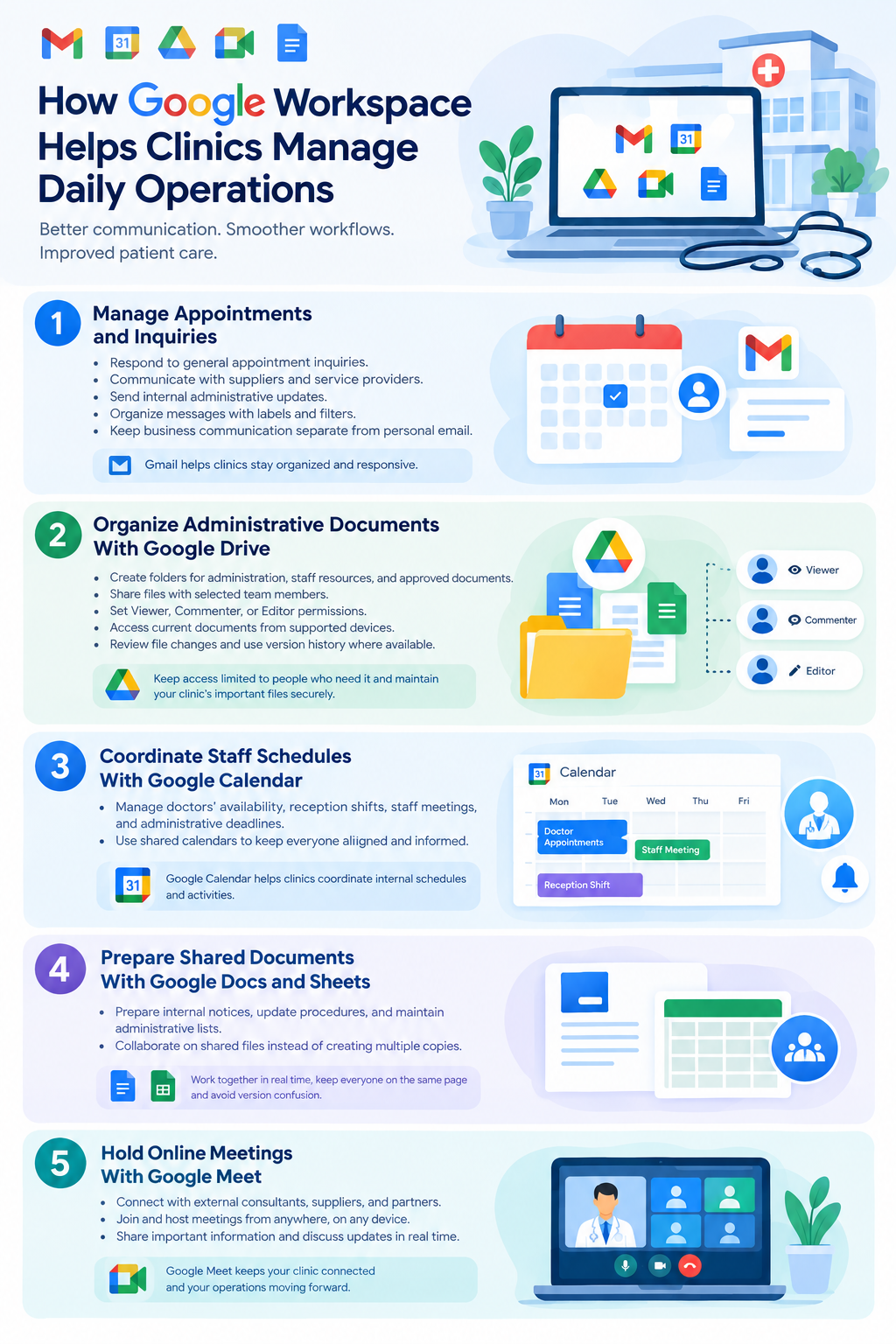
How Google Workspace Helps Clinics Manage Daily Operations
Google Workspace provides cloud-based tools that clinic owners, managers, receptionists, and administrative staff can use to work together. Here are five practical ways to use these tools in a clinic.
1. Manage Professional Communication With Gmail
Clinics communicate with patients, suppliers, laboratories, and staff throughout the day. Gmail for Business allows a clinic to use professional email addresses linked to its own domain, such as [email protected].
Clinic staff can use Gmail to:
- Respond to general appointment inquiries.
- Communicate with suppliers and service providers.
- Send internal administrative updates.
- Organize messages with labels and filters.
- Keep business communication separate from personal email.
Individual staff accounts also help the clinic manage access when employees join or leave.
2. Organize Administrative Documents With Google Drive
Clinic teams often need access to staff policies, duty rosters, supplier agreements, internal forms, and operating procedures. Google Drive lets authorized employees store and share these documents online.
Clinics can use Drive to:
- Create folders for administration, staff resources, and approved operational documents.
- Share files with selected team members.
- Set Viewer, Commenter, or Editor permissions.
- Access current documents from supported devices.
- Review file changes and use version history where available.
Keep access limited to people who need it. Patient records and other sensitive health information should only be stored in Google Workspace when the selected configuration, contractual arrangements, and applicable legal requirements permit it.
3. Coordinate Staff Schedules With Google Calendar
Managing doctors’ availability, reception shifts, staff meetings, and administrative deadlines can be challenging, especially when several employees work different hours.
Google Calendar can help clinics coordinate internal schedules and activities.
For example, a clinic manager can use shared calendars to:
- Schedule staff meetings and training sessions.
- Coordinate staff availability.
- Set reminders for equipment maintenance.
- Track administrative deadlines.
- Share relevant schedule changes with authorized staff.
Google Calendar can support basic scheduling, but it does not automatically replace a dedicated patient appointment system. Clinics that need automated patient reminders, medical histories, or appointment billing may require specialized software.
4. Prepare Shared Documents With Google Docs and Sheets
Clinic staff often prepare internal notices, update procedures, and maintain administrative lists. Google Docs and Google Sheets allow authorized team members to collaborate on shared files instead of creating multiple copies.
Common uses include:
- Google Docs: Prepare staff guidelines, internal notices, and standard operating procedures.
- Google Sheets: Maintain supply inventories, duty rosters, and non-sensitive administrative trackers.
- Shared editing: Allow team members to contribute to the same document.
- Version history: Review previous changes and restore earlier versions when supported.
Avoid using ordinary spreadsheets as a substitute for a properly secured clinical record, prescription, or patient billing system.
5. Hold Online Meetings With Google Meet
Clinics sometimes need to coordinate with external consultants, suppliers, partner organizations, or employees at another location.
Google Meet supports online meetings and staff discussions without requiring everyone to be physically present.
Clinics can use it for:
- Internal staff meetings.
- Administrative discussions with suppliers.
- Employee training sessions.
- Coordination between clinic branches.
Remote clinical consultations require additional consideration. Clinics should confirm applicable professional, licensing, privacy, and healthcare requirements before using online meetings for patient care.
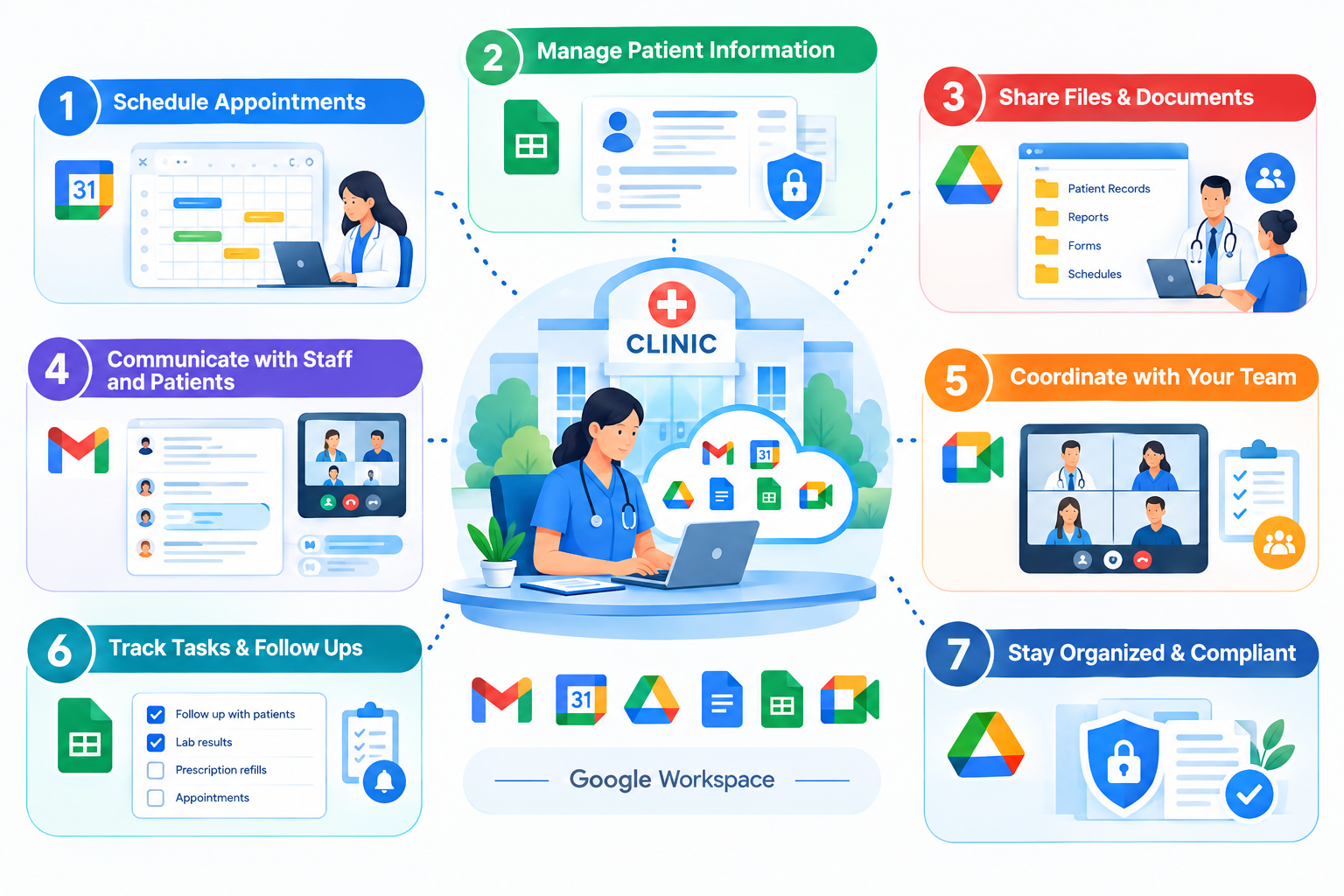
A Practical Example: How a Clinic Can Use Google Workspace Every Day
Consider a clinic where the manager, reception team, and nursing staff need to coordinate daily activities.
The manager can prepare the staff schedule in Google Calendar, share the latest duty roster through Google Drive, and maintain an administrative supply tracker in Google Sheets. Reception staff can use Gmail for Business to communicate with suppliers and respond to general inquiries, while Google Meet can be used for a scheduled staff meeting.
This approach gives employees a clearer way to find current administrative information and coordinate their work.
For example, organizations providing home-based care services, such as Shumaya Home Care, also have coordination needs involving staff schedules, service arrangements, and administrative communication. Google Workspace can support these administrative activities, although its suitability depends on each organization’s workflows and privacy requirements.
The tools should support the clinic’s existing processes rather than replace essential clinical systems.
Security Considerations When Using Google Workspace in a Clinic
Clinics must take extra care when handling confidential information. Choosing Google Workspace does not automatically make every workflow secure or compliant with healthcare regulations.
Before using it for clinic operations:
- Use individual accounts: Avoid shared logins so access can be managed for each employee.
- Enable two-step verification: Add another layer of protection to staff accounts.
- Restrict file permissions: Give employees access only to the documents they need.
- Review access regularly: Remove unnecessary permissions, especially when staff roles change.
- Protect sensitive information: Do not place patient details in general-purpose documents or spreadsheets unless the setup and applicable rules permit it.
- Check legal requirements: Confirm the relevant privacy, data-handling, contractual, and technical requirements before processing health information.
Clinics in Pakistan should assess the requirements applicable to their operations. Clinics in Dubai, Abu Dhabi, and elsewhere in the UAE should also consider applicable UAE data protection and healthcare-specific rules, including relevant requirements concerning health information.
For official guidance, consult the Google Workspace healthcare resource, the Google Drive sharing guide, and the UAE government’s healthcare ICT guidance.
How to Get Started With Google Workspace for Your Clinic
You do not need to move every clinic process online at once. Start with routine administrative tasks and expand as your team becomes comfortable.
- Choose a domain: Register a domain for your clinic if you do not already have one.
- Select a plan: Compare Google Workspace plans, storage limits, security controls, and meeting features.
- Create staff accounts: Give each authorized employee an individual business email account.
- Organize shared files: Create administrative folders and set appropriate access permissions.
- Configure calendars and meetings: Set up staff schedules, internal reminders, and online meetings.
- Apply security controls: Enable suitable account protection and establish clear rules for sharing information.
- Train your team: Show employees how to use Gmail, Drive, Calendar, Docs, Sheets, and Meet.
Before moving existing data, review what needs to be transferred, who should have access, and whether any information requires a specialized system.
Frequently Asked Questions
