
Introduction
Google Drive is more than just a place to store files. It is a complete cloud file management system inside Google Workspace that helps you store, organize, share, and collaborate on files in real time.
Instead of keeping documents on a single device, Google Drive keeps everything in the cloud. This means your files are always available—whether you are using a phone, laptop, or tablet.
For students, professionals, and businesses, Google Drive acts as the central hub for digital work.
What is Google Drive?
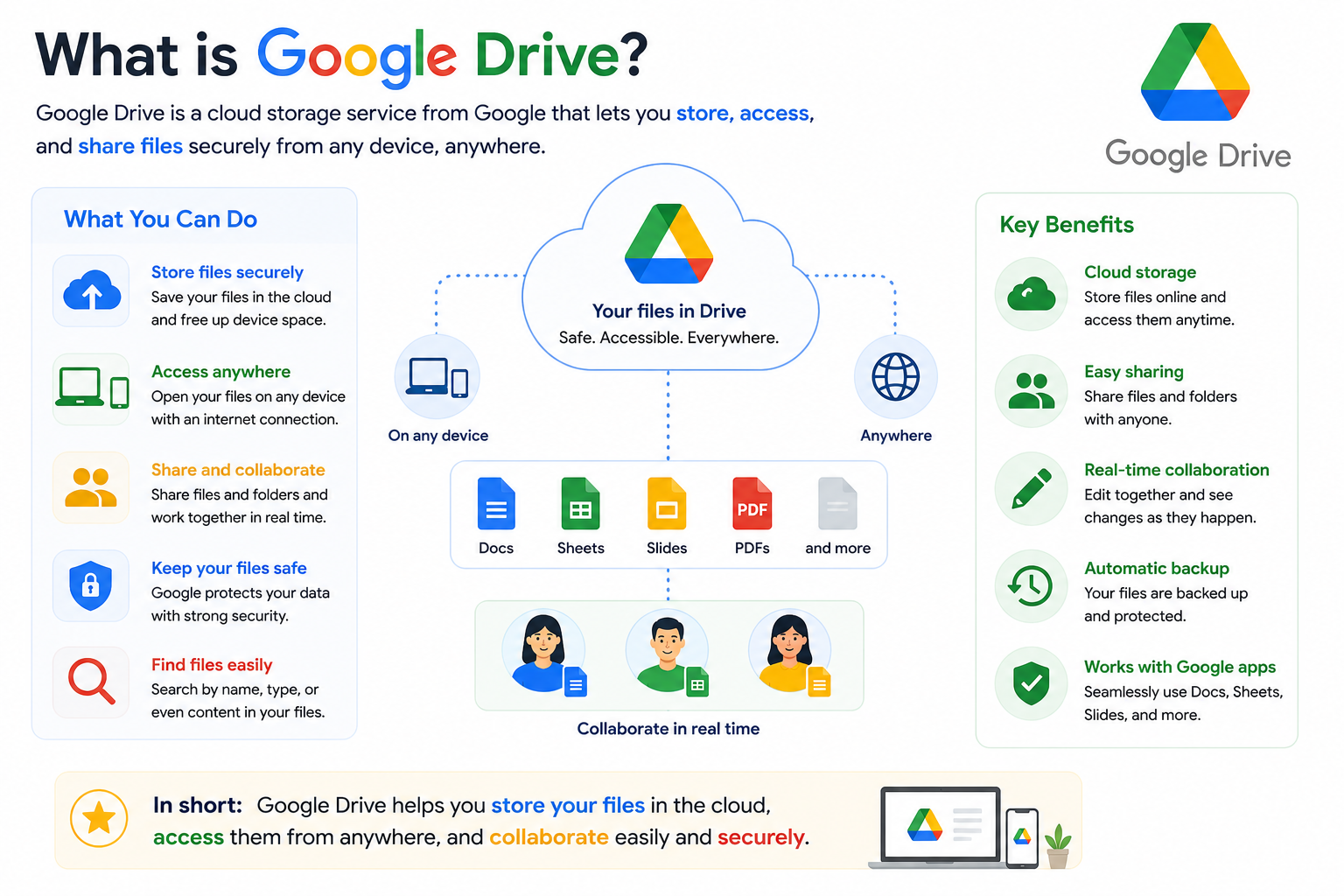
Google Drive is a cloud storage and file management platform by Google. It allows you to store files securely online and access them from anywhere.
Unlike traditional storage (like USB drives or local hard disks), Google Drive keeps your files on Google’s secure servers.
You can store:
- Documents (Docs, PDFs, Word files)
- Spreadsheets (Sheets, Excel files)
- Presentations (Slides)
- Images, videos, and audio files
- App files and backups
All you need is a Google account to start using it.
How Google Drive Works
Google Drive works through cloud synchronization.
When you upload a file:
- It is stored on Google’s cloud servers
- It becomes accessible from any device
- Any changes are saved automatically
- The file stays updated in real time across all devices
This removes the need for manual file transfers or email attachments.
Even if your device is lost or damaged, your files remain safe in the cloud.
Google Drive as a File Management System
Google Drive is not just storage—it is a structured file management system.
You can organize your files like a traditional computer, but with smarter tools.
Core File Management Features
- Create folders and subfolders for organization
- Drag and drop files easily
- Rename, move, and delete files instantly
- Advanced search using file names or content
- Star important files for quick access
- Filter files by type, owner, or date
Smart Search System
Google Drive uses advanced search technology that can even read text inside:
- PDFs
- Images (OCR technology)
- Scanned documents
This makes file retrieval extremely fast.
Google Drive in Google Workspace (Enterprise Use)
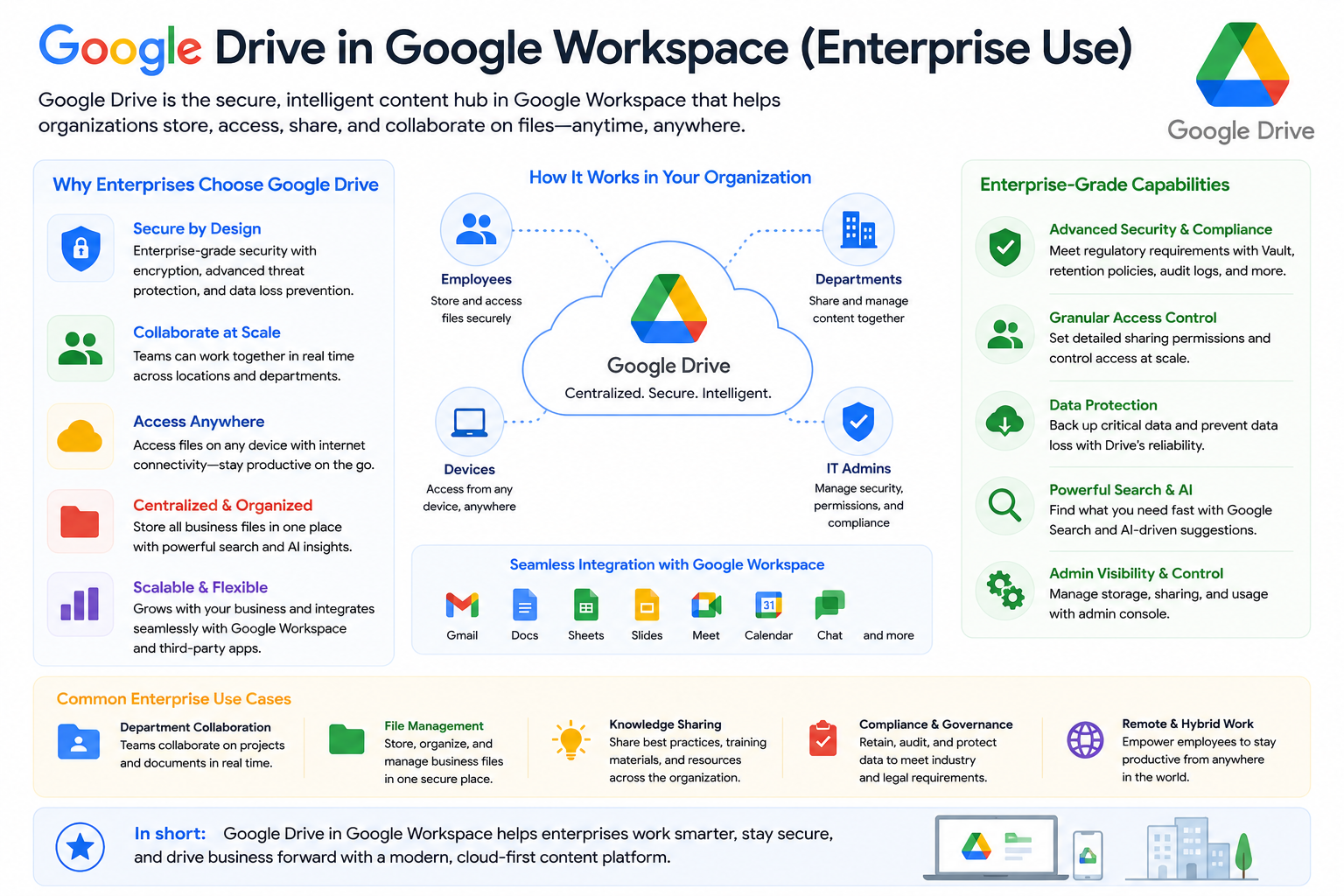
In business environments, Google Drive becomes part of Google Workspace collaboration system.
One of the most powerful features is Shared Drives.
Shared Drives (Team Storage)
Shared Drives are used by teams and organizations where:
- Files belong to the team, not individuals
- Data stays even if an employee leaves
- Access is controlled by administrators
- Teams can collaborate without file ownership issues
Workspace Integration
Google Drive connects deeply with other tools:
- Gmail → Attach Drive files directly in emails
- Google Docs → Auto-saves in Drive
- Google Sheets → Real-time team editing
- Google Meet → Meeting recordings saved automatically
This creates a fully connected workflow system.
File Sharing and Collaboration
Google Drive is designed for collaboration.
You can share files in different ways:
Sharing Options
- Viewer → Can only view files
- Commenter → Can suggest changes
- Editor → Can edit and modify files
Sharing Methods
- Share with specific email addresses
- Generate shareable links
- Control access expiration and restrictions
This makes it ideal for schools, offices, and remote teams.
Advanced Google Drive Features
Google Drive includes powerful features beyond basic storage.
Version History
You can:
- View previous versions of a file
- Restore older versions anytime
- Track who made changes
Offline Access
You can access files without internet if enabled in settings.
Drive for Desktop
This tool allows:
- Syncing files between computer and cloud
- Using Drive like a local folder
- Automatic backup of important files
File Recovery
Deleted files go to Trash and can be restored within a limited time.
Real-World Use Cases
Google Drive is used in many practical scenarios:
Education
- Teachers share assignments
- Students submit homework
- Group projects are managed online
Business
- Teams store reports and documents
- HR manages employee files
- Marketing teams collaborate on campaigns
Personal Use
- Backup of photos and videos
- Storing important documents
- Accessing files on the go
Security and Data Protection
Google Drive includes multiple security layers:
- File encryption during transfer and storage
- Two-factor authentication support
- Access control for shared files
- Admin-level security in Google Workspace
This ensures your files remain safe from unauthorized access.
Common Issues and Solutions
1. Storage Full
- Delete unused files
- Clear Google Photos or Gmail storage
2. File Not Syncing
- Check internet connection
- Restart Drive or device
3. Access Denied
- Request permission from file owner
- Check sharing settings
4. Slow Upload
- Reduce file size
- Use stable internet connection
Benefits of Google Drive
Google Drive improves productivity by offering:
- Centralized file storage
- Real-time collaboration
- Automatic backups
- Cross-device access
- Reduced dependency on physical storage
- Faster team communication
FAQs
