
Choosing the right processor is an important part of selecting a dedicated server. The CPU determines how efficiently a server handles application requests, processes databases, manages virtual machines, and performs multiple computing tasks simultaneously.
Two leading processor families in enterprise server infrastructure are AMD EPYC and Intel Xeon. Both are designed for demanding data center environments, but they differ in architecture, core configurations, memory capabilities, and specialized technologies.
When comparing AMD EPYC vs Intel Xeon for dedicated servers, there is no universal winner. AMD EPYC offers high-core-count configurations and substantial memory bandwidth, while Intel Xeon provides different processor options designed for performance-intensive and high-density workloads.
The right choice depends on your applications, virtualization requirements, processing needs, and overall server configuration.
In this guide, we compare both processor families and explain which option may be better for different dedicated server workloads.
1. AMD EPYC vs Intel Xeon: Quick Comparison
Before examining individual features, here is an overview of the main differences between these processor families.
| Comparison Factor | AMD EPYC 9005 | Intel Xeon 6 |
| Processor architecture | Zen 5 and Zen 5c | P-core and E-core architectures |
| Maximum cores per processor | Up to 192 | Up to 288 with E-core models |
| Maximum threads | Up to 384 | Depends on processor model |
| Memory technology | DDR5 | DDR5 |
| Memory channels | 12 | Depends on processor model |
| Maximum memory speed | Up to DDR5-6400 | Depends on processor and platform |
| Virtualization | AMD-V | Intel VT-x |
| Confidential computing | AMD SEV-SNP on supported platforms | Intel TDX on supported platforms |
| Specialized processing | AVX-512 | AVX-512 and Intel AMX on supported P-core models |
| Typical applications | Virtualization, cloud, databases, and enterprise workloads | Enterprise applications, cloud infrastructure, AI, and HPC |
Important: These specifications describe processor-family capabilities, not identical features available on every model. Always check the exact CPU and server platform before making a purchasing decision.
For a detailed reference, consult the AMD EPYC 9005 specifications and Intel Xeon 6 product brief.
2. Understanding AMD EPYC and Intel Xeon Processors
Both processor families are designed for professional server environments, but they use different architectures and offer different configurations.
AMD EPYC Processors
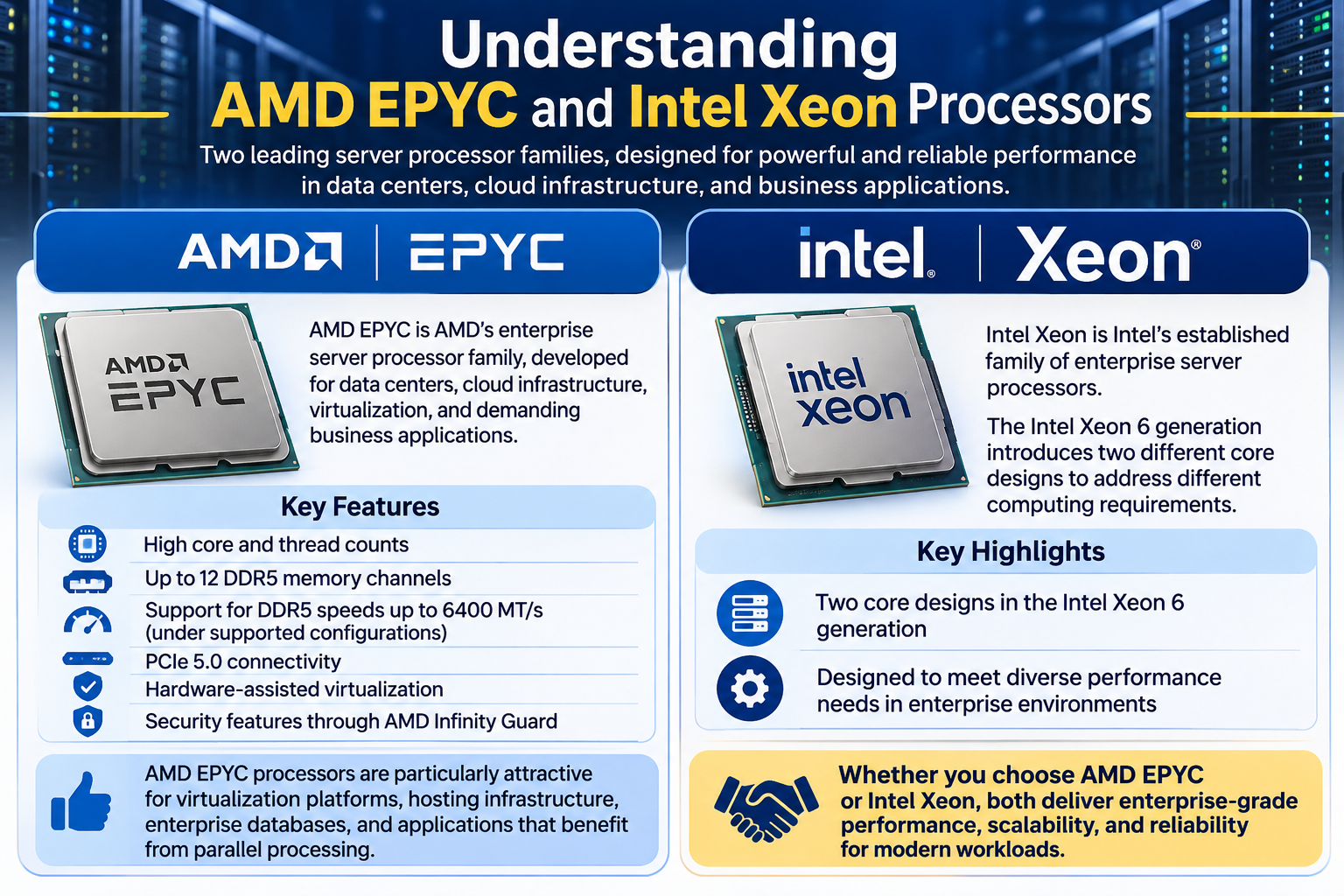
AMD EPYC is AMD’s enterprise server processor family, developed for data centers, cloud infrastructure, virtualization, and demanding business applications.
The fifth-generation EPYC 9005 series uses AMD’s Zen 5 and Zen 5c architectures. These processors offer configurations ranging from entry-level server CPUs to high-core-count models designed for intensive computing workloads.
Key characteristics include:
- High core and thread counts.
- Up to 12 DDR5 memory channels.
- Support for DDR5 memory speeds up to 6400 MT/s under supported configurations.
- PCIe 5.0 connectivity.
- Hardware-assisted virtualization.
- Security features through AMD Infinity Guard.
AMD EPYC processors are particularly attractive for virtualization platforms, hosting infrastructure, enterprise databases, and applications that can benefit from parallel processing.
Intel Xeon Processors
Intel Xeon is Intel’s established family of enterprise server processors.
The Intel Xeon 6 generation introduces two different core designs to address different computing requirements.
Performance-cores (P-cores)
P-core processors are designed for demanding workloads that benefit from strong per-core performance and advanced processing capabilities.
They are suitable for:
- Enterprise databases.
- High-performance computing.
- AI inference.
- Computationally intensive applications.
- Workloads requiring strong individual core performance.
Efficient-cores (E-cores)
E-core processors are designed for high-density computing and parallel workloads where efficient processing across many cores is important.
They are suitable for:
- Cloud-native applications.
- Large-scale web services.
- Containerized workloads.
- High-density hosting environments.
- Applications handling many simultaneous tasks.
Intel Xeon 6 therefore offers flexibility for businesses that need either performance-focused or efficiency-focused server configurations.
3. Core Count and Multicore Performance
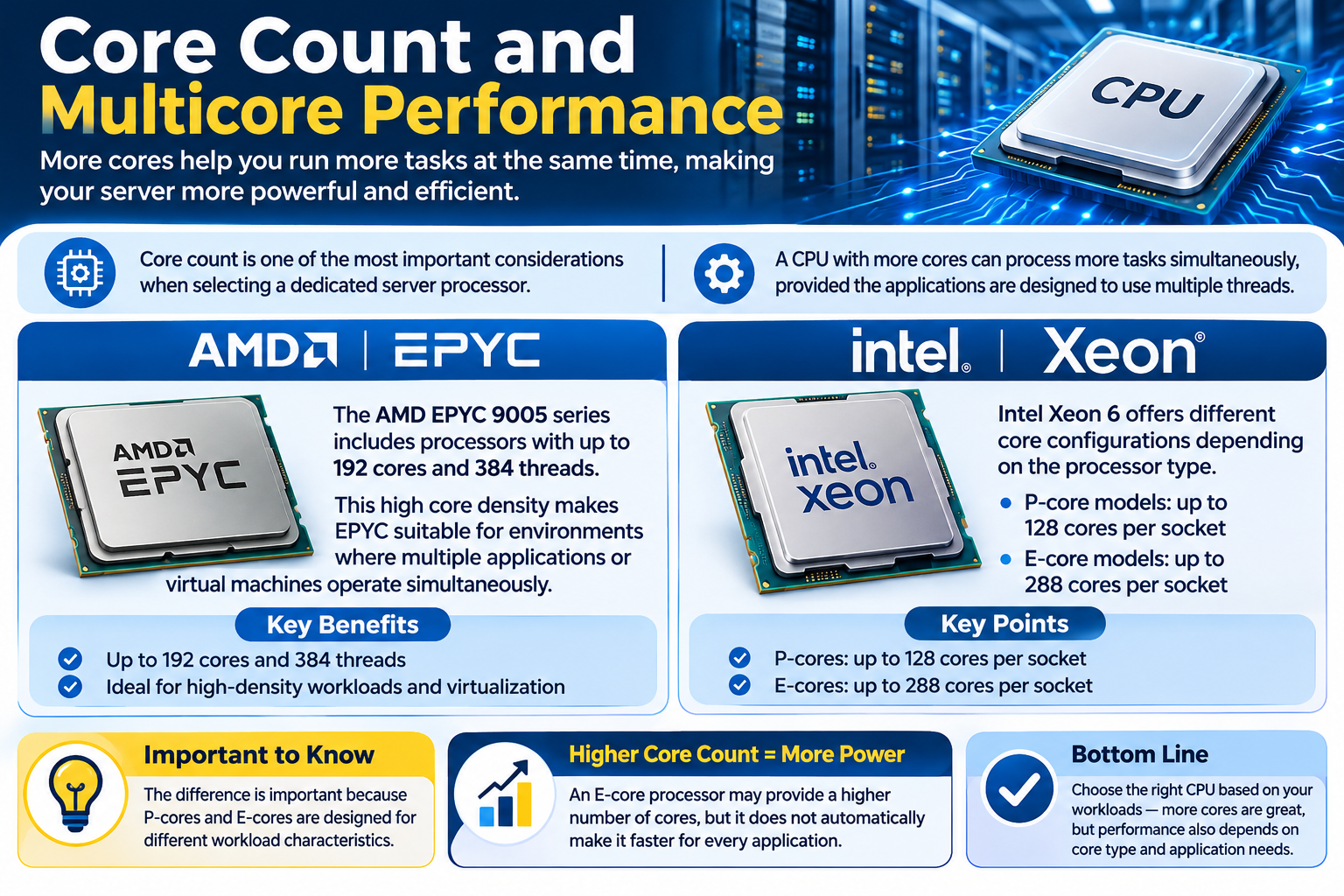
Core count is one of the most important considerations when selecting a dedicated server processor.
A CPU with more cores can process more tasks simultaneously, provided the applications are designed to use multiple processing threads effectively.
AMD EPYC Core Configurations
The AMD EPYC 9005 series includes processors with up to 192 cores and 384 threads.
This high core density makes EPYC suitable for environments where multiple applications or virtual machines operate simultaneously.
For example, a hosting provider running several KVM-based VPS instances may benefit from a high-core-count EPYC processor because the available processing resources can be allocated across multiple virtual machines.
Intel Xeon Core Configurations
Intel Xeon 6 offers different core configurations depending on the processor type.
- P-core models offer up to 128 cores per socket.
- E-core models offer up to 288 cores per socket.
The difference is important because P-cores and E-cores are designed for different workload characteristics.
An E-core processor may provide a higher number of cores, but that does not automatically make it faster for every application.
Which is better?
AMD EPYC is a strong option for workloads requiring high core density and substantial parallel processing.
Intel Xeon 6 E-core processors are also attractive for high-density workloads, while P-core models target applications requiring strong per-core performance.
The best choice depends on the actual processor model and the software being used.
4. Single-Core Performance and Clock Speed
More CPU cores do not automatically mean better application performance.
Some applications depend heavily on single-core performance. They may not distribute their processing tasks efficiently across multiple CPU cores.
Examples include:
- Certain database operations.
- Some game server environments.
- Applications with sequential processing tasks.
- Older business applications.
- Software that is not optimized for multicore processing.
Clock speed is an important consideration, but it should not be used as the only performance measurement.
CPU architecture, cache size, memory latency, and application optimization also influence processing performance.
When comparing AMD EPYC and Intel Xeon, examine the base frequency, maximum boost frequency, and benchmark results for the exact models.
A processor with a higher advertised clock speed is not necessarily faster in every application.
5. Memory Bandwidth and Capacity
Memory performance is particularly important for dedicated servers running databases, virtualization platforms, and applications that process large amounts of data.
The CPU continuously accesses system memory while executing application instructions. If memory bandwidth is insufficient, memory-intensive workloads may experience performance limitations.
AMD EPYC Memory Capabilities
AMD EPYC 9005 processors support:
- 12 DDR5 memory channels.
- Memory speeds up to DDR5-6400 under supported configurations.
- Large registered ECC memory configurations, depending on the server platform.
Having multiple memory channels allows the processor to access more memory data simultaneously.
This can benefit virtualization environments, databases, analytics platforms, and other memory-intensive applications.
Intel Xeon Memory Capabilities
Intel Xeon 6 processors also support enterprise DDR5 memory configurations.
Selected Xeon 6 P-core platforms support MRDIMM technology, which can provide higher memory bandwidth than conventional DDR5 configurations.
Memory capabilities vary across Xeon processor models and server platforms.
What Should You Compare?
When selecting a dedicated server, examine:
- Number of memory channels.
- Supported DDR memory generation.
- Maximum supported memory speed.
- Installed RAM capacity.
- ECC memory support.
- Memory population and configuration.
A processor’s memory specifications are only part of the equation. The actual RAM configuration installed in the server also affects performance.
6. Virtualization Performance: AMD EPYC vs Intel Xeon
Virtualization is one of the most important applications of modern dedicated servers.
Hosting providers use technologies such as KVM and VMware to divide physical server resources into multiple virtual machines.
The CPU determines how much processing capacity is available to these virtual environments.
AMD EPYC for Virtualization
AMD EPYC processors are well suited to virtualization environments because of their high core counts and memory capabilities.
They can support demanding infrastructure running multiple virtual machines and containerized applications.
Common use cases include:
- KVM-based VPS hosting.
- Private cloud infrastructure.
- Virtualized business applications.
- Multi-tenant hosting environments.
- Container orchestration platforms.
AMD-V provides hardware-assisted virtualization support. AMD SEV-SNP adds confidential computing capabilities on supported processors and platforms by providing additional protection for virtual machine memory integrity and isolation.
Intel Xeon for Virtualization
Intel Xeon processors also provide established virtualization capabilities.
Intel VT-x supports hardware-assisted virtualization, while Intel TDX provides confidential virtual machine capabilities on supported platforms.
Xeon processors can be used for:
- VMware virtualization.
- KVM-based infrastructure.
- Enterprise virtual machines.
- Private cloud environments.
- Containerized applications.
Which processor should hosting providers choose?
AMD EPYC is worth considering when high core density and memory bandwidth are priorities.
Intel Xeon is equally relevant when its processor configuration and platform capabilities better match the intended virtualization environment.
For example, a hosting provider planning to operate 50 KVM-based VPS instances should evaluate more than the number of CPU cores.
The server also needs sufficient RAM, fast NVMe storage, adequate network capacity, and an appropriate CPU allocation strategy.
The actual workload and resource allocation policies determine how many virtual machines a physical server can support efficiently.
7. Power Efficiency and Operating Costs
Processor selection also affects the operating costs of a dedicated server.
Power consumption contributes to data center electricity expenses, while cooling requirements add another operational consideration.
Both AMD EPYC and Intel Xeon offer processors designed for different performance and power requirements.
AMD EPYC provides high-performance options designed for demanding workloads, while Intel Xeon 6 E-core processors specifically target efficient, high-density computing.
However, comparing processor TDP alone does not establish which server is more power-efficient.
Consider these factors:
- Processor TDP.
- Actual server power consumption.
- Number of installed processors.
- RAM and storage configuration.
- Cooling requirements.
- Performance delivered per watt.
- Overall workload utilization.
For example, a processor with higher power consumption may complete a demanding workload more quickly, potentially delivering better performance per watt.
For accurate comparisons, evaluate complete server configurations under similar workload conditions.
8. Which Processor Is Better for Different Dedicated Server Workloads?
The right processor depends on the applications and services running on the server.
The following table provides practical guidance.
| Workload | Processor Selection Consideration |
| KVM-based VPS hosting | AMD EPYC is attractive for high core density; Intel Xeon E-core is also worth evaluating |
| Enterprise databases | Compare actual database benchmarks, memory bandwidth, and latency |
| High-traffic websites | Consider per-core performance, concurrency, caching, and storage |
| Ecommerce applications | Both are suitable; prioritize application and database requirements |
| Game servers | Prioritize strong per-core performance and low latency |
| Cloud infrastructure | Evaluate core density, memory capacity, I/O, and power efficiency |
| AI inference | Compare accelerator support, Intel AMX capabilities, and application-specific requirements |
| High-performance computing | Evaluate floating-point performance, memory bandwidth, and software optimization |
| General business applications | Select according to application requirements and total server cost |
Example: Choosing a CPU for VPS Hosting
Imagine a hosting provider wants to deploy several VPS instances on one physical server.
An AMD EPYC processor with a high core count could be attractive because it provides substantial parallel processing capacity.
An Intel Xeon 6 E-core processor may also be worth considering for a high-density hosting environment.
However, the final decision should account for:
- Total CPU cores and available threads.
- Physical RAM capacity.
- Memory bandwidth.
- NVMe storage performance.
- Network connectivity.
- Expected VPS utilization.
- CPU oversubscription policies.
This is why comparing the complete server configuration is more useful than selecting hardware based on CPU core count alone.
9. How to Compare Specific AMD EPYC and Intel Xeon Models
Comparing processor families provides a useful overview, but businesses should examine individual processor models before selecting dedicated server hardware.
For example, comparing an AMD EPYC 9005 processor with an Intel Xeon 6 processor requires examining their actual specifications rather than relying on their product-family names.
Use the following checklist:
1. Processor generation
Compare processors from similar generations where possible. Newer architectures may offer improvements in performance, efficiency, and memory support.
2. Core and thread count
Check how many physical cores and processing threads are available. Consider whether your application benefits from additional cores.
3. Clock frequency
Examine base and boost frequencies, particularly for applications sensitive to single-core performance.
4. Cache size
Larger CPU caches can benefit some workloads by reducing the need to access system memory frequently. The actual impact depends on the application.
5. Memory bandwidth
Compare the number of memory channels, supported memory speeds, and the RAM configuration of the physical server.
6. PCIe connectivity
Check available PCIe lanes and supported generations if your server requires multiple NVMe drives, high-speed network cards, or hardware accelerators.
7. Power requirements
Compare processor TDP and the actual power requirements of the complete server.
8. Benchmark results
Use application-specific benchmarks where possible. A processor performing well in synthetic tests may not deliver the same advantage in your particular application.
Useful independent benchmark resources include SPEC and Phoronix.
Always compare results from similar configurations and software versions.
10. Final Verdict: AMD EPYC or Intel Xeon for Dedicated Servers?
Both AMD EPYC and Intel Xeon are capable enterprise server processor families. The best choice depends on the specific processor model, server configuration, and intended workload.
Choose AMD EPYC when:
- You need high CPU core density.
- Your workloads benefit from parallel processing.
- You are building virtualization or VPS hosting infrastructure.
- Memory bandwidth is an important consideration.
- You need a scalable enterprise server platform.
Consider Intel Xeon when:
- Your applications benefit from strong P-core performance.
- You need high-density E-core configurations.
- Your workload benefits from Intel AMX or other supported acceleration technologies.
- Your existing software and server platform are optimized for Intel.
- A particular Xeon configuration offers better value for your requirements.
For businesses in Pakistan considering dedicated server hosting, the most practical approach is to evaluate the actual processor model, RAM, storage, network capacity, and overall infrastructure before making a decision.
At CreativeON, understanding these hardware differences helps businesses make informed decisions about the dedicated server resources required for their applications.
Ultimately, the best dedicated server is not necessarily the one with the highest core count or the most expensive processor. It is the one that delivers the right combination of performance, reliability, scalability, and value for your workload.
Frequently Asked Questions
