
Software development requires more than writing code. Developers, project managers, designers, QA engineers, and clients must communicate, share documents, coordinate tasks, and keep project information organized.
When teams work from different locations, managing these activities can become challenging. Project requirements may be scattered across emails, technical documents can become difficult to maintain, and team members may struggle to find the latest project updates.
Google Workspace for software development teams provides a collection of cloud-based tools that can support communication, project coordination, documentation, file sharing, and remote collaboration.
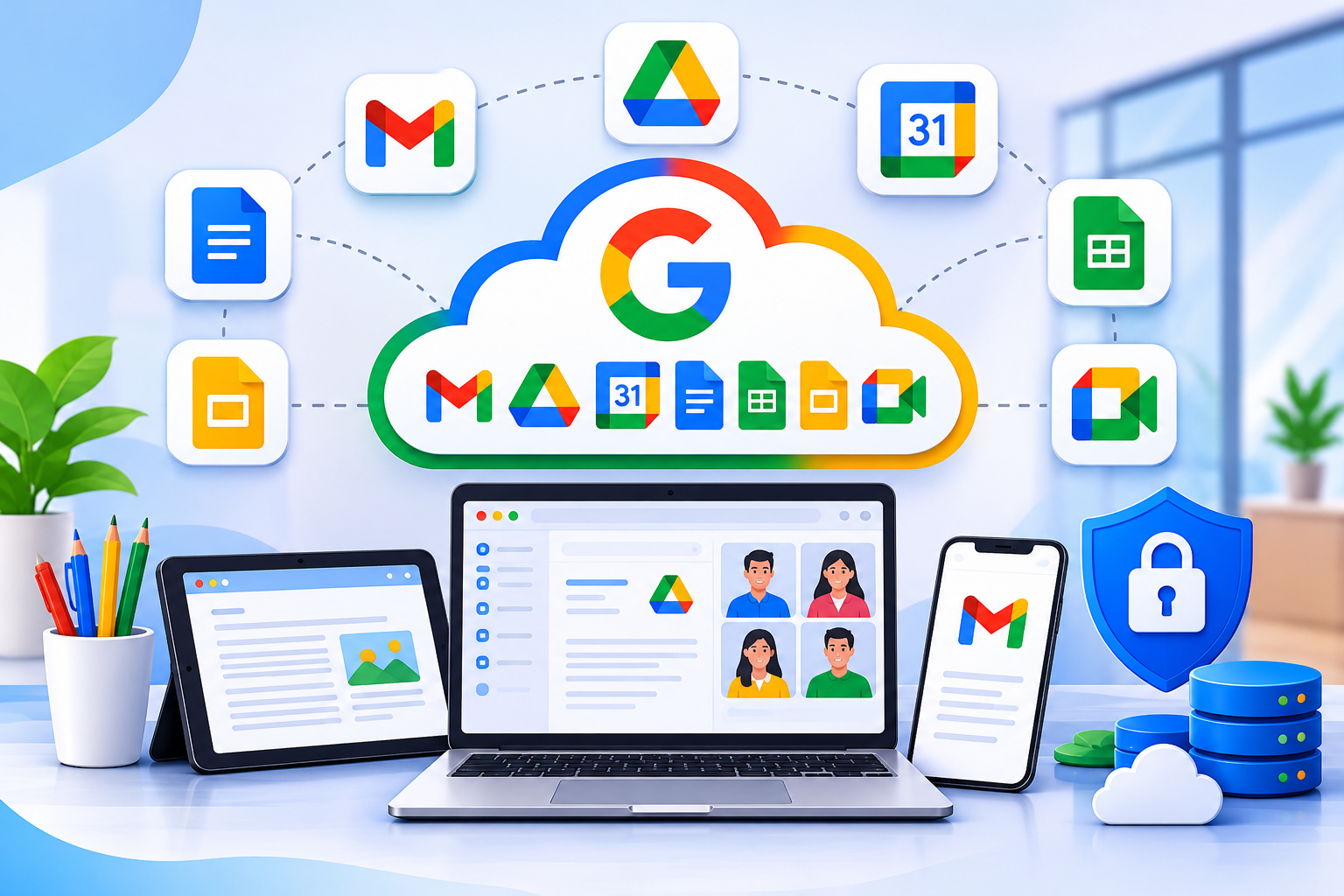
Applications such as Gmail, Google Chat, Google Drive, Google Docs, Google Sheets, Google Forms, Google Calendar, and Google Meet can help software companies organize their everyday work.
Google Workspace does not replace development platforms such as GitHub, GitLab, Jira, or software development environments. Instead, it complements these tools by supporting the communication and administrative activities that take place throughout a software project.
In this guide, we explore how software development teams can use Google Workspace in their daily workflows and how these applications can support different stages of software development.
What Is Google Workspace for Software Development Teams?
Google Workspace is a collection of business productivity and collaboration applications that organizations can use for communication, document management, scheduling, and teamwork.
For software development companies, these applications can provide a shared environment for managing project information and coordinating activities between different departments.
For example:
- Developers can use Google Chat for internal discussions and project updates.
- Project managers can use Google Calendar to schedule meetings and milestones.
- Technical writers can prepare documentation using Google Docs.
- Teams can organize project files using Google Drive.
- Managers can maintain simple task trackers using Google Sheets.
- QA teams can collect feedback through Google Forms.
- Remote developers can participate in meetings using Google Meet.
These applications can support software houses, IT service providers, technology startups, and companies with distributed development teams.
However, Google Workspace is primarily a productivity and collaboration platform. It does not independently provide source code management, advanced bug tracking, software testing, or deployment automation.

How Software Development Teams Can Use Google Workspace
Different members of a development team have different responsibilities. Google Workspace applications can support many of their everyday communication and coordination requirements.
1. Gmail for Business for Professional Communication
Email remains an important communication channel for software development companies.
Teams use email to communicate with clients, discuss project requirements, share proposals, send progress reports, and handle business correspondence.
Gmail for Business allows companies to use professional email addresses based on their own domain name.
For example:
Software development teams can use Gmail for:
- Communicating with clients and stakeholders.
- Sending project proposals and quotations.
- Discussing requirements and deliverables.
- Sharing project updates and reports.
- Organizing conversations using labels and filters.
- Managing communication with external vendors.
- Maintaining separate email addresses for departments.
Google Groups can also support shared email communication when configured for the organization’s requirements.
For example, a project manager can use a project-related group address to communicate with relevant team members rather than maintaining separate recipient lists.
Practical tip: Use Gmail for formal communication, client correspondence, and important approvals. Google Chat is generally more convenient for quick internal discussions.
2. Google Chat for Developer Communication and Team Collaboration
Software development involves frequent communication between developers, designers, QA engineers, project managers, and other stakeholders.
Google Chat supports direct messages and dedicated spaces where teams can organize discussions around projects and departments.
A software company can create separate spaces for different activities.
| Google Chat Space | Purpose |
| Development Team | General technical discussions |
| Project Alpha | Project updates and coordination |
| QA and Testing | Testing discussions and reports |
| Client Projects | Internal client-related coordination |
| Deployment Updates | Release and deployment notifications |
| IT Support | Internal technical support requests |
Team members can share files, discuss project issues, and collaborate without relying entirely on email.
Connecting Google Chat with development tools
Google Chat can also work with external systems through supported Chat apps, webhooks, and integrations.
For example, a development team may configure notifications from external systems to appear in a relevant Chat space.
Possible use cases include:
- Receiving updates about GitHub pull requests.
- Sharing notifications from issue-tracking platforms.
- Posting server monitoring alerts.
- Receiving deployment notifications.
- Sharing important incident updates with the development team.
Google’s developer platform supports Chat apps and incoming webhooks that can connect external services to Chat. The exact setup depends on the external application, permissions, and technical configuration.
For example, a monitoring system can send an alert to a designated Google Chat space when a server becomes unavailable.
This gives relevant team members another place to receive operational notifications.
For complex development discussions, code reviews, and issue management, teams should continue using their dedicated development platforms.
3. Google Drive for Project File Management
Software development projects generate many documents and files throughout their lifecycle.
These may include:
- Software requirement specifications.
- Technical architecture documents.
- UI/UX designs.
- Project proposals.
- Testing reports.
- Client documentation.
- User manuals.
- Meeting records.
- Approved project deliverables.
Google Drive provides cloud storage where authorized team members can organize, access, and share project documents.
A software development company can create a structured folder system for different projects and departments.
Example Google Drive folder structure
Software Development Projects
│
├── Project Alpha
│ ├── Requirements
│ ├── Technical Documentation
│ ├── UI and UX Designs
│ ├── Testing Reports
│ ├── Meeting Records
│ └── Client Deliverables
│
├── Project Beta
│ ├── Requirements
│ ├── Designs
│ ├── Documentation
│ └── Reports
│
└── Internal Documentation
├── Company Policies
├── Development Guidelines
└── Employee Resources
This structure is illustrative. Each company can organize its files according to its project requirements.
For organizations using Shared Drives, project files can be maintained in shared organizational storage rather than depending entirely on individual employee accounts. Availability and administrative capabilities depend on the Google Workspace edition and account configuration.
Access permissions should be reviewed regularly, particularly when employees leave projects or when external clients and contractors are involved.
Google Drive is useful for project documents and approved deliverables. It should not automatically be treated as a replacement for source code repositories or specialized artifact storage.
4. Google Docs for Technical Documentation and Knowledge Management
Technical documentation is an important part of software development.
Teams need to document project requirements, explain system functionality, describe technical decisions, and prepare instructions for developers and clients.
Google Docs allows authorized team members to collaborate on documents, add comments, suggest changes, and review document history.
Software development companies can use Google Docs for:
- Software requirement specifications.
- Project scope documents.
- Technical proposals.
- System architecture explanations.
- API usage guides.
- Development procedures.
- Meeting agendas and minutes.
- Client instructions and user manuals.
- Employee onboarding documentation.
Building a shared technical knowledge base
A development company can organize its technical documents in Google Drive and maintain the content in Google Docs.
For example, a new developer joining a project may need access to:
- Project background and requirements.
- System architecture explanations.
- Development guidelines.
- Testing procedures.
- Deployment instructions.
- Internal communication policies.
Keeping approved documentation in organized locations makes it easier for authorized team members to find relevant information.
However, documentation that needs to remain closely connected to the source code, such as README files and code-level documentation, should generally remain in the relevant version-controlled repository.
Google Docs and Drive can complement repository documentation by supporting broader project knowledge and collaboration.
5. Google Sheets for Project Tracking and Reporting
Project managers need an overview of task assignments, deadlines, milestones, and project progress.
Google Sheets can support basic project tracking and reporting.
For example, a software development company can maintain a shared task tracker.
| Task | Assigned To | Priority | Status |
| User registration | Developer A | High | In Progress |
| Dashboard design | Designer | Medium | Completed |
| API testing | QA Engineer | High | Pending |
| Payment integration | Developer B | High | In Progress |
| Client review | Project Manager | Medium | Pending |
Other useful applications include:
- Project milestone tracking.
- Development schedules.
- Resource allocation.
- Testing summaries.
- Team workload reports.
- Client feedback tracking.
- Release planning.
Multiple authorized team members can collaborate on a spreadsheet. Filters, dropdown lists, and formulas can help organize information.
When should teams use dedicated project management tools?
Google Sheets is useful for simple tracking, but it is not designed to replace every project management platform.
| Google Sheets works well for | Dedicated tools are better for |
| Basic task lists | Advanced issue tracking |
| Milestone tracking | Sprint management |
| Simple progress reports | Task dependencies |
| Resource planning | Complex workload management |
| Testing summaries | Detailed bug management |
| Lightweight project reporting | Advanced project dashboards |
Development teams managing larger projects may need specialized tools such as Jira or other project management platforms.
6. Google Calendar for Development Schedules and Meetings
Software development teams regularly work with deadlines, sprint schedules, client meetings, testing sessions, and product release dates.
Google Calendar helps teams organize these activities.
A company can create shared calendars for departments or individual projects, depending on its requirements and sharing settings.
Common uses include:
- Scheduling daily stand-up meetings.
- Planning sprint reviews.
- Organizing client discussions.
- Setting project milestone reminders.
- Scheduling code review sessions.
- Coordinating product releases.
- Managing team availability.
For example, a project manager can schedule a weekly development meeting and invite developers, designers, and QA engineers.
The invitation can include links to relevant Google Docs, Sheets, or other project materials.
This allows participants to review important information before the meeting.
Google Calendar supports scheduling and coordination, but it does not replace advanced sprint planning or development task management.
7. Google Meet for Remote Development Teams
Software development companies may have employees working from different offices, cities, or countries.
Google Meet supports video meetings and remote collaboration.
Development teams can use it for:
- Daily stand-up meetings.
- Sprint planning sessions.
- Technical discussions.
- Client presentations.
- Project progress reviews.
- Team training.
- Remote troubleshooting discussions.
Screen sharing is particularly useful when developers need to demonstrate an application, explain a technical issue, or review a user interface with designers and clients.
For example, a developer can share an application running in a browser while discussing a reported issue with the QA team.
Available meeting features, such as recording, transcription, and participant limits, depend on the Google Workspace subscription and administrator settings.
8. Google Forms for Internal Requests and Feedback
Software development companies often need to collect information from employees, clients, and project stakeholders.
Google Forms can help create simple online forms for collecting structured responses.
Suitable examples include:
- Employee onboarding requests.
- Internal IT support requests.
- Software testing feedback.
- Client satisfaction surveys.
- Training evaluations.
- Equipment requests.
- Internal service requests.
For example, a QA team can create a testing feedback form to collect observations from internal testers.
The responses can be reviewed and organized for further discussion.
Google Forms is suitable for basic information collection. It should not replace a dedicated bug tracking system when teams need issue assignment, severity levels, reproduction steps, and resolution workflows.
Organizations should also review what information they collect and apply appropriate access and data-handling controls.
How Google Workspace Supports the Software Development Lifecycle
Google Workspace can support different activities throughout the software development lifecycle, from initial requirements to maintenance and client communication.
It does not perform the technical development activities itself. Instead, it provides tools that help teams organize the information and communication surrounding those activities.
| Development stage | Relevant Workspace apps | Example use |
| Requirement gathering | Gmail, Docs, Meet | Discuss and document client requirements |
| Project planning | Sheets, Calendar | Track milestones and schedules |
| UI/UX design | Drive, Meet, Docs | Share designs and review feedback |
| Development | Chat, Docs, Drive | Discuss technical decisions and access project documents |
| Testing and QA | Forms, Sheets, Drive | Collect feedback and organize testing summaries |
| Deployment | Chat, Calendar | Coordinate release schedules and notifications |
| Maintenance | Gmail, Docs, Chat | Manage client communication and support documentation |
For example, during requirement gathering, a project manager can prepare a Google Docs specification and share it with developers and designers.
During development, the team can use Google Chat for coordination while developers manage code through GitHub or GitLab.
During testing, QA engineers can collect feedback through Forms and organize non-sensitive testing summaries in Sheets.
This approach allows Google Workspace to support the wider development workflow without replacing specialist engineering applications.
Practical Example: A Software Development Team Using Google Workspace
Consider a software development company working on a web application for a client.
The team consists of:
- One project manager.
- Three software developers.
- One UI/UX designer.
- Two QA engineers.
The company can use Google Workspace throughout the project.
Step 1: Document project requirements
The project manager prepares the initial software requirements document in Google Docs and shares it with the relevant team members.
Step 2: Organize communication
A dedicated Google Chat space is created for project discussions, updates, and coordination.
Step 3: Organize project files
Approved designs, requirements, meeting records, and client deliverables are stored in an appropriately permissioned Google Drive location.
Step 4: Track project progress
The project manager maintains a simple Google Sheets tracker for milestones, responsibilities, and progress summaries.
The developers continue managing technical tasks and code changes through their preferred development platform.
Step 5: Coordinate meetings
Google Calendar is used to schedule sprint meetings, client discussions, and project reviews.
Step 6: Conduct remote reviews
Google Meet supports online demonstrations and discussions between developers, QA engineers, project managers, and clients.
Step 7: Collect feedback
Google Forms can be used to collect structured feedback from internal testers or stakeholders where appropriate.
In this example, Google Workspace supports communication and administrative coordination while specialist development platforms handle software engineering activities.
Benefits of Google Workspace for Software Development Companies
Using Google Workspace can help software development companies organize everyday business and collaboration activities.
Some practical benefits include:
- Centralized communication: Gmail and Google Chat support formal and internal communication.
- Shared documentation: Google Docs allows authorized team members to collaborate on project documents.
- Organized file management: Google Drive provides a shared location for approved project files.
- Better meeting coordination: Google Calendar and Meet support remote and in-person collaboration.
- Flexible teamwork: Team members can access supported applications from different locations and devices.
- Professional business email: Companies can communicate with clients using email addresses based on their own domain.
- Administrative control: Google Workspace administrators can manage user accounts and available access policies.
- Support for distributed teams: Cloud-based collaboration tools can help teams coordinate activities across offices and locations.
The actual benefits depend on the organization’s requirements, subscription, configuration, and working practices.
Google Workspace vs. Software Development Tools
An important consideration is that Google Workspace and software development platforms serve different purposes.
Google Workspace focuses on business communication, document management, scheduling, and collaboration.
Development platforms provide specialist functionality for writing code, managing repositories, tracking bugs, conducting code reviews, and deploying applications.
| Requirement | Suitable Tool |
| Professional business email | Gmail |
| Team communication | Google Chat |
| Project documentation | Google Docs |
| Cloud file storage | Google Drive |
| Basic project tracking | Google Sheets |
| Meetings | Google Meet |
| Scheduling | Google Calendar |
| Internal feedback collection | Google Forms |
| Source code management | GitHub or GitLab |
| Issue and bug tracking | Jira or similar platforms |
| Code development | IDEs such as Visual Studio Code |
| Continuous integration and deployment | CI/CD platforms |
Google Workspace can work alongside third-party development applications through supported integrations and configured workflows.
For example, external systems can send notifications to Google Chat through suitable apps or webhooks.
The objective is not to replace existing development platforms but to provide a coordinated environment for the wider team.
Security Considerations for Software Development Teams
Software development companies may handle confidential information, including client documents, system architecture details, source-code references, credentials, and business records.
Using cloud collaboration tools requires appropriate security practices.
Consider the following measures:
- Control file access: Share project documents only with authorized employees and external collaborators.
- Enable strong authentication: Use two-step verification and appropriate account security controls.
- Review external sharing: Regularly check who can access shared documents and files.
- Manage employee accounts: Update access when employees join, leave, or change responsibilities.
- Protect development credentials: Do not store API keys, SSH private keys, database passwords, or production credentials in ordinary Google Docs or Sheets.
- Use appropriate secrets-management tools: Store sensitive development credentials in dedicated secrets-management systems.
- Protect client information: Apply appropriate sharing restrictions to confidential project specifications and architecture documents.
- Train employees: Establish clear policies for sharing documents and handling business information.
- Review administrator settings: Apply available security and access controls according to organizational requirements.
Google Workspace provides administrative and security capabilities, but their availability varies by subscription and configuration.
Organizations should evaluate their security requirements and avoid assuming that a subscription alone protects every type of information.
Is Google Workspace Suitable for Every Software Development Company?
Google Workspace can be useful for software startups, software houses, IT service providers, and established development companies.
It is particularly relevant when teams need professional business email, shared documentation, cloud file access, online meetings, and communication tools.
However, organizations have different operational and technical requirements.
A small software development team may find Gmail, Drive, Docs, Chat, and Calendar sufficient for many daily coordination activities.
A larger software company may also need dedicated platforms for:
- Advanced project management.
- Source code repositories.
- Automated software testing.
- Deployment management.
- Security monitoring.
- Software development lifecycle management.
- Technical incident management.
Companies should evaluate their existing workflows and select Google Workspace applications that provide practical value to their teams.
Frequently Asked Questions
