
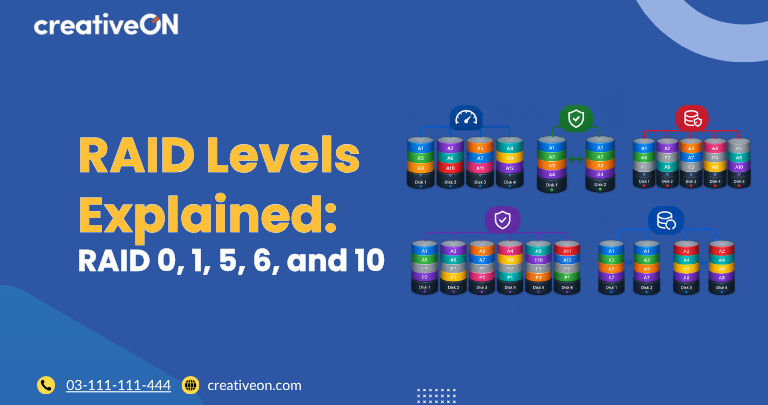
RAID (Redundant Array of Independent Disks) combines multiple storage drives into a single logical storage system to improve performance, provide redundancy, or balance usable capacity with protection against drive failures. Different RAID levels use different methods to store data, so choosing the right configuration depends on your server workload, storage requirements, and reliability needs.
For server administrators, understanding RAID levels is important when planning storage for databases, business applications, file servers, and virtualization environments.
What Is RAID?
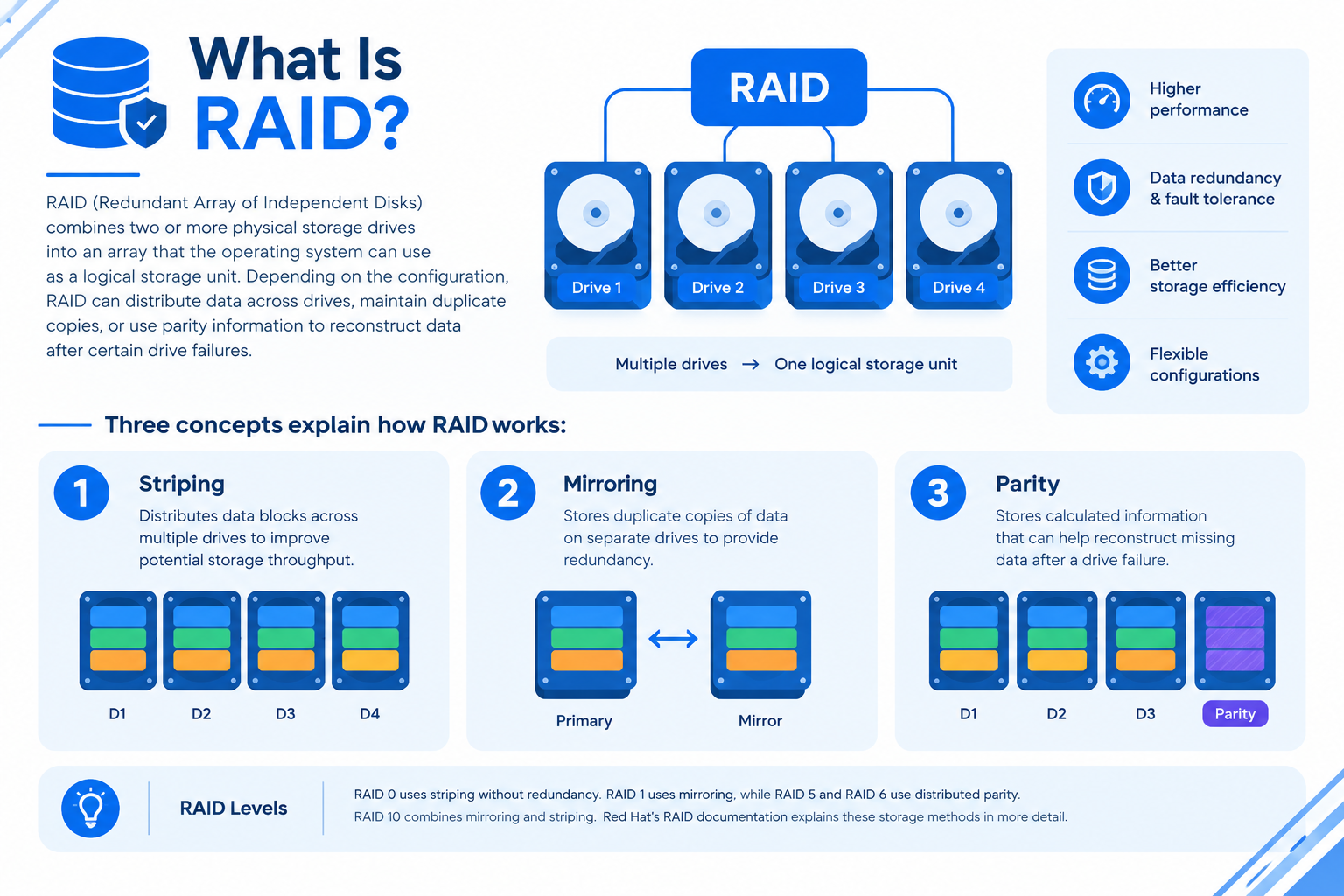
RAID combines two or more physical storage drives into an array that the operating system can use as a logical storage unit. Depending on the configuration, RAID can distribute data across drives, maintain duplicate copies, or use parity information to reconstruct data after certain drive failures.
Three concepts explain how RAID works:
- Striping: Distributes data blocks across multiple drives to improve potential storage throughput.
- Mirroring: Stores duplicate copies of data on separate drives to provide redundancy.
- Parity: Stores calculated information that can help reconstruct missing data after a drive failure.
RAID 0 uses striping without redundancy. RAID 1 uses mirroring, while RAID 5 and RAID 6 use distributed parity. RAID 10 combines mirroring and striping. Red Hat’s RAID documentation explains these storage methods in more detail.
Common RAID Levels Explained
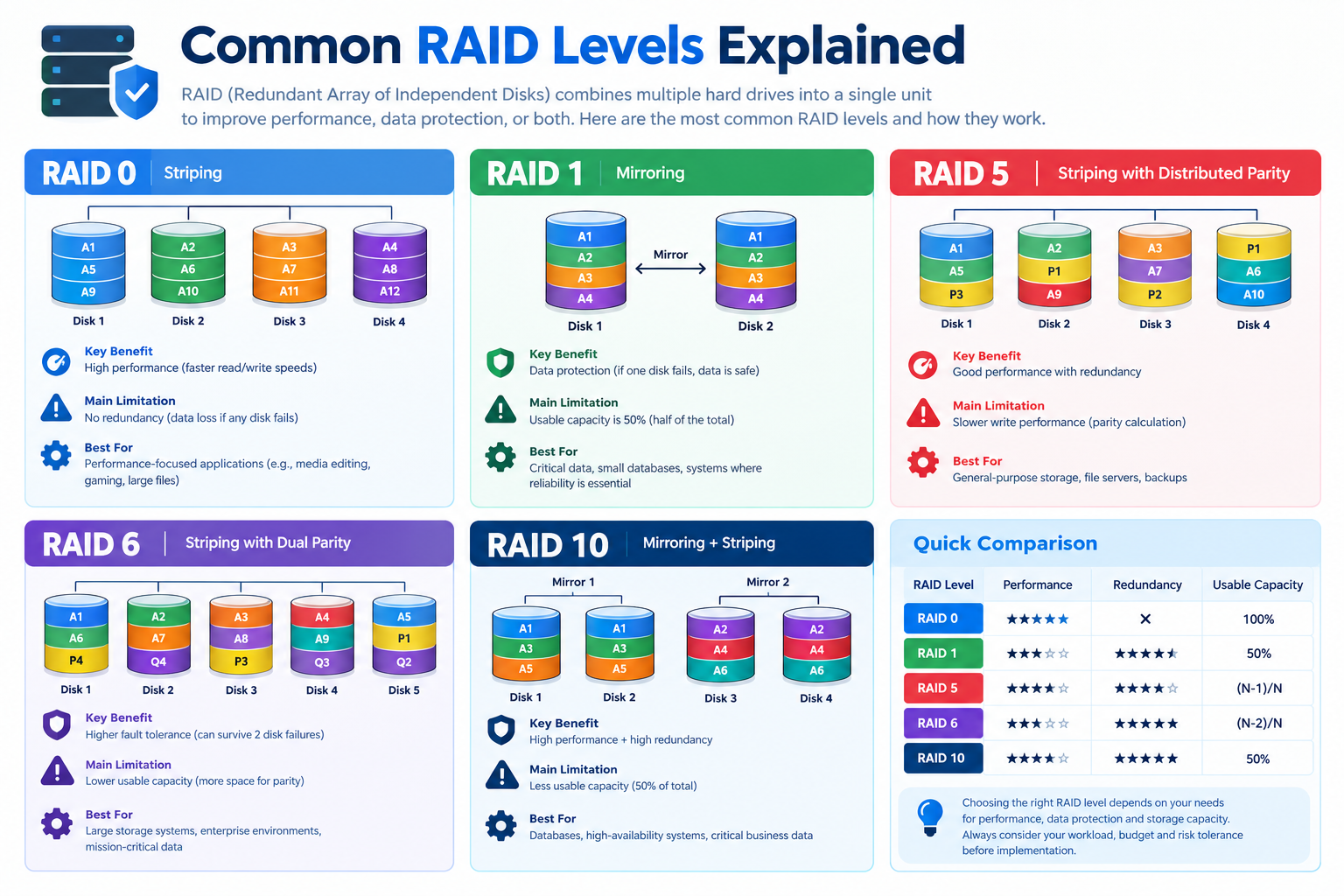
The most common RAID configurations for servers are RAID 0, RAID 1, RAID 5, RAID 6, and RAID 10. Each offers a different balance of capacity, performance, and drive-failure tolerance.
RAID 0: Performance Through Striping
RAID 0 distributes data across multiple drives, allowing storage operations to use several drives in parallel. It can improve aggregate throughput, depending on the workload and storage hardware.
Key characteristics:
- Requires at least two drives in standard configurations.
- Uses the combined capacity of the drives when they are equal in size.
- Can deliver high throughput for suitable workloads.
- Provides no redundancy against drive failure.
For example, two 1 TB drives in RAID 0 provide approximately 2 TB of usable capacity before formatting and system overhead.
However, if either drive fails, the entire array may become inaccessible and data stored on it may be lost.
Best suited for: Temporary files, scratch storage, and workloads where data can be recreated and performance is more important than drive-failure protection.
RAID 0 is generally unsuitable for storing the only copy of important business data.
RAID 1: Data Mirroring
RAID 1 writes identical data to two drives, creating a mirrored copy. If one drive fails, the system can continue operating from the surviving drive, provided the remaining storage and RAID implementation are functioning correctly.
Key characteristics:
- Typically requires two drives.
- Can tolerate one drive failure in a two-drive mirror.
- Provides approximately half the combined raw capacity as usable storage.
- Offers straightforward redundancy against an individual drive failure.
For example, two 1 TB drives in RAID 1 provide approximately 1 TB of usable capacity before formatting.
Best suited for: Small business servers, operating-system volumes, and workloads that need simple drive redundancy without a large storage array.
RAID 1 does not protect against every type of data loss. Accidental deletion, malware, file corruption, or damage affecting both drives can still destroy data.
RAID 5: Storage Efficiency With Parity
RAID 5 distributes data and parity information across at least three drives. The parity information helps the array reconstruct missing data if one drive fails.
Key characteristics:
- Requires at least three drives in standard configurations.
- Can tolerate one failed drive.
- Offers more usable capacity than mirroring configurations with the same number of equal-sized drives.
- Has additional write overhead from parity processing.
For example, three 1 TB drives in RAID 5 provide approximately 2 TB of usable capacity before formatting and other overhead.
Best suited for: File servers and general-purpose storage where usable capacity and protection against one drive failure are both important.
The main limitation is that RAID 5 cannot tolerate a second drive failure while an array is already operating with one failed drive. Rebuilding a degraded array also places additional demands on the remaining drives. Further drive failures, unreadable data, or other storage problems can complicate recovery.
RAID 6: Additional Protection With Double Parity
RAID 6 is similar to RAID 5 but stores two sets of parity information. This allows the array to tolerate up to two failed drives simultaneously, assuming the remaining array components are functioning correctly.
Key characteristics:
- Requires at least four drives in standard configurations.
- Can tolerate two failed drives.
- Provides more drive-failure tolerance than RAID 5.
- Uses capacity equivalent to two drives for parity in a standard equal-sized-drive layout.
- Has additional parity-related write overhead.
For example, four 1 TB drives in RAID 6 provide approximately 2 TB of usable capacity before formatting and system overhead.
Best suited for: Larger storage arrays, file servers, and capacity-oriented environments where protection against two drive failures is a priority.
RAID 6 reduces the risk associated with multiple drive failures, but it does not guarantee recovery from every storage problem. Monitoring, maintenance, and independent backups remain necessary.
RAID 10: Performance and Redundancy
RAID 10 combines RAID 1 mirroring with RAID 0 striping. Data is mirrored between drive pairs and striped across those pairs.
The standard configuration used in server comparisons requires at least four drives arranged as mirrored pairs.
Key characteristics:
- Typically requires four or more drives in a standard striped-mirror layout.
- Combines mirroring with striping.
- Can provide strong read and write performance for suitable workloads.
- Provides approximately 50% of total raw capacity as usable storage with equal-sized drives.
- Can survive multiple drive failures if at least one functioning drive remains in every required mirror pair.
For example, four 1 TB drives in RAID 10 provide approximately 2 TB of usable capacity before formatting and system overhead.
Best suited for: Database servers, virtualization hosts, and applications that need a combination of storage performance and drive redundancy.
RAID 10 does not automatically survive every two-drive failure. If both drives in the same mirror pair fail, the array may lose access to its data. Exact behavior and supported layouts depend on the RAID implementation.
RAID Levels Comparison Table
Use this table to compare the main differences between common RAID levels.
| RAID level | Minimum drives | Drive-failure tolerance | Approximate usable capacity with equal-sized drives |
| RAID 0 | 2 | None | Total capacity of all drives |
| RAID 1 | 2 | One drive in a two-drive mirror | Capacity of one drive |
| RAID 5 | 3 | One drive | Total capacity minus one drive |
| RAID 6 | 4 | Two drives | Total capacity minus two drives |
| RAID 10 | 4 in the standard layout | Depends on which drives fail | Approximately 50% of total raw capacity |
These figures assume standard RAID layouts and equal-sized drives. Actual usable capacity depends on the RAID implementation, drive sizes, formatting, and system overhead. RAID controllers and software implementations may also differ in their supported configurations.
Which RAID Level Should You Choose for a Server?
The right RAID level depends on your application’s performance requirements, storage budget, and acceptable level of drive-failure risk.
| Server requirement | RAID level to consider | Main trade-off |
| Temporary or replaceable data | RAID 0 | Maximum usable capacity but no drive-failure redundancy |
| Simple two-drive server | RAID 1 | Straightforward mirroring but approximately half the raw capacity is usable |
| Capacity-efficient storage | RAID 5 | Good capacity efficiency but tolerates only one failed drive |
| Larger storage array requiring additional drive-failure tolerance | RAID 6 | Greater drive-failure protection but more capacity is reserved for parity |
| Database or virtualization workload | RAID 10 | Strong performance and redundancy but higher drive-capacity costs |
These are starting points rather than universal recommendations. Actual application performance depends on drive type, controller design, caching, workload patterns, and other system resources.
Before selecting a configuration, consider:
- Storage requirements: Estimate how much usable capacity your server needs now and in the future.
- Workload characteristics: Determine whether your applications prioritize throughput, response time, or write performance.
- Recovery requirements: Decide how much disruption or data loss your business can tolerate after a failure.
- Drive-failure tolerance: Choose a configuration that matches the consequences of a storage failure.
- Monitoring and maintenance: Make sure you can detect drive problems, replace failed drives, and verify that redundancy has been restored.
For production systems, evaluate the complete storage design rather than choosing a RAID level based on capacity or performance alone.
Is RAID a Substitute for Backups?
No. RAID is not a backup solution. RAID can help maintain availability when certain drive failures occur, but it does not independently protect against accidental deletion, ransomware, file corruption, theft, fire, or other events that affect the storage array.
A reliable server data-protection strategy should include:
- Regular backups: Schedule backups according to how frequently your data changes.
- Separate backup storage: Keep backup copies on a separate system or destination, preferably isolated from the production environment.
- Restore testing: Periodically test whether files and systems can actually be recovered.
- Drive-health monitoring: Monitor storage health and configure alerts for failed drives or degraded arrays.
- Recovery procedures: Document how to replace failed drives, rebuild the array, and restore data if necessary.
RAID and backups serve different purposes. RAID helps maintain storage availability under supported failure conditions, while backups provide a recovery path after data loss or corruption.
Frequently Asked Questions
