

Introduction
Choosing between shared hosting and a dedicated server affects your website’s performance, resource availability, security, and hosting costs. Both options make your website accessible online, but they differ in how server resources are allocated and how much control you have over the hosting environment.
Shared hosting is generally suitable for smaller websites with modest resource requirements. Dedicated server hosting provides an entire physical server for one customer, making it a potential fit for demanding websites and business applications.
Understanding the differences between dedicated server vs shared hosting will help you choose a solution based on your website’s actual needs, technical requirements, and budget.
Dedicated Server vs Shared Hosting: Quick Comparison
The primary difference is resource allocation. Shared hosting distributes server capacity among multiple customer accounts, while a dedicated server provides one customer with an entire physical server.
| Feature | Shared Hosting | Dedicated Server |
| Hardware resources | Shared across customer accounts | Allocated to one customer |
| Cost | Usually more affordable | Usually more expensive |
| Performance | Depends on plan limits and overall server conditions | Depends on dedicated hardware and configuration |
| Server control | Generally limited | Greater administrative control |
| Customization | Restricted to the hosting environment | More flexibility over software and configuration |
| Security | Provider-managed account isolation | Greater physical server isolation, with customer-specific security responsibilities |
| Management | Usually managed by the provider | Managed or unmanaged, depending on the plan |
| Upgrades | Often involve changing hosting plans | May require hardware upgrades or additional infrastructure |
| Best suited for | Small websites and modest workloads | Demanding applications and resource-intensive websites |
Neither option is automatically better for every website. The right choice depends on resource usage, required control, management capabilities, and the total cost of hosting.
How Shared Hosting Works
Shared hosting places multiple websites on the same physical server. The hosting provider manages the underlying hardware and allocates resources among customer accounts.
Customers generally use a control panel, such as cPanel, to manage website files, databases, email accounts, and other hosting features. They do not usually need to administer the entire server.
Hosting providers may use resource limits and account-isolation mechanisms to prevent one website from consuming excessive server capacity.
Shared hosting is suitable for:
- Personal websites and blogs.
- Small business websites.
- Basic WordPress websites.
- Portfolio and informational websites.
- Projects with modest traffic and limited hosting budgets.
The main advantage is affordability combined with simple management. However, customers have less control over server-level settings, and performance can vary depending on the hosting plan, workload, and provider’s resource management.
How Dedicated Server Hosting Works
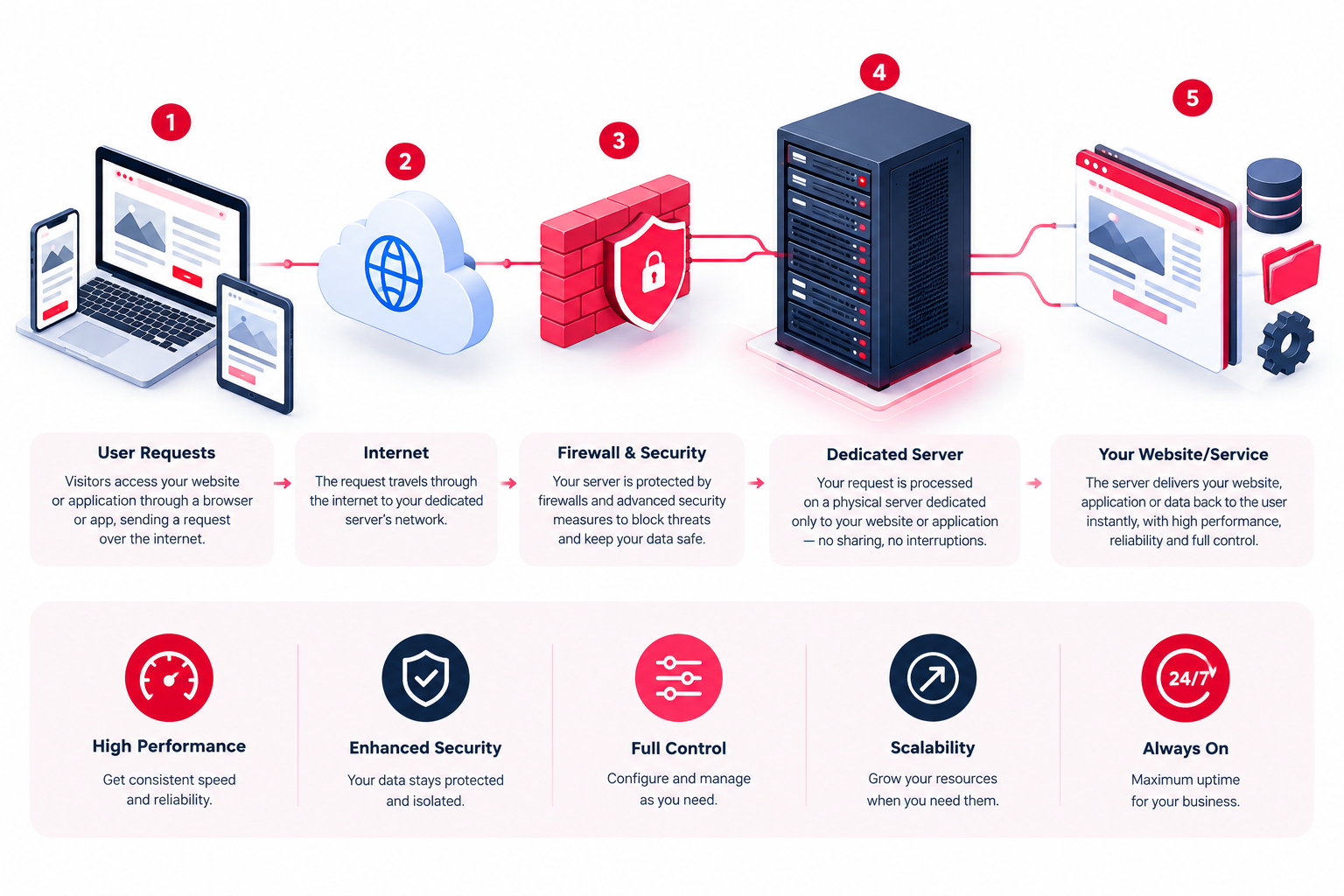
A dedicated server provides one customer with an entire physical server. Its processor, memory, storage, and other allocated hardware resources are available for that customer’s workloads rather than being shared with unrelated hosting accounts.
Depending on the service, customers may have greater control over the operating system, installed software, server configuration, and security settings.
Dedicated server hosting can be suitable for:
- High-traffic business websites.
- Large ecommerce stores.
- Applications with demanding database workloads.
- Resource-intensive business software.
- Organizations requiring specialized server configurations.
- Businesses that need greater control over their hosting environment.
However, dedicated hosting involves more responsibility unless server management is included. Operating system updates, security configuration, monitoring, and backup arrangements must be handled by the provider, the customer, or both, according to the service agreement.
Performance and Resource Allocation
Performance is one of the main reasons businesses compare shared hosting with dedicated server hosting. The important question is whether the available resources can handle the website’s actual workload.
CPU, RAM, and storage
Shared hosting allocates a portion of a server’s capacity to each account, often subject to plan-specific limits. Dedicated hosting gives one customer access to the resources of the allocated physical machine.
A dedicated server may be a better fit when an application needs sustained processing power, substantial memory, or high storage throughput.
Nevertheless, a dedicated server can still perform poorly if its hardware is undersized, its software is inefficient, or its configuration is unsuitable for the workload.
Website traffic and concurrent users
Shared hosting can handle websites with substantial traffic when the workload fits within the plan’s limits. A dedicated server offers more control over available capacity for demanding or sustained workloads.
When evaluating your requirements, consider:
- Peak traffic rather than daily visitor totals alone.
- The number of users accessing the application simultaneously.
- Database queries and background processing.
- Ecommerce transactions and checkout activity.
- CPU and memory usage during busy periods.
Visitor numbers alone do not determine hosting requirements. A well-optimized website may serve many visitors efficiently, while a resource-intensive application may require considerable server capacity with fewer users.
Website loading speed
Moving to a dedicated server can improve performance when shared resource limits are the main bottleneck. However, it will not automatically resolve every speed problem.
Slow database queries, excessive plugins, inefficient code, large images, and missing caching can affect websites on either hosting type.
Before upgrading, review resource usage and investigate the actual cause of slow performance. This helps prevent unnecessary hosting expenses.
Security and Server Management
Security is another important consideration when comparing shared hosting and dedicated servers.
Shared hosting security
Shared hosting providers generally implement account isolation, access restrictions, and infrastructure-level security controls. These measures help reduce the risk of one customer’s website affecting another.
However, customers still depend on the provider’s security practices and the protections available within their hosting plan. Server-level customization may be limited.
Dedicated server security
A dedicated server provides greater physical infrastructure isolation from other hosting customers and more flexibility over security configuration.
This can be valuable when an application requires specific firewall rules, access policies, or software configurations. It does not, however, make the server secure automatically.
A dedicated server still needs appropriate protection, including:
- Regular operating system and application updates.
- Restricted administrative access and strong authentication.
- Suitable firewall rules.
- Security monitoring and log reviews.
- Secure, independent backups.
- Tested recovery procedures.
The level of responsibility depends on whether the service is managed or unmanaged. Before choosing a plan, confirm which security and maintenance tasks the hosting provider handles and which remain your responsibility.
Dedicated Server Cost vs Shared Hosting Cost
Shared hosting is generally less expensive because the provider distributes infrastructure costs across multiple customers. Dedicated server hosting costs more because one customer receives an entire physical server.
The best-value option depends on the total cost of operating the website, not simply the advertised monthly price.
| Cost factor | Shared Hosting | Dedicated Server |
| Monthly hosting | Usually lower | Usually higher |
| Server administration | Commonly included within the hosting service | Depends on the management package |
| Software licensing | May be bundled or restricted | May require additional licences |
| Backup storage | Depends on the plan | May require separate backup storage |
| Security management | Depends on provider responsibilities and plan features | Depends on the management arrangement |
| Scaling costs | Often involves a plan upgrade | May involve hardware upgrades or additional infrastructure |
For a small business website, shared hosting may provide everything needed at a reasonable cost. For a demanding application, dedicated hosting may justify the additional expense through greater resource availability and configuration control.
When comparing providers in Pakistan, check the included hardware, storage, bandwidth, management services, backup arrangements, licences, and support terms rather than comparing monthly prices alone.
When Should You Choose Shared Hosting?
Shared hosting is often the practical starting point for a website that does not require extensive server resources or customization.
Choose shared hosting when:
- Your website has modest CPU and memory requirements.
- Your current hosting plan handles normal and peak traffic reliably.
- You want to keep hosting costs low.
- You prefer a hosting environment with minimal server administration.
- You do not need custom operating system or server-level settings.
For example, a small company website with service pages, a contact form, and a regularly updated blog may operate comfortably on shared hosting.
There is no need to purchase a dedicated server simply because it provides more hardware resources. If your website is performing well and remains within its plan limits, upgrading may add cost without delivering a meaningful benefit.
When Should You Choose a Dedicated Server?
A dedicated server becomes worth considering when your workload, configuration requirements, or operational needs exceed what your existing hosting environment can provide.
Consider dedicated hosting when:
- Your website regularly reaches shared hosting resource limits.
- Your application needs substantial and consistently available CPU or memory.
- You require custom software or greater administrative control.
- Your ecommerce platform handles demanding workloads.
- You operate applications that need specialized server configurations.
- Your organization has justified infrastructure isolation requirements.
For example, an ecommerce application with heavy database activity and substantial background processing may benefit from a dedicated server if monitoring confirms that its current hosting environment is limiting performance.
Before migrating, confirm that the issue is caused by infrastructure limitations rather than inefficient application code or database queries.
A dedicated server also has finite capacity. If your workload eventually exceeds the available hardware, you may need a larger server, additional servers, or another infrastructure design.
How to Choose the Right Hosting Option
Use this practical process before committing to a hosting upgrade.
- Review current resource usage. Check CPU consumption, memory usage, storage capacity, database activity, and traffic patterns.
- Identify the actual limitation. Determine whether performance problems come from resource restrictions, software inefficiencies, configuration issues, or network conditions.
- Estimate future requirements. Consider business growth, seasonal traffic, new features, and application workloads.
- Evaluate management responsibilities. Decide whether your team can manage a server or needs a managed hosting service.
- Compare the total cost. Include hosting fees, administration, software licences, backups, monitoring, and future upgrades.
If shared hosting meets your requirements, there may be no reason to change. If you need dedicated hardware resources and greater configuration flexibility, dedicated hosting may be the more appropriate option.
Businesses evaluating dedicated server hosting in Pakistan should also confirm the provider’s hardware specifications, support arrangements, service terms, and available management options before making a decision.
Frequently Asked Questions
