
Medical administrators handle staff communication, internal reports, schedules, policies, and daily office tasks. When these activities are managed through scattered emails and separate files, it can become difficult to keep information organized.
Google Workspace provides cloud-based tools that help medical administrators manage these tasks, coordinate departments, and share approved information with authorized staff. For clinics, hospitals, and diagnostic laboratories in Pakistan and the UAE, it can support everyday healthcare administration without replacing dedicated clinical or hospital management systems.
In this guide, we explain how medical administrators can use Google Workspace to organize administrative work, improve staff coordination, and apply appropriate security measures.
What Is Google Workspace for Medical Administrators?
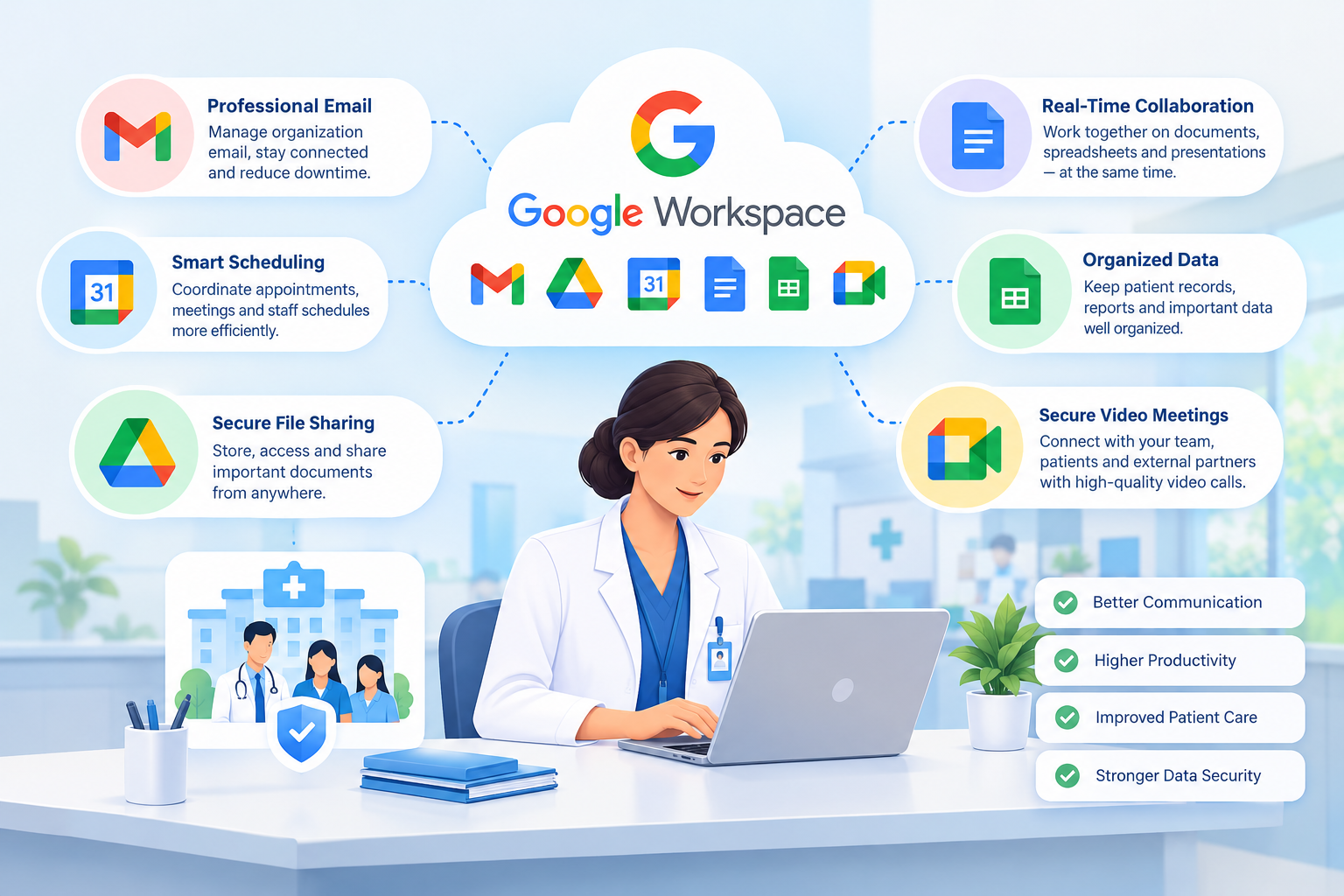
Google Workspace is a collection of business tools that includes Gmail, Google Drive, Google Docs, Google Sheets, Google Calendar, and Google Meet.
Medical administrators can use these applications to manage routine office activities, prepare reports, coordinate meetings, and maintain administrative documents.
For example, a clinic administrator can use Gmail to communicate with suppliers, Google Drive to organize staff policies, Google Sheets to prepare an operations report, and Google Calendar to schedule a departmental meeting.
The main benefit is having connected tools for everyday administrative work rather than managing every task separately.
1. Manage Professional Email with Gmail
Medical administrators regularly communicate with doctors, receptionists, finance teams, suppliers, and management. Gmail for Business allows healthcare organizations to use professional email addresses based on their own domain.
Examples include [email protected], [email protected], and [email protected].
Administrators can use Gmail to:
- Organize internal and external communication.
- Use labels and filters to manage incoming messages.
- Coordinate administrative requests with relevant departments.
- Maintain professional communication with suppliers and business partners.
- Separate official correspondence from personal email.
For better control, organizations should define who can access shared mailboxes and establish clear rules for sending sensitive information. Staff should avoid including unnecessary patient details in email messages.
2. Organize Administrative Documents with Google Drive
Healthcare organizations maintain many administrative documents, including staff policies, training materials, meeting notes, maintenance records, and supplier agreements.
Google Drive helps medical administrators store these files in an organized cloud environment and share them with authorized colleagues.
Common uses include:
- Storing approved policies and standard operating procedures.
- Organizing staff training materials.
- Sharing department reports with management.
- Maintaining supplier documents and administrative records.
- Reviewing changes to supported files through version history.
Where supported by the subscription, Google Shared Drives can help teams manage organizational files that need to remain available when individual employees leave.
Administrators should review sharing permissions regularly and avoid giving an entire department access to every document by default.
Important: Patient records and other sensitive health information require additional safeguards. Only store or share this information through approved services and configurations that meet the organization’s contractual, security, and legal requirements.
3. Prepare Reports with Google Docs and Google Sheets
Medical administrators often prepare operational summaries, expense reports, staff training records, and departmental updates.
Google Docs and Google Sheets allow authorized employees to collaborate on documents and spreadsheets.
For example:
- Google Docs: Draft internal policies, meeting minutes, and administrative procedures.
- Google Sheets: Track equipment maintenance dates, administrative expenses, and training completion.
- Shared editing: Allow approved colleagues to contribute to the same report.
- Version history: Review previous versions of supported documents when needed.
A clinic administrator could prepare a monthly operations report in Google Sheets and use Google Docs to summarize the results for management.
Access to spreadsheets should be restricted if they contain confidential employee information, financial data, or patient-related details.
4. Coordinate Staff Schedules with Google Calendar
Managing meetings, staff training, and administrative deadlines can be challenging when several departments are involved.
Google Calendar helps medical administrators schedule internal activities and coordinate with colleagues.
It can be used to:
- Schedule department and management meetings.
- Arrange staff training sessions.
- Set reminders for recurring administrative tasks.
- Coordinate equipment maintenance and internal reviews.
- Check colleagues’ availability where calendar permissions allow.
For example, an administrator can schedule a monthly operations meeting, invite department managers, and attach relevant documents for review.
Patient appointments should be managed through an appropriate scheduling system when required. Calendar entries should not contain unnecessary patient information.
5. Hold Remote Meetings with Google Meet
Hospitals and healthcare groups may operate across several branches or locations. Google Meet supports online meetings between administrative teams without requiring everyone to be physically present.
Medical administrators can use it for:
- Department coordination meetings.
- Staff training and policy updates.
- Management reviews across branches.
- Discussions with suppliers and service providers.
- Administrative planning between teams in Pakistan and the UAE.
Meeting invitations should be shared only with intended participants. Recording meetings or discussing identifiable patient information requires appropriate authorization and safeguards.
6. Improve Collaboration Between Healthcare Departments
Administrative activities often involve several teams. Finance may need information from procurement, while human resources may coordinate staff training with department managers.
Google Workspace allows authorized staff to collaborate through email, shared documents, spreadsheets, calendars, and meetings.
A simple workflow could look like this:
- The administrator prepares a monthly operations report in Google Sheets.
- Relevant department managers receive access to the information they need.
- Managers submit or update their assigned information.
- The administrator prepares a summary in Google Docs.
- A management meeting is scheduled through Google Calendar and held using Google Meet.
This approach can reduce repeated email exchanges and make administrative responsibilities easier to follow.
7. Protect Sensitive Healthcare Information
Healthcare organizations must take special care when using cloud productivity tools. Google Workspace provides security and administrative controls, but organizations must configure and use them appropriately.
Medical administrators should work with their IT and compliance teams to:
- Enable multi-factor authentication for user accounts.
- Assign access according to job responsibilities.
- Review shared files and remove unnecessary permissions.
- Establish procedures for employee transfers and departures.
- Train staff to recognize phishing emails and suspicious links.
- Apply suitable retention and deletion policies.
- Review applicable healthcare privacy, security, contractual, and data residency requirements.
Healthcare requirements differ by country and organization. Clinics and hospitals in Pakistan and the UAE should confirm which laws and sector-specific rules apply to their operations.
Do not assume that a standard Google Workspace subscription automatically meets every healthcare compliance requirement. Before storing protected health information, verify the relevant Google service terms, applicable agreements, supported services, and required configuration with qualified technical and compliance professionals.
Which Google Workspace Tools Are Useful for Medical Administrators?
| Google Workspace tool | Common administrative use |
| Gmail | Professional email and departmental communication |
| Google Drive | Storing and sharing approved administrative documents |
| Google Docs | Policies, procedures, and meeting minutes |
| Google Sheets | Operational reports, expense tracking, and administrative lists |
| Google Calendar | Internal meetings, staff training, and deadlines |
| Google Meet | Remote meetings and cross-branch coordination |
| Google Forms | Approved internal surveys and staff feedback |
The right combination depends on the organization’s size, workflows, subscription, and privacy requirements. Google Forms, for example, should not be used to collect sensitive patient information unless the proposed use has been reviewed and approved.
Is Google Workspace Suitable for Clinics and Hospitals?
Google Workspace can support the administrative needs of clinics, hospitals, diagnostic laboratories, and other healthcare organizations.
It is particularly useful for business email, internal documents, staff coordination, reports, and meetings. However, suitability depends on the organization’s requirements, the services being used, the subscription, and the applicable compliance obligations.
Google Workspace should not be treated as a replacement for a dedicated electronic health record system, hospital information system, or clinical appointment management platform when those systems are required.
Is Google Workspace Available in Pakistan and the UAE?
Organizations in Pakistan and the UAE can obtain Google Workspace through available sales channels, subject to current product availability and applicable terms.
Before choosing a plan, healthcare administrators should consider:
- The number of staff accounts required.
- Business email and storage needs.
- Security and account management features.
- Support and billing arrangements.
- Any applicable contractual or data handling requirements.
CreativeON serves businesses in Pakistan and the UAE and can help customers understand available Google Workspace plans and setup options.
For more information, explore CreativeON’s relevant resources on Google Workspace services in Pakistan, Google Workspace plans in the UAE, Google Workspace pricing, business email setup, and domain registration and email services.
Why Choose CreativeON for Google Workspace?
CreativeON is an official Google Workspace Partner and Reseller serving customers in Pakistan and the UAE. Businesses considering Google Workspace can discuss their business email, collaboration, and account requirements with the team.
CreativeON can help customers understand available plans, arrange business email services, and obtain assistance with setup and account-related questions.
Healthcare organizations should also discuss any specific privacy, regulatory, security, or data-handling requirements before deployment. Technical configuration and compliance decisions should be reviewed with the organization’s appropriate IT and compliance professionals.
Summary
Medical administrators can use Google Workspace to support everyday healthcare operations and improve coordination between departments.
- Use Gmail for professional business communication.
- Organize administrative files with Google Drive.
- Prepare reports and policies using Google Docs and Google Sheets.
- Coordinate meetings and staff activities through Google Calendar and Google Meet.
- Apply appropriate access controls and privacy safeguards before handling sensitive information.
With suitable planning and configuration, Google Workspace can help medical administrators manage routine office work more consistently while supporting the wider healthcare team.