

1️⃣ Introduction (Real VPS Decision Context)
When you launch a VPS, the operating system choice is one of the first real decisions that affects everything afterward — stability, performance, package support, and long-term maintenance.
In real hosting environments, this decision is often made too quickly. Many users simply select a popular Linux distribution without understanding how it behaves under VPS workloads. Later, they run into issues like missing packages, update conflicts, or unnecessary system complexity.
The goal of this guide is to explain how different Linux OS options behave in real VPS use, so you can choose based on practical needs rather than assumptions.
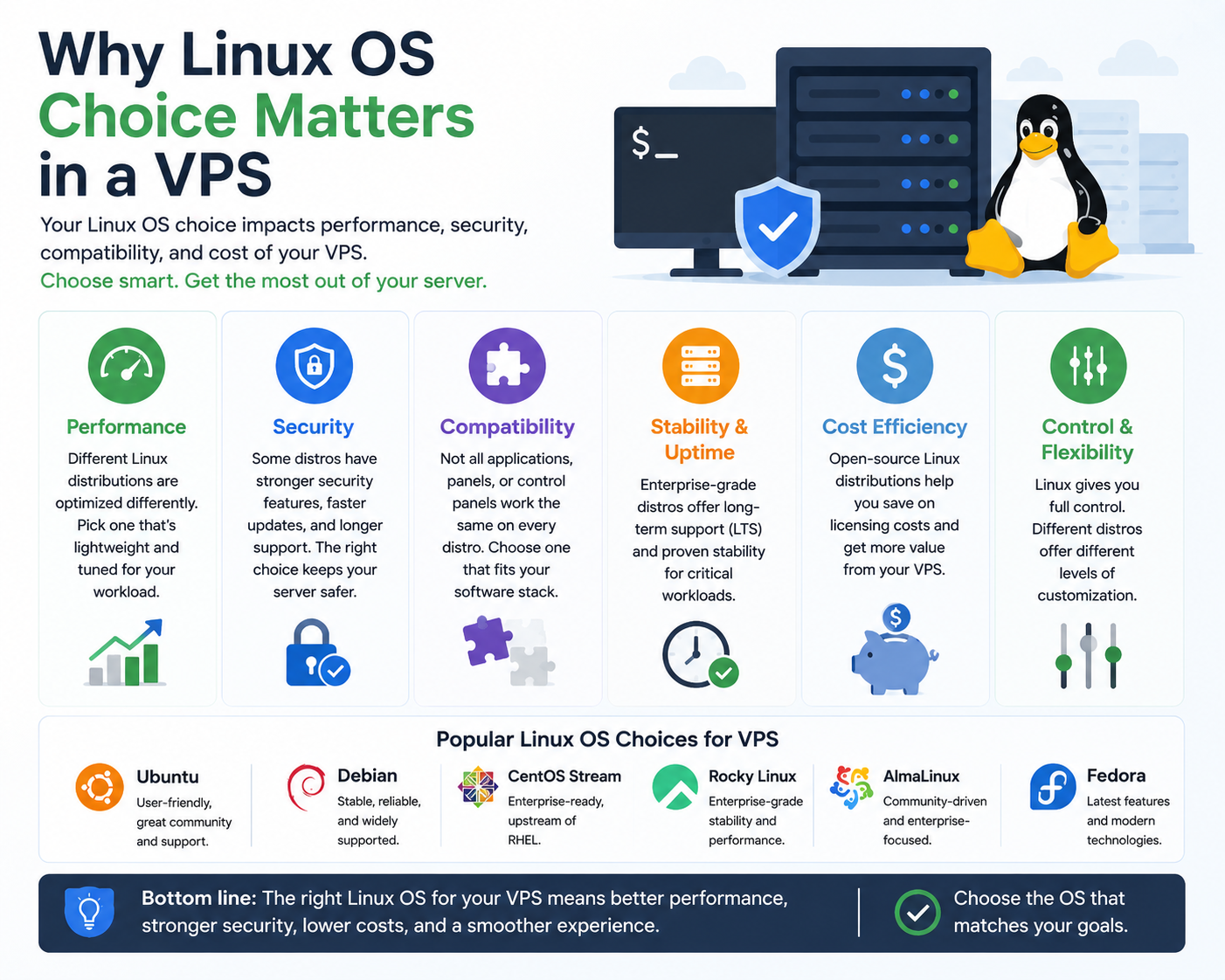
2️⃣ Why Linux OS Choice Matters in a VPS
A VPS is not just “a Linux server.” It is a controlled environment where every OS decision affects resource usage and system behavior.
Different Linux distributions vary in:
- Stability of updates
- Performance overhead
- Package availability
- Community and enterprise support
- Compatibility with hosting tools and panels
So instead of asking “Which OS is best?”, the real question is:
“Which Linux OS fits my VPS workload and maintenance style?”
3️⃣ Common Linux OS Options for VPS
In most VPS hosting environments, a few distributions dominate because of stability and server compatibility:
Each one is designed for slightly different priorities, even though they all run VPS workloads efficiently.
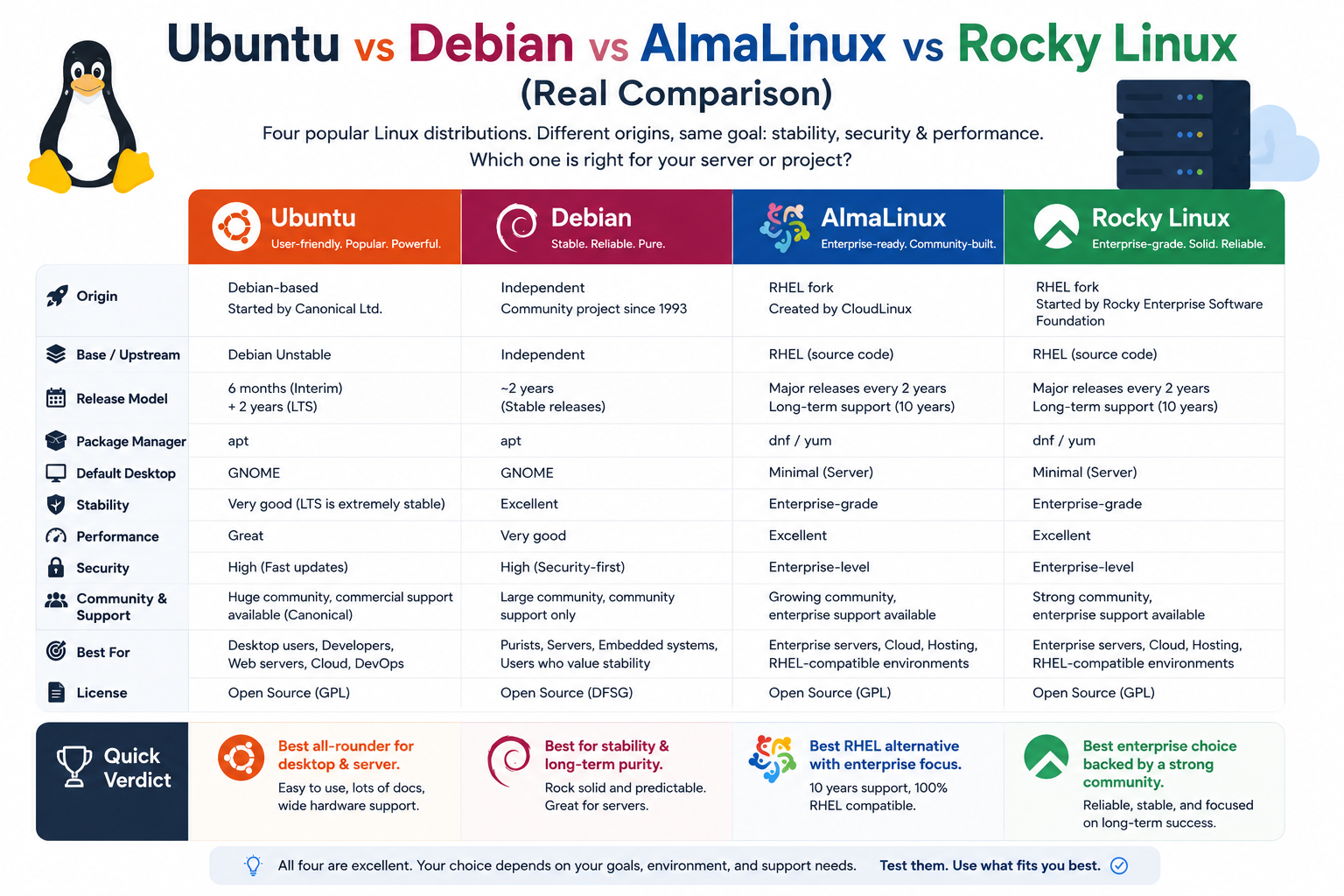
4️⃣ Ubuntu vs Debian vs AlmaLinux vs Rocky Linux (Real Comparison)
🟢 Ubuntu LTS (Most Common Choice)
Ubuntu LTS is widely used in VPS environments because it offers a balance between stability and ease of use.
It is often preferred when:
- You want easy package installation
- You need modern software versions
- You are deploying web applications or APIs
However, Ubuntu updates are more frequent compared to Debian, which can introduce occasional configuration adjustments over time.
🔵 Debian Stable (Maximum Stability Focus)
Debian is known for its strict stability model. It prioritizes reliability over new features.
It is often used when:
- Server stability is more important than latest software
- You want minimal system changes over time
- You are running long-term production systems
The trade-off is that packages may be older compared to Ubuntu.
🟡 AlmaLinux (CentOS Replacement Focus)
AlmaLinux is designed as a stable enterprise Linux distribution after the shift away from CentOS Linux.
It is commonly used for:
- Enterprise hosting environments
- cPanel-based servers
- Long-term server infrastructure
It focuses heavily on stability and compatibility with enterprise hosting tools.
🔴 Rocky Linux (Enterprise Stability Alternative)
Rocky Linux serves a similar purpose to AlmaLinux, offering a community-driven enterprise-grade OS.
It is often chosen when:
- You want a CentOS-like environment
- You prefer strong long-term support
- You are managing hosting infrastructure or production servers
Both AlmaLinux and Rocky Linux are very close in usage, with minor ecosystem differences.
5️⃣ How to Actually Choose the Right VPS OS
Instead of focusing on popularity, the decision should be based on use case.
If your VPS is for:
- Web applications / startups → Ubuntu LTS
- Stable long-term systems → Debian
- Hosting panels / enterprise servers → AlmaLinux or Rocky Linux
The key is not which OS is “better,” but which OS reduces operational friction for your workload.
6️⃣ Real-World Issues in VPS OS Selection
In actual server environments, problems usually appear after deployment, not before.
Common issues include:
- Installing OS without checking software compatibility
- Using outdated distributions unintentionally
- Panel compatibility issues (especially with hosting software)
- Package version conflicts between OS repositories
- Unexpected upgrade behavior on production servers
These issues often come from incorrect OS selection, not server limitations.
7️⃣ What Happens After OS Deployment
Once a Linux OS is installed on a VPS, it becomes the foundation for everything else.
Typically, the next steps include:
- Connecting via SSH
- Applying security updates
- Installing web stack (Nginx/Apache, PHP, databases)
- Configuring firewall and security rules
- Deploying applications or hosting environment
At this stage, the OS determines how smooth or complex server management will be.
8️⃣ Common Misunderstandings About VPS Linux OS
Many users assume:
- “All Linux OS options perform the same on VPS” — they don’t
- “Latest version is always best” — not always true for servers
- “OS choice doesn’t affect stability” — it directly does
- “Heavier OS means worse performance” — depends on configuration, not just OS
Understanding these helps avoid long-term maintenance problems.
9️⃣ Conclusion
There is no single “best Linux OS for VPS.” Each distribution is optimized for a different type of workload.
- Ubuntu focuses on flexibility and usability
- Debian focuses on stability and consistency
- AlmaLinux and Rocky Linux focus on enterprise-grade server environments
A good VPS setup starts with matching the operating system to the workload — not the trend.
