
Website speed is one of the most important factors for WordPress performance, user experience, and SEO. A slow website reduces engagement, increases bounce rates, and directly affects conversions.
While many people focus on plugins, themes, and image optimization, the hosting environment is often the real foundation of WordPress speed. WordPress is a dynamic system that depends heavily on server performance, database processing, and backend execution.
This article explains exactly how hosting affects WordPress speed and where performance bottlenecks actually come from.
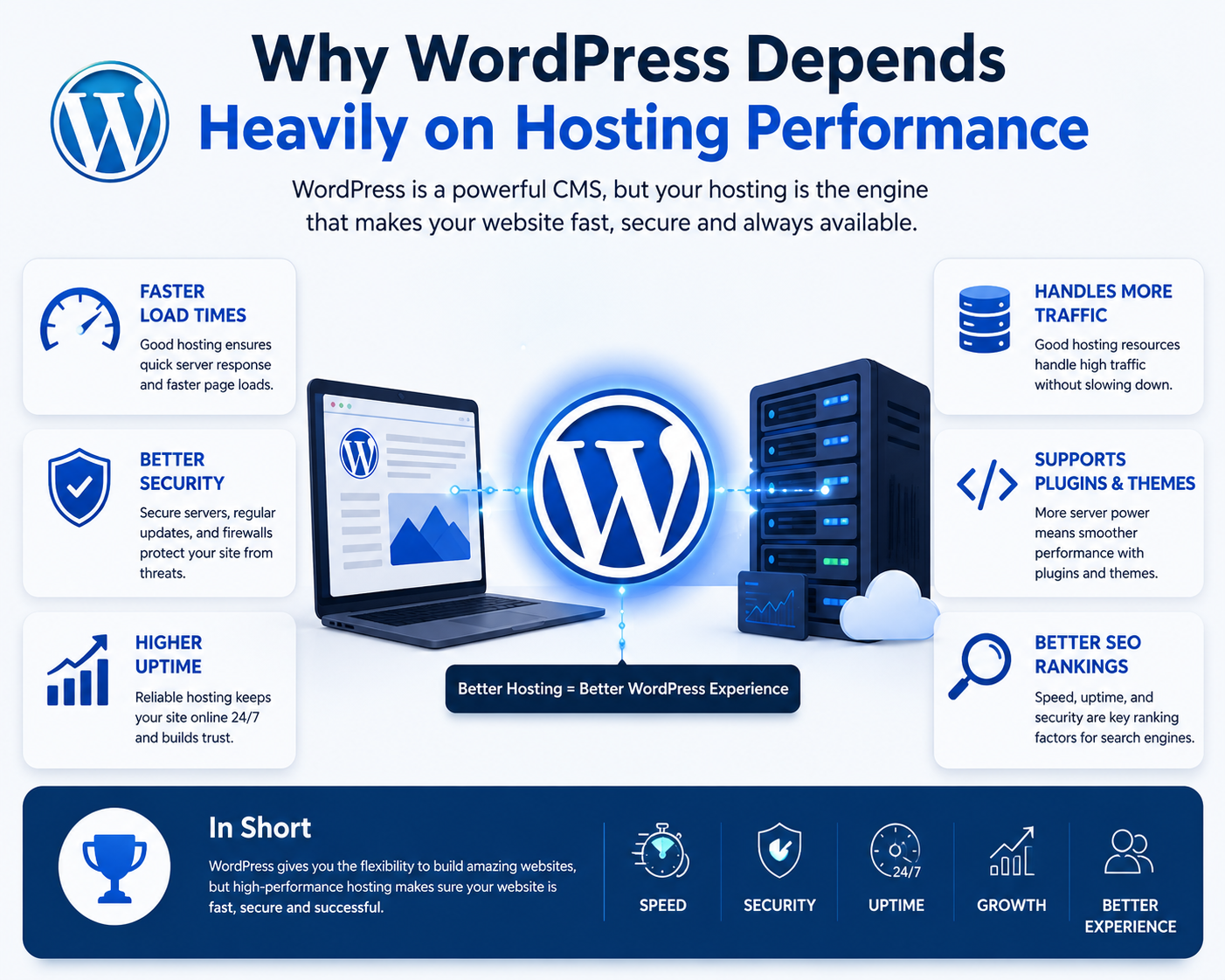
Why WordPress Depends Heavily on Hosting Performance
Unlike static websites, WordPress generates pages dynamically. Every visitor request triggers server-side processing before a page is displayed.
How WordPress Builds a Page
When a user visits a WordPress site, the server must:
- Process PHP scripts
- Load theme files
- Execute plugin functions
- Query the database
- Generate dynamic content
- Deliver the final HTML output
This means every page view depends on backend performance, not just frontend optimization.
Server Resources and Their Direct Impact on Speed
WordPress performance is directly tied to server resources such as CPU, RAM, storage, and concurrent processing ability.
What Happens When Resources Are Limited
When resources are insufficient, websites often experience:
- Slow page loading
- Admin dashboard lag
- High TTFB (Time To First Byte)
- Random performance spikes
- Timeout errors during traffic surges
High-Impact WordPress Use Cases
These issues become more visible on:
- WooCommerce stores
- Membership websites
- LMS platforms
- Booking systems
- Heavy page builders
Why Server Response Time Matters So Much
Server response time (TTFB) is one of the most critical performance indicators in WordPress hosting.
What Affects Server Response Time
Slow response time usually comes from:
- CPU overload
- Limited memory allocation
- High server density
- Insufficient PHP workers
- Poor optimization at server level
Shared Hosting and Resource Contention
Shared hosting environments distribute resources across many websites.
How Resource Contention Works
When multiple websites use the same server resources:
- CPU usage spikes affect all sites
- Memory is shared dynamically
- Disk I/O becomes congested
- Performance becomes unpredictable
Common Real-World Symptoms
- Slow admin panel during peak hours
- Sudden drops in speed
- Checkout delays in WooCommerce
- Inconsistent performance test results
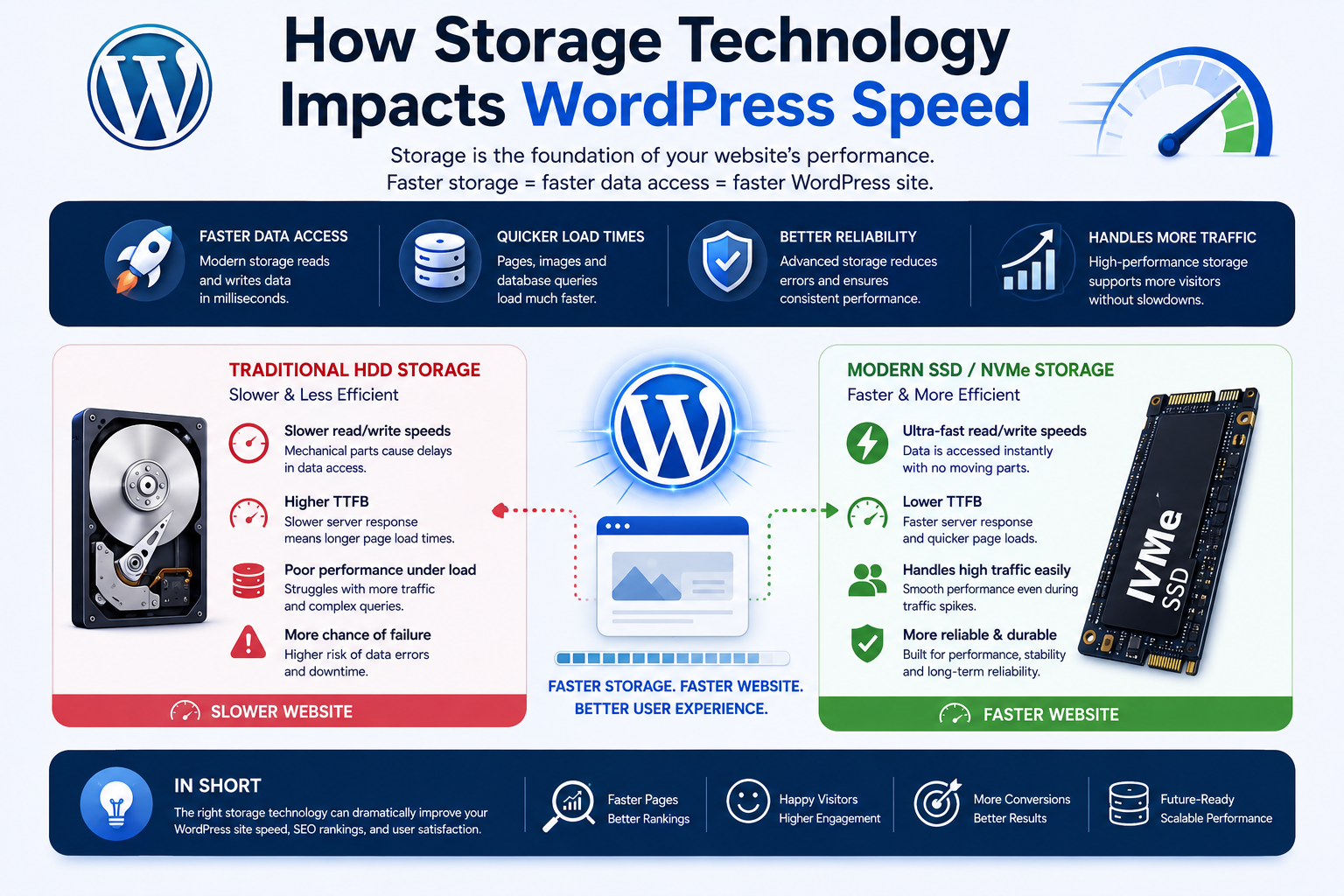
How Storage Technology Impacts WordPress Speed
Storage performance plays a major role in WordPress responsiveness.
What WordPress Uses Storage For
- Database queries
- Plugin files
- Theme files
- Media uploads
- Cache files
Why NVMe and SSD Matter
Modern storage improves:
- Data access speed
- Query execution time
- Page generation speed
- Cache performance
Database Performance and WordPress Speed
WordPress relies heavily on MySQL or MariaDB databases.
How Database Speed Affects WordPress
- Page rendering speed
- Search functionality
- WooCommerce checkout
- Admin dashboard performance
Real-World Database Bottlenecks
- Slow product filtering
- Delayed cart updates
- Lag in Elementor editor
- Slow post publishing
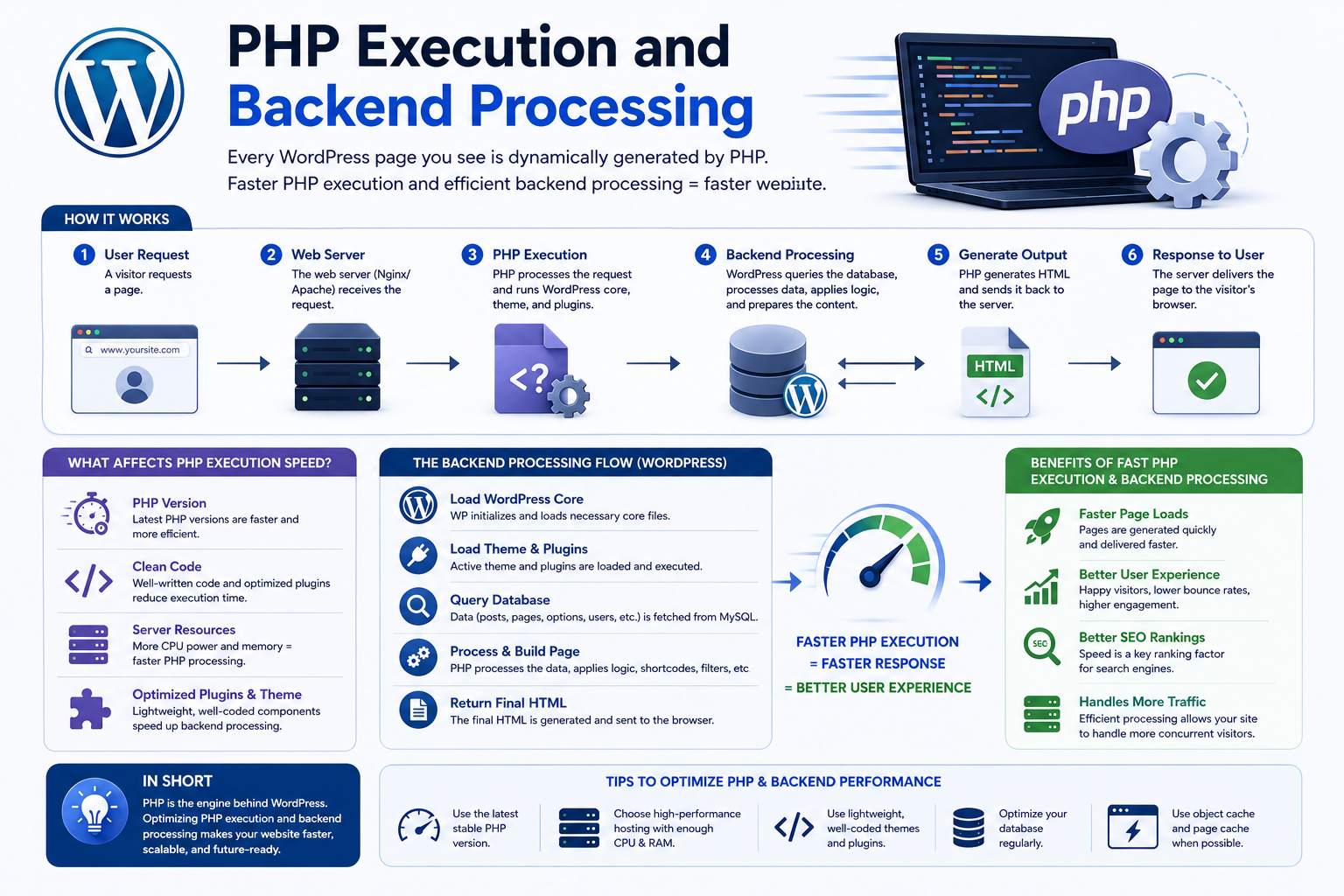
PHP Execution and Backend Processing
WordPress is built on PHP, making execution speed critical.
How PHP Affects Performance
Each request requires PHP to:
- Execute plugin logic
- Build page structure
- Handle database interaction
Why PHP Workers Matter
When PHP workers are fully occupied:
- Requests get queued
- Pages load slowly
- Checkout processes delay
- Login systems lag
Why Caching Infrastructure Is Critical
Caching reduces repeated server processing and improves performance significantly.
Types of Caching in WordPress Hosting
Page Caching
Stores prebuilt HTML versions of pages to reduce processing load.
Object Caching
Stores database query results in memory for faster access.
Opcode Caching
Improves PHP execution by storing compiled scripts.
Traffic Spikes and Hosting Stability
Hosting performance is tested most during traffic surges.
What Happens During Traffic Spikes
- CPU overload
- Database congestion
- Slow page generation
- Checkout failures
- Server errors (502/503)
Network Infrastructure and Delivery Speed
Even with a fast server, poor network routing can slow performance.
Factors That Affect Network Speed
- Geographic distance
- Routing efficiency
- Bandwidth limitations
- Network congestion
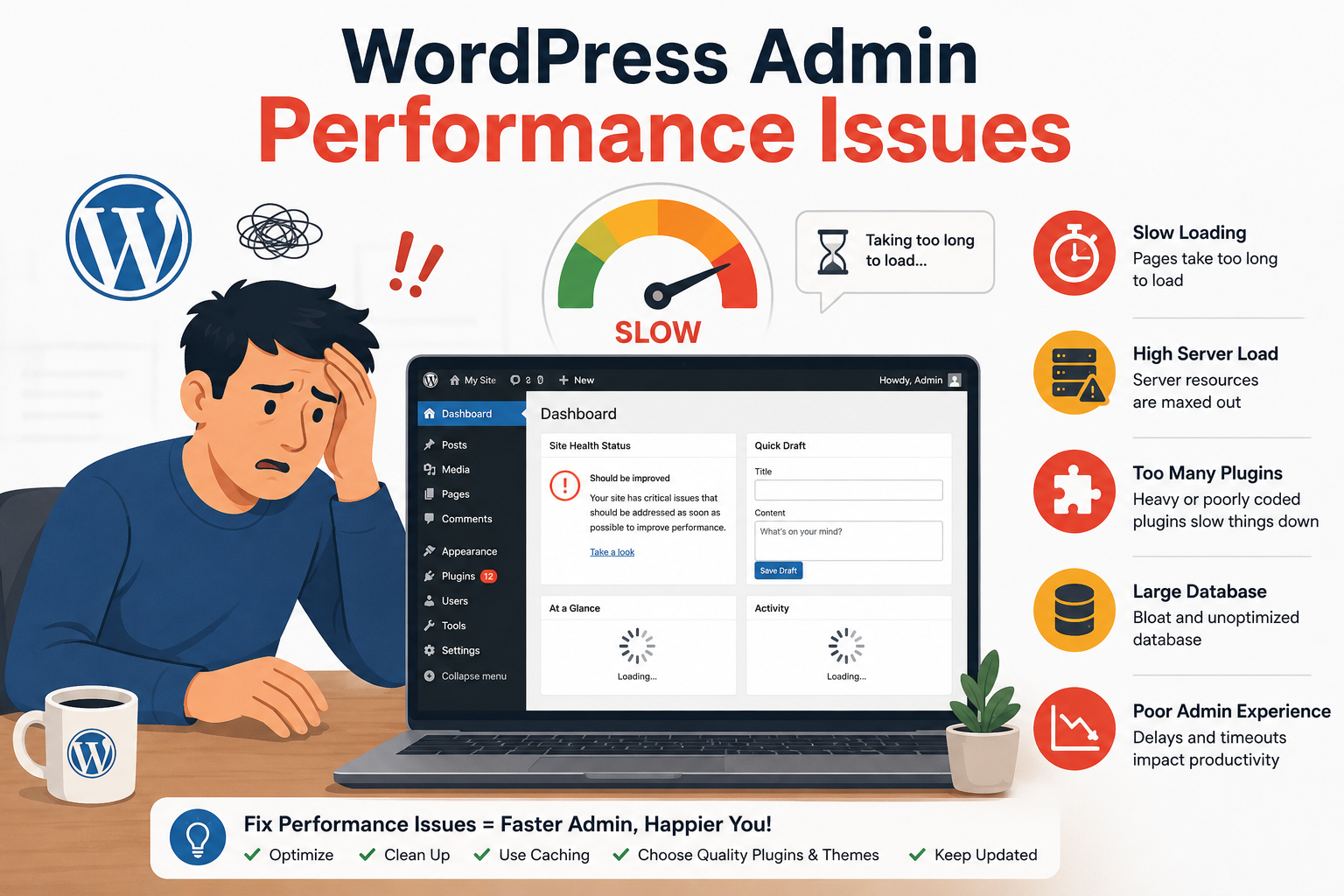
WordPress Admin Performance Issues
Hosting affects not only frontend speed but also backend usability.
Common Admin Slowdowns
- Slow dashboard navigation
- Lag during plugin updates
- Media upload delays
- Page builder sluggishness
Hidden Hosting Problems Behind WordPress Issues
Many WordPress issues appear unrelated to hosting but often originate from infrastructure limitations.
Examples of Hidden Hosting Issues
- Failed cron jobs
- Random 500 errors
- Email delivery delays
- Plugin timeout errors
- Inconsistent speed test results
How to Identify Hosting as the Bottleneck
Key Warning Signs
- High TTFB even after optimization
- Slow uncached pages
- Backend admin lag
- CPU throttling warnings
- WooCommerce checkout delays
Common Misconceptions About WordPress Speed
Reality of WordPress Performance
- Plugins can slow down execution
- Hosting determines severity of slowdown
- Strong infrastructure absorbs load better
Hosting and Core Web Vitals
Key Metrics Affected
- Largest Contentful Paint (LCP)
- Interaction responsiveness
- Loading stability
Long-Term Impact of Poor Hosting
Business-Level Consequences
- Lower SEO rankings
- Reduced conversions
- Higher bounce rates
- Poor mobile experience
- Decreased user trust
Final Thoughts
Hosting is one of the most important factors influencing WordPress speed because it controls server performance, PHP execution, database efficiency, caching, and network delivery.
WordPress is a dynamic system, so backend infrastructure plays a much bigger role than most website owners realize.
A fast WordPress website is built on stable hosting, efficient resource handling, fast response times, and scalable infrastructure.
