

Ever wished your computer could handle boring tasks automatically—like organizing files, replying to emails, or running daily workflows?
Guess what? Tools like OpenClaw can do exactly that.
But here’s something important…
When you give an AI tool control over your system, security becomes a big deal.
Don’t worry — I’ll keep this simple and friendly.
In this guide, you’ll learn how to secure OpenClaw step by step, especially if you’re running it on a VPS server for automation.
What is OpenClaw (Simple Explanation)
OpenClaw is a local AI automation tool.
It can:
Run commands
Automate daily tasks
Connect with apps and APIs
Perform actions based on your instructions
Think of it like a smart assistant that actually does the work for you.
Isn’t that neat?
But here’s the catch…
If it’s not secured properly, it can:
Access sensitive data
Run harmful commands
Be misused by others
That’s why you need a clear security checklist.
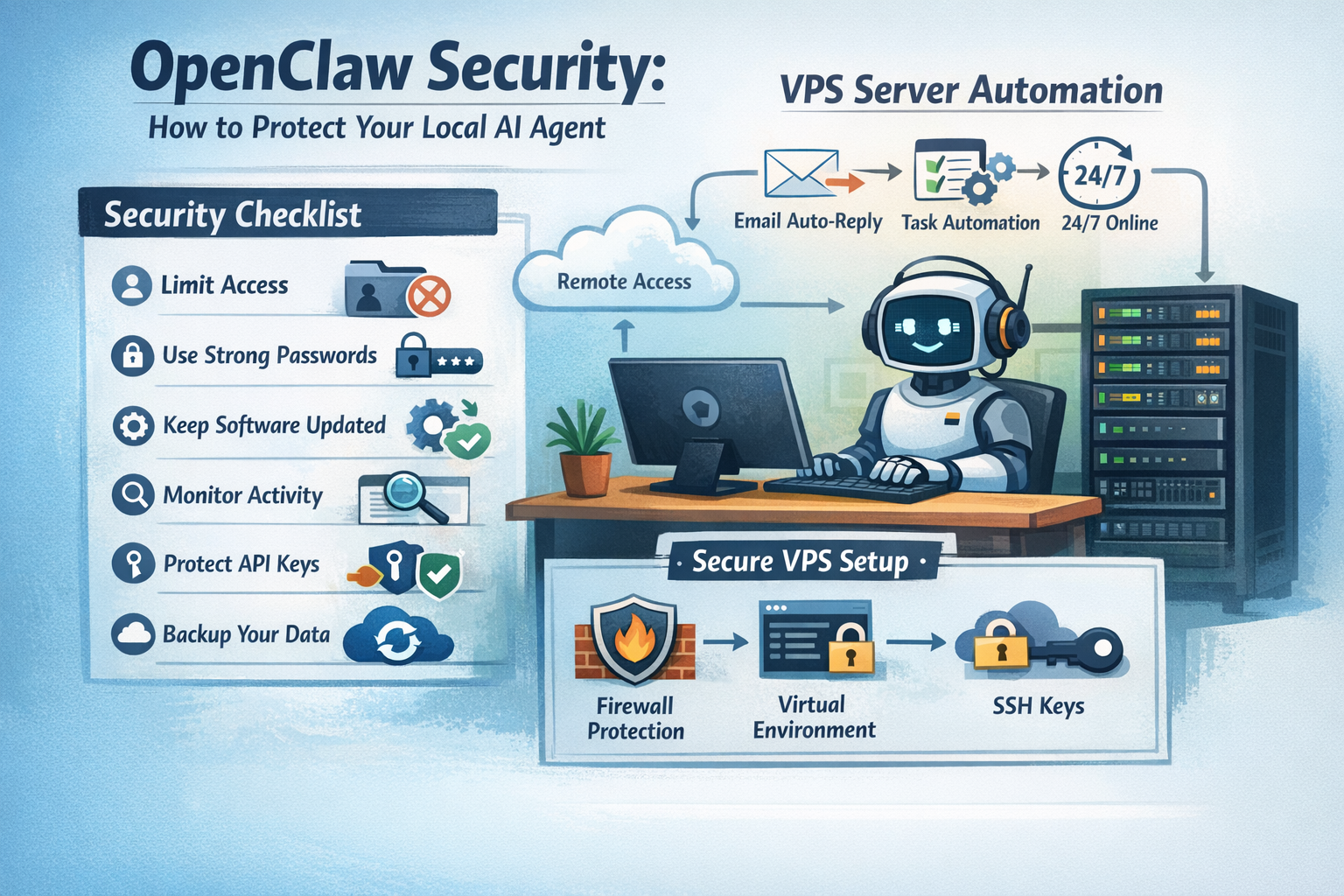
Why OpenClaw Security Matters
Let’s make this very simple.
When OpenClaw is secure:
Your data stays safe
Your system runs smoothly
Your automation works without risk
But without security:
Someone could access your system
Automation may run unwanted commands
You could lose important data
So yes, security is not optional — it’s necessary.
Where Should You Run OpenClaw?
You have two main options:
1. Local Computer (Good for Beginners)
Easy to set up
Good for testing
Limited power
2. VPS Server (Best for Real Use)
A VPS (Virtual Private Server) is a remote machine that runs 24/7.
This is the best choice if you want:
Continuous automation
Better speed
Remote access
More control
At CreativeON, many users choose:
best VPS in Pakistan
cheap VPS in Pakistan
Windows VPS for easy usage
If you’re serious about automation, it’s smart to buy VPS instead of relying on your personal PC.
OpenClaw Security Checklist (Step-by-Step)
Let’s go through this like a simple checklist you can follow.
1. Limit Access (Very Important)
Don’t give OpenClaw full control of your system.
Do this:
Create a separate user account
Restrict folder access
Avoid admin/root permissions
Think of it like giving someone access to one drawer, not your whole house.
2. Use Strong Passwords
If your setup includes login access:
Use strong passwords
Avoid simple passwords like “123456”
Change passwords regularly
A strong password is your first line of defense.
3. Keep Everything Updated
Always update:
Operating system
OpenClaw software
Installed tools and libraries
Updates fix bugs and security issues.
4. Use a Safe Environment
Run OpenClaw in a controlled space.
You can use:
Virtual environments
Docker containers
Sandboxed systems
This keeps your main system safe.
5. Monitor Activity
Don’t just install and forget.
Keep checking:
Logs
Running tasks
Commands executed
Ask yourself: “Is everything working as expected?”
6. Limit Internet Access
OpenClaw may connect to external services.
Be careful:
Allow only trusted APIs
Block unknown connections
Use firewall rules
This prevents unwanted access.
7. Protect API Keys
If you use APIs:
Never expose keys publicly
Store them in environment variables
Rotate keys regularly
Do not hardcode keys.
Use secure storage methods.
8. Backup Your Data
Things can go wrong anytime.
Always:
Backup your files
Save configurations
Keep recovery options ready
This is especially important for VPS server automation.
9. Control Automation Actions
Don’t allow risky actions without checks.
Avoid:
Auto-deleting files
Running system-level commands freely
Accessing sensitive data without limits
Set clear rules and boundaries.
10. Choose a Reliable VPS Provider
Your hosting matters a lot.
CreativeON provides:
VPS Hosting
Cloud Hosting
Dedicated Servers
Google Workspace
Domain Registration
in Pakistan and the UAE with local offices.
With over 20 years of experience and clients like City42, Channel 24, QTV, Chughtai Lab, and Daewoo Pakistan, CreativeON is trusted by many businesses.
We also sometimes reduce our profit margin to help students and businesses access professional tools at affordable prices.
How to Secure OpenClaw on a VPS (Step-by-Step Setup)
Let’s make this practical.
Step 1: Buy VPS
Choose a reliable provider like CreativeON.
Step 2: Install OS
Linux (for advanced users)
Windows VPS (easy for beginners)
Step 3: Create a Safe User
Avoid using admin/root
Set limited permissions
Step 4: Install OpenClaw
Follow official setup instructions.
Step 5: Configure Firewall
Allow only necessary ports
Block everything else
Step 6: Add Monitoring
Track logs
Watch activity
Now your setup is secure and ready for automation.
Best Setup for Running OpenClaw Securely on a VPS
Here’s a simple and safe setup:
VPS server with firewall
Limited user access
OpenClaw in a virtual environment
Secure API handling
Regular monitoring
This setup works well for:
VPS server automation
Running automation tools on VPS
Business workflows
Real-Life Automation Example
Let’s say you run a business.
Scenario: Customer Support Automation
With OpenClaw, you can:
Auto-reply to emails
Sort customer queries
Schedule responses
Running this on a Windows VPS means:
Works 24/7
No need to keep your PC on
Faster and more reliable
Add security rules, and you have a powerful system.
Advanced Tips (For Extra Safety)
Want to go one step further?
Try this:
Use SSH keys instead of passwords
Disable root login
Install security monitoring tools
Limit API request rates
These steps make your setup even safer.
Common Questions (FAQ)
Is OpenClaw safe to use?
Yes, if you follow proper security steps.
Should I use a VPS or local system?
Local system = testing
VPS = long-term automation
What is the best VPS in Pakistan for OpenClaw?
Look for:
Good uptime
Fast support
Affordable pricing
CreativeON is a strong choice with local support.
Can I use a cheap VPS in Pakistan?
Yes, just make sure it’s reliable and secure.
Is Windows VPS good for beginners?
Yes. It is easy to use and works well with automation tools.
Can OpenClaw run 24/7?
Yes, especially when running on a VPS server.
Helpful Tips
Start small and test first
Don’t give full access immediately
Always monitor your setup
Use VPS for serious automation
Keep improving your setup over time
Automation becomes more useful as you learn.
Ready to Run OpenClaw Safely?
If you plan to use OpenClaw for daily automation, running it on a VPS server is the best decision.
At CreativeON, we offer:
Affordable VPS Hosting in Pakistan and UAE
Windows VPS for easy setup
Cloud and Dedicated Servers
Local support you can trust
Whether you want to buy VPS, test automation, or scale your workflows, we are here to help.
Quick Summary
To secure OpenClaw:
Limit access
Use strong passwords
Keep systems updated
Monitor activity
Protect API keys
Use a secure VPS
The best setup is running OpenClaw on a VPS Hosting environment with proper security rules.