
If you’ve been thinking about getting a VPS (Virtual Private Server) for your website or online business, you might be wondering:
“Is this something I can actually handle?”
Great question! The short answer? It’s not as hard as you might think, especially when you have the right tools and the right support.
Let me break it down for you in a way that actually makes sense.
What’s a VPS, Anyway?
Think of a VPS like renting your own apartment in a big building. You don’t own the whole building (that would be a dedicated server), but your space is completely yours. Nobody else can access it or slow it down by using too many resources.
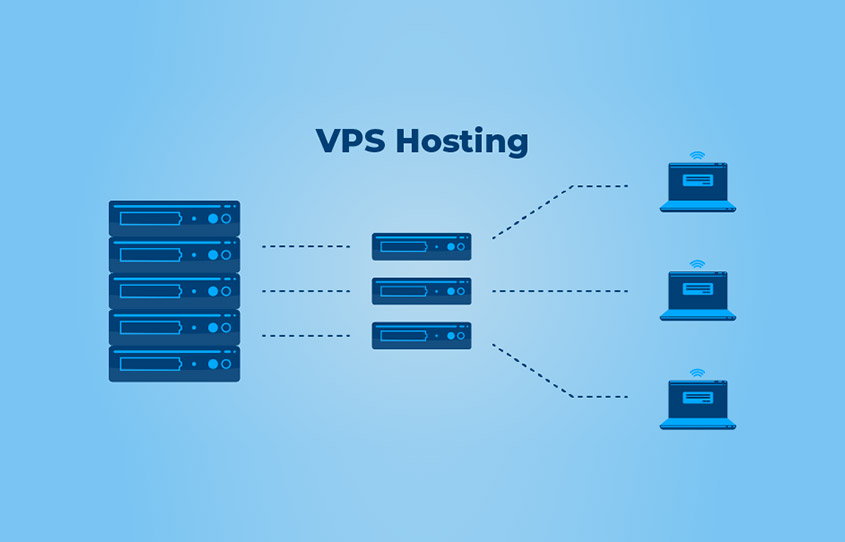
In technical terms, a VPS is one powerful server divided into multiple virtual servers. Each VPS gets its own:
- Dedicated resources
- Operating system
- Full control access
Pretty cool, right?
Why Should You Even Consider a VPS?
Before talking about managing one, let’s look at why people choose VPS hosting in the first place:
Run a Custom Website
If your website needs special software or configurations that shared hosting can’t support, a VPS gives you full control.
Grow Your Online Store
Running an e-commerce website? A VPS handles higher traffic and lets you upgrade resources as your store grows.
Host a Game Server
Games like Minecraft and other multiplayer servers run better on VPS where you control performance and access.
Manage Emails
You can host a private mail server with your own security rules and spam filters.
Backup Important Data
A VPS is a great place to keep backups separate from your main website.
All of these things need more control than shared hosting provides — and that’s exactly where a VPS shines.
Okay, But How Do You Actually Manage It?
This is where most people get nervous. But honestly? Modern hosting companies have made VPS management much easier than it used to be.
Pick the Right Control Panel
A control panel is like the dashboard of your car. It lets you manage everything without typing complicated commands.
cPanel is the most popular option and very powerful — but it can be expensive. That’s why many providers, including CreativeON, offer modern alternatives that provide the same core features without increasing your hosting bill.
With a good control panel, you can:
- Manage websites and files
- Create email accounts
- Handle databases
- Manage domains
- Install apps and software
- Monitor server usage
Pro tip: If you choose a managed VPS, your hosting provider usually sets all of this up for you. You simply log in and start working.
Choose Your Operating System
Just like your computer, your VPS needs an operating system.
You’ll usually choose between:
Linux VPS
Free, stable, and ideal for most websites. Think of it as the reliable Honda of servers — it just works.
Windows VPS
Best if you need Microsoft-specific software or Windows-based applications.
Most websites use Linux because it’s cost-effective and flexible, but your hosting provider can help you choose what’s right for your needs.
Set Up Your Domain DNS
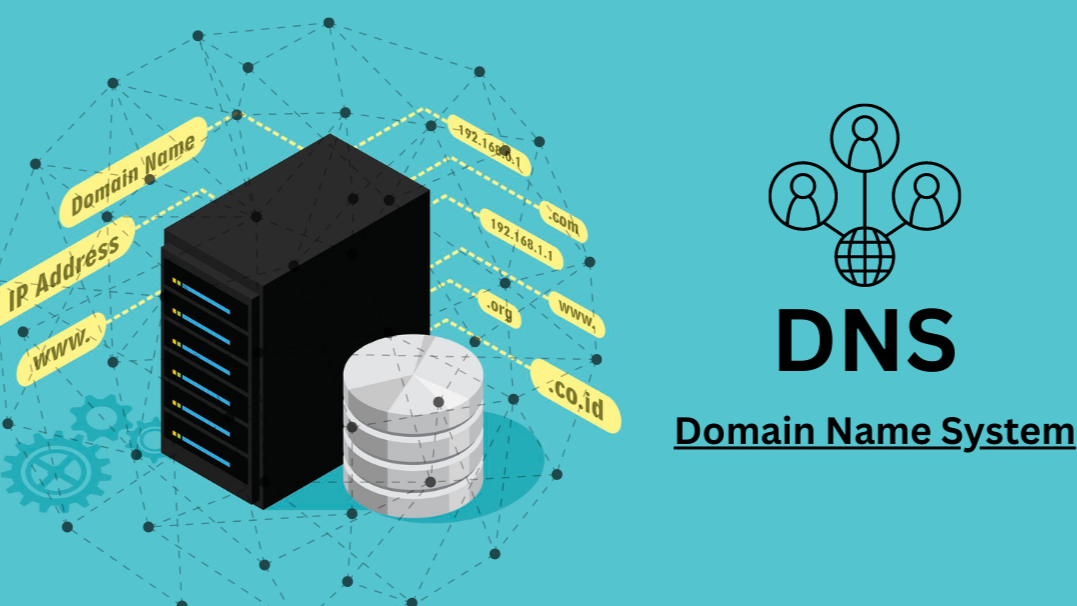
DNS (Domain Name System) is basically the internet’s address book. It tells browsers where your website lives.
With a VPS, you have full control over DNS settings. It might sound technical, but hosting providers usually guide you step-by-step — or handle it for you.
Install Software and Apps
Once your VPS is ready, you can install whatever you need:
- WordPress
- Shopping carts
- Security tools
- Email services
Many managed VPS providers (including CreativeON) handle installations for you, so you don’t have to worry about technical setup.
Keep Everything Updated
Updates are like oil changes for your car — skip them, and problems start showing up.
Server updates help:
- Fix security issues
- Improve performance
- Add new features
With managed VPS hosting, these updates are usually handled automatically or with expert guidance.
Do You Need to Do All This Yourself?
This depends on one important choice:
Managed VPS (The Easy Button) ✅
This is what CreativeON recommends for most users.
With a managed VPS:
- Your server is set up for you
- Updates and security are handled
- Server health is monitored 24/7
- Support is available when you need it
- You focus on your business — not tech problems
Perfect if you want power without stress.
Unmanaged VPS (The Full-Control Option)
With unmanaged VPS:
- You get full root access
- You manage everything yourself
- It’s more affordable
- You’re responsible for security and updates
This is ideal if you’re a developer, learning server management, or have a technical team.
What About Maintenance? Is It Ongoing?
Yes — but it’s not overwhelming.
Weekly Tasks
- Check server health
- Review basic security status
Monthly or Seasonal Tasks
- Take backups
- Apply updates
- Review security settings
As Needed
- Upgrade resources if your site grows
- Review performance
And again — with a managed VPS, most of this is handled for you.
Can You Manage a VPS Without Being Technical?
Absolutely.
Modern VPS platforms use clean dashboards and simple interfaces. It’s often no harder than using Gmail or Facebook.
If advanced access (like SSH) is ever needed, your hosting provider can either handle it or guide you step by step.
So… How Hard Is It Really?
Let’s be honest:
Managed VPS: Easy (6/10)
- Designed for non-technical users
- Strong support
- Minimal effort
Unmanaged VPS: Moderate to Hard (7–8/10)
- Requires learning
- Full responsibility
- Great for technical users
What truly makes the difference?
- A hosting provider that supports you
- A good control panel
- Clear documentation
- Helpful support staff
Why CreativeON Is a Trusted Choice
For over 20 years, CreativeON has helped businesses across Pakistan with reliable hosting and digital infrastructure. Over the years, CreativeON has supported hosting and technical needs for organizations such as City42, Channel 24, QTV, Chughtai Lab, Alkhair Group, Daewoo Pakistan, Orange Line Metro, and more.
Here’s what sets us apart:
- Official Google Workspace Partner
- PKNIC Gold Partner for .PK domains
- Multiple hosting solutions under one roof
- Honest pricing with no hidden charges
- Deep understanding of the Pakistani market
Common Questions About VPS
