
Hey there! If you’re running a website or online business, chances are you’ve wondered how to keep it safe from hackers, attacks, and unexpected problems. And honestly? That’s a great question. At CreativeON, we’ve spent more than two decades helping businesses across Pakistan protect their data — so we’ve seen what works and what doesn’t when it comes to VPS security.
Think of your VPS (Virtual Private Server) like having your own private office inside a huge building. You have your own space, your own keys, and your own resources. But just like a real office, you should still lock the doors, close the windows, and keep a security guard at the entrance. Today, let’s walk through simple steps you can follow to keep your VPS safe and your business running smoothly.
What’s a VPS, and Why Does Security Matter?
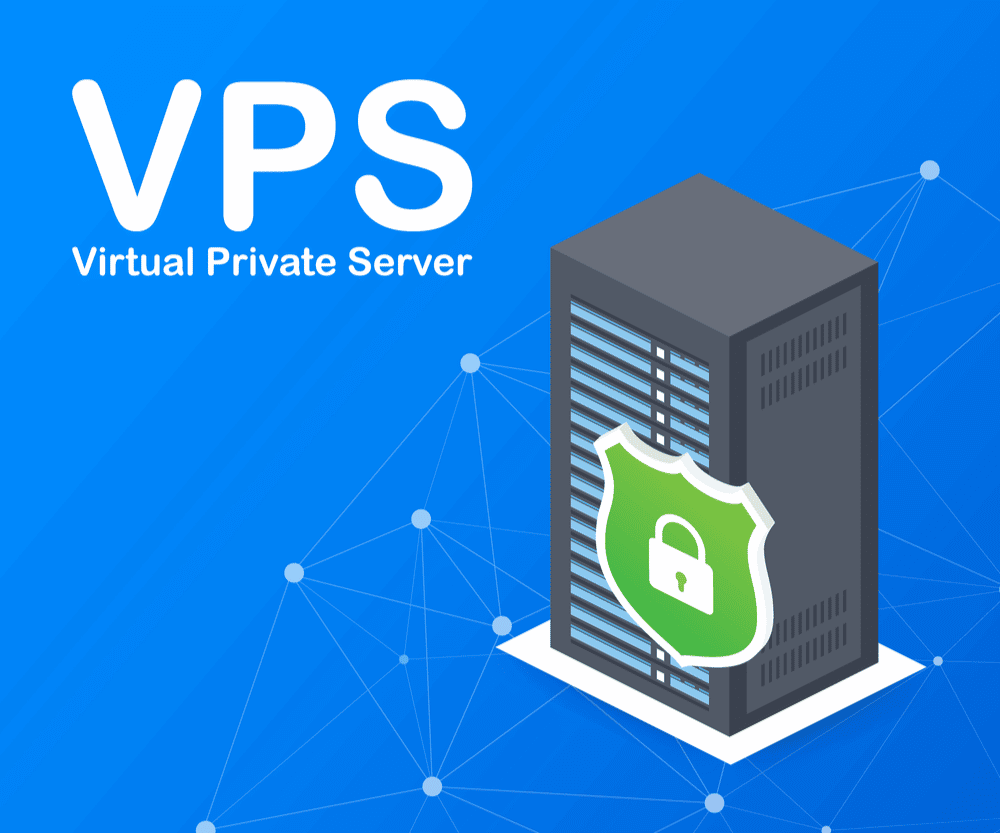
A VPS is basically a virtual machine inside a powerful physical server. While many customers share the hardware, every VPS has its own dedicated environment thanks to virtualization technology. That means:
- More control
- More performance
- Better isolation
- Higher security than shared hosting
But here’s the catch:
With great control comes great responsibility. Your VPS is like your own mini-server — and it needs proper protection.
Let’s Lock Things Up: Practical VPS Security Tips You Can Use Today
1. Use Strong Passwords — Your First Line of Defense
Most attacks happen not because of fancy hacking, but because someone used a weak password like “123456” or “password.”
A strong password should:
- Be 12–16 characters long
- Mix uppercase, lowercase, numbers, and symbols
- Avoid personal details
- Be changed regularly
- Never be reused across accounts
Think of it like a high-security lock — the more complex it is, the harder it is for anyone to break in.
2. Change Your SSH Port (And Strengthen SSH Login)
SSH is how you access your VPS remotely. The default port (22) is constantly scanned by attackers.
To protect yourself:
- Change SSH port to a random one like 4578
- Disable password login
- Enable SSH key authentication
- Disable root login over SSH
These steps alone block a huge percentage of automated attacks.
3. Set Up a Firewall — Your Security Guard
A firewall acts like a gatekeeper, deciding what traffic is allowed and what should be blocked. It protects your VPS from:
- Brute-force login attempts
- Port scanning
- Suspicious connections
- Unwanted traffic
Tools like UFW, firewalld, or a control panel firewall make this super easy.
4. Keep Everything Updated — Patch Security Holes Quickly
Hackers often target outdated software because known vulnerabilities are publicly available online.
Stay safe by:
- Updating your OS regularly
- Updating apps and control panels
- Enabling automatic updates whenever possible
Think of updates like repairing cracks before rainwater gets in.
5. Back Up Your Data — Your Safety Net
Imagine waking up tomorrow and finding all your files gone. Horrifying, right?
Backups ensure you can restore everything quickly. Make sure you:
- Schedule automatic backups (daily/weekly)
- Store backups off-server
- Test backups occasionally
- Use snapshot backups (if supported)
Most good providers, including CreativeON, offer automated backup solutions so you don’t have to worry.
6. Use a VPN When Accessing Your Server
If you connect to your VPS using public WiFi or unsecured networks, hackers can try to intercept your connection.
A VPN:
- Masks your real identity
- Encrypts all your traffic
- Keeps login attempts private
- Prevents snooping and session hijacking
Especially important if you manage your server from a laptop on the go.
7. Limit User Access — Less Hands, More Security
Only give server access to people who need it — and nothing more.
Follow these steps:
- Remove unused accounts
- Use separate accounts for each user
- Give limited permissions (principle of least privilege)
- Review user logs regularly
If fewer people have access, fewer things can go wrong.
8. Disable Direct Root Login (But Don’t Delete Root)
Root is the master account for everything on your server, and attackers know that.
Best practice:
- Keep the root account
- Disable direct SSH login
- Create a new user
- Grant it sudo privileges
This stops attackers from attempting direct login using the username “root.”
9. Use a Monitoring System — Keep an Eye on Your Server
You don’t have to watch your VPS 24/7, but monitoring does.
Good monitoring tells you:
- CPU, RAM, and storage usage
- Suspicious login attempts
- Traffic spikes
- Errors or warnings
- Uptime and downtime
By catching problems early, you can fix them before they harm your business.
10. Install an SSL Certificate — Encrypt Everything
SSL encrypts all communication between your server and your visitors. It’s essential if your website handles:
- User information
- Login details
- Credit cards
- E-commerce orders
- Personal data
Many providers, including CreativeON, offer free SSL with VPS plans.
11. Protect Yourself From DDoS Attacks
A DDoS attack floods your server with fake traffic, forcing it offline.
To protect against this:
- Monitor traffic patterns
- Add firewall rules
- Use DDoS protection tools
- Upgrade bandwidth if needed
This ensures your real customers can always access your site.
12. Use Anti-Malware & Fail2Ban — Your Silent Protectors
Anti-malware tools scan your VPS for harmful files, while Fail2Ban blocks suspicious IPs automatically.
They both help by:
- Detecting abnormal activity
- Blocking repeated login failures
- Removing malicious scripts
- Automatically banning abusive IPs
Together, they create a strong layer of protection.
What to Look for in a Secure VPS Provider
A reliable VPS provider should offer:
- Free SSL certificates
- 24/7 expert support
- Automated backups
- Firewall tools
- Server monitoring
- Seamless upgrades
- Local and international data centers
- Fast support response times
These features ensure your VPS stays safe even during unexpected events.
Why Choose CreativeON for Secure VPS Hosting?
At CreativeON, we’ve been protecting businesses in Pakistan for over 20 years. We’re trusted by well-known names like City42, Channel 24, QTV, Chughtai Lab, and many others.
Here’s what sets us apart:
✅ 20+ Years of Hosting Experience
We’ve seen every kind of attack, every kind of configuration, and we know exactly how to secure your VPS.
✅ Official Google Workspace Partner
This means our team understands enterprise-level security, compliance, and data protection.
✅ PKNIC Gold Partner for .PK Domains
We manage thousands of local domains with industry-leading security.
✅ Advanced Data Centers (Pakistan + Worldwide)
Fast, stable, and optimized for Pakistani traffic.
✅ 24/7 Expert Support
Real humans ready to help — day or night.
✅ Managed Security Options Available
If you want, our team can configure everything for you: firewall, SSH keys, backups, SSL, and monitoring.
✅ Fair Pricing With Lower Profit Margins
We keep security affordable because great hosting shouldn’t be expensive.
Quick Security Checklist (Run Through This!)
✓ Strong passwords
✓ SSH key authentication
✓ SSH port changed
✓ Root login disabled
✓ Firewall enabled
✓ VPS fully updated
✓ Backups automated
✓ SSL installed
✓ Users limited
✓ Monitoring activated
✓ Fail2Ban installed
If you’re checking these boxes, your VPS is on the right track.
The Bottom Line
Keeping your VPS secure doesn’t have to be complicated. With the right habits — strong passwords, updates, backups, firewalls, and monitoring — your server becomes much harder to attack. And once these systems are set up, they mostly run automatically.
But here’s the best part:
You don’t have to do all this alone.
At CreativeON, we help thousands of Pakistani businesses stay secure with VPS hosting, dedicated servers, cloud hosting, and Google Workspace solutions. Whether you need help starting out or want us to configure everything for you, our support team is here 24/7.
If you want peace of mind knowing your VPS is fully protected, CreativeON is ready to help — just like we’ve helped major brands for more than two decades.
